Article verified and updated on February 14, 2026.
To remember:
- Prime Gaming, included with Amazon Prime membership, offers exclusive benefits such as free games, gaming merchandise, and discounts.
- To get Prime Gaming for free, you can take advantage of Amazon Prime trial offers, including the 3-month Amazon Prime Student offer or the 1-month free trial for everyone.
- Amazon Prime benefits students for many reasons, including fast delivery, Prime Video, Prime Music, Amazon Photos and exclusive Prime Gaming content.
To follow this tutorial, you need to go to the Amazon Prime page on the official website. You can do so by clicking on the following button:
The page will open in a new tab so you can continue following the instructions. Read on to learn how to take advantage of offers, free games, and bonuses in games like League of Legends and more!
What does Prime Gaming mean?
Prime Gaming, formerly known as Twitch Prime, is a premium subscription service offered by Amazon. Prime Gaming offers you :
- One access to exclusive benefits, such as free games, of the game items exclusive online, game discounts and in-game purchases ;
- Early access to certain new features on Twitch.
Prime Gaming is generally available as part of an Amazon Prime subscription, which also includes benefits such as unlimited free shipping, access to movies, TV shows, and music, etc. Prime Gaming cannot be downloaded for free as a standalone service, but you can try Amazon Prime for free for 30 days by signing up for a free trial. This will give you access to Prime Gaming during the trial period, as well as all the other benefits of Amazon Prime.
Are you interested in a 30-day free trial of Amazon?
⏭️Essayer Amazon Prime free 1 mois⏮️
How to get Prime Gaming (former prime twitch) for free?
By the way, since mid-August 2020, Twitch Prime has become Prime Gaming. Consequently, we have modified and updated the article. However, it should be noted that it is still relevant.
Hey, you're looking for Prime Gaming (Twitch prime) for free? You've probably come to this article by searching for: Prime Gaming (Twitch prime) free, Prime Gaming (Twitch prime) free or How to get Prime Gaming (Twitch prime) free?
Good news, you've come to the right place, and to put you even more on the right track, here's how. some tips on how to get Prime Gaming (Twitch Prime) legally and for free (i.e., Amazon Prime for free, via these free offers). etc.).
However, it should be noted that the currently available offers are:
- 1 – the AMAZON PRIME STUDENT offer. (3 months free)
- 2 – 1 month of Amazon Prime free (not just for students)
- 3- Gift donation on discord
Tip 1: Get 3 months free with Amazon Prime Student offers
You have 3 months of Amazon Prime, which means that you get the Prime game for free (formerly Twitch Prime Free), then the rest of the year until you turn 25 for only 24 €/year. And you get all the benefits.
- If you are already a subscriber, you must deactivate your subscription;
- then click on my link below to go there directly (make sure you have a valid email address; if you encounter any problems, feel free to join Discord or leave a comment with your email address, and I will contact you to help you);
To do so, click on this button :
🧑🎓Bénéficier of free Prime gaming for étudiants🧑🎓
Then click on : Try for 90 days or sign up for €24/year (the little blue box);
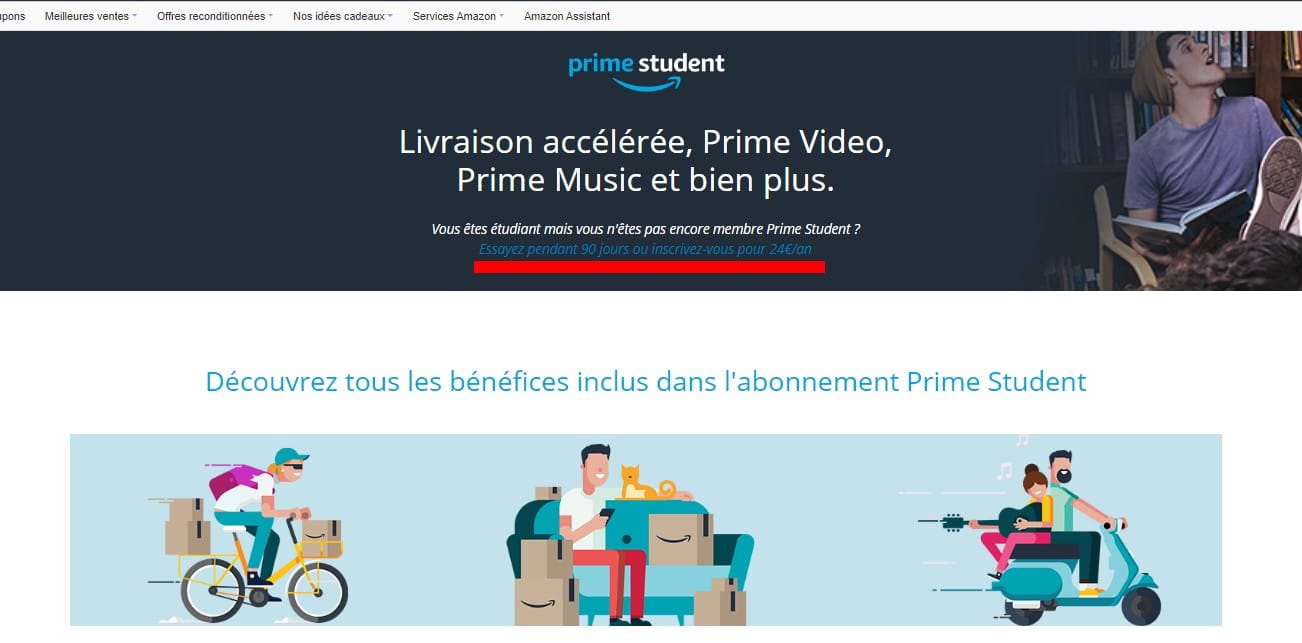
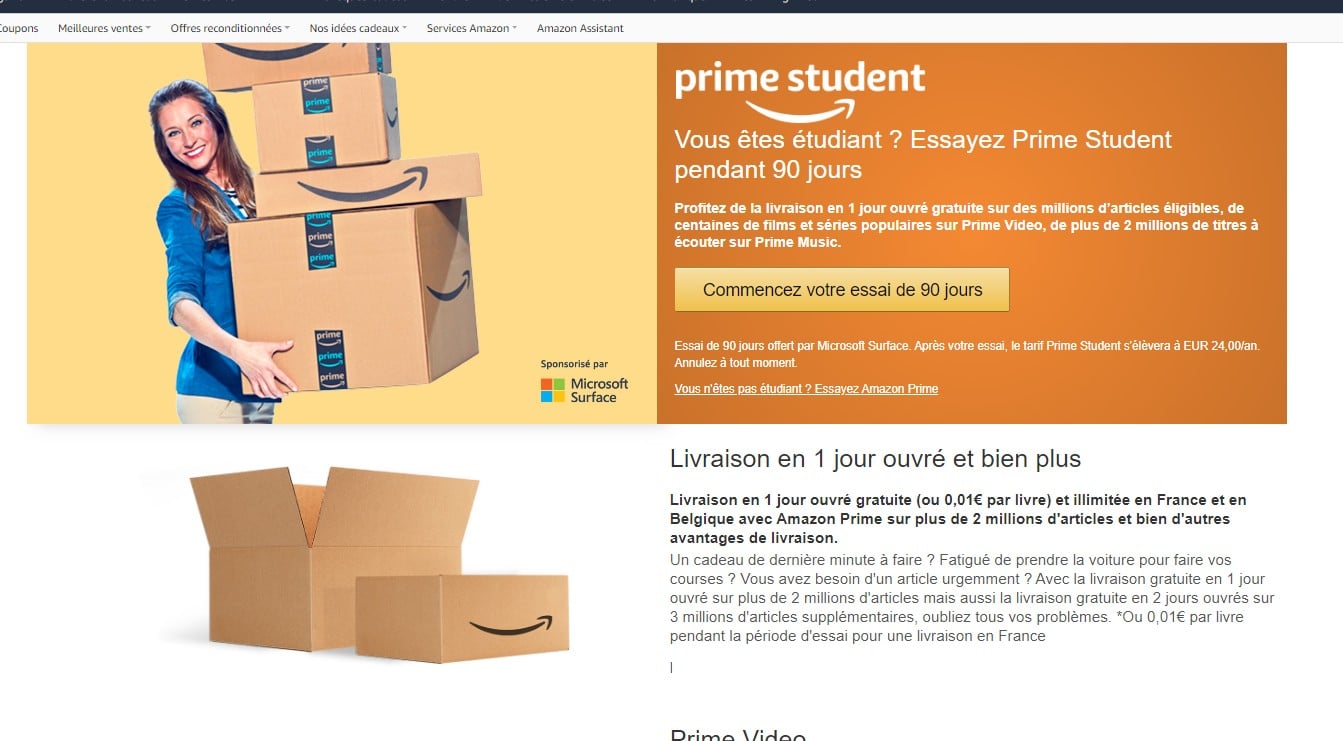
Next, you will be redirected to a new page, click the big button in the middle, It says: Start your 90-day trial;
Next, you'll need to enter the email address provided by your school(A confirmation email will be sent, so no fake accounts!) If you don't have an email address, come to Discord or leave a comment with your email address and I'll come and help you.
Then, please inform date of completion of your studies : 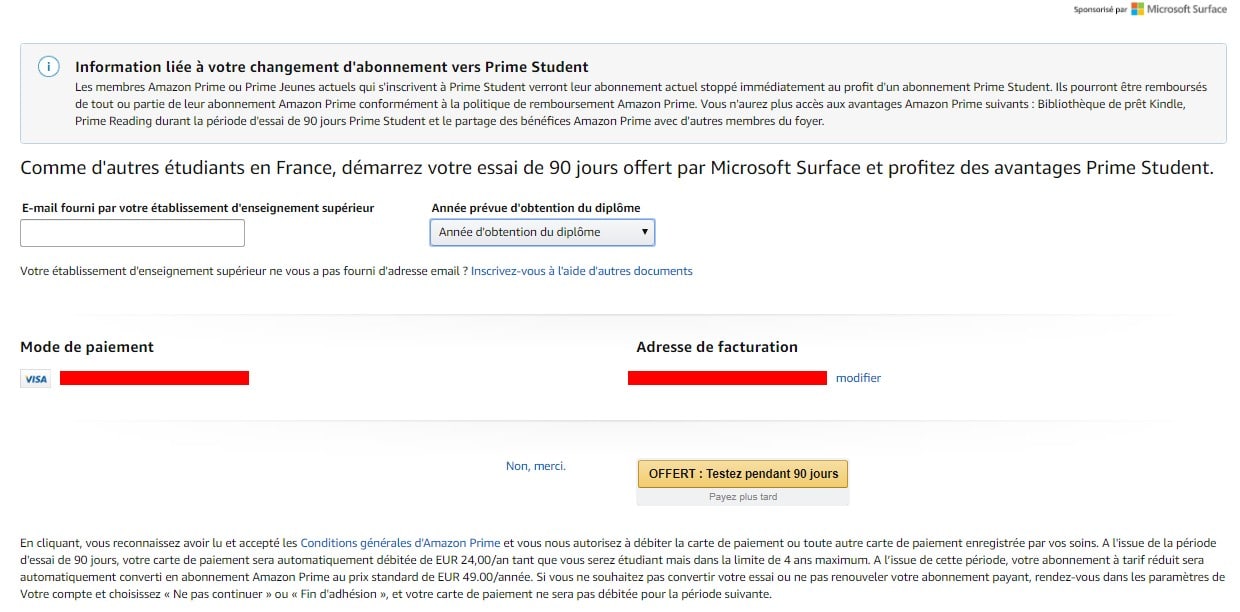
Enter your payment method and address, and you will be removed after 3 months.
It is possible to request a callback to cancel the subscription before paying the €24.
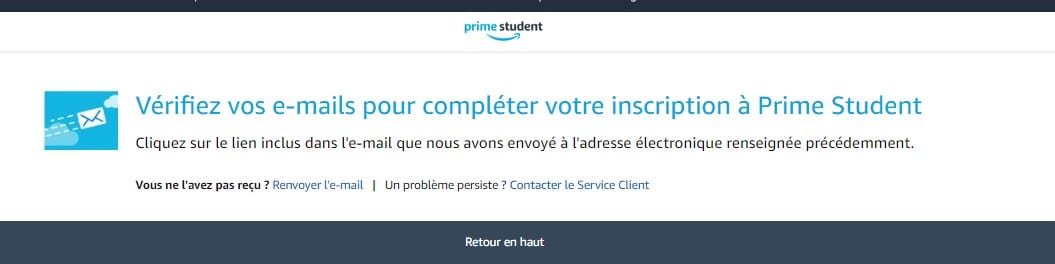
You will receive an email. Simply open it and copy/paste the link provided. You should now have three months of free Amazon Prime! And that means three months of free Prime Gaming (Twitch Prime).
It is enough for you to be a student and to have a credit card, don't forget to go to " Manage your Amazon Prime membership (no link) andactivate the reminder email.
All you have to do is link the account to your twitch account and your Twitch username.
For those who don't know, as a subscriber to the Amazon Prime program, Prime Student members enjoy the following bonuses:
- Accelerated delivery : Delivery in 1 working day free on over two million eligible items;
- Prime Video Movies and series, including Amazon Original exclusives like The Boys, popular series like Grey's Anatomy and Jérôme Commandeur's show Tout en douceur ;
- Prime Music Access to a catalog of 2 million titles with unlimited streaming without advertising.
See the advantages of Amazon Music
- Amazon Photos: Access to secure, unlimited photo storage ;
- Prime Gaming (Twitch Prime): Exclusive content and benefits for Amazon Prime subscribers. (Plus a free subscription worth €5), so you save money if you subscribe to someone else's channel, and if you don't know where to use your subscription, go ahead and use it on our Twitch channel.
For those who have Prime Gaming, you have a badge on twitch, useful to stand out from the crowd. Twitch raid.
Tip 2: Take advantage of the free one-month trial version
AmazonPrime offers a free one-month trial to give users an idea of what to expect when they sign up for a subscription. It's also a way to get Prime Gaming for free. To try it for free, click the button:
Tip 3: Using gift-giving on discord
Don't forget to read part 2 on how to get 1 month free (just above 🙂).
For my part, I have Prime Gaming (Twitch Prime), and it often happens that I don't use codes (for example, game codes (dauntless, fifa, etc.), so if you wish to restore them, go to Discord, instead of losing these rewards (loot) since they are useful to you. Also, if you want to do the same for loot you don't use, no problem, go to DISCORD ALUCARE.FR (button below).
If this guide has helped you, feel free to share it (the only way to help me :)) and also if you don't use shared loot (it's okay if you don't know or don't agree with us ^^)
List of tutorials on the Twitch platform that might help you :
- An entire community is waiting for you on Discord Alucare.fr to help you take action:









 English
Hello,
First of all, I wanted to thank Alucare and this wonderful project, whether for the nitro, the battle pass or other, a big thank you.
Don't hesitate to join the discord to also benefit from a free reward in exchange for simple advertising. I myself received a batch a few days ago, so feel free to join and share?.
Hi, can you help me I don't have a student email thank you very much ^^
Hi, how would you like me to help you? 🙂 try with your normal email address, chances are it will work :).
Your trick only works if you're a student? if we are not, impossible?
Hi, so yes, but there are 3 months free if you do it anyway without being a student 😉 (just think about canceling the next payment 🙂 )
I don't have a student email, can you help me? here is my mail,
Thanks
Hi, in case you come back I sent you an email (I deleted your email in the comment to avoid spam but here you go ^^
me podrías crear una cuenta de un mes por favor lo intenté y se me hizo muy difícil donde está en francés y donde además piden tarjeta de crédito. 🥲
Hello, I work for Alucare, if you have a question don't hesitate to ask it on the Alucare discord: (link at the bottom of the site)