In this article, you will find Mobile Legends: Bang Bang codes and a tutorial on how to use them.
📝 Disclaimer: This article will be updated regularly to add new codes as they become available.
BONUS for Mobile Legends:
You can earn money by playing Mobile Legends:
PS: The game may no longer be available. To get your €5 bonus, install at least one game within 24 hours.
List of usable codes
Here is the list of active codes:
- 3r83efok9
- 0nc9lhok9
- 2y3vo2r3x
- MRO20241209
- HOLAMLBB (new players only)
Please feel free to copy/paste the code from our article to ensure you use it correctly. Gift codes are a great way to get extra benefits, actively participate in community life, and unlock special content.
List of expired codes
The following list shows Mobile Legends: Bang Bang promo codes that have now expired and can no longer be used.
- 888888
- MLBBxDOMIXI
- Carry555
- NARUTOMOBA
- Dynamo03
- 3r83efok9
- ny2pzck6bsdx233zt
- MLBBRISING
- MLBBSPEC
- MROELITE
How to use gift codes on Mobile Legends: Bang Bang?
Simply follow these steps to use the active codes in the game:
Step 1: Retrieve your Game ID
- Open the application Mobile Legends: Bang Bang.
- Tap your Avatar in the upper left corner to open your profile.
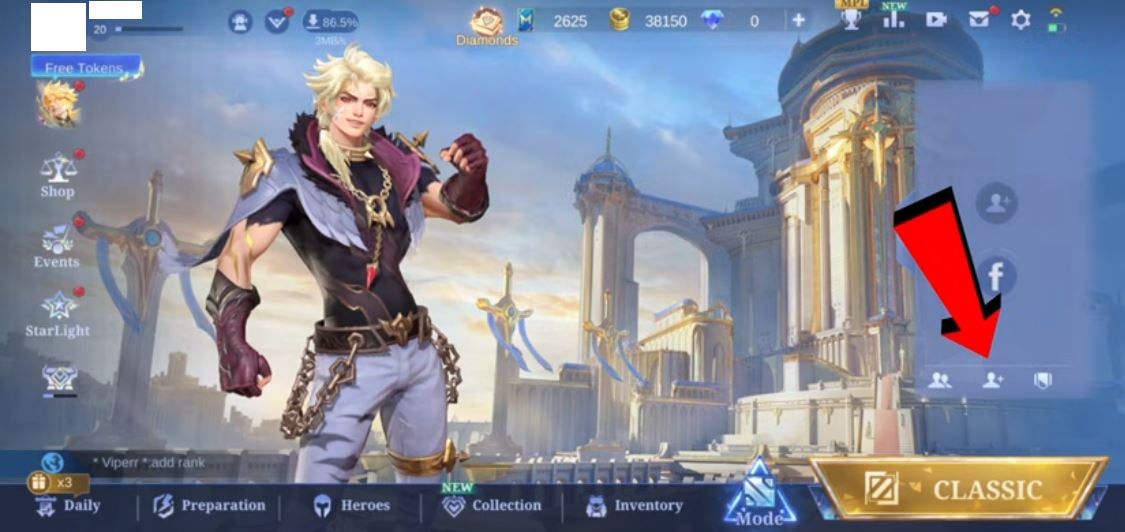
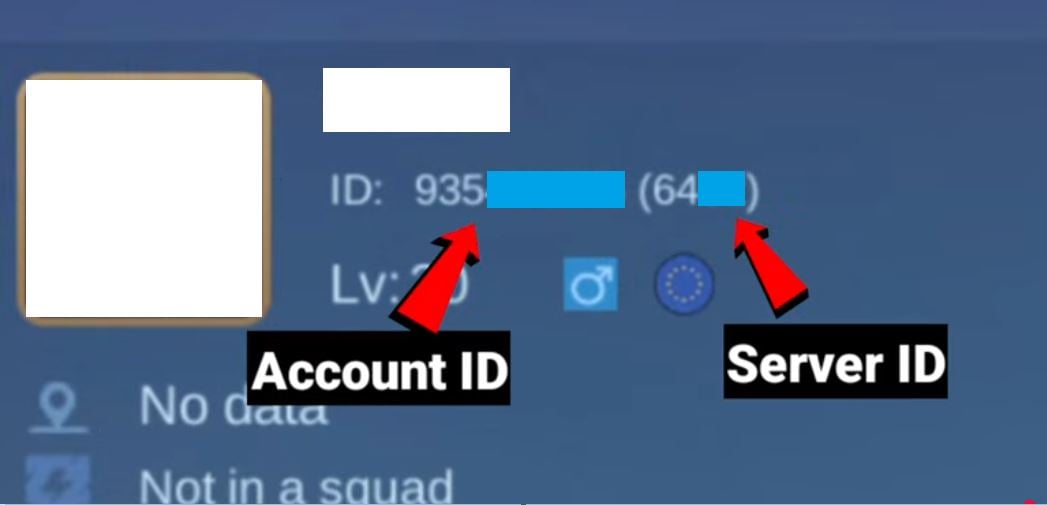
- Write down your Game ID. which appears under your name. It usually consists of 8 or 9 digits, followed by a number in parentheses, for example: 12345678 (1234). You need the two numbers.
Step 2: Retrieve your verification code
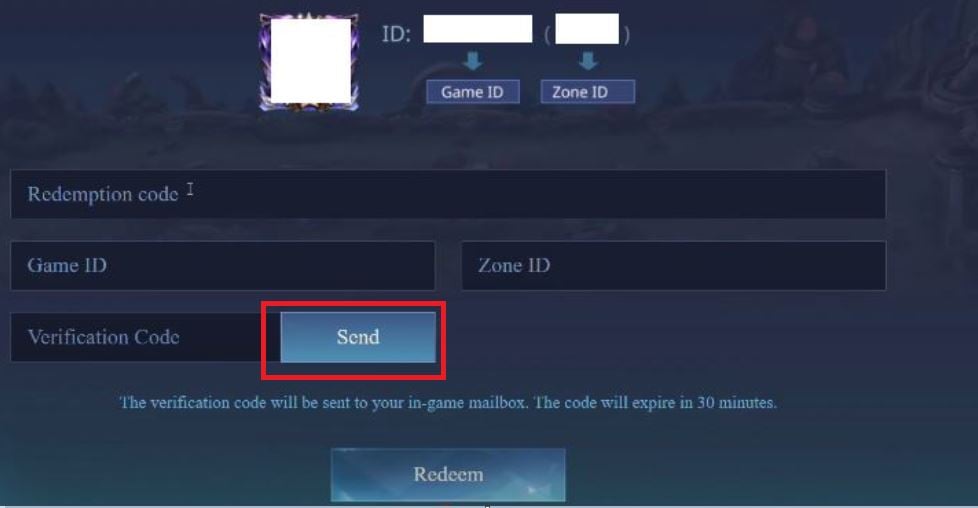
- Go to Mobile Legends code redemption site https://m.mobilelegends.com/en/codexchange
- Enter your game ID that you noted in the previous step.
- Click the "Send" button (Send) next to the field “Verification Code“.
- Return to the application Mobile Legends.
- Open your mailbox (Mailbox) in the game. The 6-digit verification code will have been sent to you. Write down this code.
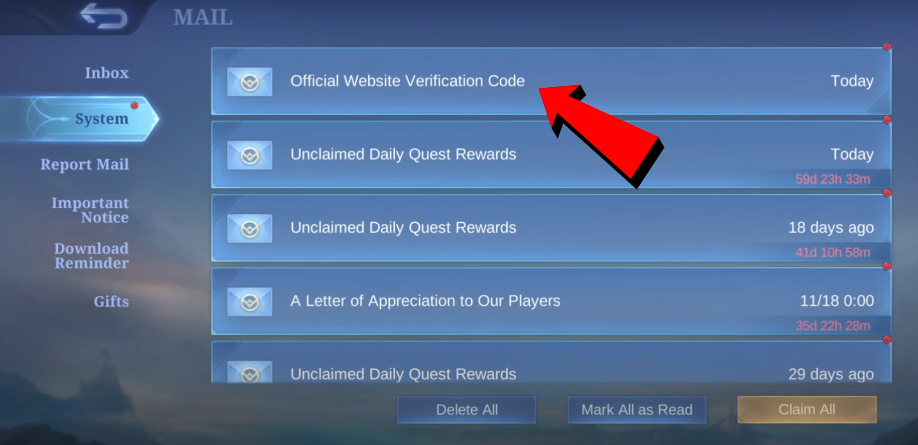
Step 3: Activate the gift code
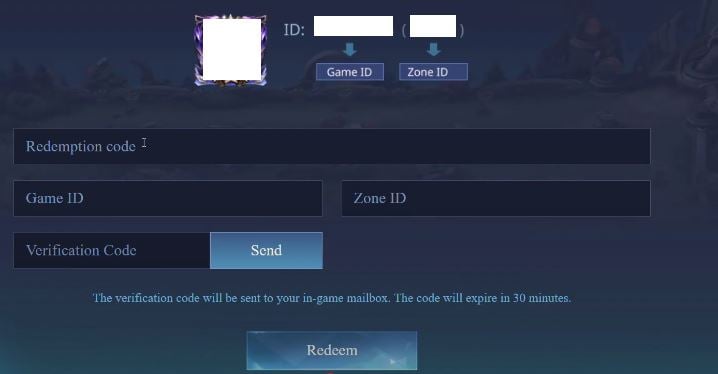
Return to the code redemption site.
- In the field “Redeem Code“, enter the gift code that you wish to use.
- In the field “Verification Code“, enter the 6-digit code that you received in your in-game mailbox.
- Click on the button "Redeem“ (Exchange).
Step 4: Collect the reward
- Return to the applicationn Mobile Legends.
- Open your Mailbox again (Mailbox).
- The code reward (diamonds, skins, fragments, etc.) will be there. sent.
Now you know which gift codes are active on Mobile Legends: Bang Bang and how to use them.
For more gift codes for other games:
- Discover all the Cookie Run Kingdom gift codes.
- Don't miss the codes for Love Nikki.









 English