In this article, you will find codes Call of Duty Mobile and a tutorial on how to use them.
📝 Disclaimer: This article will be updated regularly to add new codes as they become available.
BONUS for Call of Duty Mobile:
You can earn money by playing Call of Duty Mobile:
PS: The game may no longer be available. To receive your $5 bonus, install at least one game within 24 hours.
List of usable codes
Here is the list of valid codes:
- XBLX3HN7X77NAH7
- CPPPZBZVV7
- BNX33C6FLWCPCBP
- CPPOZBZJAW
- CPPVZBZSQ5
- CPLNZBZ3XR
- CPLMZBZE78
- CPEEZBZ89A
- CPEBZBZA3A
- CPECZBZV67
Please feel free to copy and paste the code from our article to ensure you use it correctly. Codes are a great way to get extra benefits, actively participate in the community, and unlock special content.
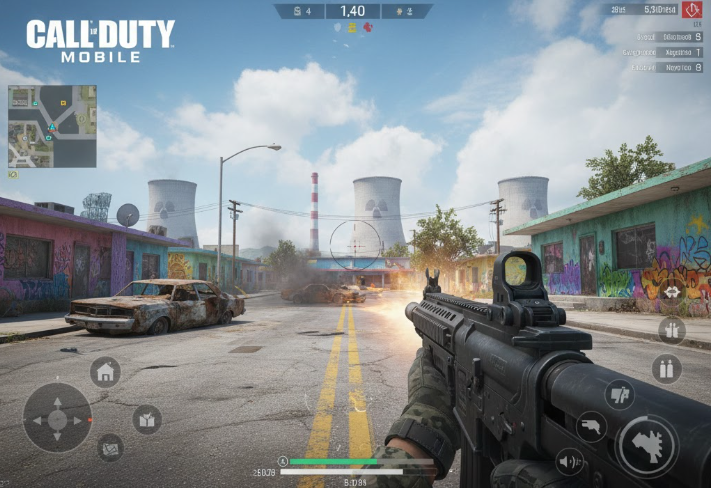
How to use codes on Call of Duty: Mobile?
Simply follow these steps to use the active codes about the game :
Step 1: Find your UID (User ID)
The UID is your unique identifier in the game:
- Launch Call of Duty: Mobile.
- In the home menu, click on your username or your avatar at the top left of the screen.

- Select “Basic“.

- You will find your UID at the top right.
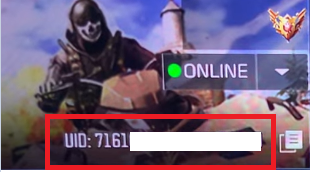
- Copy this UID (just click on the small icon next to it to do so).
Step 2: Go to the official exchange website
Visit this website https://www.callofduty.com/redemption. You will need to fill in three fields:
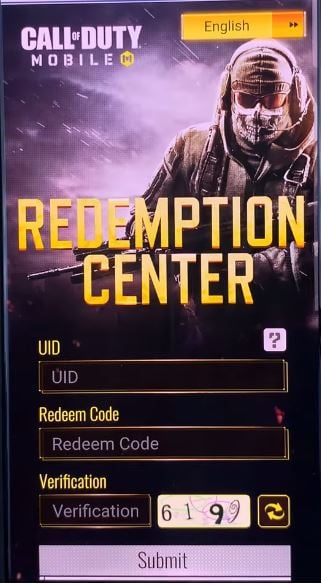
- UID (User ID): Paste the UID you copied in step 1.
- Redeem Code (12-character code): Enter the exchange code you wish to use.
- Verification Code (Verification Code/Captcha): Enter the small Captcha code displayed on the screen to prove that you are not a robot.
VSClick on the button “Submit“ (Submit) to validate your reward. If the code is valid, you will receive a confirmation message.
Step 3: Restart Call of Duty: Mobile
On the game's home screen, click on theenvelope icon (mail) at the top of the screen. Your reward should be there. Retrieve it from your inbox at stake.

There you have it, we've covered all the codes for Call of Duty Mobile.
For more codes on other games:
-
- Discover all the codes for FC Mobile
- Don't miss the codes Fortnite









 English