How to play Star Equestrian on PC?

Author :

React :

Comment

In this article, we will explain How to install Star Equestrian on PC.

Here is an overview of the gameplay on Star Equestrian.
Here is a preview of the gameplay on Star Equestrian. ©️ Antonin for Alucare.fr

Find out how to play it on PC or Mac and how to reduce the cost of your purchases !

To install Star Equestrian on your PC, we will use BlueStacks with the tutorial below.

Install Star Equestrian with BlueStacks

And to make purchases in the game, don't forget to visit the official website at Star Equestrian :

Visit the official Star Equestrian store

How to download and play Star Equestrian with BlueStacks?

As a reminder, Star Equestrian is officially available on mobile devices (Android and iOS). However, it is possible to play it on a computer using an emulator such as BlueStacks.

  1. Visit the official BlueStacks website and install the latest version of the emulator.

Install Star Equestrian with BlueStacks

  1. Once BlueStacks is installed, you will be asked to sign in to your Google account or create one.
  2. Search for Star Equestrian in the BlueStacks search bar.
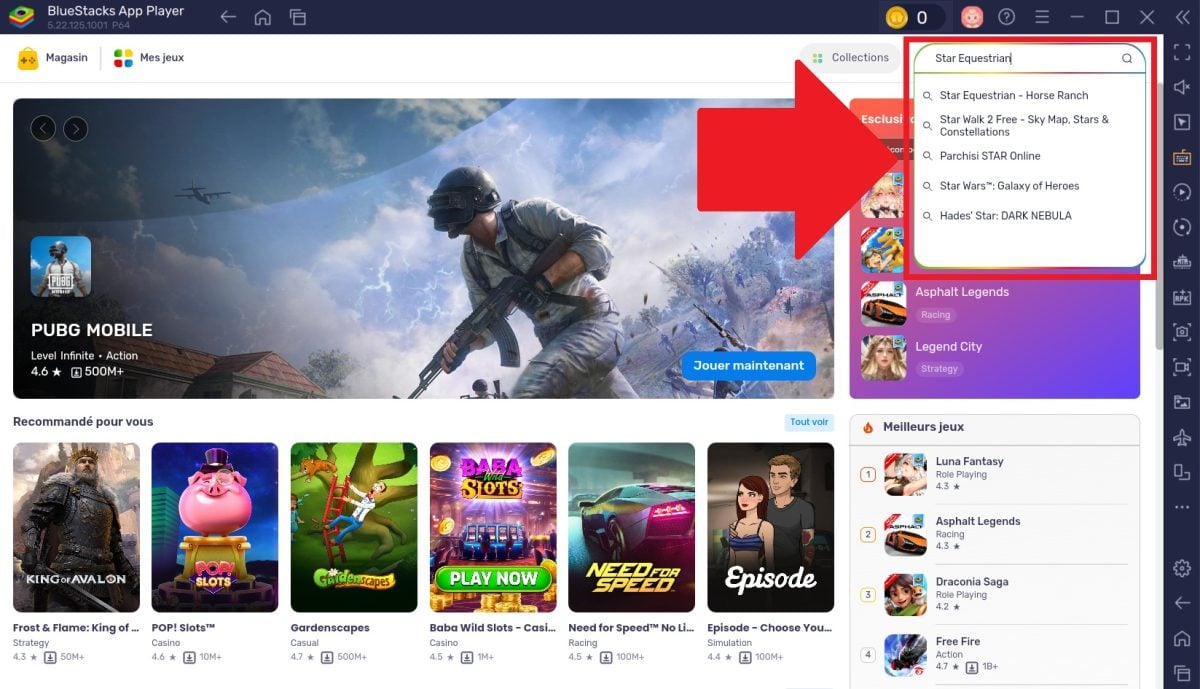
Click on Star Equestrian - Horse Ranch.
Click on Star Equestrian – Horse Ranch. ©️ Antonin for Alucare.fr
  1. Install Star Equestrian from Google Play via BlueStacks.
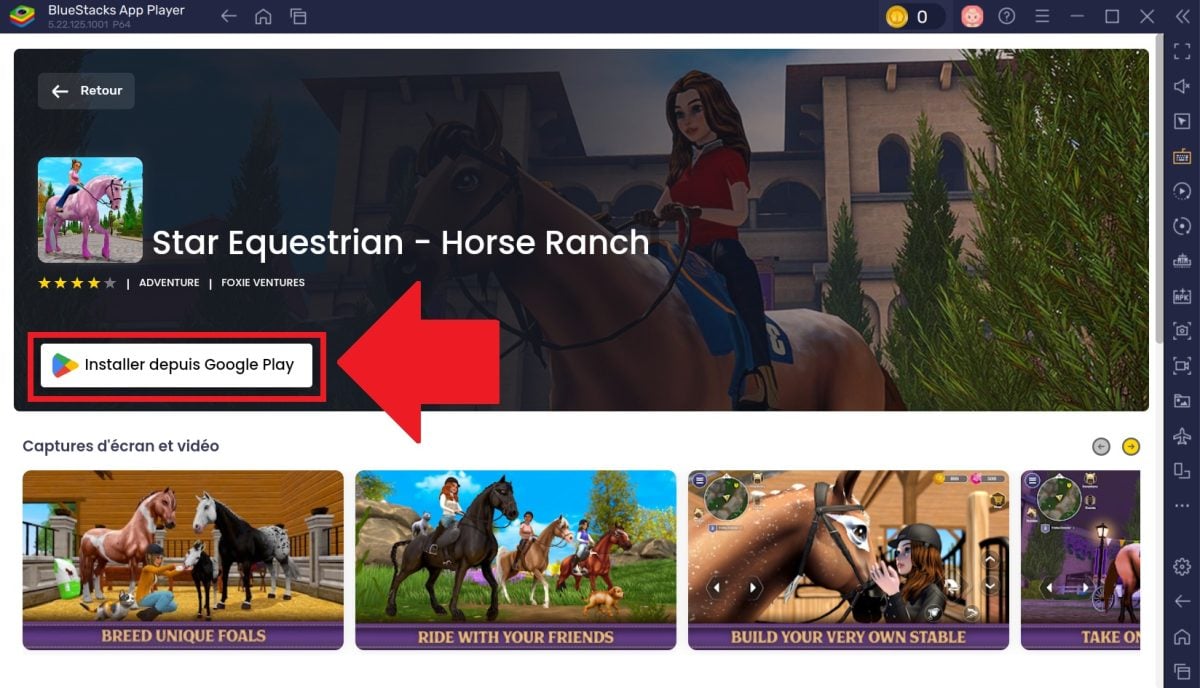
After clicking the install button, you will be redirected to Google Play to start the installation.
After clicking on the install button, you will be redirected to Google Play to start the installation. ©️ Antonin for Alucare.fr

Remark : If you haven't already done so on BlueStacks, you will be asked to connect your Google Play account before you can download and install the game.
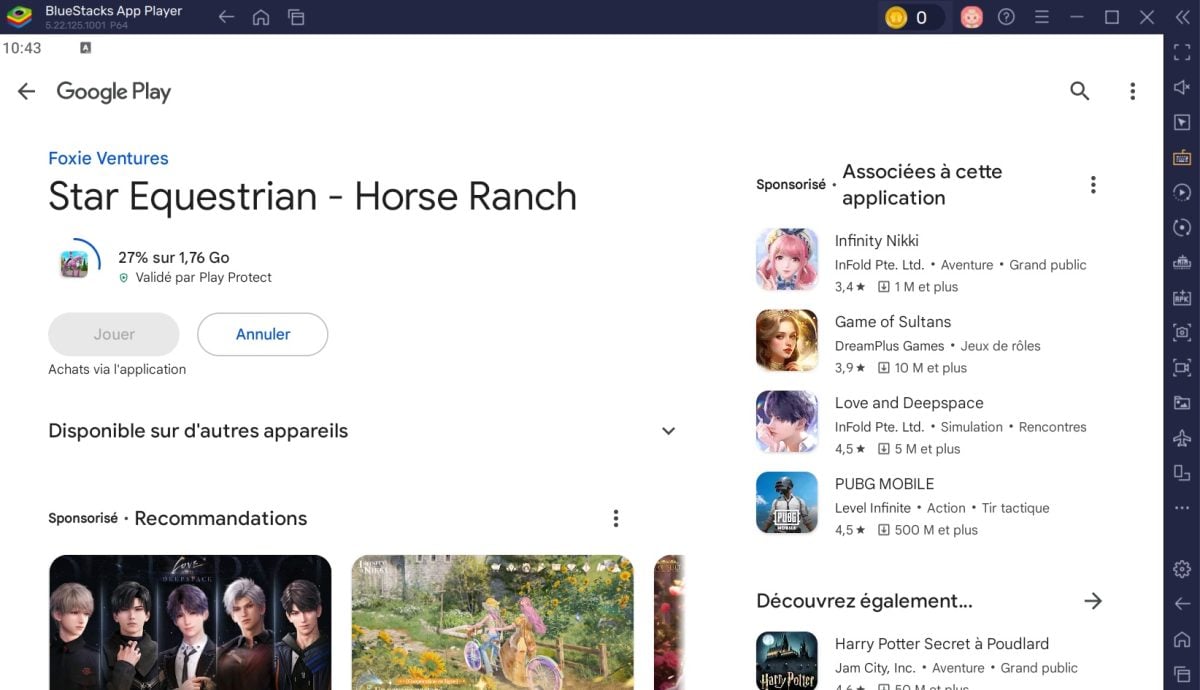
Once you are logged into Google Play, you can install Star Equestrian - Horse Ranch with BlueStacks.
Once you are logged into Google Play, you can install Star Equestrian – Horse Ranch with BlueStacks. ©️ Antonin for Alucare.fr
  1. Once installation is complete, the’The Star Equestrian icon will appear on the home screen. by BlueStacks.
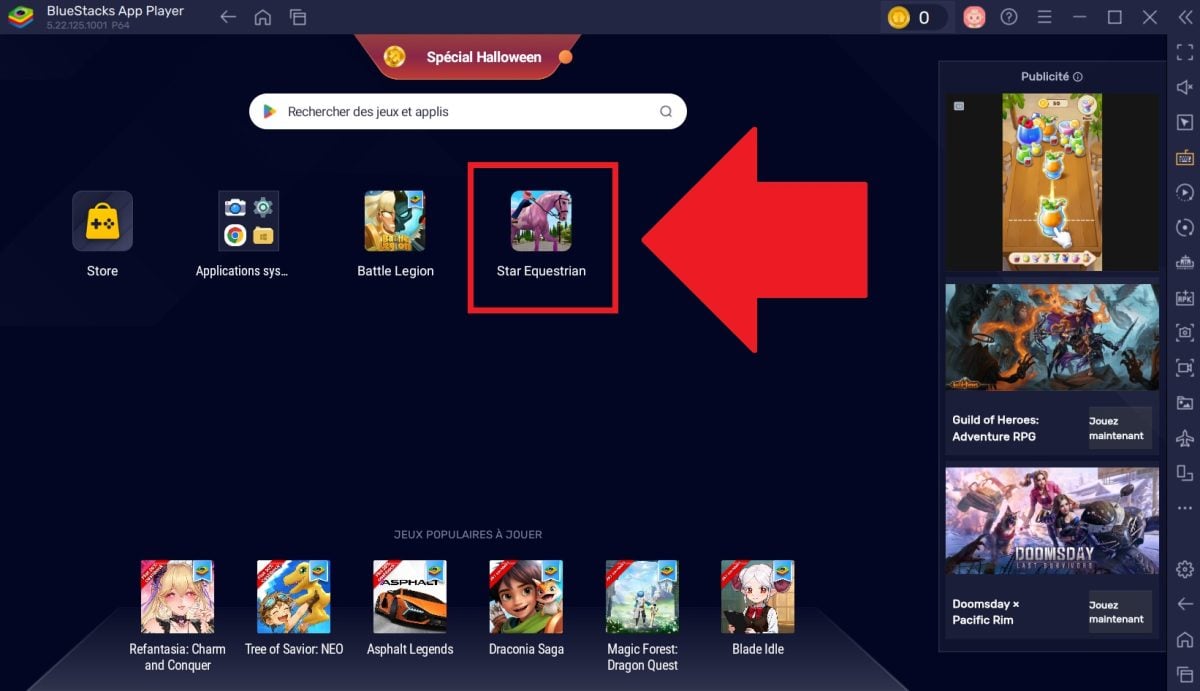
Once it is installed on the emulator, Star Equestrian will appear on the home page and you can simply click on it to launch it.
Once installed on the emulator, Star Equestrian will appear on the home page and you can simply click on it to launch it. ©️ Antonin for Alucare.fr
  1. Click on it to start the game and immerse yourself in an open world to explore with your horse.
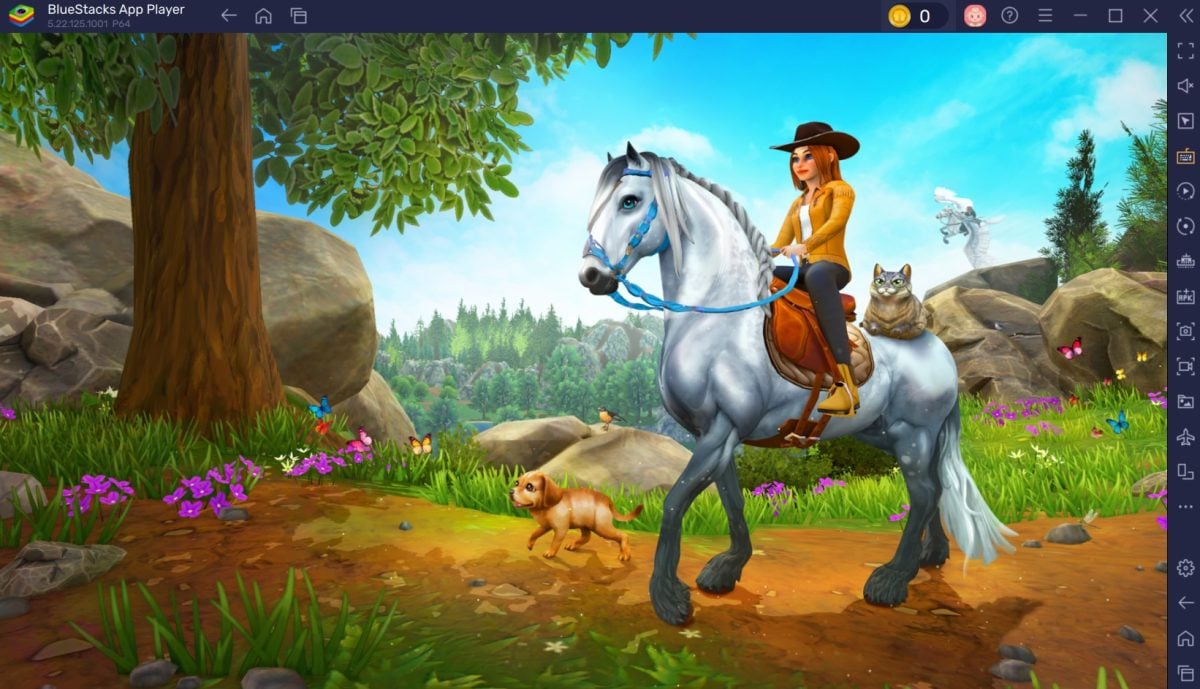
This screenshot shows Star Equestrian launching on BlueStacks.
This screenshot shows Star Equestrian launching on BlueStacks. ©️ Antonin for Alucare.fr

How can I spend less on Star Equestrian?

One of the best ways to save money on this game is to visit the official Star Equestrian store.

By clicking on this link, you will access preferential rates while avoiding additional fees from Google Play and the App Store.

Visit the official Star Equestrian store

 To make purchases, you must log in or create an account on the website.
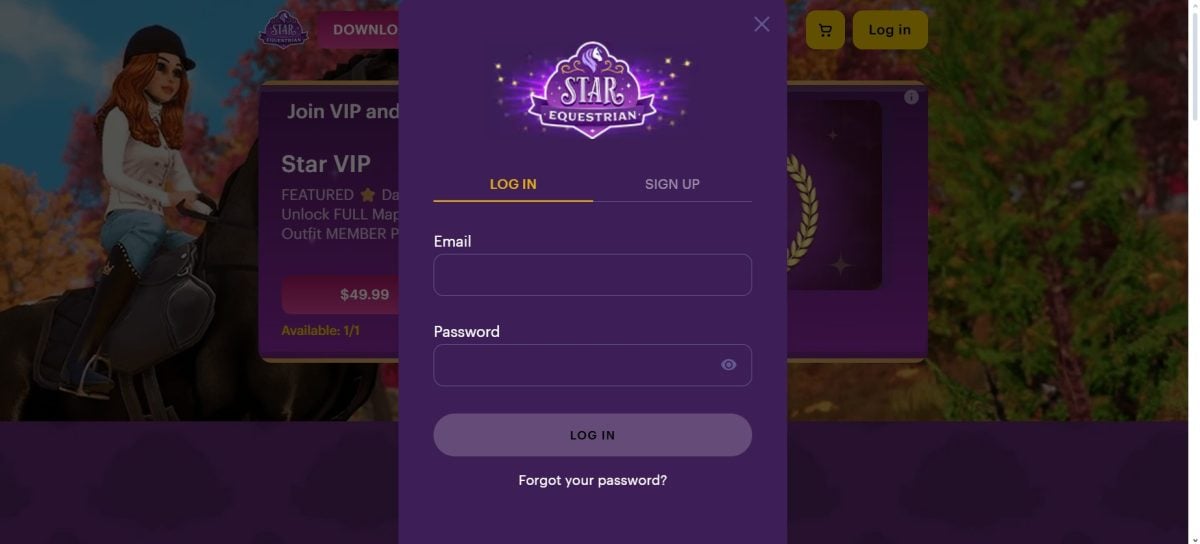
Once on the home page, click on the "Log in" button at the top right of the shopping cart to log in or register.
Once on the home page, click on the button “Log in” located at the top right of the basket to log in or register. ©️ Antonin for Alucare.fr
➡️ Make sure you use the same account (Google or Apple). as the one linked to your gaming profile, so that your purchases are correctly synchronized.

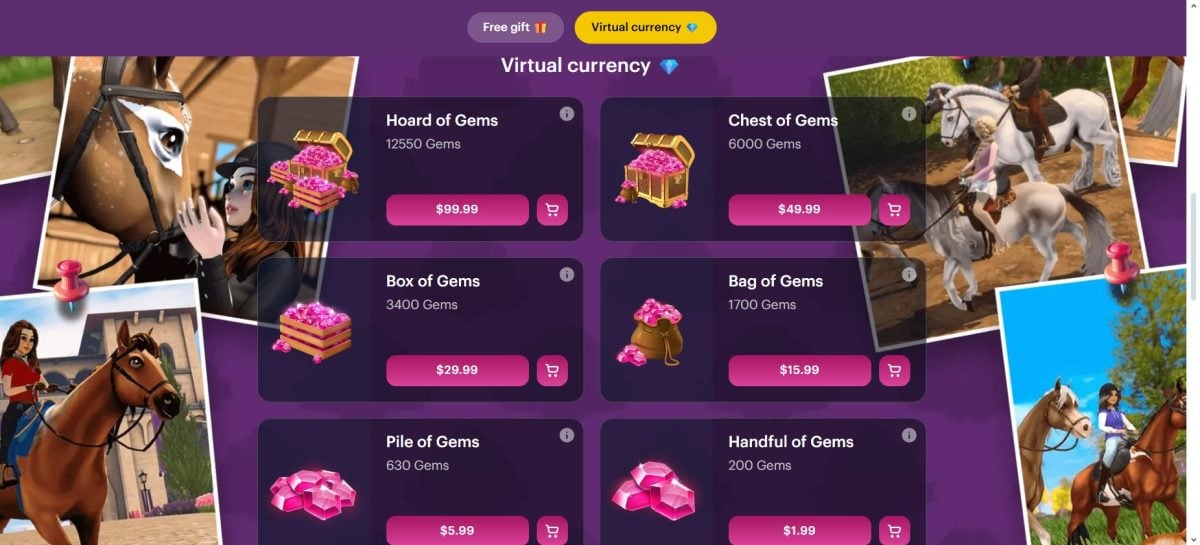
Here is an overview of the prices available in the Star Equestrian store.
Here is an overview of the prices available in the Star Equestrian store. ©️ Antonin for Alucare.fr

➡️ Always remember to check that the offer has been credited. to your account by restarting the game after purchase.

Now you know how:

Play Star Equestrian on your PC:

Install Star Equestrian with BlueStacks

Save money while playing:

Visit the official Star Equestrian store

If you're looking for other popular mobile games to play on PC, check out our articles on the subject:

Found this helpful? Share it with a friend!

This content is originally in French (See the editor just below.). It has been translated and proofread in various languages using Deepl and/or the Google Translate API to offer help in as many countries as possible. This translation costs us several thousand euros a month. If it's not 100% perfect, please leave a comment for us to fix. If you're interested in proofreading and improving the quality of translated articles, don't hesitate to send us an e-mail via the contact form!
We appreciate your feedback to improve our content. If you would like to suggest improvements, please use our contact form or leave a comment below. Your feedback always help us to improve the quality of our website Alucare.fr


Alucare is an free independent media. Support us by adding us to your Google News favorites:

Post a comment on the discussion forum