In this article, you will find codes for Whiteout Survival and a tutorial on how to use them.
📝 Disclaimer: This article will be updated regularly to add new codes as they become available.
BONUS for Whiteout Survival :
You can earn money playing Whiteout Survival :
PS: The game may no longer be available. To get your €5 bonus, install at least one game within 24 hours.

List of usable codes
Here is the list of valid codes:
- WOS0408(New !)
- T120407(New !)
- EasterBunny26(New !)
- OFFICIALSTORE
Don't hesitate to copy and paste the code from our article to ensure you use it correctly.
Gift codes are a great way to get additional benefits, actively participate in community life, and unlock special content.
How can I use the Whiteout Survival codes?
To use the codes (often called “Gift Codes”) in Whiteout Survival, the method differs depending on whether you're using an Android or iOS (iPhone) device.
Here are the detailed steps for each platform:
On Android (directly in game)
This is the simplest method, as the option is integrated into the application.
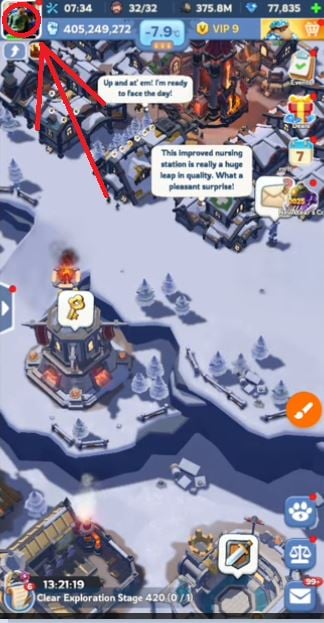
1. Launch the game and click on your Avatar (your profile) in the top left-hand corner.
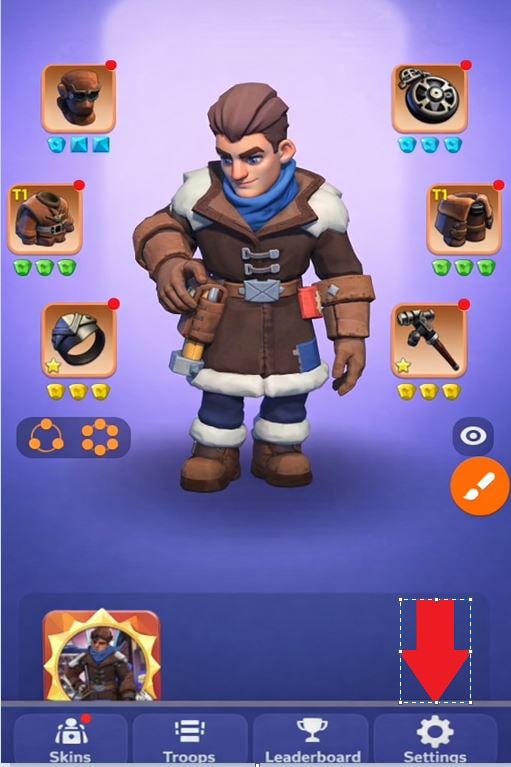
2. Press the Settings button (the cogwheel icon) at bottom right.
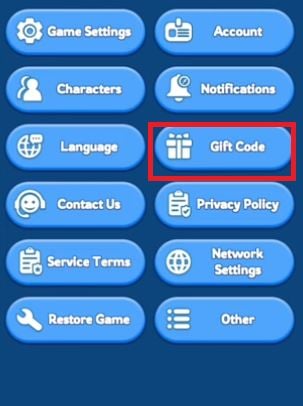
3. Look for the Gift Code button.
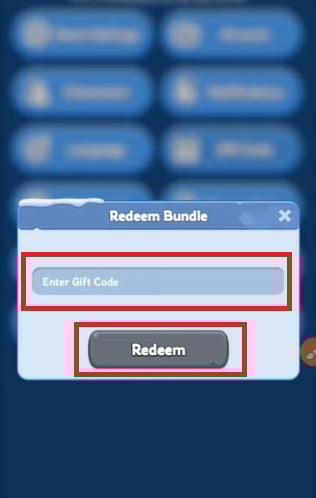
4. Enter your code and validate by pressing Redeem. Your rewards will appear immediately.
On iOS / iPhone (Via the official website)
Apple restricts code exchanges directly within applications. So you have to use a web browser.
- Retrieve your ID: in-game, click on your avatar in the top left-hand corner. Your Player ID is the number displayed under your pseudonym (e.g. 12345678). Write it down.
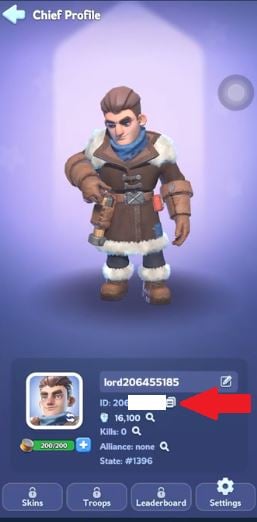
2. Go to wos-giftcode.centurygame.com.
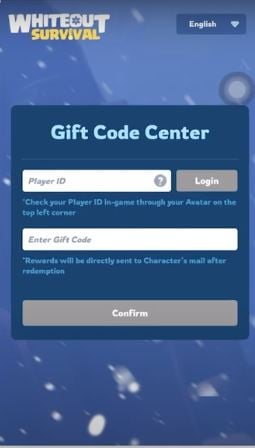
3. Login: enter your Player ID.
4. Enter the code: enter the active gift code and the verification code (captcha) displayed on the page.
5. Collect your winnings: return to the game and check your internal Mailbox to collect your rewards.
You now have all the keys you need to boost your progress. Whether you're on Android or iOS, the process is quick and the rewards are well worth it. Don't forget to check this list regularly for updates, as new codes appear every month. It's up to you to make your banner flourish in the frozen lands!
For more codes on other games:
- ✨ Discover all the codes for League of Pantheons
- 🛡️ Don't miss out on the Legend of the Phoenix codes









 English