In this article, you will find codes for Clash of Critters and a tutorial on how to use them.
📝 Disclaimer: This article will be updated regularly to add new codes as they become available.
BONUS for Clash of Critters:
You can earn money by playing Clash of Critters :
PS: The game may no longer be available. To get your €5 bonus, install at least one game within 24 hours.
List of codes valid in October 2026
Here is the list of valid codes:
- hellotatari = 100 pinballs, 4,000 candies, 3 capsules
- goonbug = goonbug x1, blue bento box x1, candy x4000
Don't hesitate to copy and paste the code from our article to ensure you use it correctly.
💡 Codes expire quickly (often within days or weeks). We check the list every day, so check back regularly so you don't miss any.
«Are you having trouble using the codes or figuring out how to make the most of your in-game rewards? I've tested a full gameplay session on Clash of Critters for you. In it, you'll see, among other things, how to use the redemption codes and what strategies to use for your first battles.»
Explanatory video in French by Alucare, ideal complement to the page. View video (you can use YouTube's automatic translation)

How can I use the codes on Code Clash of Critters?
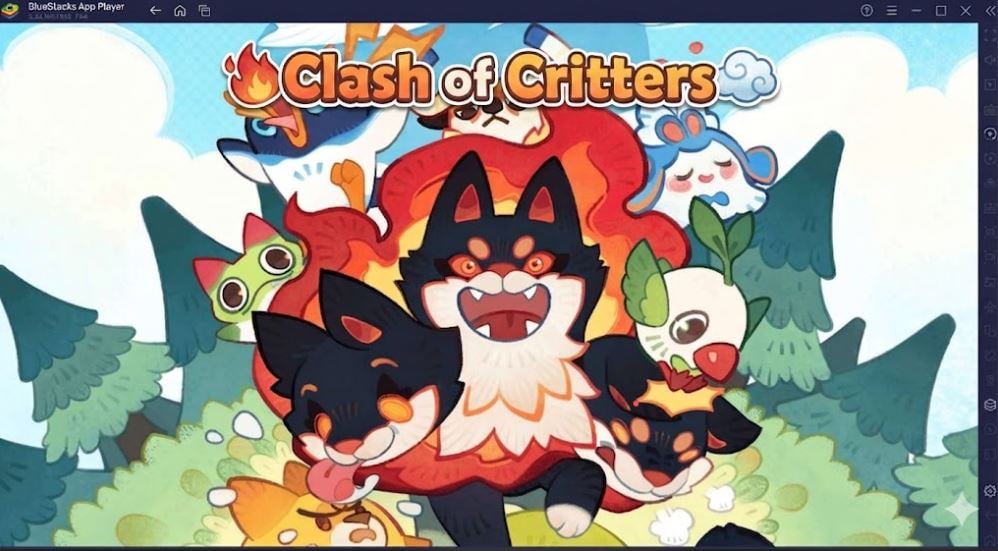
Simply follow the steps below to use the active codes in the game:
- Launch Clash of Critters on your device.
- Complete the tutorial (if you haven't already). Once you're back on your Camp (Campsite), you'll see all the game options.
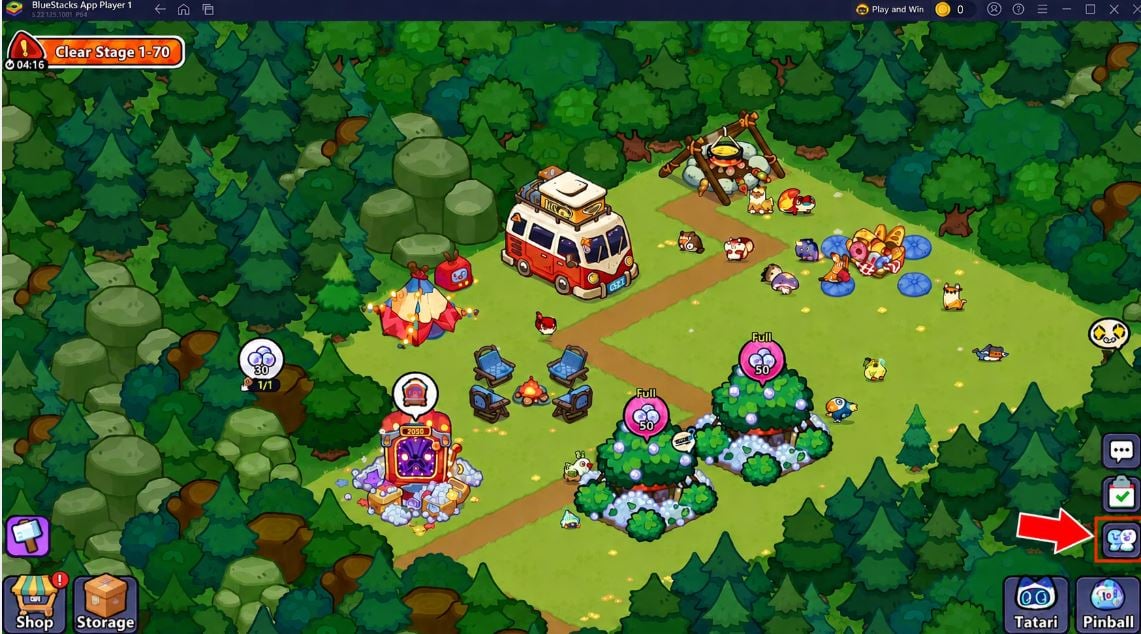
- Click on the Profile (Social) located at the bottom right of the screen, just above Pinball.
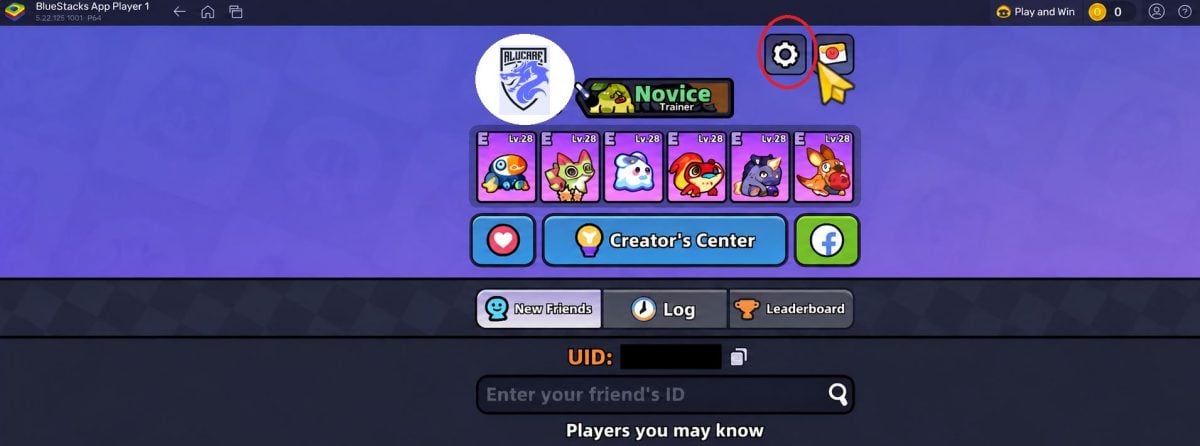
- This will open your Profile. Right next to your username, click the Settings (the gear).
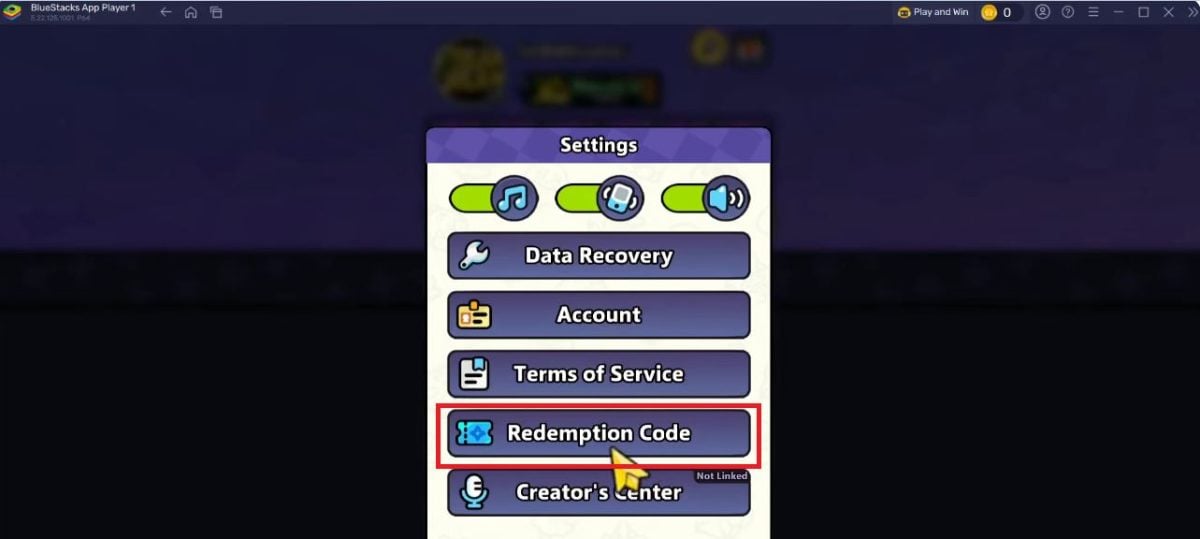
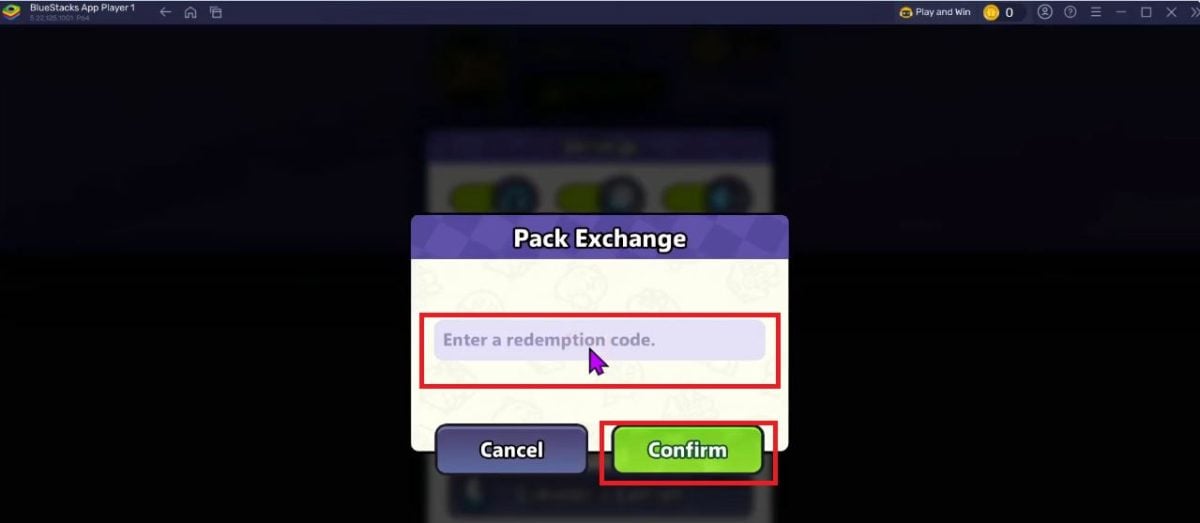
- In this menu, find and select the Exchange code (Redemption Code). The "Pack Exchange" tab (Pack Exchange) will then open.
- Enter your code, click on To confirm and enjoy your free gifts!
How to play Clash of Critters on PC?
To play Clash of Critters To display sharper graphics on your computer screen, the simplest and most effective method is still to use the emulator BlueStacks.
One of this platform's greatest strengths is its multi-instance feature, which lets you run the game smoothly in the background without slowing down your computer—ideal for monitoring your camp or farming resources while continuing your other activities on your PC.
Install Clash of Critters on PC with Bluestacks
Here are the easy steps to install and play Clash of Critters on your PC with BlueStacks :
- Click on the link above: This will download the installer optimized for the game. Run it to install BlueStacks.
- Log in to your Google Account : When you open the app, sign in to your Google account to confirm secure access to Android games.
- Enjoy the game: Using the link, Clash of Critters will download and install automatically in the background. Then, just click on its icon to start playing and set up your controls!
Use the Clash of Critters codes is the best way to boost your progress for free with pinballs, candies and bonus capsules. To make the most of it, play on PC with BlueStacks to farm your resources in the background while keeping an eye on your camp.
For more codes on other games:
- ✨ Discover all the codes for Animals & Coins
- 🛡️ Don't miss out on the Match Masters codes









 FR
FR  RU
RU  EN
EN  ES
ES  IT
IT  DE
DE  ZH
ZH  PT
PT  ID
ID  JA
JA  DA
DA