Aptoide has more than 300 million users around the world. It is a alternative app store to Google Play Store, with no geographic restrictions, for devices Android.
You can install it on your phone via a APK file, or at computer via the emulator BlueStacks.
The store offers millions of free and paid apps and games, accessible without going through the Google Play, in many languages and categories. It is also available on smart TVs via Aptoide TV.
If you're playing RAID: Shadow Legends, go through Aptoide gives you cashback on your in-game purchases.
This tutorial works on Android and on computer, not on iOS.
To learn everything about these rewards and cashback, watch my video in French below before moving on to the written tutorial.
Explanatory video in French by Alucare, ideal complement to the page. View video (you can use YouTube's automatic translation)

Explanatory video in French by Alucare, ideal complement to the page. View video (you can use YouTube's automatic translation)

How do I install Aptoide on my phone?
On your phone, the installation is quick and easy : You download the APK file From the official website, enable unknown sources, then start the installation.
Always download from the official source ofAptoide to keep the peace.
Step 1: Download and install Aptoide on Android
To install Aptoide on your smartphone or your tablet, you go directly to the official website, no need for the Google Play Store.
Here's how to do it:
- Download Aptoide from the link below:
- Then click on " Download" and wait for it to download to your phone.
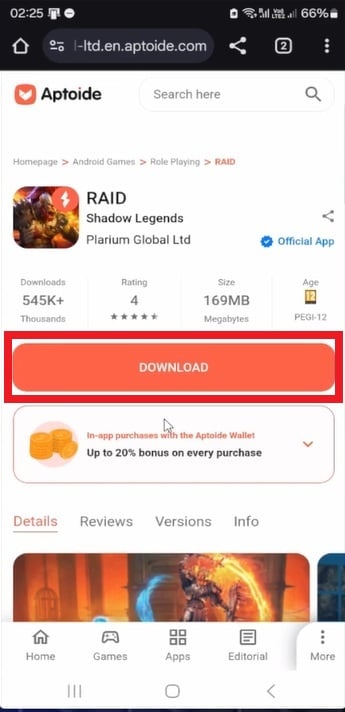


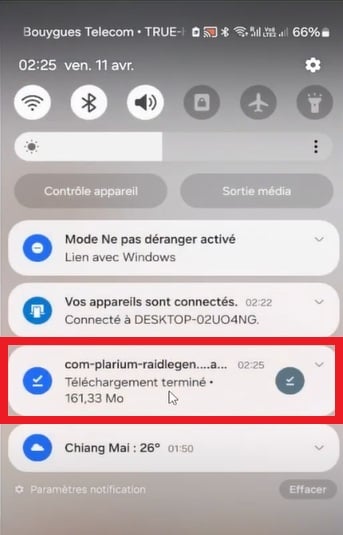
- Thanks to Google, you'll be protected against the installation of unknown apps. All you have to do is’authorize Aptoide installation.

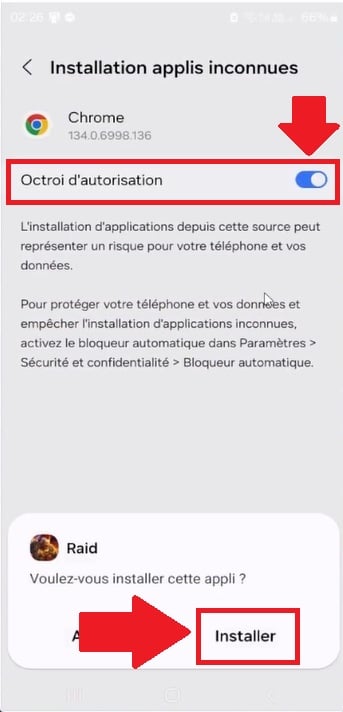
Remark : You do indeed install RAID: Shadow Legends on your smartphone, BUT it's linked to Aptoide, and you can get discounts on your in-game purchases!
- Once it's launched, you'll have the choice between:
- " Launch a new game": Recommended for new players.
- OR log in to your "ID Plarium" account.

- Don't forget that when you purchase offers on the app, you can benefit from a discount of 20 % provided you install " Aptoide Wallet » If you use the code ALUCARE !

- Once you've installed RAID: Shadow Legends, go back to the Aptoide website and download the Aptoide app:
- Then click on Download :

- Click «Download Anyway»:

- The download is in progress on your phone. When it's finished, tap it:

- Click on « Install "to proceed with the installation:

You now have the Aptoide application on your phone.
Aptoide is now installed on your device Android.
You can browse through its categories, search for and download apps or games available directly from this alternative awning.
How do I install Aptoide Wallet on my phone?
To get the most out of the bonuses, here are the steps to download and install Aptoide Wallet on your Android :
- Download Aptoide Wallet directly from Aptoide:
- Install the emulator BlueStacks by following these screenshots:


- Drag the APK file from RAID : Shadow Legends in BlueStacks. Retrieves the’APK for RSL from the link Aptoide lower down, then do a simple drag and drop in the emulator window.
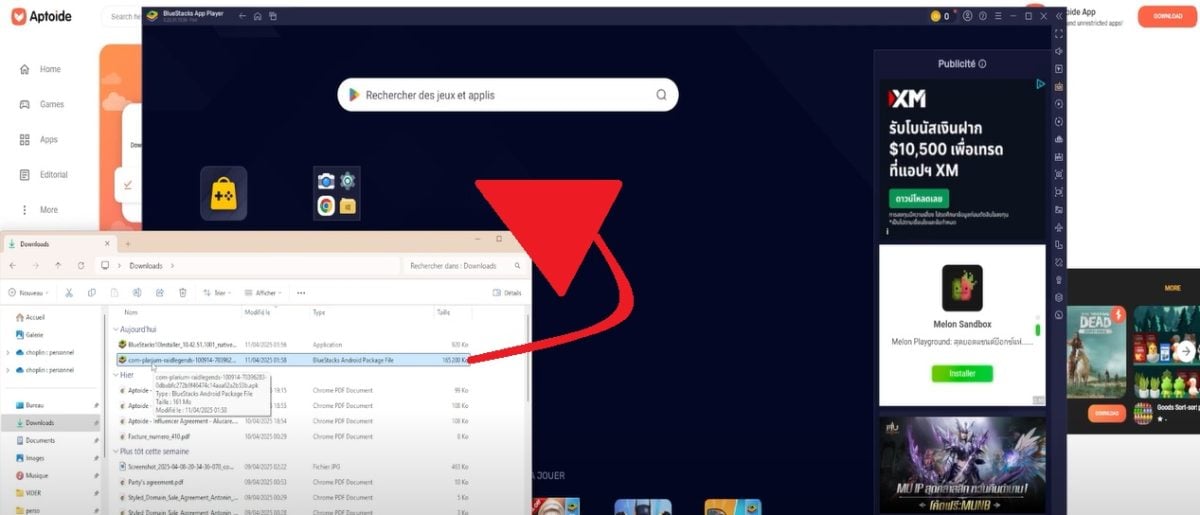

- Download Aptoide :


- Drag the APK file from’Aptoide in BlueStacks, just as you did for RSL.
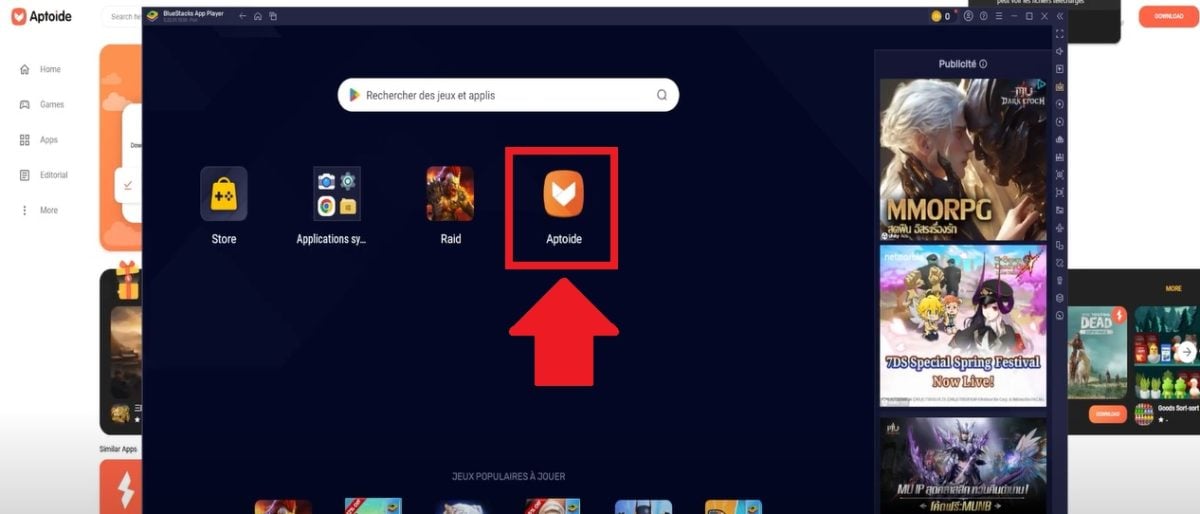
- Spear Aptoide in BlueStacks, then log in to your account.
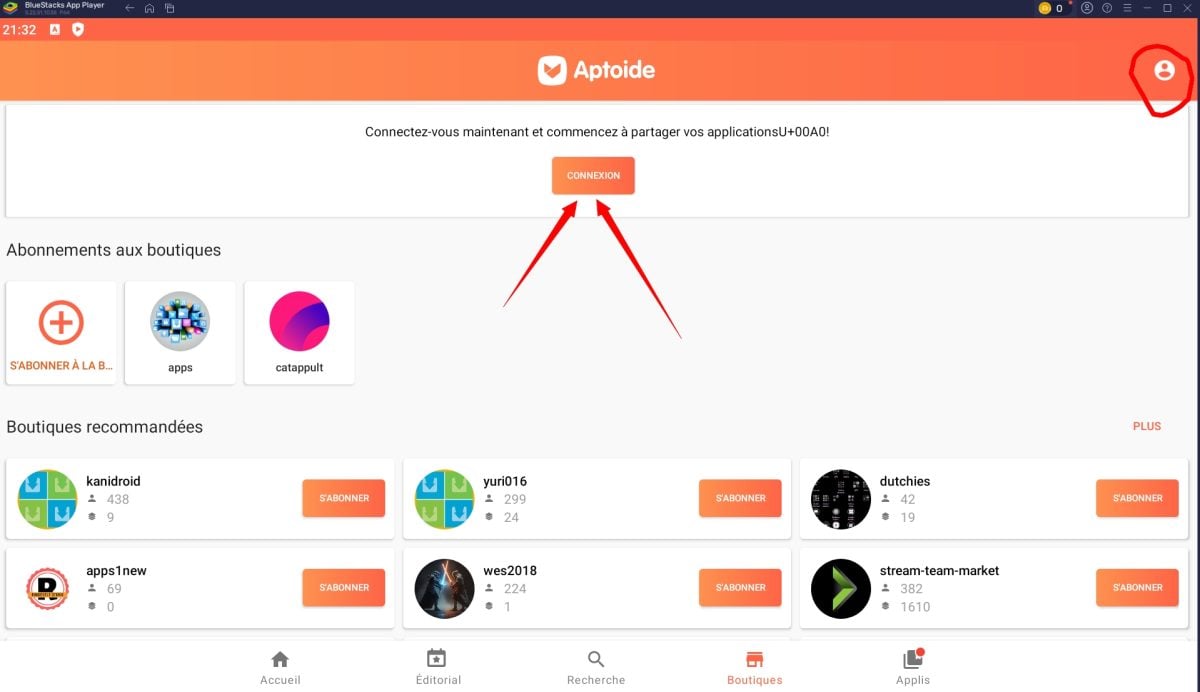
- In the search bar, type « Aptoide Wallet » and install the app.

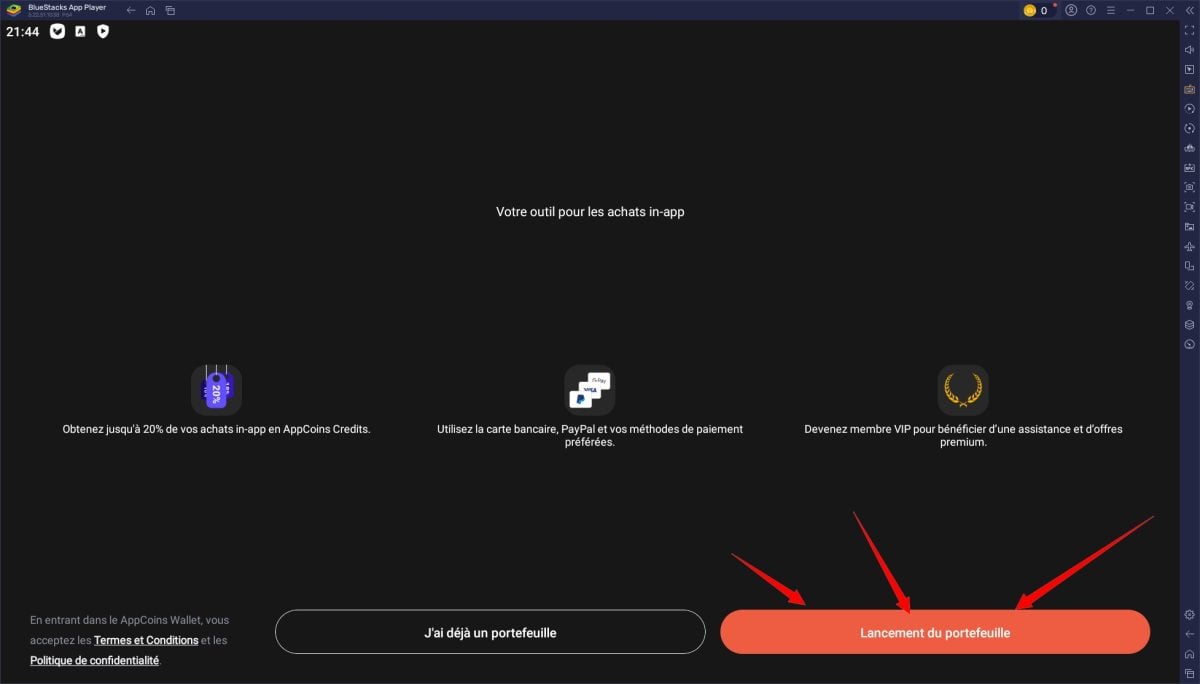
- Once installed, click « LANCEMENT DU PORTEFEUILLE ".
- Open the «Promo Code» section.

- Add the promo code to get your 5 additional % bonuses. The code changes every month.

By combining the basic cashback and the monthly promo code, you get to enjoy up to 15 % in bonuses on your purchases RSL via Aptoide.
Warning: the Promo code not working if you top up your wallet directly Aptoide.
As with everything alternative awning to Google Play Store, install only apps ofreliable publishers and keep your safety in mind. Aptoide It states that the uploaded APKs are scanned, but a certain degree of caution is still advised.
Be sure to check out our RAID: Shadow Legends guides If you're new to the game!








 FR
FR  RU
RU  EN
EN  ES
ES  IT
IT  DE
DE  ZH
ZH  PT
PT  ID
ID  JA
JA  DA
DA
Good evening, the coupon code ALUCARE is no longer valid. Is this normal?
Best regards,
Thecat
Hello, yes, that's normal. You can find the list of valid codes in the article Aptoide promo code : Complete list of games with codes. Enjoy the game.
Best regards,
Marinà
Women superhero women with a lot to get that that movie like this coming up all the way as long as you can get a pier for a reason to be call them but I have to go with them anymore and I can get a lot of your life in their own life in the world and then I have a lot of your life in their own life in their own life in their own life in their own life in their own life in their own life in their own life in their own life in their own