Bixby, a virtual assistant from Samsung, is specially designed to be integrated into the brand's devices, such as smartphones, tablets, smart TVs, and smartwatches. This tool was unveiled in March 2017, emerging as a competitor to other well-known virtual assistants such as Apple's Siri, Google Assistant, and Amazon Alexa.
Is Bixby free?

Yes, indeed, Bixby is generally free of charge to users ofcompatible Samsung devicesWhen you purchase a smartphone or any other Samsung device that includes Bixby, you can use the virtual assistant at no additional cost.
However, it is essential to note that some specific Bixby functionalities or services connected to Bixby may require fees or charges. subscriptions separate. For example, if you use Bixby to place orders for products or services online, costs associated with these purchases may apply. In addition, if Samsung offers new features or premium services related to Bixby, they may be subject to a different pricing model.
In general, for basic voice assistance and device control functions, Bixby is available free of charge to Samsung device users. For more detailed information about the free and paid services related to Bixby, we recommend that you consult the specific information on the official Samsung website or in the assistant settings on your device.
The essence of Bixby: seamless and versatile virtual assistance
At the heart of its concept, Bixby aims to provide users with a more intuitive and intuitive user experience. contextual by enabling natural interaction with their Samsung devices. Here is an overview of the main features of this support platform:
Advanced voice commands
Bixby is specifically designed to understand natural and complex voice commands. It can react to continuous instructions and engage in fluid conversations with users.
Integration with Samsung apps
Within Samsung's applications and services, Bixby is tightly integrated, offering users extensive control over various aspects of their devices via voice commands.
Bixby Vision
By using the device's camera, this feature identifies objects, places, and QR codes, and provides relevant information to the user.
Bixby Home
Featuring a personalized home screen, Bixby Home provides useful information such as reminders, news, upcoming events, and much more.
Bixby Voice Assistant
This dedicated mode allows users to control their device entirely through voice commands, without needing to touch the screen.
Bixby Routines
Bixby Routines allows you to create automated scenarios based on your preferences and habits. For example, an evening routine can activate "do not disturb" mode, adjust screen brightness, and launch a meditation app at bedtime.
Samsung is committed to continuously developing and improving Bixby's features in order to provide its users with an ever-more sophisticated virtual assistant experience.
The multiple roles of Bixby
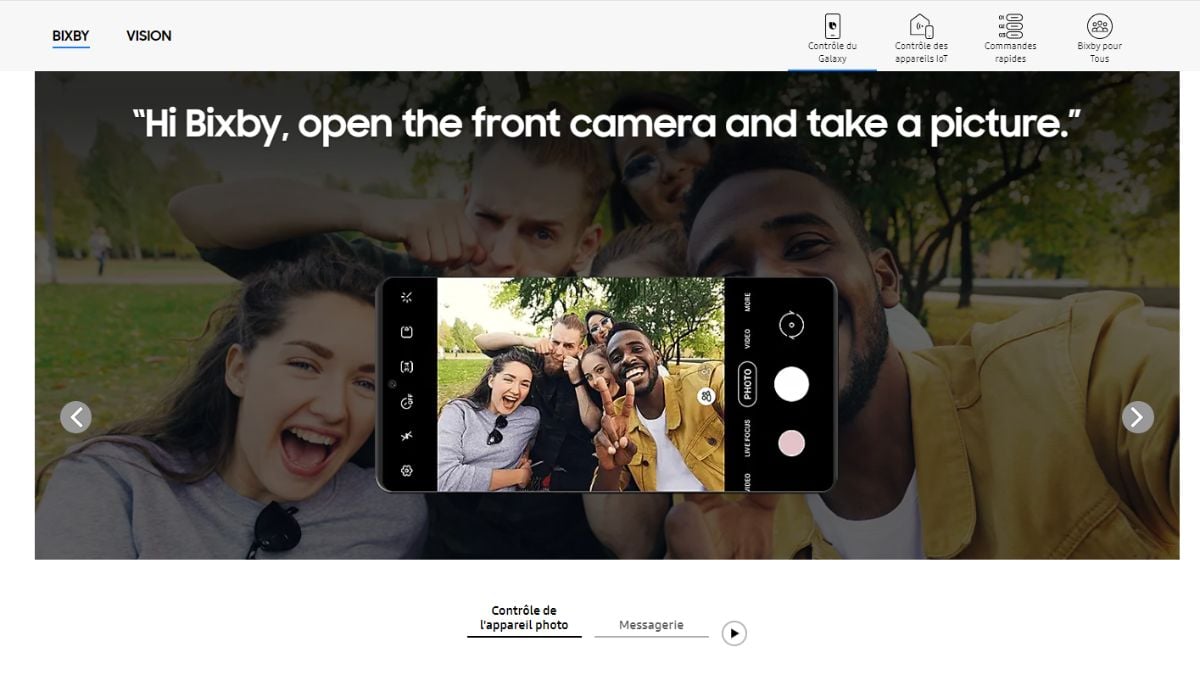
Bixby, the virtual assistant designed by Samsung, offers various functions and uses to optimize the user experience on compatible Samsung devices. Here are some of its main uses:
The importance of voice commands
With Bixby, users can easily control their Samsung device using natural voice commands. The assistant can perform a variety of tasksYou'll be able to make calls, send messages, open applications, set alarms and much more.
Control of smart home devices
Bixby makes it easy to control smart home devices compatible with the SmartThings technology from Samsung, such as light bulbs, thermostats, security cameras, etc.
Research and information
Able to answer users' questions, Bixby provides information on specific various subjects such as:
- Weather ;
- News ;
- Movie times ;
- Sports results.
Personalized Suggestions
Bixby learns the user's usage habits and offers suggestions tailored to their needs and location, such as recommendations for nearby restaurants.
Samsung app feature control
Deeply integrated into Samsung applications, Bixby simplifies the control of Samsung device features and settings using voice commands. Bixby is a versatile assistant, helping to make users' daily lives easier and offering them a connected, personalized experience.
In summary, Bixby essentially acts as a voice assistant and a tool that facilitates interaction with Samsung devices, allowing you to perform tasks, obtain information, and control smart home devices using voice commands and customized scenarios.
Moreover, we can no longer do without smartphones, whether it's to communicate with our loved ones, listen to musicYou might as well use a virtual assistant like Bixby to make everyday life easier to manage.









 English
Bixsi sbaglia la temperatura