Yes, UPDF is free to download and to be used on Windows, Mac, iOS and Android.
You can read, edit, and annotate your PDF files without paying a penny. The only real limitation is the conversion and export features, which are limited until you upgrade to a subscription.
Is UPDF free online?
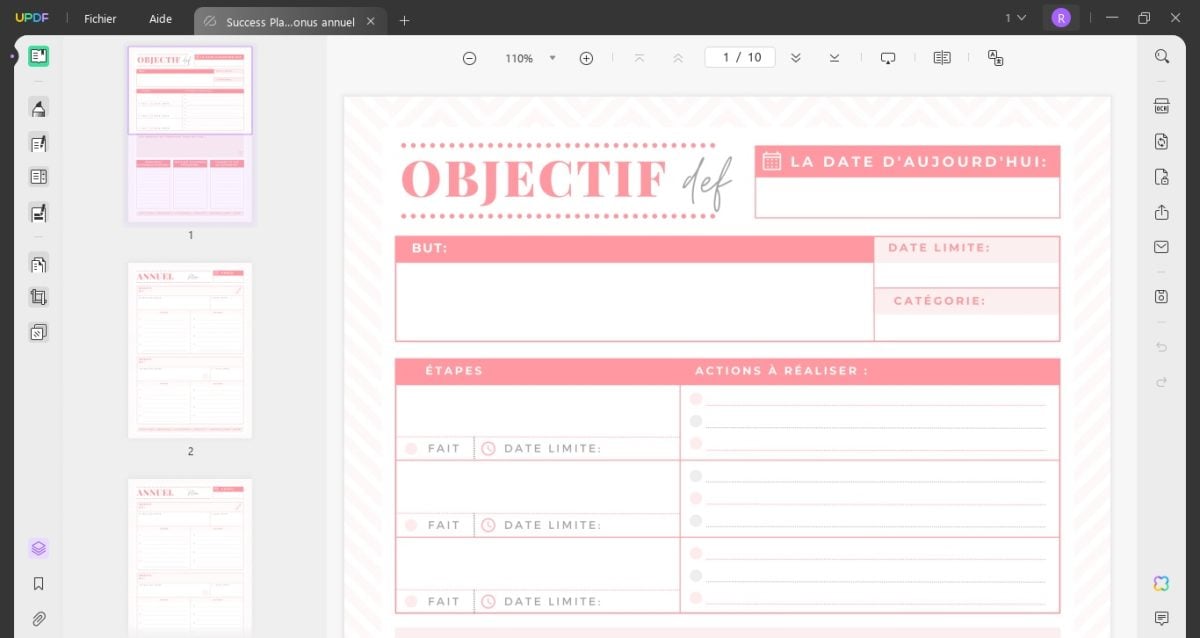
The free version of this ultimate PDF editor is already very comprehensive for everyday use. It's a serious alternative to Adobe Acrobat, available on all platforms common devices, such as computers and cell phones.
What you do for free with UPDF :
- Display and read Your PDF files—no limits
- Edit the text, images, and pages in your documents
- Annotate, add comments, and compress to reduce the size
- Working on so many files whatever you want
Limitations of the free version:
- The conversion is limited to 5 PDF files
- Converted documents bear a watermark protection
- Your data and your privacy remain protected: UPDF Do not sell your files or personal information
To convert files with no limits and without watermarks, you'll need to upgrade to a subscription or purchase a license UPDF. Good news: the software offers a 7-day free trial to test all the features before making a decision.
How can I download UPDF for free?
The download requires No account or email address. It's easy to get started on all of the platforms. Here's how to get the free version:
- Go to the official website ofUPDF (updf.com).
- On the home page, you have two options: Download or purchase the software.
- Click on the Download to install the free version.

Once the file has downloaded, you'll be taken to a page with all the instructions for set up UPDF depending on your device—whether you're using a PC, Mac, or mobile device.

You can then read, edit, and annotate your first PDF files right away, without a paid license.
What do you think of UPDF free?
The free version of’UPDF covers the essentials of PDF management, for both personal and professional use. The’interface It's easy to understand and quick to get the hang of, even for a beginner.
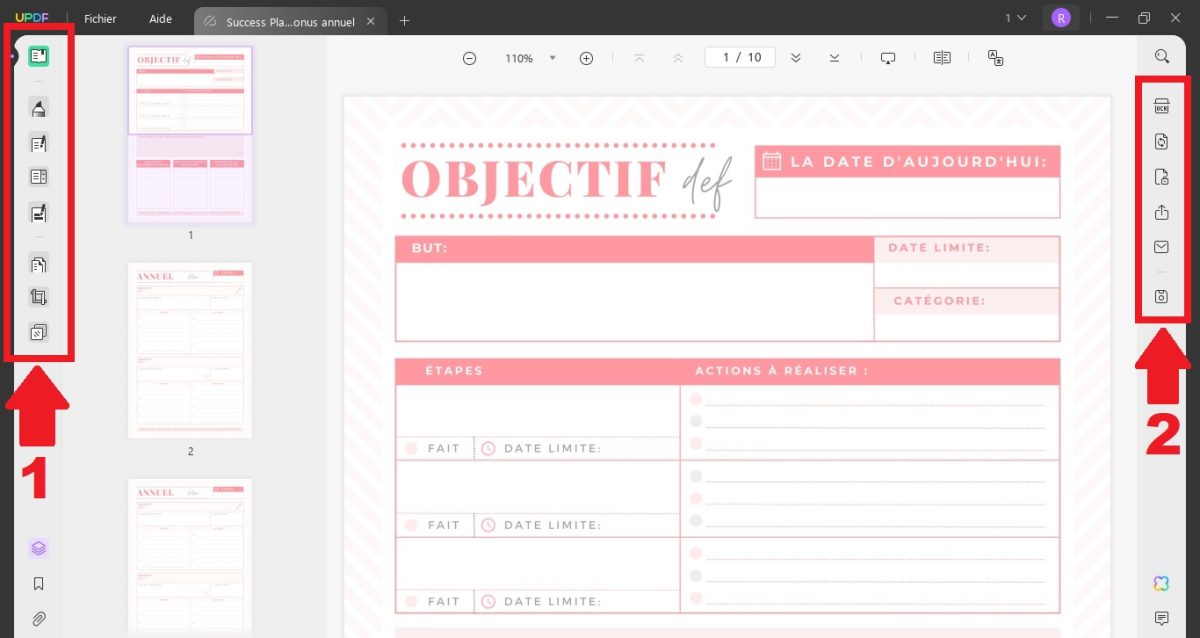
The editing tools are grouped logically. On one side, you'll find the functions for modifying the text and images on one side, and options for saving, exporting, or sharing your documents on the other.
Some advanced features require the Pro version:
- L'AI assistant to analyze and summarize your documents
- The character recognition (OCR) to extract text from a scan
- The conversion to Word or other formats—unlimited and without watermarks
Want to learn more about the features of’UPDF and its AI assistant? Check out our Full review of UPDF by clicking on the link.
What should we remember about the UPDF 2.0 update?
The Version 2.0 has, above all, strengthened the’AI assistant integrated into UPDF. You can now chat with a PDF document, get a summary, and ask questions about its content.
Here are the most useful new features this update brings for everyday use:
- Enhanced AI Assistant : You can interact with your PDF and ask for a summary or an explanation of a specific page.
- Character Recognition (OCR): You extract the content from a scan or images so you can copy and edit it.
- Expanded Edition : You can annotate, add signatures, and manage your pages more easily than before.
Explanatory video in French by Alucare, ideal complement to the page. View video (you can use YouTube's automatic translation)

What are the prices for a UPDF subscription?
In addition to its free version, UPDF offers several paid plans based on your profile. The subscriptions fall into three main categories:
- Individuals: starting at 39.99/year
- Business: starting at 69.99/year
- Student: starting at 29.99/year
Each license provides access to the full suite of PDF tools. The’AI assistant This remains an option to add, except for AI-specific plans.
1. UPDF subscriptions for individuals
| UPDF Pro | UPDF Pro for life | AI Assistant |
|---|---|---|
| 39.99/year Use on 4 devices Full access to all PDF tools 10 GB cloud storage You can add the AI assistant After a free trial of 7 days, the AI costs an additional €69.99 per year |
€69.99 for a lifetime One-time payment, lifetime access Use on 4 devices Full access to all PDF tools 2 GB cloud storage You can add the AI assistant After the 7-day free trial, the AI service is billed at €69.99 per year |
79 €/year Quarterly payments are available: €29 every 3 months Use on 6 devices Unlimited access to AI features 100 GB cloud storage |
2. UPDF corporate subscriptions
| UPDF annual | UPDF for life | AI Assistant |
|---|---|---|
| 69 €/year for 1 user Use on 3 devices Full access to all PDF tools 10 GB cloud storage Dashboard for Managing Licenses You can add the AI assistant for €69.99 per year |
€99 for life for 1 user One-time payment, lifetime access Use on 3 devices Full access to all PDF tools 20 GB cloud storage Dashboard for Managing Licenses Optional AI assistant, priced at €69.99 per year |
79 €/year for 1 user Use on 5 devices Unlimited access to AI features Dashboard for Managing Licenses 100 GB cloud storage per license Money-Back Guarantee from 30 days 24/7 technical support |
3. UPDF student subscriptions
| UPDF Pro | UPDF Entreprise | AI Assistant |
|---|---|---|
| 29.99/year Ideal for students Use on 4 devices Full access to all PDF tools 10 GB cloud storage You can add the AI assistant After a 7-day free trial, the AI costs an additional €59 per year |
59 €/year for 1 user Use on 3 devices Full access to all PDF tools 20 GB cloud storage Dashboard for Managing Licenses 24/7 technical support Optional AI assistant, priced at €59 per year |
69 €/year Quarterly payments are available: €25 every 3 months Use on 6 devices Unlimited access to AI features 100 GB cloud storage |
4. UPDF Sign subscription
UPDF also offers several subscription plans UPDF Sign, its tool for electronic signature. A convenient way to have a PDF document signed remotely and manage your signatures securely, in compliance with the privacy of your data.
| For individuals | For companies | For students |
|---|---|---|
| 69 €/year or €9/month 300 applications signatures per year AATL-Certified Digital Signature Signing on Mobile Devices Backup and Management of Digital Signatures 20 GB cloud storage |
99 €/year for 1 user Requests for Signatures unlimited AATL-Certified Digital Signature Corporate Authentication and Qualified Electronic Signatures (QES) Signing on Mobile Devices Signature Backup and Management 100 GB cloud storage 30-Day Money-Back Guarantee 24/7 technical support |
59 €/year or €9/month 300 applications signatures per year AATL-Certified Digital Signature Signing on Mobile Devices Backup and Management of Digital Signatures 20 GB cloud storage |
If you're on a tight budget, you can get a subscription UPDF Affordable Pro via the GamsGo subscription sharing, which lets you split the costs by sharing a plan with other users.
And to save even more, use the coupon code SAdzK to pay for your subscription UPDF cheaper via GamsGo.

The free version of’UPDF It's still the ideal solution if you don't need advanced features to manage your PDF documents. It's also a great way to try out the editor before upgrading to a paid subscription. Give it a try and share your thoughts in the comments!
And if you want to learn more about GamsGo or other free tools such as Google Meet, you might be interested in these articles:









 English