Watch Netflix with GamsGo is a 4-step process:
- You are register (free) or log on to
- You choose the Netflix formula
- You pay on GamsGo or on GamsGo Marketplace (a new service available on the site)
- And you'll immediately receive your login details. Count on 5 minutes and an reduction up to ~70 % (even more with our promo code) on the official price.
Here are the details, with a special focus on limits of netflix to know before you buy.
⚠️ Read before you start :
GamsGo works very well for Spotify, YouTube Premium or Disney+, but netflix is a service unstable on this type of sharing (cuts, reconnections to be redone). It's actually the only service we do not recommend.
If Netflix is your main goal, check out the alternatives to GamsGo for cheap Netflix. Otherwise, here's the full tutorial:

Step 1: Register with GamsGo
- Visit the site Gamsgo.com
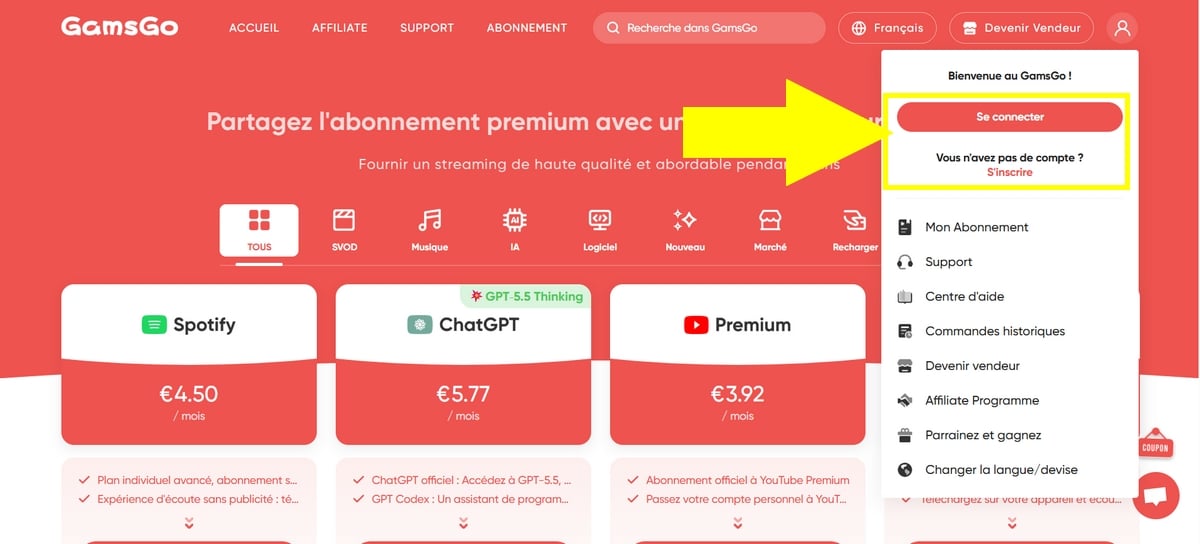
- Click on the button: Log In/Sign Upin the top right-hand corner,
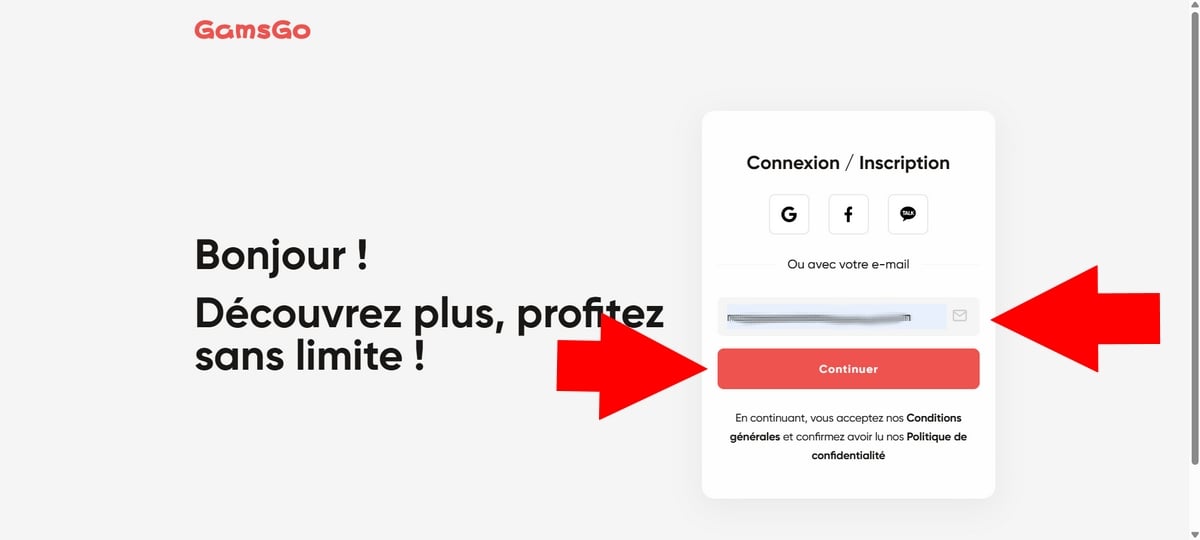
- Then enter your e-mail address,
- GamsGo will send you an e-mail with a 4-digit code,
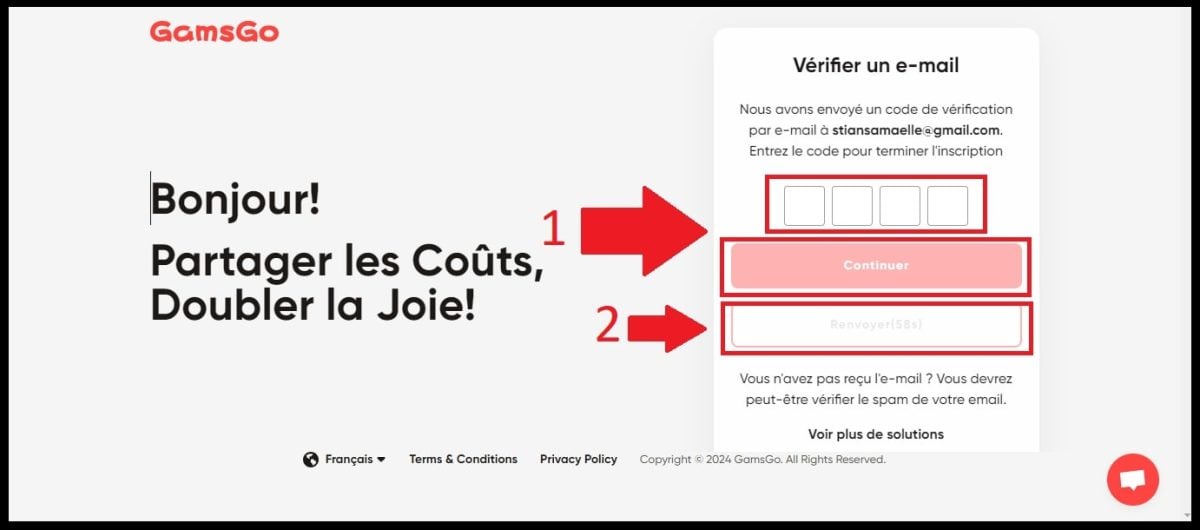
- Enter this verification code to confirm your registration on the site,

- Then define your password.
Want to know more about the site and how it works? Discover our reviews of GamsGo and its shared subscription services!
Step 2: Choosing a Netflix subscription
- Access your GamsGo account,
- Go to the Netflix section, by the way: among the options on offer, you'll find Spotify at a cheaper price! For connect to Spotify with GamsGodon't miss our article!

- Click on : Buy now, ,
- Several subscription options are available to you!
- From 3, 6 (or even 12) months, click on the formula that suits your needs,
- You can also choose the type of Netflix profile (shared or private) with GamsGo.
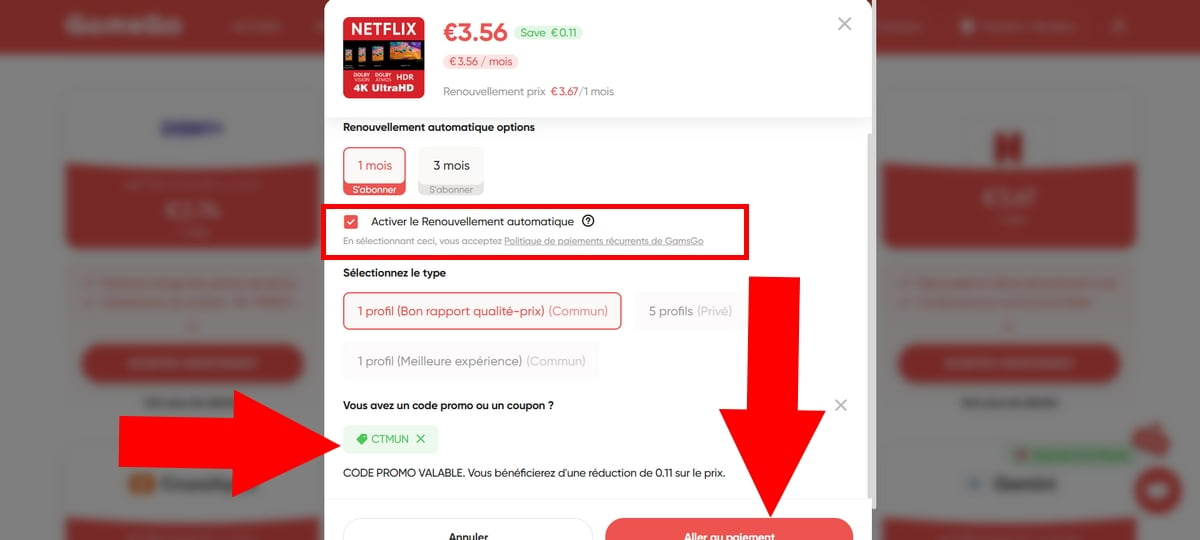
- And if you check the box: Automatic RenewalWith GamsGo, you get an additional discount on your Netflix subscription.
Step 3: Take out a Netflix subscription with GamsGo
Have you chosen your Netflix subscription? You can pay directly on the GamsGo website. It has a simple payment system on a secure page.
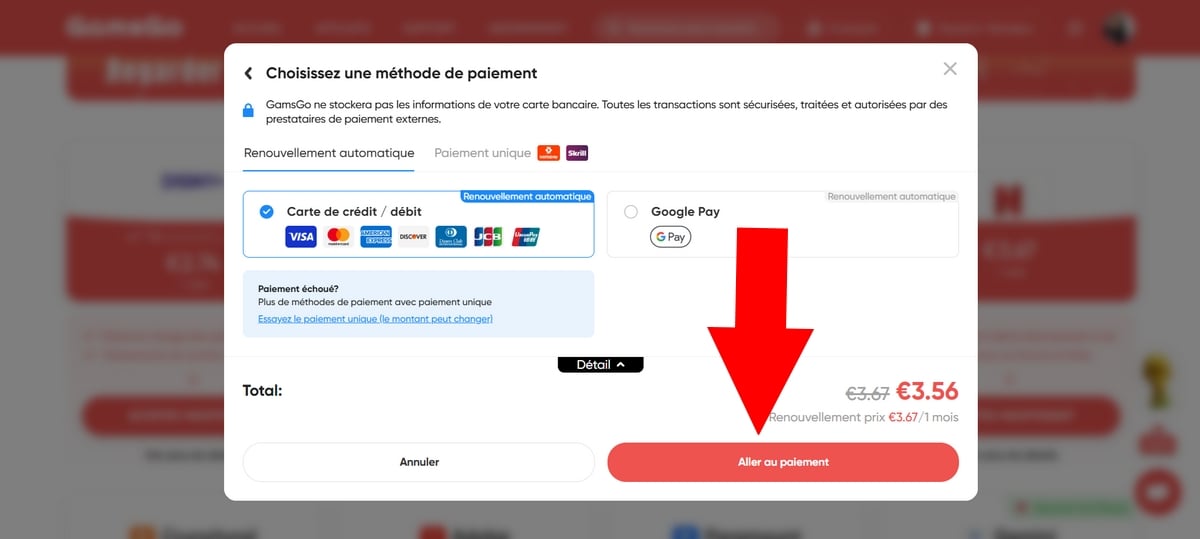
- Select the button: Proceed to checkout,
- Choose the payment method that suits you best,
Rest assured, the payment page is secure with GamsGo!
- Then click again on: Go to payment to confirm the transaction and see the discount applied with the coupon code GamsGo CTMUN :
Step 4: Access Netflix
Once you've made your payment, GamsGo will immediately send you your login details to connect to Netflix.
Depending on the package you choose, you will receive shared login credentials or one dedicated Netflix profile.
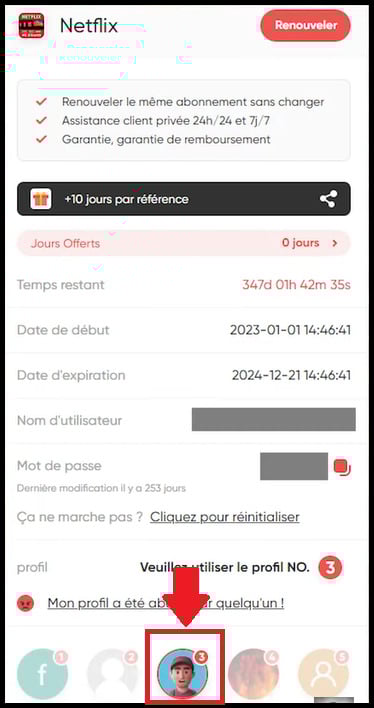
- Now all you have to do is go to Netflix and access your brand-new account!
- You can then start playback from any compatible device: PC browser, mobile application, smart TV or a Fire TV Stick plugged in on your TV. Simply select your shared profile and off you go.
- Just avoid multiplying the number of devices at once: this is often what triggers the « home »Netflix" discussed below.
📌 GamsGo you transmits identifiers If you're logged in to a shared account (with an email address and password that aren't yours), that's normal. Log in with those credentials, then select your profile.
Do not change your email address or password, as this will cut off access to your co-subscribers.
Step 5: Manage your subscription
Are you unsure about sharing a subscription with GamsGo? Rest assured, the site has a help center where you can find the answers to your questions.
GamsGo also has a after-sales service. You can send a message at any time of the day or night, GamsGo will get back to you as soon as possible!
And in the event of any changes or updates to the shared subscription, users will be notified immediately to avoid any surprises.
Alternative: Buy via GamsGo Marketplace
Now you can also watch Netflix with GamsGo by choosing from the offers available on GamsGo Marketplace ! The offers are more varied and sometimes even more competitive than on the classic offer.
You can access it by clicking on this link, then click on Market :

- Access several available offers and, if you wish, add a filter for your search (on the left of the screen), choosing the desired delivery time, sharing method or other,
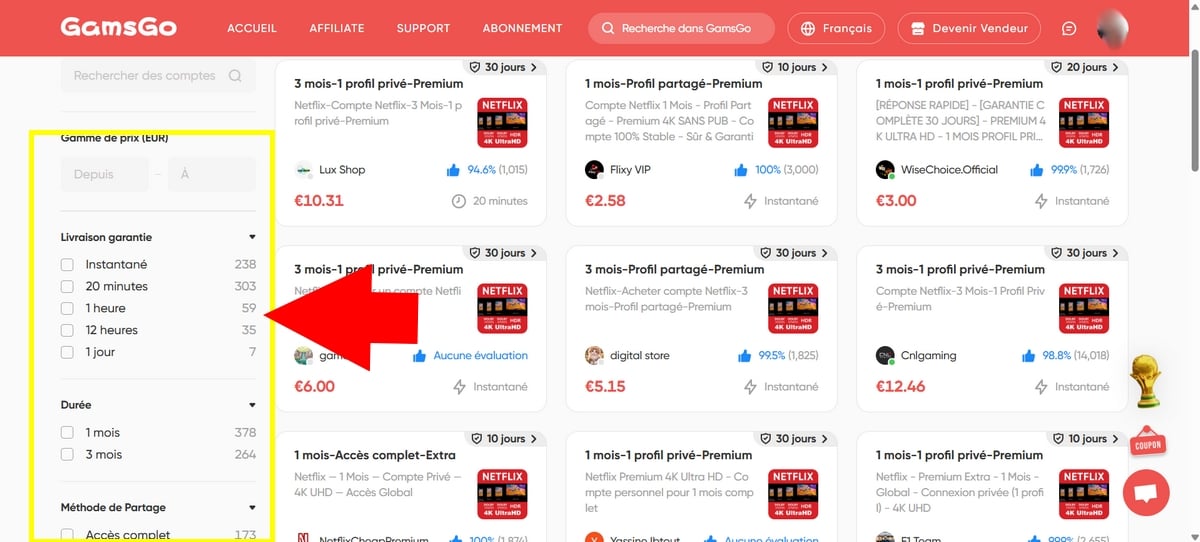
- Click on the rate to get more information offer details including warranty, feedback from real users, etc.
- If everything looks good, click on Buy now
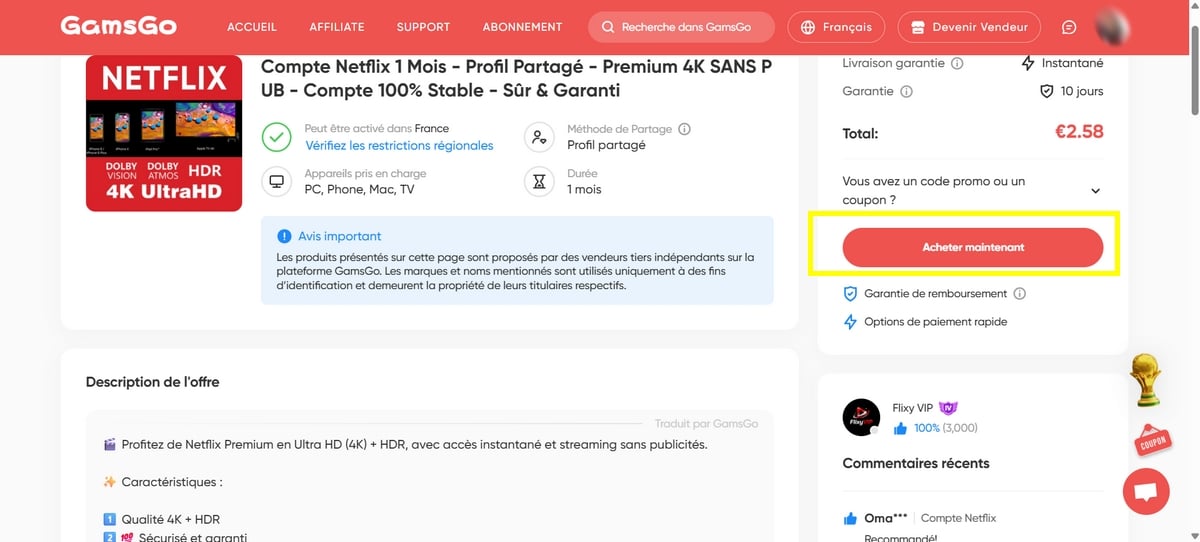
- Then select the desired payment method for finalize purchase.
- ❌ If you would like to buy an offer in this section, please note that’no promo code valid.
💡 For a capricious subscription like Netflix, the Marketplace has an advantage despite the absence of a promo code: you can check the guarantee and real customer reviews on each offer before you buy. Choose top-rated sellers with a long warranty.
FAQs
How does subscription sharing work on GamsGo?
The principle of GamsGo is simple:
- You share an account Netflix Premium with other people,
- Everyone uses the same e-mail address and the same password to access the shared account,
- But everyone has their own Netflix profile,
- You can secure yours with a PIN.
Can I use GamsGo for services other than Netflix?
Of course you can! With GamsGo, you can also have a premium account on many other streaming sites like Disney +, Amazon Prime Video, Spotify, YouTube Premium and Crunchyroll. And all without breaking the bank!
Is GamsGo legal?
Buying access to a shared account is not not a crime for you as the buyer. On the other hand, account sharing between different households goes against Netflix's terms of use, hardened since 2023.
This is exactly what causes cuts and the game's resets password.
On Spotify, Disney+ or YouTube, sharing is natively provided for and poses no such problem. If you'd like to find out more, and find out more about our reviews of Gamsgoclick here.
Can I cancel my shared Netflix subscription on GamsGo?
You can ask GamsGo customer service to delete your account on the site. Your shared Netflix subscription will automatically cancel once it has expired.
Subsequently, if you wish to use the services of another subscription-sharing site, don't hesitate to click on this article!
Is my Netflix account on GamsGo secure?
You bet! For added safety, you canz Lock your shared profile with a PIN. You remain the only user with access, so there's no risk of a co-subscriber accidentally wandering in.
Netflix problems
Here are some common problems with the Netflix service on GamsGo and how to fix them:
What should I do if I have a problem with my Netflix access?
- Go to the tab: Customer Service of the site.
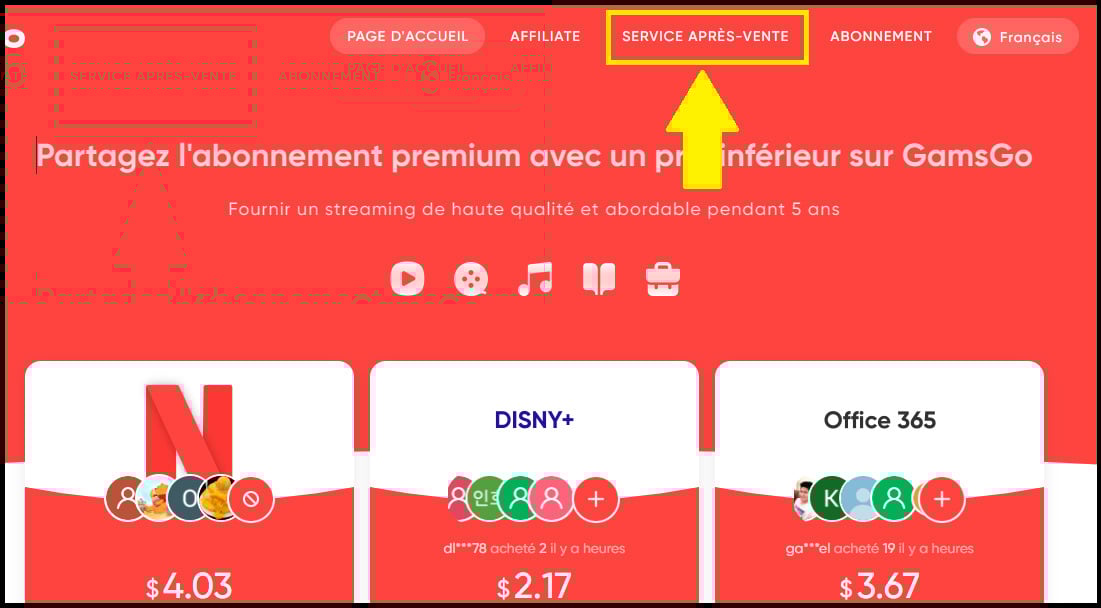
- You can consult the help center. Here you'll find a number of comprehensive guides and tutorials for solving various problems concerning Netflix and other streaming subscriptions offered on GamsGo.

- Or you can contact customer service directly at Live-Chat of the site!

My Netflix password no longer works
This is the most common case. When Netflix detects a connection from a new IP address, its anti-sharing system can reset the account password.
Don't panic:
- Log in to your GamsGo account, where you'll find the latest password.
- Retrieve it and reconnect to Netflix.
Message «This device is not part of the Netflix household».»
This error stems from Netflix's anti-sharing policy, which ties an account to a single household. Start playback on the device concerned: a validation link is usually sent to the shared account's email, which GamsGo manages for you.
If the blockage persists, report it to GamsGo support via Live-Chat.
My access was cut off after a few days
This happens during« maintenance »or resets Netflix side. First, check the updated password on your GamsGo account (see above). If access does not return, contact the after-sales service The system replaces faulty accesses, as provided for in the subscription.
For all other cases (other services, refunds, various bugs), please consult our complete GamsGo troubleshooting guide.
In the end, share subscriptions to streaming services remains a good plan for long-term savings.
To Netflix, Keep in mind the limits mentioned above. And for Spotify, Disney+ or YouTube Premium, it's a great way to reduce your bill month after month.
It's up to you to give it a try, and don't hesitate to share your experience in the comments.









 English
Hello, I took a Netflix subscription with galsgo and I can't connect. I don't understand why the user address indicated on the page you show in your video is not mine. Is this normal?