To get Spotify Premium cheaper via GamsGo, YOU pay a shared subscription then access Premium: either with the login details provided, or by recharging your own account depending on the offer chosen.
Count on about 3-5 €/month compared with ~€12.14 direct. What's more, with GamsGo Marketplace you can even choose even cheaper Spotify offers.
Here are the 5 steps, and just after, what to check before paying.
- Register on GamsGo
- Choose a Spotify subscription
- Pay a Spotify subscription on GamsGo
- Go to to Spotify
- To manage subscription.
Depending on the GamsGo offer, there are two possible scenarios:
- ✅ Shared account This is not your account. It's not your account: your favorite titles and playlists remain on your old account, you can't download individual titles, and you can't listen to them simultaneously on several devices.
- ✅ Premium refill You provide your login and password to GamsGo, which credits Premium to your own account; you keep it and can change the password afterwards.
👉 Be sure to check which one you're buying before you pay.
1. Register with GamsGo
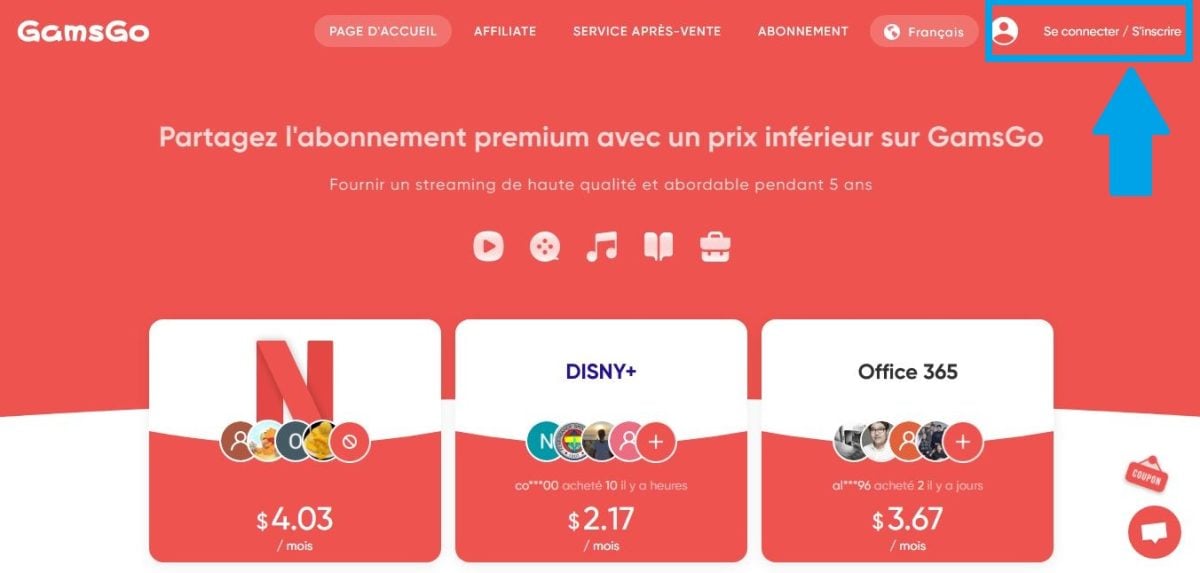
Before connect to Spotify with GamsGo, you must first register on the latter. To do so:
- Go to the GamsGo website and create an account by entering your personal information, i.e. your name, address and phone number. e-mail address via this link :
- Then confirm your registration on the site by clicking on the verification link sent in your email inbox and you're done! Please note that it is also possible to pay less for Netflix with this site. If you are interested, find out more how to watch Netflix with GamsGo !
You hesitate to sign up for GamsGo? In that case, take the time to read our article "GamsGo Reviews: Is subscription sharing a good deal?"
2. Choose a Spotify subscription
Once your account GamsGo created, Now let's get down to choosing your Spotify subscription! First of all, it's important to distinguish between the official formulas and what GamsGo offers.
Live, Spotify Premium comes in several packages:
- Spotify Premium Individual for one person,
- Spotify Premium Duo for two accounts,
- Spotify Premium Family up to six accounts,
- And Spotify Premium Student at a reduced rate for eligible profiles.
All provide access to the same functions Premium ad-free listening, downloads and high audio quality.
On GamsGo, the principle is different: you don't subscribe directly to a package like Spotify Premium Individual or Duo: you subscribe directly to a package like Spotify Premium Individual or Duo: you subscribe directly to a package like Spotify Premium Individual or Duo. reserve a place in a shared Spotify Premium subscription, lowering the monthly price.
Go to the GamsGo home page, then select the’Spotify Premium offer from those displayed.

- Good to know:
Duo and Family packages taken out directly require a same home address, with regional variations. Shared subscription via GamsGo doesn't have this constraint, which partly explains its interest on the budget side.
Basically, choosing Spotify Premium GamsGo means pooling a Spotify Premium account for the same listening experience at lower cost.
It's a interesting option if you listen to a lot of music but don't want to pay full price, and it remains valid in most regions where Spotify is available.
3. Subscribe to Spotify on GamsGo
Once you've chosen your Spotify subscription on GamsGo :
- Click on subscription Spotify Premium previously selected
- Confirm your purchase by clicking on Go to payment
You have nothing to worry about, as payment is made securely via the GamsGo website. You can choose to use our coupon code GamsGo to further reduce the price.
❌ Please note: If you choose a subscription via GamsGo Marketplace, no promo codes are valid there.

4. Access Spotify
Once payment has been GamsGo all you have to do is access Spotify!
- If you have chosen the Premium recharge You give your Spotify credentials to GamsGo, who credits Premium directly to your account. You keep your account and can change your password once the recharge is complete.
- If you have opted for the Shared GamsGo GamsGo will generate new logins and passwords for you. Please note that you cannot change them.
Next:
- Connect to Spotify with identifiers or your own credentials, on your web browser, your computer or your mobile application.
- Congratulations! Now you can enjoy all functions Spotify Premium including uninterrupted listening, downloads, etc. at an affordable price with GamsGo!

👉 Important note :
Please note that you cannot Download individual songs or play sounds simultaneously on different devices with a Spotify account provided by GamsGo. Nevertheless, you can enjoy music and podcasts on different devices at different times.
The solution for individual downloads is :
- Put songs in a playlist specifically for downloading.
- Launch the "Download " afterwards.
Once connected, you can take advantage of same functions than a classic subscription: Spotify Premium with no ads, high-quality listening and downloads. The difference lies in the account type, but not on the Spotify Premium experience itself.
5. Manage your subscription
The GamsGo platform will always keep you informed of updates and any changes to your subscription.
In the event of a problem, GamsGo support will contact you using your order number. Delays vary and can be long in complex cases (account changed back to free, reload error): please allow for this.
Pay less for Spotify with GamsGo
FAQs
In this section we have compiled all the answers to your most frequently asked questions about connecting to Spotify with GamsGo :
What do I keep and what do I lose with Spotify via GamsGo?
Here's a list of things you keep or lose depending on the subscription you choose on GamsGo :
| Criteria | Shared account (identifiers supplied) |
Premium refill (your account) |
|---|---|---|
| Your existing playlists | ⚠️ To be followed manually | ✅ Kept |
| Your «Favorite titles» | ❌ To be copied to a playlist before | ✅ Kept |
| History & recommendations | ❌ Blank account | ✅ Kept |
| Premium & ad-free audio quality | ✅ Yes | ✅ Yes |
| Downloading single titles | ❌ Via playlist only | ✅ Normal |
| Simultaneous multi-device listening | ❌ One at a time | ✅ According to your offer |
| Price guide | ~3-5 €/month | ~3-5 €/month |
GamsGo is based on shared subscriptions: widespread and functional on a day-to-day basis, but it's not your own account, and it's a gray area with regard to Spotify's terms and conditions.
And for those on a budget, GamsGo subscriptions also include other streaming platforms such as netflix and Crunchyroll.
And if you compare music services, the main alternatives to Spotify Premium are Deezer Premium and Amazon Music Unlimited, depending on your catalog and listening habits.
What should I do if I can't connect to Spotify with the login details provided?
In this case, the best option is to contact the GamsGo support with your order number; please allow for a sometimes long response time.
Can I transfer my existing playlists to my Spotify GamsGo account?
Yes, but indirectly. You can't migrate content ownership from one account to another, but you can easily access it by following these steps:
- Log in to your old Spotify account.
- Open the playlist you wish to transfer and make sure it is set to “Public”.
- Click on the three small dots on the «To share".
- Press "Copy playlist link".
- Log in to your Spotify account provided by GamsGo and access the search bar.
- Paste the link of the playlist from the old account in the interface.
- Open the playlist, then click on the « " icon.« Follow »(the heart or the «+» button) to save it in your library.
However, you cannot transfer or export the "Loved tracks" playlist from your old account to your new one. Spotify account provided by GamsGo.
We therefore advise you to move all the songs in this list to other playlists before exporting them and transferring them to the new Spotify account.
What should I do if my Spotify access is suspended?
In this case, contact GamsGo online customer service and give us your order number.
Can I cancel my Spotify subscription on GamsGo?
Yes, there is a non-binding formula that can be cancelled. at any time at GamsGo, although the platform generally offers a Spotify subscription for a one-year term.
The platform can also reimburse you in the event of a problem. In this case, we advise you to contact customer service.
However, if you want to explore other alternatives to GamsGoclick on our article!
How can I get discounts or promo codes for GamsGo?
You can get promo codes for GamsGo by visiting their site regularly, so you don't miss out on any promotional offers.
In short, to connect to Spotify with GamsGo, To subscribe to Spotify Premium, you need to register on the platform, choose the Spotify Premium offer that best suits your needs, and then proceed to payment.
You can then take advantage of all Spotify Premium features with the credentials you've obtained, at a much lower price than direct.
If you have any problems, please do not hesitate to contact GamsGo customer service.









 English
It's a great way to get subscriptions at very attractive prices. I tried it with Spotify and my year's subscription went off without a hitch. However, to ensure everything works properly, you mustn't make any mistakes.
At the end of my annual subscription, I chose the account recharge option to extend it for another year, without having to save and restore my playlists. Unfortunately, when filling in the information for the top-up, I made a mistake: in the «email address of the account to be topped up» section, I entered the email address of my Gamsgo account instead of the Spotify account that had been assigned to me.
This confusion led to a series of problems with the charging process. That's when I discovered that customer service wasn't so great. I spoke with them.
Finally, after a day without an account, I had the idea of logging into Spotify with my Gamsgo account credentials... and there, surprise: I did indeed have an active Spotify Premium account! In the end, I'm satisfied, but Gamsgo was never able to explain to me how this could work despite my mistake.
In summary: Spotify is great, but customer service leaves something to be desired.
With this experience, I will resume using Spotify via Gamsgo next year, but I will be very careful not to repeat the same mistake.
Thanks for the feedback 🙂