To change region in PokéClicker, you must have caught all the Pokémon in your current region. Once you've completed your regional Pokédex, the next region unlocks automatically.
If you're really stuck, there's also a method using the Challenge Modes, but there's a definite downside. Let me explain it all to you!

Move on to the next region by catching all the Pokémon
The usual method is simple: fill in your Regional Pokédex and access to the next region opens, from Kanto all the way to more developed regions such as Johto, Hoenn Where Sinnoh. Here are all the sources you should check out so you don't miss any Pokémon:
- Roads and Dungeons : Most Pokémon can be caught on the roads and in the dungeons of PokéClicker.
- Merchants : Some Pokémon can be purchased directly in the store for Quest Points or other currencies.
- Eggs and Fossils : Hatch eggs and revive fossils to complete your Pokédex.
- Safari Zone : a few Rare Pokémon, including variants shiny, are found only in the Safari Zone.
- Developments : Evolve your Pokémon to unlock their next forms.
- Dungeons : Some Pokémon only appear in dungeons. Collect Dungeon Tokens to access it as often as necessary.
How to Evolve Your Pokémon Using Stones
The evolution stones can be purchased at the store. They are used to evolve Pokémon such as Évoli and to fill in the last few slots in your Pokédex in PokéClicker.
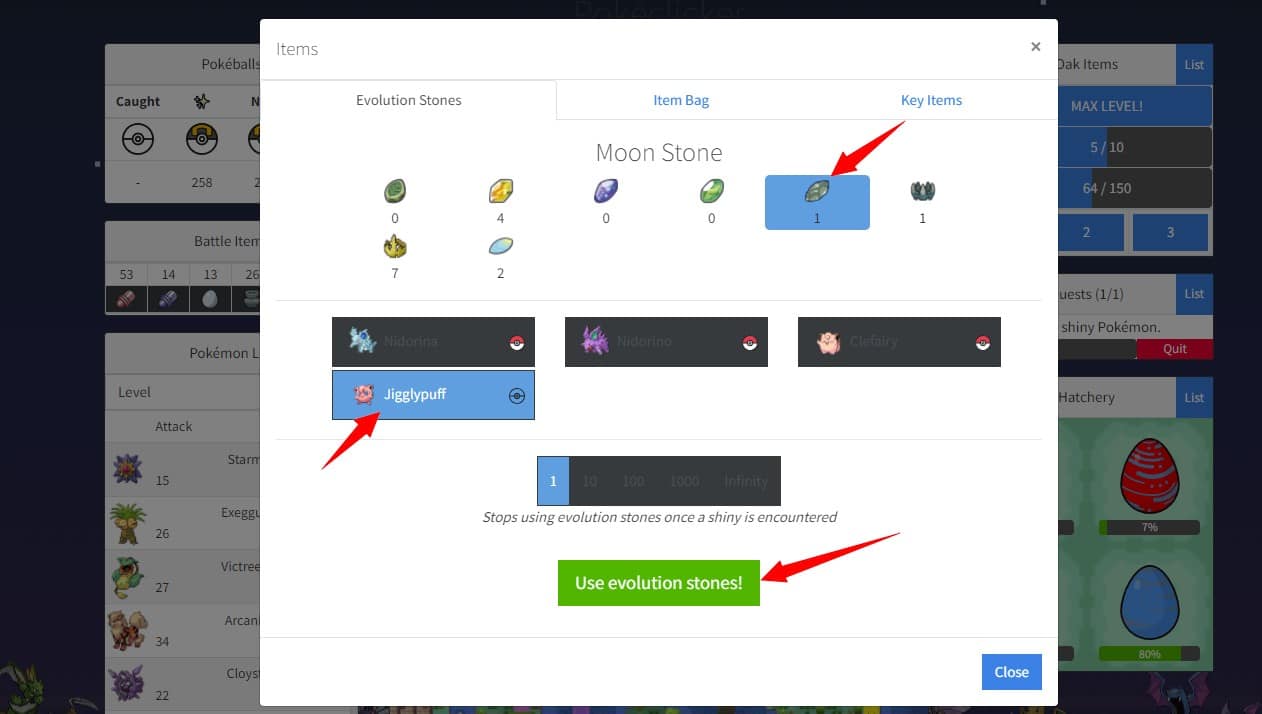
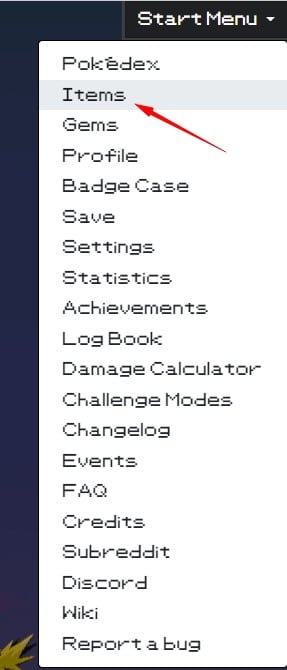
To access it, open the Start Menu then the section Items. There you'll find all the stones available for purchase.
If you're stuck on a specific Pokémon, feel free to mention it in the comments. And if you also play other games like Roblox, Brawl Stars Where Minecraft, we also have guides just for you.
The Cheating Method
You can force the change of region in PokéClicker without filling everything out, but the trade-off is irreversible. Here are the steps to follow:
- Open the Start Menu in the upper-right corner of your screen.
- Click on Challenge Modes, about halfway down the menu.
- The first two options are enabled. Click on the second to turn it off.
- A confirmation window appears: accept, then confirm by clicking Done!.
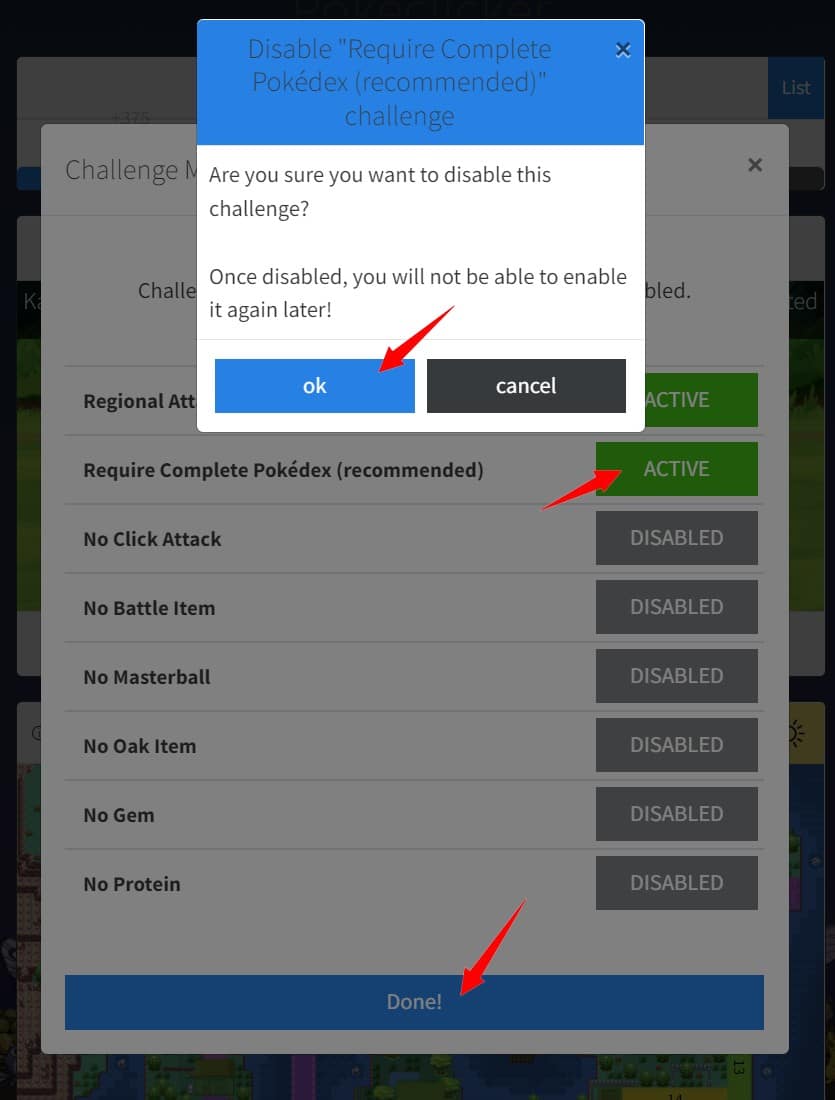
Attention : To disable this option, final. You won't be able to reactivate it.
Personally, I prefer to play without cheating so the game stays just as fun!









 English