In this article, you will find codes for Tower of Fantasy and a tutorial on how to use them.
📝 Disclaimer: This article will be updated regularly to add new codes as they become available.
BONUS for Tower of Fantasy :
You can earn money playing Tower of Fantasy :
PS: The game may no longer be available. To get your €5 bonus, install at least one game within 24 hours.
List of usable codes
Here is the list of valid codes:
- TOF2NDANNIV (New)
- TOFWITHMIA (New)
- LetsGoToF
- TOFHANABI
- TOFBNSP24
- TOFEOY23
- TOF2024VALENTINE
- TOFCNY24
- ToF0124thanks
- 0211gentou549
- tof1500spgift
- ToFAnnivLiveGift
- EP7000Plotti
- Kyuikifinale
- ToFNewYear
- TOFBN34
- TOFHALLOWEEN
- TOFBRVIP
- MYTOFYEAR
- TOFSEAnniversary
- zeke0808myoukei
- TOFHAPPYBDAY
- TOFHBD
- ToF1stSPGift
- ToF1stAnniv
- 0811gentou1st
- shirli0811nemesis
- SEIKANTSUUSHIN1st
- TOFDOMINOSEA
- TOFGALAXY
- LETSGODOMAIN9
- Link2Domain9
Don't hesitate to copy and paste the code from our article to ensure you use it correctly.
Gift codes are a great way to get additional benefits, actively participate in community life, and unlock special content.
How do I use the Tower of Fantasy codes?
Simply follow these steps to use the active codes in the game :
On PC and Mobile
-
Progress through the story Make sure you have completed the tutorial and reached at least level 6 to unlock access to the rewards menus.
-
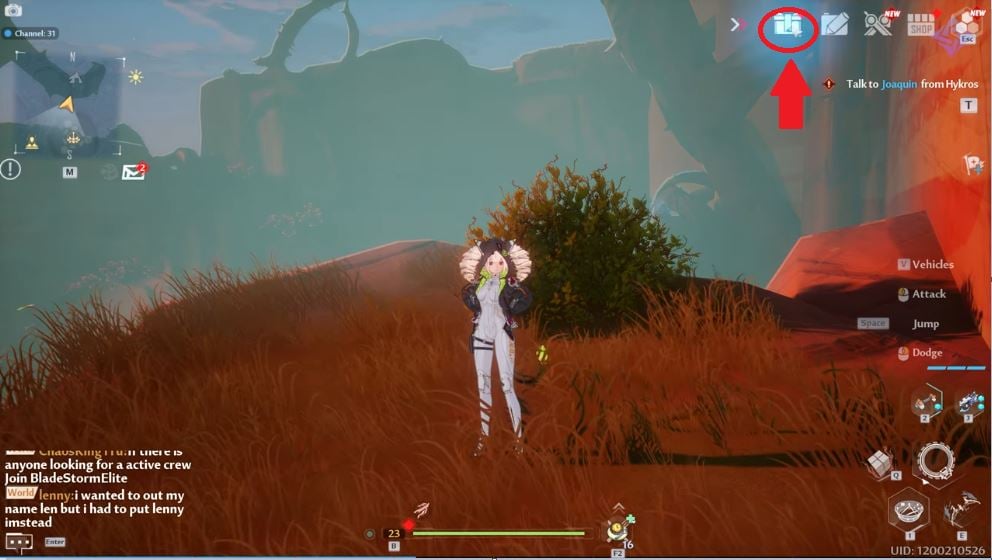
Go to the Gifts menu Click on the small gift package at the top right of your screen.
-
On PC : Hold down the ALT to display your cursor and click on the icon.
-
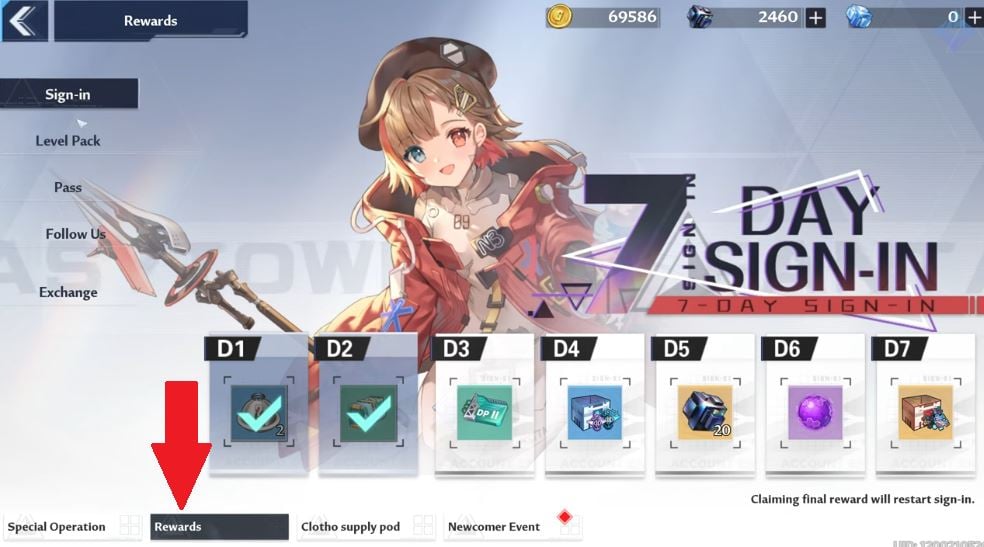
3. Go to the “Rewards” tab” Once the menu is open, look at the bottom of your screen and select the tab entitled “Awards”.
4. Select “Exchange”.” in the vertical list on the left.
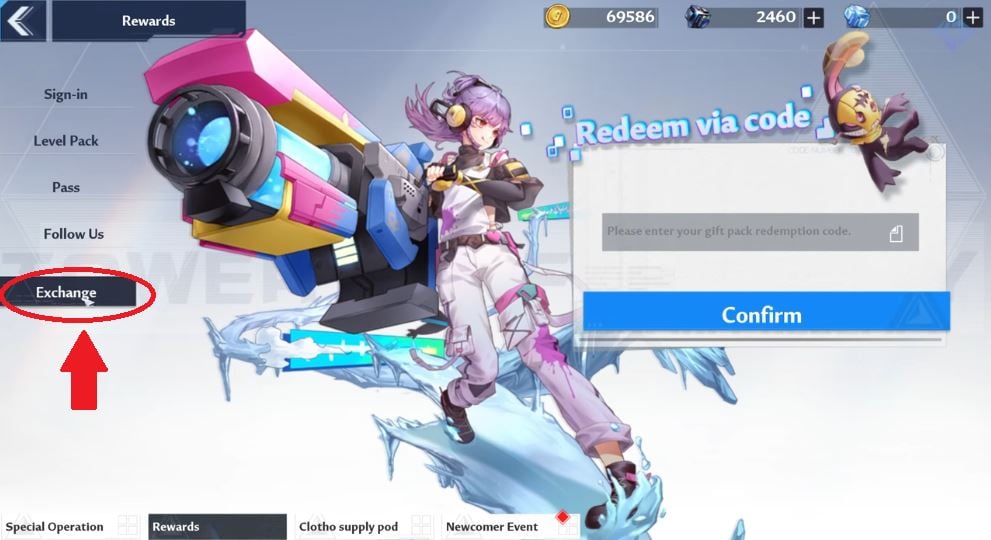
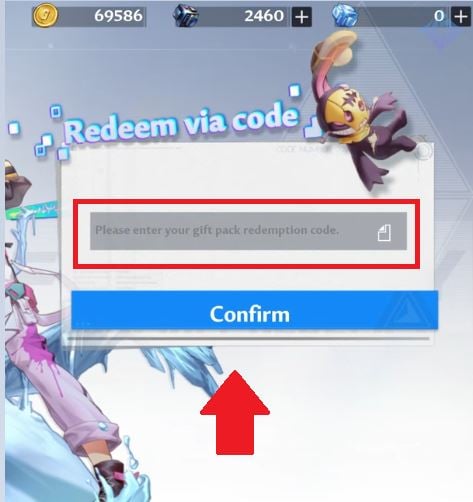
5. Confirm your code Enter or paste your code into the appropriate field, then click on “Confirm”.
On PlayStation (PS4 / PS5)
-
Hold down the R1 and use the right-hand analog stick to select the gift.
-
Navigate to submenu “Awards” using the R1.
-
Use the left stick to move to the “Exchange”.
-
Press the confirmation button and enter your code.
These gift codes are a real boost for your simulacra, so make the most of them before they're gone! And you, which character are you aiming for with these free rewards? Share your best draws with us in the comments! If you don't want to miss any news about Tower of Fantasy and the future gacha games of 2025, remember to bookmark this site.
For more codes on other games:
- ✨ Discover all the codes for Space Shooter
- 🛡️ Don't miss out on the Saint Seiya Legend of Justice codes









 English