- SPORTFLEX (Official Store) 59 €
- SUPERKNIT (Official Store) 49 €
- CLOUDKNIT (Official Store) 59 €
- HYDROKNIT (Official Store) 49 €
- SUPERKNIT Biceps (Official Store) 54 €
- HYDROKNIT Biceps (Official Store) 54 €
- SUPERKNIT Luxe (Official Store) 99 €
In brief
Positives
- A wide choice of bracelets for every style
- A variety of materials to suit your needs
- Different price ranges
For some time now, you've been seeing a WHOOP connected bracelet On everyone's wrists? This mysterious high-tech product seems to be the new trend among sports enthusiasts and fitness influencers! Would you like to try it too, but want to know more about the bracelet first?
This article is exactly what you need! Find out everything you need to know about WHOOP bracelet features, measurement and analysis functions, instructions for use, subscription and, above all, the prices for these bracelets... We tell you everything!
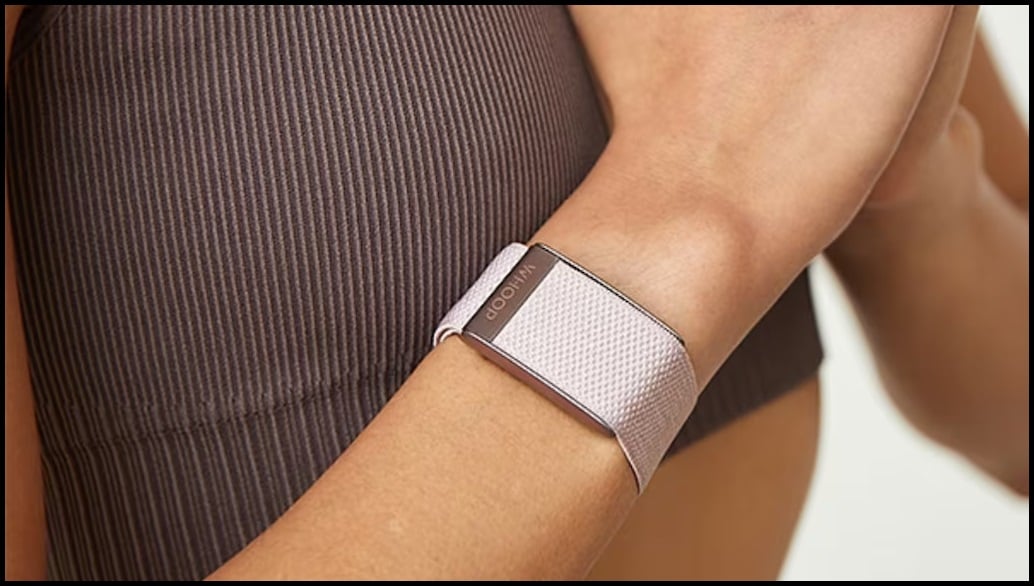
What is the WHOOP wristband?
WHOOP is a fitness tracker without display. Unique in the connected bracelet sector, it is a small, compact case wrapped in a fabric bracelet.
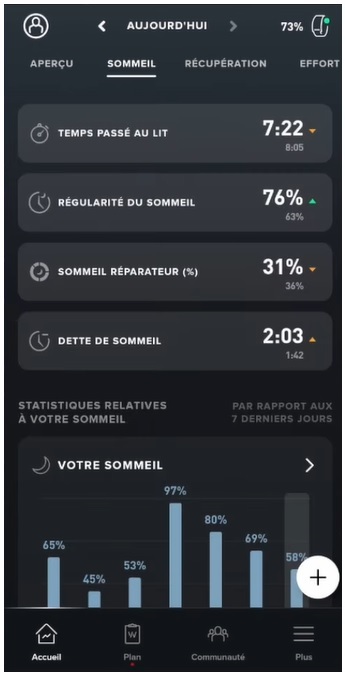
The high-tech product incorporates sensors to analyze your body data. Based on this valuable information, the WHOOP connected bracelet allows you to track and measure :
- Your sleep,
- Your recovery,
- Your heart rate.
All data is transferred in real time to the’WHOOP application. The app will use this information to create a complete physiological profile of your body every day.
With his help :
- You can analyze your specific needs,
- This is thanks to the WHOOP app's measurements and assessments of your sleep and heart rate data.,
- You can then adapt your activities, workouts and lifestyle accordingly.
WHOOP bracelet models and prices
- your needs (swimming, weight training),
- your budget
- or even your style of dress!
Explanatory video in French by Alucare, ideal complement to the page. View video (you can use YouTube's automatic translation)


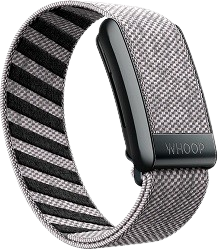


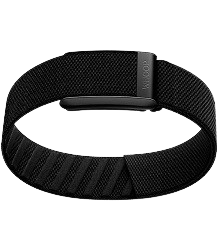

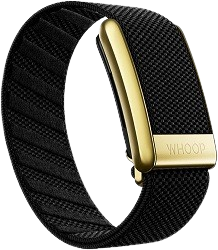
Main features of the WHOOP bracelet
Is it possible to sum up the WHOOP connected bracelet in just a few lines? In this list, we have grouped together all the main features of this fitness tracker like no other:
- Connected wristband,
- Without screen,
- No notifications or visual distractions,
- Sleep and heart rate monitoring,
- Recovery follow-up,
- Monitoring physical exertion,
- 24/7 monitoring of your body and state of health,
- Stress monitor,
- Approximately 5 days of battery life,
- Personalized advice and coaching for the well-being of your body,
- Etc…
You can consult our Opinions on WHOOP to discover all these features in detail.
How do I put on the WHOOP bracelet?
You can wear your WHOOP bracelet on the wrist, but also on the biceps. In both cases, the bracelet has been designed to be as close as possible to your body during your activities and sports sessions! To do so :
- Make sure the strap fits snugly,
- The sensors must be in contact with your skin at all times.
In fact, WHOOP is most effective when worn continuously! Ideally, you should wear the bracelet 24/7. You'll be able to take full advantage of its health data monitoring and evaluation functions. Your body will thank you!
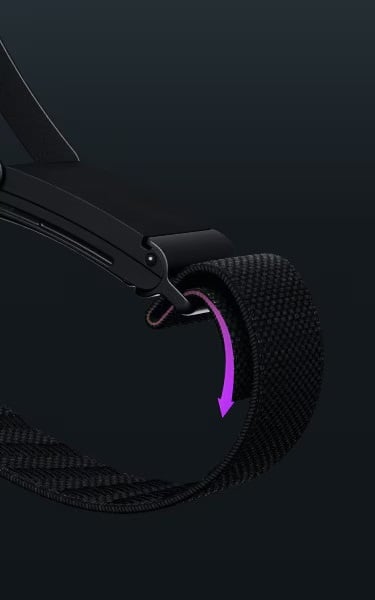
Steps to put on the WHOOP bracelet
- Hold the clasp firmly, then pull up to open it.,

- Slide your WHOOP wristband onto your wrist, placing it one centimeter above the bone.,

- Then pull the clasp down to close the bracelet,
- To adjust your WHOOP, open the clasp and then pull on the non-rigid end of the wristband.
How do I light a WHOOP bracelet?
- Switch on your phone's Bluetooth,
- Next, Download the WHOOP app on your Smartphone.
- You can do this from the App Store or Google Play Store.

- A blue LED will light up on the side of your WHOOP when it is ready to be paired.,
- The bracelet then appears in your WHOOP application,
- Just click on it to connect the two devices!

- Follow the instructions to configure your screenless tracker,
- Calibration then takes place automatically according to your lifestyle.
How do you load your WHOOP?
WHOOP connected bracelets feature an embedded external battery system very practical.
You can recharge your WHOOP right on your wrist! This means you can always keep your screenless tracker with you, even when it's charging.
Here's how to do it:
- Charge the mobile battery using the included cable.,
- The LED turns green when the battery is at full capacity.
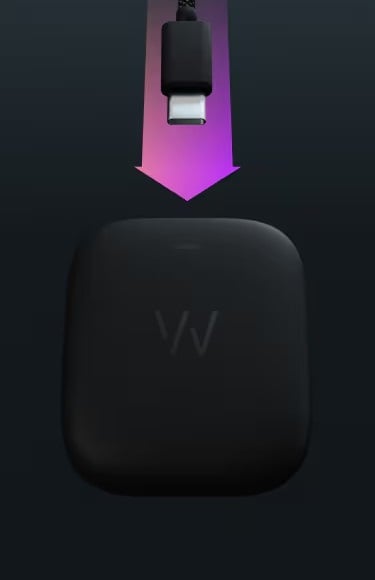
- Then slide the battery onto the WHOOP case,
- Loading starts immediately and takes just a few minutes.

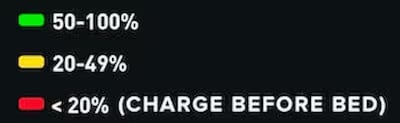
To check your WHOOP's battery level, tap twice on the upper body of the wristband.
WHOOP bracelet price: how does the subscription work?
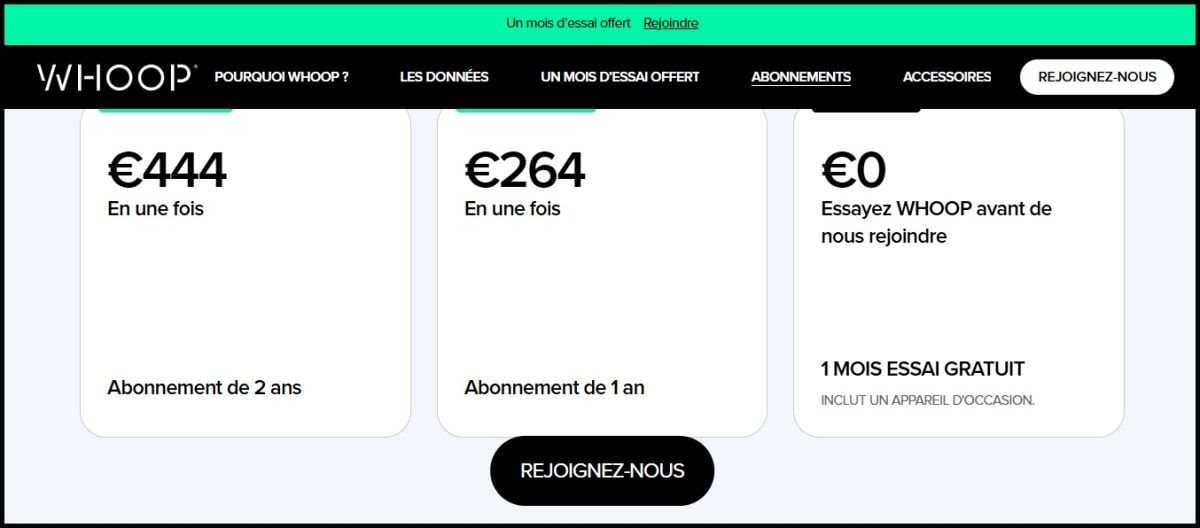
The WHOOP wristband is free, but it comes with a monthly or yearly subscription plan.
Both (bracelet + subscription) are inseparable, because without a subscription, you will not be able to access the WHOOP app. And without the app, the wristband will not allow you to track and measure your sleep, heart rate, and other body data!
Depending on your budget and needs, there are several pricing options and payment solutions available to you: you can subscribe to a 12 or 24-month subscription. Payment is made in a single installment, after which you can enjoy your WHOOP and monitor your health with peace of mind.
Alternatively, you can also test WHOOP free of charge for a month! It's a simple, stress-free option, as this one-month trial of the WHOOP wristband comes with no strings attached.
To find out more, visit our complete guide to WHOOP prices and subscriptions.
Which athletes and influencers use WHOOP?
The WHOOP wristband is very popular in the world of sports. It can be found on the wrists of many stars and sports personalities, and they all agree that it is a really useful product!
These professional athletes use WHOOP to track their sleep, recovery, and, of course, their heart rate during training and competitions. And they have a very positive opinion of the measurement and evaluation capabilities of the WHOOP connected wristbands !
Among the WHOOP users Among the best-known are :
- The basketball player LeBron James,
- The swimmer Michael Phelps,
- Golfers Tiger Woods and Nelly Korda,
- Baseball players Wade Miley and Brandon Woodruff,
- Etc…
And let's not forget the sports stars who have become the face of WHOOP!
- Cristiano Ronaldo

The famous Portuguese soccer player is the’WHOOP global ambassador since 2024.
- Patrick Mahomes
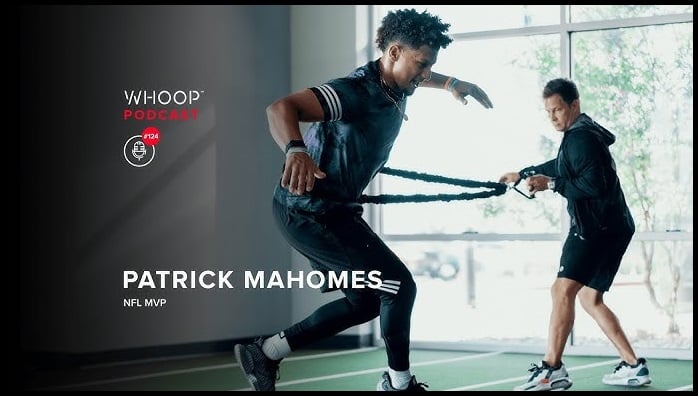
The American soccer prodigy has been wearing a WHOOP bracelet at every NFL game since 2020!
- Rory McIIroy

The number 1 golfer also swears by the articles and WHOOP connected wristbands !
How can I contact WHOOP?
Do you have any questions about WHOOP products and services? Would you like to make a return? Unless you'd like to exchange your screenless tracker?
You can contact WHOOP support :
- By mail : support@whoop.com,
- By telephone : (844) 490-1593,
- By mail: WHOOP, Inc, One Kenmore Square #601, Boston, MA 02215.
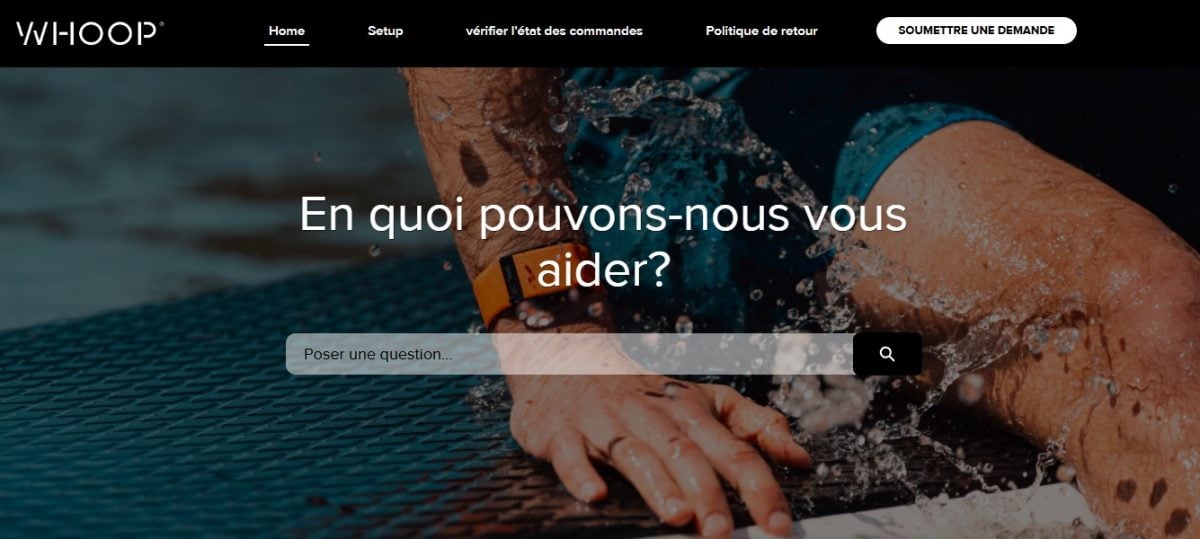
the WHOOP website also offers a FAQ page for any other questions you may have about its services and connected bracelets. Here are some ideas for questions and answers that you can find on the page:
- How to order your WHOOP?
- Tracker configuration without screen,
- WHOOP bracelet prices and subscriptions,
- Pairing and connectivity of the connected bracelet,
- But also: how create/join a WHOOP team ?
- How do you interpret your body data and information?
- How does the stress monitor work?
- Etc…
The WHOOP connected bracelet has everything you need to help you:
- monitor your sleep,
- measure your heart rate,
- track every effort your body makes during the day,
- have a global vision of your recovery,
- analyze your health data and information,
- take care of your body and take it easy when necessary...
You want to treat yourself to this little high-tech product, but you're still hesitating because of the subscription price and bonus items? If so, please visit our article on WHOOP promo codes. Maybe vhere's a great deal on a WHOOP bracelet!










 English