To set an alarm for WHOOP, everything happens in the app, never on the wristband. Open the tab Sleep, then Tonight’s Sleep, pick your alarm mode and turn it on.
The bracelet will then vibrate on your wrist at the selected time, by haptic vibration and without a sound.
Do you have the latest model of Whoop?
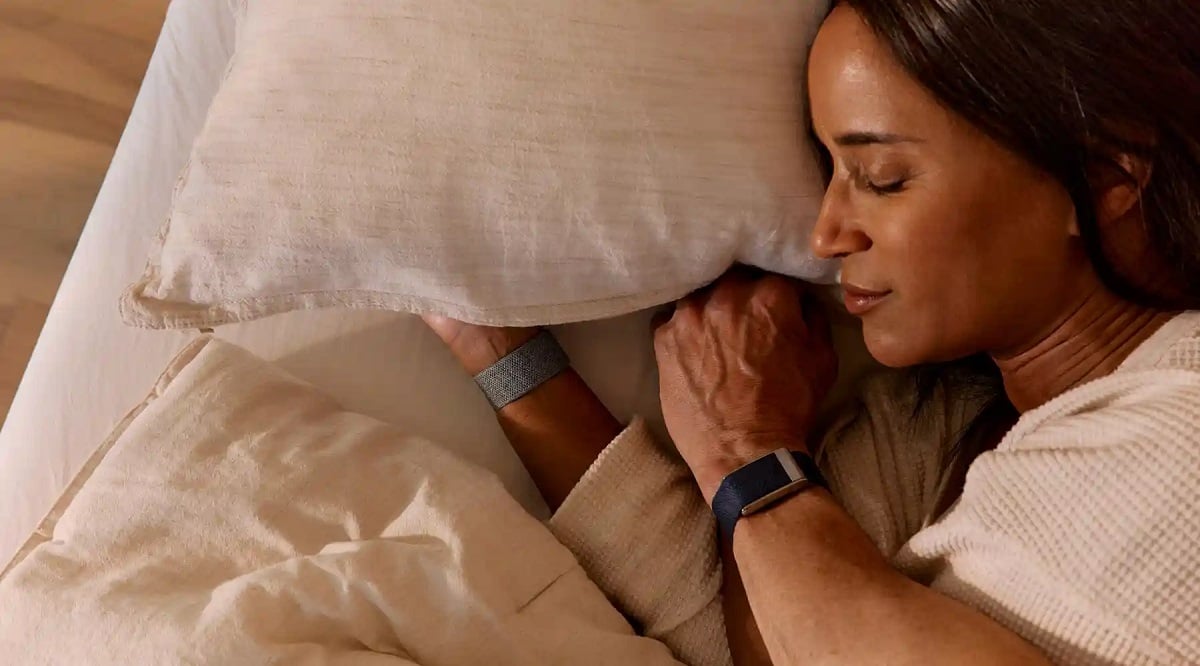
L'alarm WHOOP It can't be adjusted directly from the wristband. You have to go through the’mobile app, because the wristband has neither a screen nor a button.
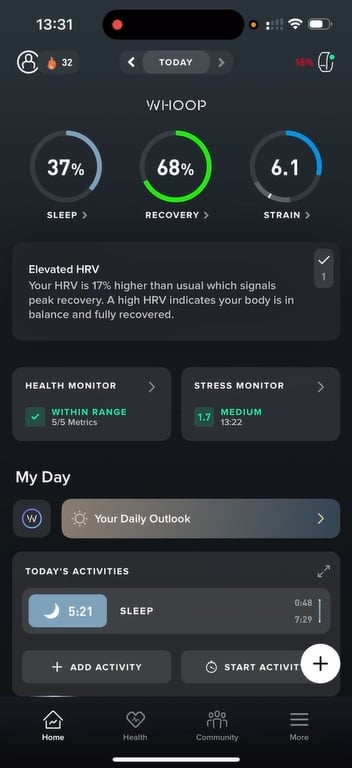
Don't worry, it's really very easy to find the alarm option in the application WHOOP :
- Open the app on your smartphone.
- Go to the tab Sleep.
- Next, open the section dedicated to the’alarm.
In just a few seconds, you've come to the right place to Set the alarm on your wristband WHOOP. This alarm clock works by haptic vibration on the wrist, without making a sound.

How do I set up and use the WHOOP alarm?
Open the Sleep Planner
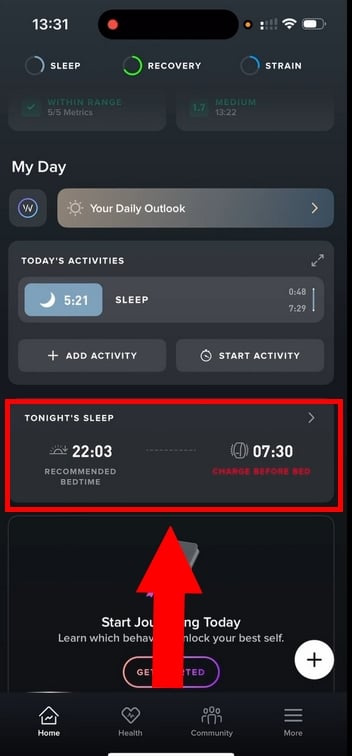
- Open the app WHOOP on your smartphone.
- Go to the section Tonight’s Sleep, the planner for sleep.
- That's where you'll find all the settings for’alarm.
Select the alarm mode
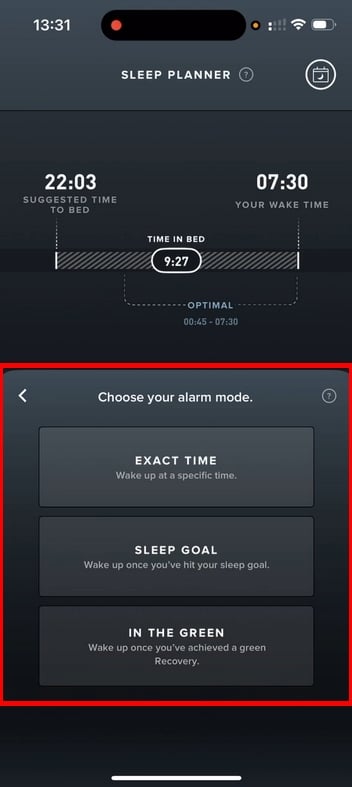
In the alarm dashboard, you can choose between three alarm modes :
- Exact Time : a set time, like a traditional alarm clock but silent.
- Sleep Goal : WHOOP wakes you up as soon as your sleep goal is reached within the hour preceding your deadline.
- In the Green : WHOOP wait for your recovery score either turns green, then triggers the alarm within the time frame you've set.
Set the time and settings
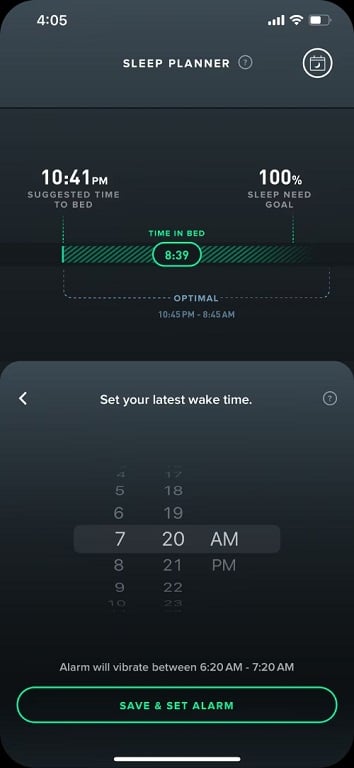
- With Exact Time, simply select the’exact time desired.
- With Sleep Goal Where In the Green, you choose a cut-off time. WHOOP add your own sleep goal or your level of recovery to wake you up at the right time.
Set the alarm
- Once you've made your choices, all you have to do is enable and save the alarm.
- Make sure that the « we » is active before bedtime.
Important : Before going to sleep, make sure your bracelet WHOOP is connected to your phone AND fully charged. Otherwise, the alarm might not sync properly.
How do I stop the alarm?
- All you have to do is double-tap your bracelet WHOOP to stop the vibration.
- Otherwise, the alarm stops automatically after thirty seconds.
- You can also turn it off directly from the’application WHOOP.
Looking for a new Whoop model?
How does the WHOOP alarm work?
The Alarm WHOOP is a haptic alarm : It doesn't make a sound—it vibrates right on your wrist. You set it up in the’application WHOOP, and it's the bracelet that triggers the vibration upon waking up.
At the scheduled time, the bracelet vibrates gently. No sound, just a haptic vibration so as not to disturb the person next to you.
For more details on how the alarm works WHOOP and all its features, check out our article: Does WHOOP have an alarm?
Is the WHOOP alarm more effective than a traditional alarm?
A traditional alarm goes off at a set time, sometimes right in the middle of deep sleep. The result: you wake up groggy, even after a decent night's sleep. The alarm WHOOP is a game-changer. It's based on your physiological data to wake you up at the right time moment.
Specifically, the alarm WHOOP :
- Analyze your tone sleep in real time
- Follow your sleep cycles all night long
- Take into account your recovery score of the day
The goal is simple: to wake you up when your body is ready, not just when the clock says so. That's the whole point of the mode In the Green, which triggers the haptic vibration in a window where you're in a light sleep.
Is it really more effective? On paper, yes. Waking up during a light sleep phase reduces the feeling of fatigue when you get out of bed.
It's worth noting, though : Your comfort depends on the quality of your sleep. No matter how smart an alarm may be, it can't replace a real sleep goal complied with each day.
What are the features of the WHOOP alarm?
Much more than just a alarm, that of the tracker WHOOP offers several features related to your health and to your athletic performance.
On the program:
1. A wake-up time that’s in sync with your sleep cycles
With alarm WHOOP, no sudden wake-up. The wristband analyzes your sleep phases sleep during the night. Goal: to wake you up during a light phase, rather than while in a deep sleep.
2. Integrated sleep monitoring
The alarm doesn't work on its own. It's directly connected to your sleep. The data The data collected by the wristband is used to Optimize the time you wake up.
3. A wake-up time based on your recovery
With the In the Green, the bracelet WHOOP wait for your recovery score either optimal before it vibrates, within the limit you've set. That way, you'll be woken up at moment when your body is truly ready.
4. Complete customization
You can Set the alarm WHOOP Depending on your needs: exact time, sleep goal, or recovery-based wake-up. Each mode is described in detail in the previous sections.
To learn more about all the other features of the wristband, feel free to check out our full review of WHOOP.
Where and how can I download the WHOOP app?
The application WHOOP is available on the’App Store (iPhone) and on the Google Play Store (Android).
To install it:
- Open the app store on your smartphone.
- Type « WHOOP » in the search bar.
- Download the app, then install it just like any other app.
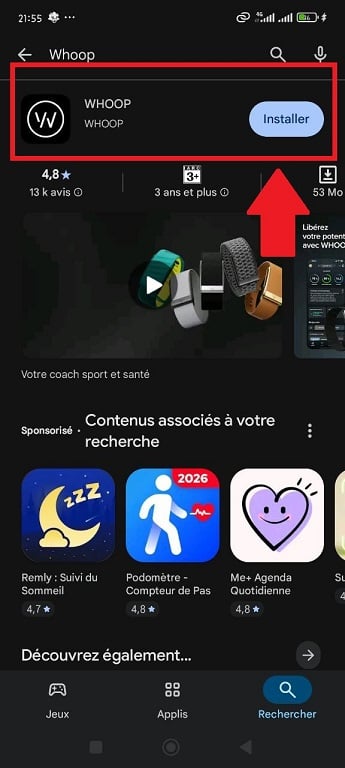
In just a few minutes, you can Connect your wristband WHOOP and access all of your health data : sleep, recovery, exercise, and daily score.
Set an alarm for WHOOP takes only a few seconds. Yet your mornings will never be the same again. Thanks to the haptic vibration With the wristband, you can adjust your alarm to fit your body's rhythm rather than a fixed schedule.
So, are you ready to optimize your recovery?
By the way, which alarm setting fits best with your routine? Tell us all about it in the comments!
And for even more helpful articles on WHOOP :










 English