Want to subscribe to Crunchyroll, but have a limited budget? In this article, we invite you to discover how to get a cheap Crunchyroll subscription.

Here are two simple and clever solutions for pay less for your Crunchyroll subscription :
- Subscribe via the’GamsGo shared subscription
- Use a VPN to take advantage of cheaper subscription rates abroad
Wondering about the price difference? In this comparison table, we invite you to discover the different Crunchyroll subscription price depending on the GamsGo or VPN solution:
| 🍿 Crunchyroll site | 🔥 GamsGo | 🛡️ VPN |
| ✔️ Fan subscription - €5.99/month
✔️ Mega Fan subscription - €7.99/month ✔️ Mega Fan annual subscription - €79.99/month |
✔️ Mega Fan subscription - 3.33 $/month |
✔️ Fan subscription - approx. 0.92 $/month (Crunchyroll India) ✔️ Mega Fan subscription - approx. 1.15 $/month (Crunchyroll India) ✔️ Mega Fan annual subscription - approx. 11.65 $/month (Crunchyroll India) |
1. Get Crunchyroll cheap with subscription sharing
Subscription sharing is a bit like carpooling: complete strangers share the same account on a streaming service, each with their own profile. Among the leading players in this field are GamsGo.
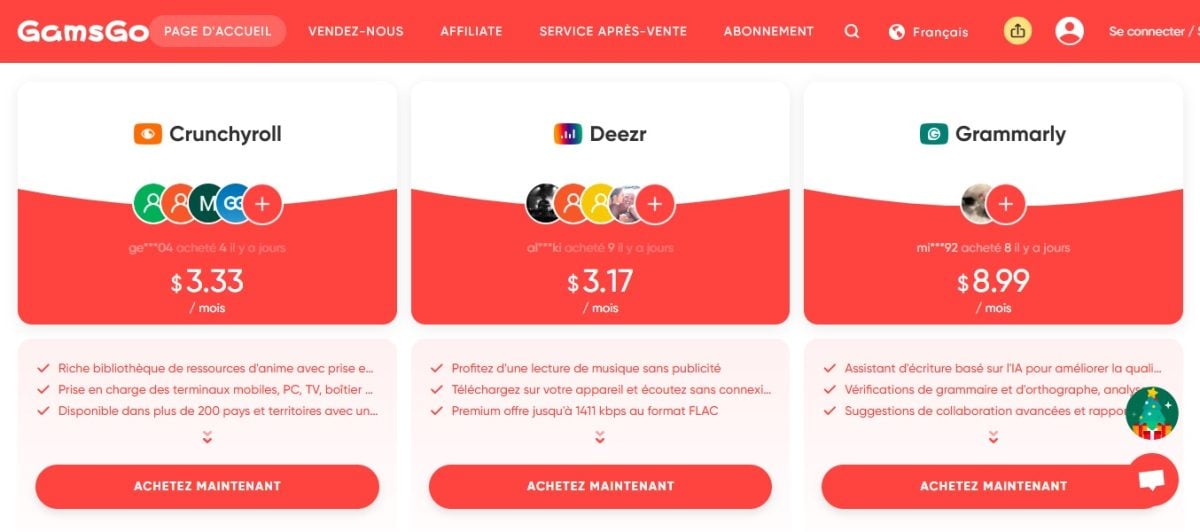
The GamsGo principle is simple: the site buys streaming subscriptions in countries where rates are affordable. It then offers the accounts and their profiles for two or even three months' rental. three times less expensive.
Want to learn more about GamsGo services? Discover our review of GamsGo by clicking on the link!
What are the prices for a Crunchyroll subscription with GamsGo?
With GamsGo, Crunchyroll's Mega Fan subscription costs only 3.33 $/month. The site offers you the option of subscribing for several months at once. You can choose between three subscription plans:
- 3 months
- 6 months
- 12 months
| 💸 3-month subscription | 💸 6-month subscription | 💸 12-month subscription |
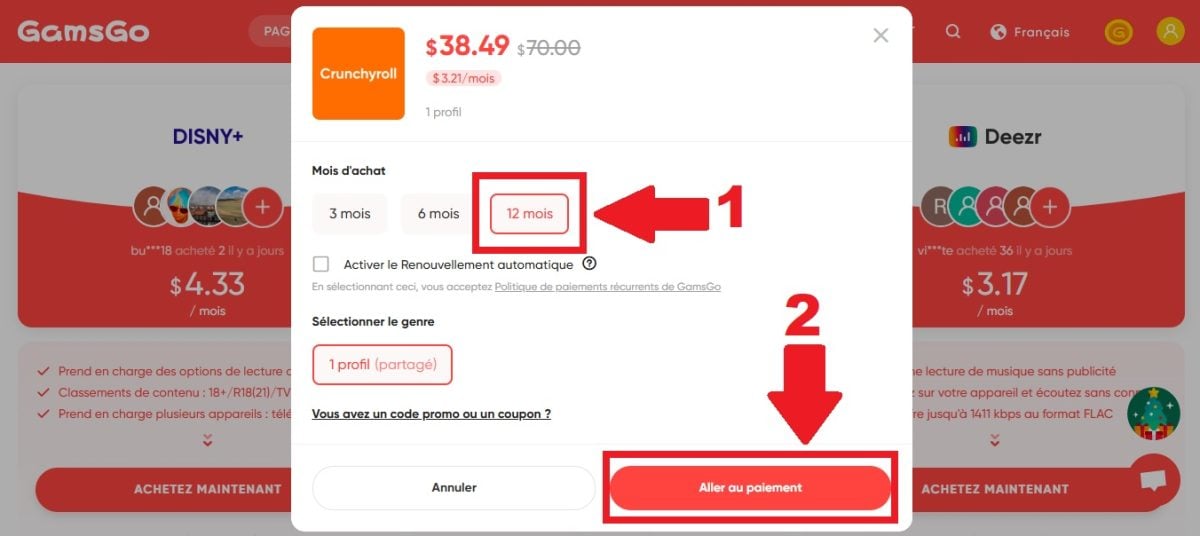
| 9.97 $ or 3.33 $/month | 19.49 $ or 3.25 $/month | 38.49 $ or 3.21 $/month |
As you can see in the table, the 6-month and 12-month plans allow you to save a few extra dollars on your Crunchyroll subscription via GamsGo!
How do I subscribe to Crunchyroll with GamsGo?
start with create a GamsGo account. Rest assured, it's free and there's no obligation on your part!
- Then go to the GamsGo home page
- Under the Crunchyroll offer, click on BUY NOW
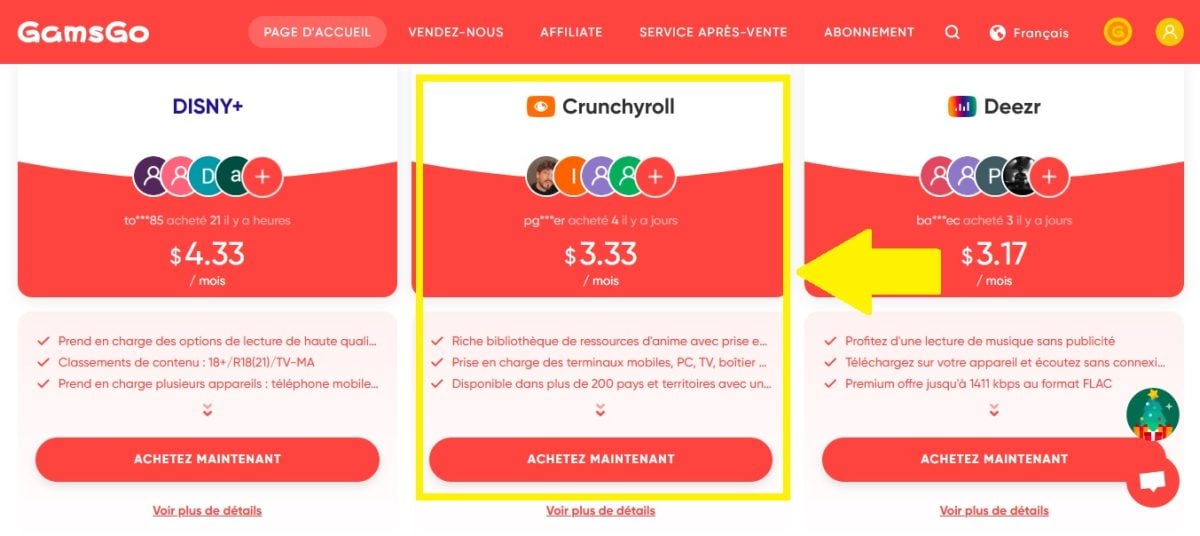
- Select the subscription plan that suits you best
- Then click on GO TO PAYMENT
- Choose the payment method that suits you best
- Then click on GO TO PAYMENT to move on to the next step

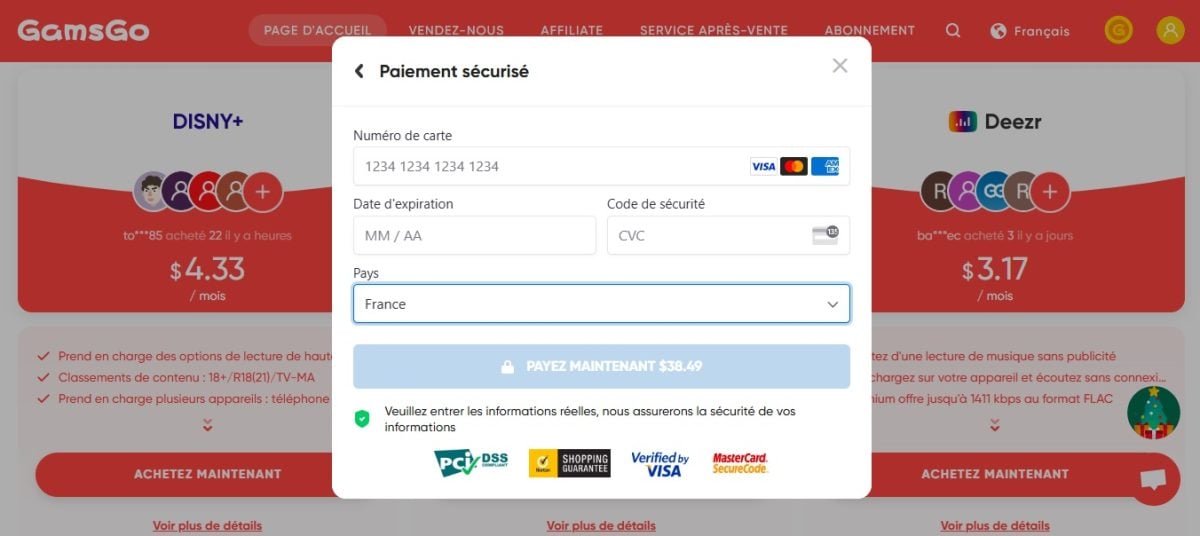
- All you have to do is type in your bank details then confirm payment
- Rest assured, your data is safe: GamsGo guarantees 100 % secure payments !
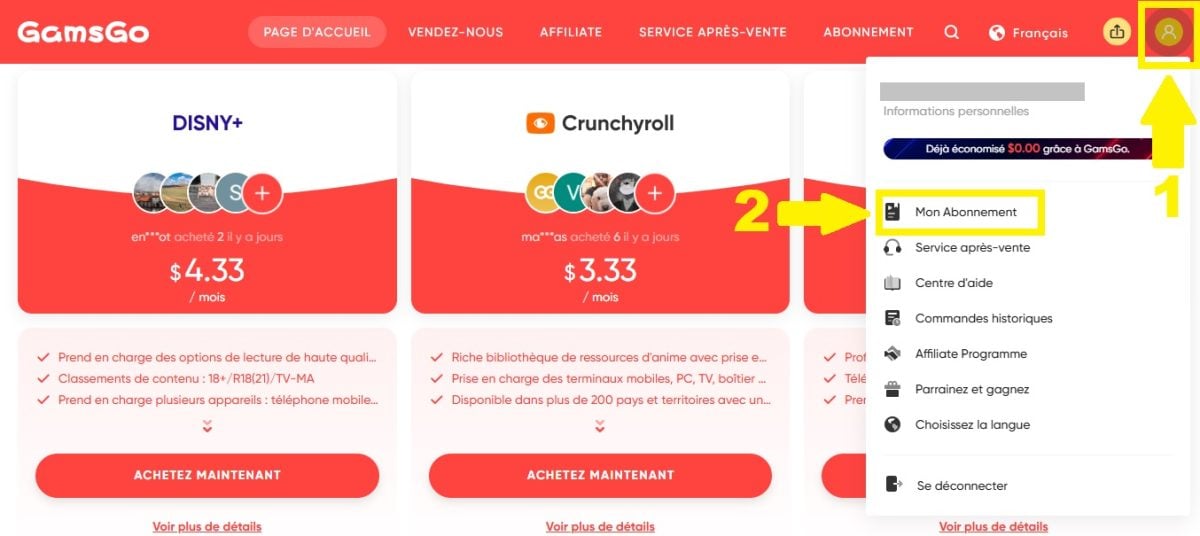
- Once you have paid, go to your GamsGo profile
- Then go to your SUBSCRIPTION page
- Here you'll find your Crunchyroll login and password!
2. Get a cheap Crunchyroll subscription with a VPN
Don't like the idea of sharing a Crunchyroll account with strangers? In that case, the VPN solution is just what you need! With a VPN, you can:
- Connect to a server in a country where Crunchyroll is inexpensive.,
- Take out a subscription via this foreign server,
- And benefit from better prices in just a few clicks!
Among the best VPNs of the moment, we suggest you discover the duo NordVPN and Surfshark in this small summary table:
| 🏔️ NordVPN | 🦈 Surfshark |
|
✔️ More than 7,200 servers ✔️ 118 countries covered ✔️ Unlimited bandwidth ✔️ 10 simultaneous connections ✔️ 30-day money-back guarantee 💸 From 4.99 $/month for a 12-month subscription |
✔️ More than 3,200 servers ✔️ More than 100 countries covered ✔️ Dual VPN functionality ✔️ Unlimited devices ✔️ 30-day money-back guarantee 💸 From 3.19 $/month for a 12-month subscription |
| NordVPN ✨ | Surfshark VPN 🗝️ |
Explanatory video in French by Alucare, ideal complement to the page. View video (you can use YouTube's automatic translation)

What are the prices for a cheap Crunchyroll subscription with a VPN?
Crunchyroll's rates vary from country to country. In some countries, the’Mega Fan subscription is practically free. With a VPN, you can get Crunchyroll for just 1 per month !
Here are some countries where the anime platform is cheapest:
| 🌍 Country | 💰 Mega Fan monthly subscription | 💶 Price in euros (January 2025) |
| Turkey | TRY 69.99 | 1,87 € |
| India | 99 INR | 1,09 € |
| Lebanon | 7500 LB | 0,081 € |
| Philippines | PHP 99 | 1,62 € |
How to take out a Crunchyroll subscription with a VPN?
Are you interested in a VPN solution, but don't know how to go about it? In this tutorial, we'll show you how to use NordVPN to get your own VPN connection. cheap Crunchyroll subscription.
- The first step is to take out a NordVPN subscription.
- To do so, go to the rates page of the site Nordvpn.com
Discover NordVPN ✨
- Select the package you require, then follow the payment procedure

🚨 For those on a tight budget, here are a few tips on how to get NordVPN for free.
- Once NordVPN is installed on your PC, launch the VPN.
- You can then search on map the country of your choice
- Or type the country name directly into the search bar
- Then click on the country name to activate your VPN!

- Once your VPN is activated, go to the Crunchyroll subscription page
- You will notice that the prices displayed are no longer those of France.
- But those of the country where you have chosen to connect via NordVPN
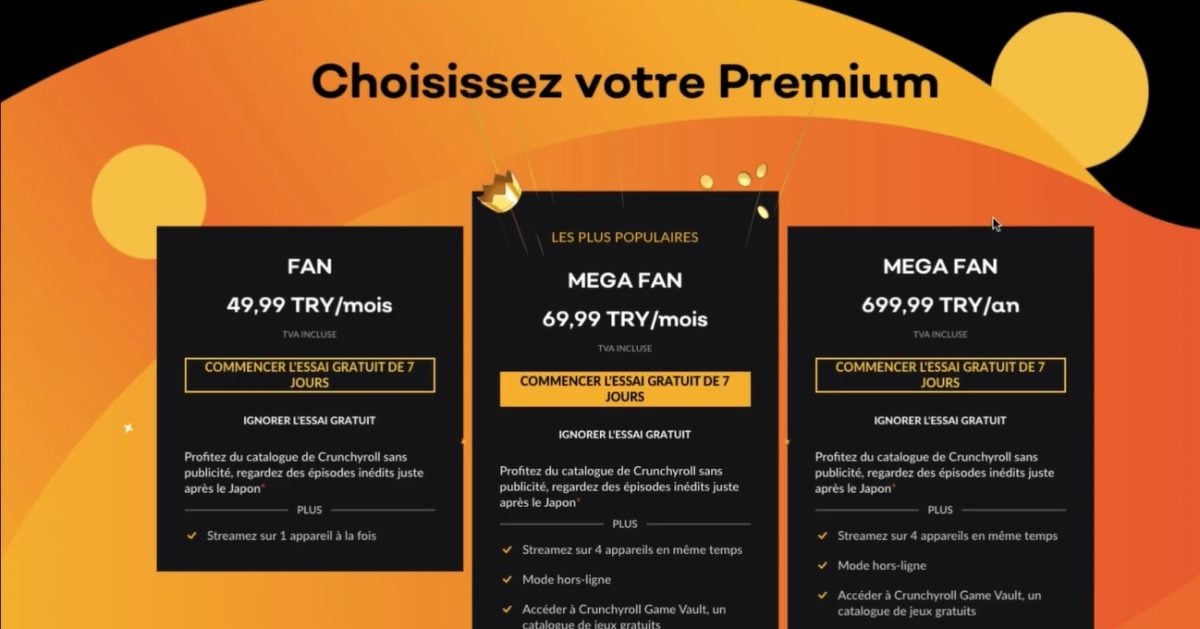
- All you have to do now is take your cheap Crunchyroll subscription
- Make sure your method of payment is compatible with that of the country you have chosen
- Once the transaction has been validated, you'll finally be able to enjoy Crunchyroll without breaking the bank!
Visit the official NordVPN website:
Now you know the two cheap ways to get Crunchyroll. GamsGo or VPNwhich of the two methods do you intend to use?
And if you know of any others, feel free to tell us about them in the comments!
You can also enjoy Crunchyroll for free for 7 days! We tell you all about it in our article How to get free Crunchyroll.









 English