WELOCK is a major supplier of smart home access solutions.
He has specialized in over 10 years in the development and manufacture of intelligent door locks.
In this article, we will give you our opinion on WELOCK after receiving one of its connected cylinder locks: the WELOCK ToucA51.
| 👉 Product overview | 🎯 WELOCK ToucA51 |
|---|---|
| Image |  |
| Product name | WELOCK Smart Lock Cylinder ToucA51 Fingerprint door lock with keypad Product |
| Coupon - €40 | VD40 |
| Delivery | Delivery from European warehouses and 2-year warranty. |
| Final price | Pay €129! |
Explanatory video in French by Alucare, ideal complement to the page. View video (you can use YouTube's automatic translation)

Product presentation : WELOCK ToucA51
Before giving you the technical details, you should know that the WELOCK ToucA51 has a discount of -40 € using coupon VD40. Instead of the basic €169, you'll pay a final price of €129!
To benefit from the discount for WELOCK ToucA51 :
✨ 40 € discount with code VD40
Shipping is done from European warehouses, which reduces delivery time as well as additional import costs. You will also benefit from a 2-year warranty.
If you are interested in their products, please note that WELOCK offers coupon codes according to their locks.
Unboxing WELOCK: product contents
This is what we have noted :
- We received the smart lock in a closed box, wrapped in plastic film and bubble wrap all around.
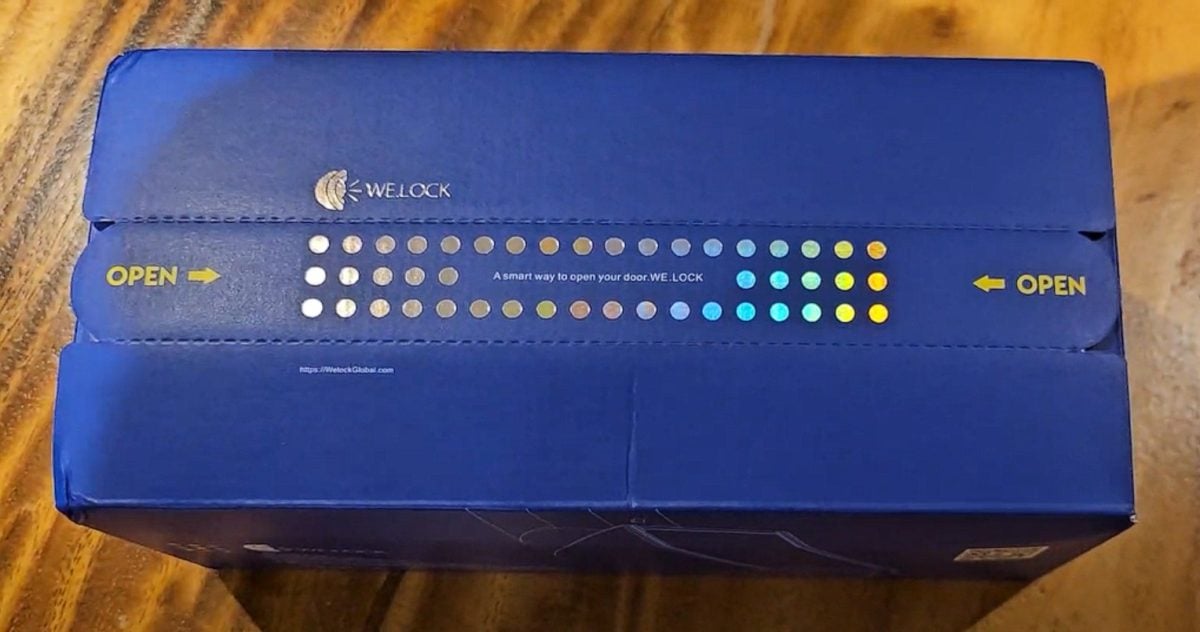
- After removing the tab, we discovered a message asking you to check that the package is in good condition.
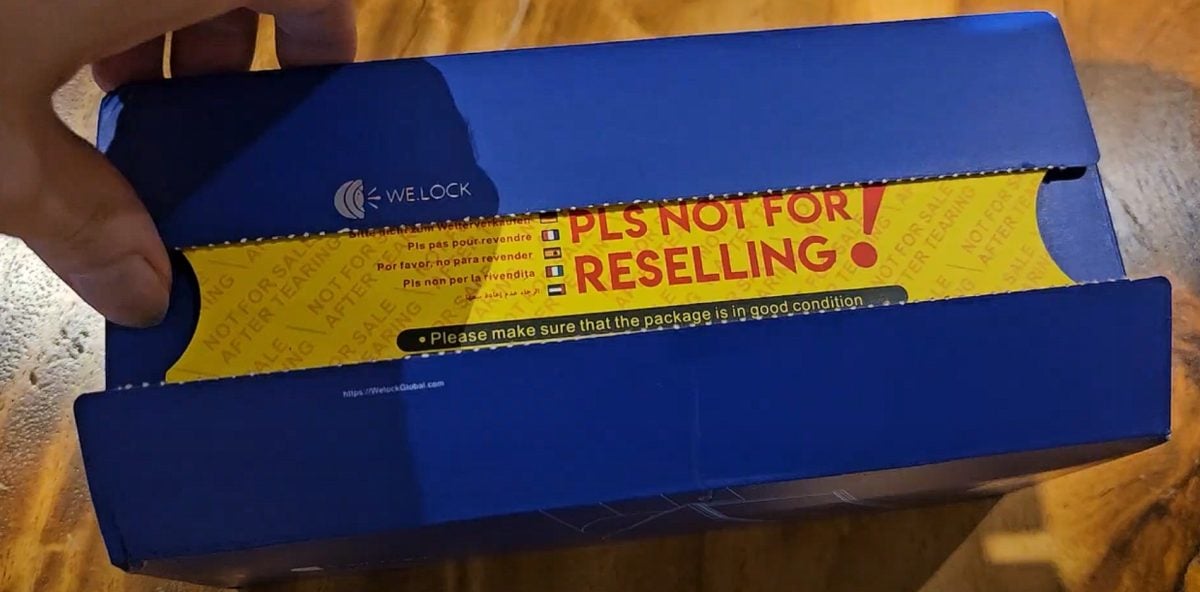
- Once the message was removed, we got our hands on the installation guide for the ToucA51 smart lock of WELOCK.

In our case, we received the ToucA51 smart lock. However, please note that the company also offers a fingerprint lock, so don't hesitate to check out the brand's products. WELOCK.
Product features : WELOCK ToucA51
To meet your security and convenience needs, the ToucA51 connected lock from WELOCK features multiple access methods and advanced features, including :
1. A keypad
The WELOCK ToucA51 connected lock consists of :
- A numeric keypad that can be used to set up unique PIN codes for each user to guarantee safety.
- A backlit keyboard, making it easy to use in low-light environments.
If you wish to improve the security of your home lock :
✅ Choose the ToucA51 connected lock
2. A fingerprint reader
Considered one of the greatest advantages of this model, the WELOCK ToucA51 consists of a high-precision fingerprint reader. It has a number of interesting features, including :
- Excellent recognition.
- Fingerprint identification in a few seconds.
- Less than risks of failure or unjustified rejections.
- Storage up to 100 fingerprints.

This biometric sensor ensures that only people with the right registered their fingerprints can unlock the door.
Remark : In case of emergency or fingerprint sensor failure, you can always unlock the door with the keypad.
3. An RFID card
The WELOCK ToucA51 also comes with RFID cards. Although each card is unique, you can program it according to your needs.

With the RFID card, you will not have no need to memorize codes or rely on a smartphone to unlock your door.
4. Bluetooth connectivity
After the keypad, fingerprint reader and RFID card, the WELOCK ToucA51 can now be managed via a mobile application (Android or iOS) thanks to a Bluetooth connection. It allows you to :
- Monitor access in real time.
- Create from new access codes.
- Revoke authorizations for the time being.
- Receive notifications entries and exits.
- Check the condition of the battery.
- Open the door from a distance.
If you're convinced by the features on offer :
Product installation : WELOCK smart lock ToucA51
After retrieving the installation guide, we can finally get your hands on the new WELOCK intelligent lockGiven the way it has been packaged, there is no risk of it being damaged during transport.

In addition to the lock, we received a small box with all accessories required for installation.

If you have a problem with the intelligent lock from WELOCK, you will be able always unlock it using the app.

To installing your new lockHere are the steps to follow:
- start with remove your old lock by loosening a few screws and releasing the cylinder.
- Check that your door has the recommended thickness (between 30 mm and 70 mm). to install the WELOCK ToucA51.
- Install your new ToucA51 connected lock and screw it in carefully.
- Set up your system Insert the batteries, then register your fingerprints, set up PIN codes, and synchronize everything with the mobile app.
- Try different access methods to ensure that your ToucA51 smart lock is working properly.
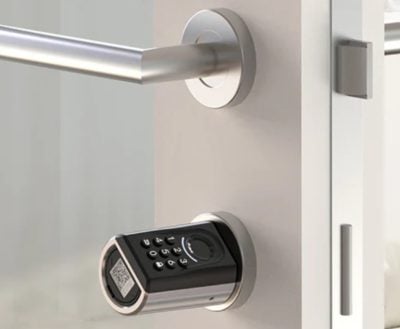
Once installed, this is how it looks door lock with keyboard :
If you haven't taken advantage of the discount yet:
⭐ Save up to €40 with code VD40
FAQs
How do I use the WELOCK Smart Lock electronic lock?
The following points summarize how to use the WELOCK electronic lock :
- You'll need to use RFID cards to enter the house without a key. Simply slide the card into the lock to open the door. Three cards are supplied with the product. However, 17 additional cards can be ordered.
- You can also unlock the lock with the WELOCK app. The app is fast and only takes about 15 to 20 seconds to unlock.
- You can also use your fingerprint as mentioned above.
- It is also possible to open the door using the Bluetooth by WELOCK.
- It is also possible to create codes to open the door.
What are the advantages of the WELOCK Smart Lock electronic lock?
The strengths of the brand's intelligent lock include WELOCK, we can mention the following:
- Unlocking the lock from different ways (RFID card, digital code or WELOCK application).
- Opening at distance possible if someone needs to enter and you are not at home.
- Facility without drilling, quick and easy (between 10 and 20 minutes).
- Adaptation to all doors between 30 and 70 mm thick.
- Guaranteed safety with the WELOCK connected lock and its intelligent system.
When should you use the WELOCK Smart Lock electronic lock?
More concerned The disadvantages of using this smart lock are:
- The owners of rental housing seasonal: the ability to store 10 different codes is very useful in this context.
- People who want to benefit from more security in their home.
In conclusion, the WELOCK connected lock is a tool with a simple design that offers several advantages for its user:
- When you hold the product in your hands, you can feel that it is heavy and that there is quality behind it all.
- The smart lock from WELOCK is easy to install and use.
- The tool is reliable and guarantees protection of your home.
- You can use an RFID card, your fingerprint, codes, or the WELOCK app to unlock your door lock.
- You can open the door at distance using the tool's Bluetooth functionality.
We hope this article has been helpful. If you need more articles like this, check out our page. Review. Feel free to ask any questions you may have in the comment area.








 English