the web scraping on Amazon, it's totally doable, even if you don't know how to code. You can use a no-code tool as Octoparse Where Bright Data, or write your own scraper in Python.
The goal remains the same: to automatically extract product data (prices, reviews, availability) to monitor the competition or analyze a market.

The different methods for scraping on Amazon
the web scraping involves using a script or tool to crawl the pages of a website, extract the desired information, and store it in a database or file CSV. On Amazon, you can get product data such as prices, reviews, images, and titles, on a large scale and without manual data entry.
When it comes to scraping Amazon, you have two options: use a no-code tool ready-to-use, or code your own scraper in Python.
1. Use web scraping tools
The web scraping tools automate the entire data collection process without you having to write a single line of code. Here are 3 solutions particularly effective based on your needs.
Bright Data
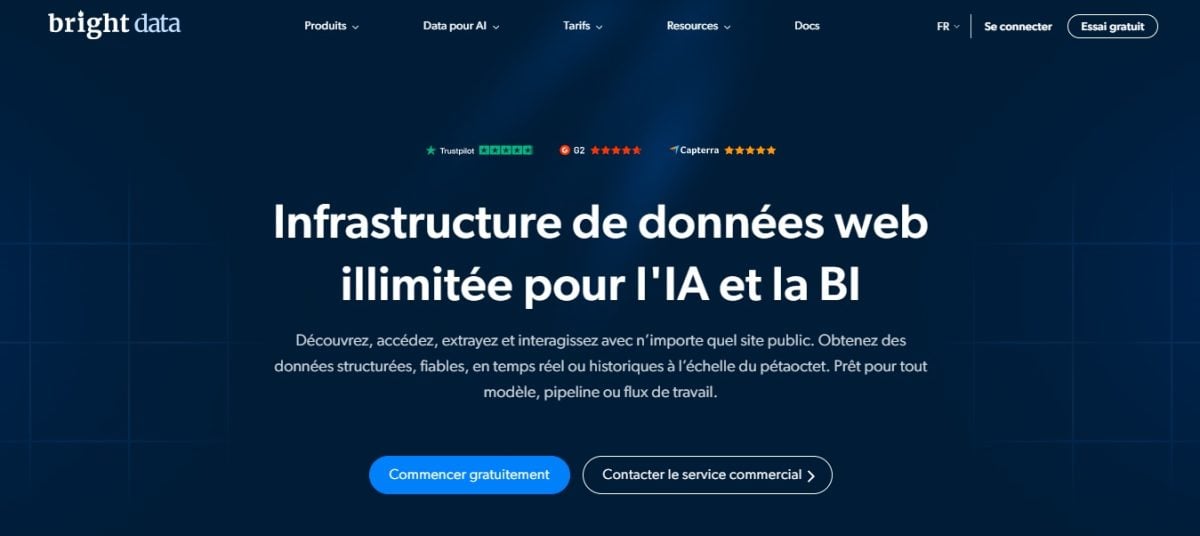
Bright Data is a platform designed for the large-scale scraping, ideal for complex projects that require the collection of large volumes of product data from sites such as Amazon. Its main features:
- Network of proxies embedded (residential, mobile, data center)
- Automation of Large-Scale Web Scraping
- No-code visual tool (Web Scraper IDE)
- Creating Custom Scraping Scenarios
- Automatic Management of CAPTCHAs and Blocking
- Several API ready-to-use for retrieving structured product data from amazon.com
- Export to format JSON, CSV Where Excel
Check out our full review of Bright Data by clicking on the link.
Octoparse

Octoparse is the perfect no-code solution if you have no programming skills. Its interface is drag and drop lets you scrape Amazon with just a few clicks, without any technical knowledge. Its features:
- Visual interface in drag and drop
- Real-time or scheduled extraction
- Support for dynamic sites (JavaScript)
- Easy Export (Excel, CSV, database, API)
- Function cloud to perform tasks online
Check out our full review of Octoparse to know more.
ScrapingBee

ScrapingBee fully automates scraping and handles all technical challenges on its own. It's the ideal solution for developers who want to quickly integrate a API data collection in their projects. Its strengths:
- Rendering JavaScript to scrape dynamic websites
- Management of proxies without manual configuration
- Automatic bypassing of CAPTCHAs and blocks
- Extraction of product data formatted in JSON
- Support for headers personalized
- Automatic page cleanup (unnecessary scripts and ads removed)
- Multilingual Support for Web Pages
2. Create your own scraper for Amazon with Python
If you're programming in Python, you can build your own custom Amazon scraper. This is a more advanced method, but it offers much more control and flexibility when it comes to data collection. Here’s how to do it, step by step.
Before you start
- Install Python 3.8+ on your computer
- Create a project folder and, ideally, a virtual environment
- Install the necessary libraries: requests and beautifulsoup4
Also note the’URLs of the product page to be scraped. On Amazon, each product page follows the structure https://www.amazon.com/dp/ followed by the unique identifier called ASIN :
https://www.amazon.com/dp/B08N5WRWNWStep 1: Submit the request
Send an HTTP request with requests.get by simulating a real browser using headers. Without them, Amazon immediately detects the automated script and returns CAPTCHAs or error pages. The response The result contains the raw HTML of the page.
import requests

headers = {
    "User-Agent": "Mozilla/5.0 (Windows NT 10.0; Win64; x64)",
    "Accept-Language": "fr-FR,fr;q=0.9"
}

url = "https://www.amazon.com/dp/B08N5WRWNW"
response = requests.get(url, headers=headers)
Step 2: Analyze the HTML content
Use BeautifulSoup to transform the HTML raw data into a usable object. You can then browse through the tags, classes, and identifiers to extract the desired content.
from bs4 import BeautifulSoup

soup = BeautifulSoup(response.content, "html.parser")
The variable soup contains all the HTML for the page, ready to be crawled.
Step 3: Inspect and Extract the Data
Use your browser's «Inspect Element» tool (right-click and select "Inspect") to find the correct CSS selectors. The most useful product data to retrieve:
- the title of the product: often in
<span> - the price : usually in
<span> - The note (rating): often in
<span>
title = soup.select_one("#productTitle").get_text(strip=True)
price = soup.select_one(".a-price-whole").get_text(strip=True)
rating = soup.select_one(".a-icon-alt").get_text(strip=True)

print(title, price, rating)
Be sure to handle errors: Amazon sometimes changes its tags, so check that each selector actually returns a result before using it.
Step 4: Save the data to a CSV file
Once the data has been extracted, save it to a file CSV with the library csv.
import csv

with open("amazon_products.csv", "w", newline="", encoding="utf-8") as file:
    writer = csv.writer(file)
    writer.writerow(["title", "price", "rating"])
    writer.writerow([title, price, rating])
One last tip: Add deadlines using time.sleep between each request to simulate human behavior and reduce the risk of being blocked.
Why web scrap on Amazon?
Scraping on Amazon allows you to automatically collect product data on a scale that would be impossible to achieve manually. You can find more details about use cases in our article dedicated to Why Scrape? e-commerce sites. Here are the most common uses:
- Track Prices : Spotting promotions and pricing trends is what's known as price scraping.
- Analyze the Competition : Compare sellers' offers, their rankings, and their price ranges.
- Track a specific product : Keep an eye on availability, inventory, and price on a daily basis.
- Review customer reviews : Extract ratings and reviews to understand what buyers think.
- Building a Product Database : compile titles, awards, images, and ASIN in a structured file (CSV, JSON Where Excel).
- Conduct market research : Identify new products and track the best-sellers in a category.
- Optimize Your Own Listings : Draw inspiration from the keywords and content of the top-ranking ads.
- Automate the hunt for bargains : Get an alert as soon as a price falls below your threshold.
Simply put, you turn scattered Amazon pages into actionable data to make better decisions, whether you're a seller, a savvy buyer, or an analyst.
FAQs
Web scraping tool or custom scraper for Amazon: Which one should you choose?
It all depends on your data plan and data usage.
- Don't know how to code? A no-code tool as Octoparse Where Bright Data does the job without a single line of code.
- You program in Python ? A custom scraper gives you more control and flexibility, especially when it comes to managing pagination or integrating an API.
What data can be extracted from Amazon?
Amazon is a treasure trove of product information. Among the most useful data to extract are:
- the title and the product description
- the price and the technical specifications
- Average rating and number of customer reviews
- The detailed content of the reviews
- Best-Seller Rankings
- Availability and Inventory Levels
- The pictures and the username ASIN of the product
This data is typically exported in the format CSV, JSON Where Excel, ready to be analyzed.
I don't know how to code. What tools can I use to easily scrape Amazon?
Two sure bets stand out:
- Octoparse : intuitive interface with preconfigured templates for Amazon. Its free plan It is suitable for small volumes, but has a limit on the number of exported lines and does not include cloud scraping.
- Bright Data : turnkey solutions with proxies Built-in features and a dedicated API for retrieving structured product data. Best suited for large-scale projects.
Both handle the blockages on their own and deliver structured data directly to you.
Can Amazon block me? And if so, how?
Yes. Amazon blocks scrapers using captchas or error pages, and restricts IP addresses after too many requests. These measures are triggered as soon as non-human behavior is detected. There are a few techniques that reduce this risk:
- Go through proxies that rotate IP addresses
- Space out requests to avoid spikes in suspicious traffic
- Simulate a real browser using headers complete
- Add random delays between each request
Is it legal to web scrap on Amazon?
Amazon's Terms of Use prohibit unauthorized scraping. That said, retrieving public information—such as a price or a product name—is still permitted, as long as you do not infringe on copyright or privacy.
The Case hiQ Labs versus LinkedIn is often cited as a reference on scraping public data, but it does not constitute a direct precedent for the Amazon case. To be on the safe side, limit yourself to public pages and complies with technical and legal restrictions, including intellectual property rights.
Is there an official API for retrieving Amazon data?
Yes, and that's the cleanest way. The Product Advertising API Amazon's service provides access to prices, descriptions, and product information in a structured format, without the risk of being blocked or facing legal disputes. The only requirement is that you must first join the program Amazon Associates, get your affiliate ID, and then sign up for the API to generate your access key.
Which method should you choose to get started?
If you're just starting out, begin by Octoparse : Free for small volumes and no code required. For a larger-scale project, Bright Data stands out thanks to its proxies and dedicated API. And if you code in Python, the tutorial above gives you all the basics you need to launch your own web scraper.









 FR
FR  RU
RU  EN
EN  ES
ES  IT
IT  DE
DE  ZH
ZH  PT
PT  ID
ID  JA
JA  DA
DA