The best web scraping extension for Opera It depends on your level.
- Web Scraper.io for power without code,
- GrabzIt to quickly extract a table or list,
- AgentQL if you want to let the AI filter the data for you.
Good news: Opera supports extensions for the Chrome Web Store through a dedicated extension, which significantly expands your selection of tools.
| Extension | Highlights | For whom? |
|---|---|---|
| GrabzIt Web Scraping Assistant |
|
Casual users who want to go fast |
| AgentQL |
|
Users with a background in web scraping, developers, and data engineers |
| Web Scraper.io |
|
Beginners and advanced users alike |
Top 3 best Opera extensions for web scraping
These three extensions work well on Opera and are designed for a wide range of users, from beginners who want to extract some data to advanced users who manage complex projects.
1. GrabzIt Web Scraping Assistant

GrabzIt Web Scraping Assistant is a visual extension designed to simplify data extraction. It is part of the service GrabzIt, which also offers a API more technical for developers.
Using its interface, you can select elements on a page directly with the mouse. You can extract text, images, tables, or links without writing a single line of code, making it an ideal choice for beginners.
Advantages
- Getting started fast for simple tasks
- Suitable for beginners, without code
Disadvantages
- Less than advanced features than other tools
- Lack of flexibility for more complex projects
2. AgentQL
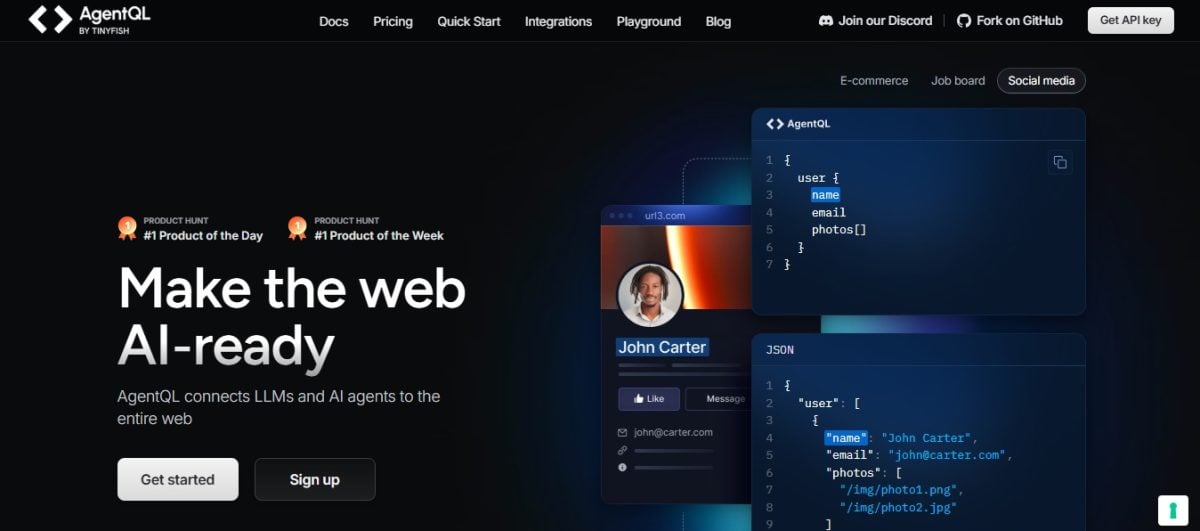
AgentQL functions primarily as a Python SDK and an API, along with an extension Chrome dedicated to debugging. Its main advantage: the’artificial intelligence analyzes the structure of the pages and automatically identifies relevant data.
This allows you to configure automated tasks for scraping with minimal effort. It's a pretty intermediate, which is aimed more at developers and data engineers than at novice users.
Advantages
- Extraction automated thanks to AI
- A real time-saver on the complex pages
Disadvantages
- Accuracy depends on AI algorithms used
- Not very controllable if you want to do web scraping accurate and reproducible
- Request for the basics in Python and APIs to go far
3. Web Scraper.io

Originally designed for Google Chrome and Firefox, Web Scraper.io settles in Opera indirectly through an extension that provides access to the Chrome Web Store. Compatibility isn't official, but it works well in practice.
This is the most powerful extension of the three. It handles website scraping very well with Pagination, pop-ups, and dynamic pages. With its visual interface, you can create detailed scraping plans and then export everything in CSV or JSON at the click of a button.
Advantages
- Very powerful and versatile, with advanced features
- Perfect for the scraping complex websites
Disadvantages
- Requires Getting Started serious
- May intimidate beginners
How do you choose the best web scraping extension for Opera to meet your needs?
The right choice depends on Your level in web scraping, the features you need, the type of data you want to extract, and your budget. These extensions are available on the Google Chrome Web Store and install themselves in your browser Opera via the extension Install Chrome Extensions. Here's a comparison chart to help you make a quick decision.
| Criteria | GrabzIt Web Scraping Assistant | AgentQL | Web Scraper.io |
|---|---|---|---|
| Ease of use | A simple interface that's easy to learn | Intermediate, powered by AI | Complex at first |
| Features | Basic data extraction, web page capture | AI-Driven Automation: An Alternative to Traditional Selectors | Progress, creating sitemaps, and multi-page scraping |
| Price | Free with paid options | Freemium plan, paid subscriptions | Free with paid options |
| Target Audience | Beginners and developers who want to get up to speed quickly | Developers and data-oriented professionals | Advanced users |
| Compatibility Opera | By extension Chrome | Extension Chrome debugging | By extension Chrome |
In summary, here's how to choose based on your profile:
- If you're just starting out: begins with GrabzIt, its interface lets you scrape a page in just a few clicks, without writing any code.
- If you're comfortable working with data: AgentQL Let the AI handle the data extraction—a real time-saver for automated scraping.
- If you're aiming for complex projects: Web Scraper.io It remains the most powerful solution for deep-scraping multiple websites.
A quick reminder: None of these extensions are native to Opera. First, you need to install the extension Install Chrome Extensions, available for free at Opera Add-ons and which takes just a few seconds to install in your browser, so you can access the Chrome Web Store since Opera. You can also check out the free tools available if you want to explore other options before making a decision.
How do I install and use a web scraper extension on Opera?
Here are the complete instructions for the extension GrabzIt Web Scraping Assistant, step by step. Note: GrabzIt is, above all, a online service with API, geared toward developers. Its visual wizard is still accessible, but you'll get more out of it if you already have some technical background.
Step 1: Installing the extension
- Go to the page Opera Add-ons from GrabzIt.
- Click on the «Add to Opera».
- Confirm the installation by clicking on "Install.
The extension will then appear in your toolbar. For tools available only on Google Chrome Where Firefox, first install the extension Install Chrome Extensions since Opera Add-ons for accessing the Chrome Web Store directly from your browser.
Step 2: Using the Extension
- Open the web page that you want to scrap.
- Launch the extension by clicking on the icon GrabzIt in your toolbar.
- An interface appears directly on the screen.
- Select the data to be collected by clicking on each item you want to extract.
- Define your data collection task (the «scrape»).
- Once the configuration is ready, run the One-Click Scraping.
Once the extraction is complete, GrabzIt offers to export the data in the format CSV Where JSON. Select the format you want, click «Download,» and the file will be saved to your computer.
The logic remains the same with Web Scraper.io and tools such as Instant Data Scraper : You identify the elements on one or more pages, configure the data collection, and then export the information into a usable file.
FAQs
Is web scraping legal?
The legality of web scraping depends on several factors: the data type, how to collect them, and the purpose of the extraction. You'll be fine as long as you follow these three rules:
- You only scrape public data.
- Do you follow the terms of use of the site (TOS).
- You're not breaking the privacy laws nor intellectual property.
Before you get started, remember to check local laws and the Terms of Use for the website you're interested in.
What is the best web scraper for complex websites?
Web Scraper.io is one of the best options for difficult pages. Its visual interface lets you create complex sitemaps and customize how the scraper detects and collects the desired elements.
You can also turn to others scraping tools depending on your needs:
- Regarding the online platforms to extract large amounts of data while avoiding system crashes.
- Regarding the libraries Python (BeautifulSoup…) to create your own custom scraper.
Are there any security risks associated with using a web scraping extension?
Some extensions have real safety risks, no matter what browser you use (Chrome, Firefox Where Opera) :
- Access to all your sites (messages, passwords…).
- Leak from your personal data to an external server.
- Malicious code injected into the pages you visit to steal your identifiers.
- An extension that becomes malicious after a update.
- Your browser is running slowly or has a bug.
You can reduce these risks by taking a few simple precautions:
- Read the following carefully: permissions and access requests.
- Download only from an official store such as Opera Add-ons where the Chrome Web Store.
- Check the reviews and ratings users.
- Find out more about the developer of the extension.
Choose an extension active and maintained, and use a separate browser for your banking or email to better protect your privacy.
Why do I need a web scraping extension?
Web scraping extensions have many practical uses:
- Market Research: collect pricing data on competing products.
- Job search: collect quotes from multiple websites and organize them.
- Academic studies: collect data for your research.
- Database creation : compile lists of contacts, restaurants, etc.
Are there alternatives to browser extensions for web scraping?
If your project requires more powerful tools, two options stand out.
- Online web scraping tools: platforms such as Bright Data offer a variety of proxies, tools for bypassing blocks, and powerful scraping APIs. Everything is detailed in our full opinion Bright Data.
- Programming libraries: the web scraping with Python lets you write your own script to automatically extract the specific information you're interested in, with a total control on the process.
Can I scrape a website that's protected by a password or requires a login?
Web scraping extensions can't log in for you. So you must log in manually before scraping anything. Once connected, the extension collects the data visible on the screen—nothing more. It doesn't no access to hidden information or additional ones.
These extensions are still very useful for extracting valuable information about Opera.
Which one do you plan to use for your web scraping projects? Do you know of any other extensions? Opera Which ones are worth checking out? Tell us all about them in the comments.








 English