Do you want to stand out on social networks? Essentially on Facebook, create a Facebook page. Pages enable companies, brands, organizations and public figures to share content and build close relationships with their communities.
Pages can also be customized like a profile. In other words, you can add stories, events, a biography and so on. The more information on the page, the better. The page's subscribers can view publications from their news feeds and interact later. In this article, let's find out how to create a Facebook page.
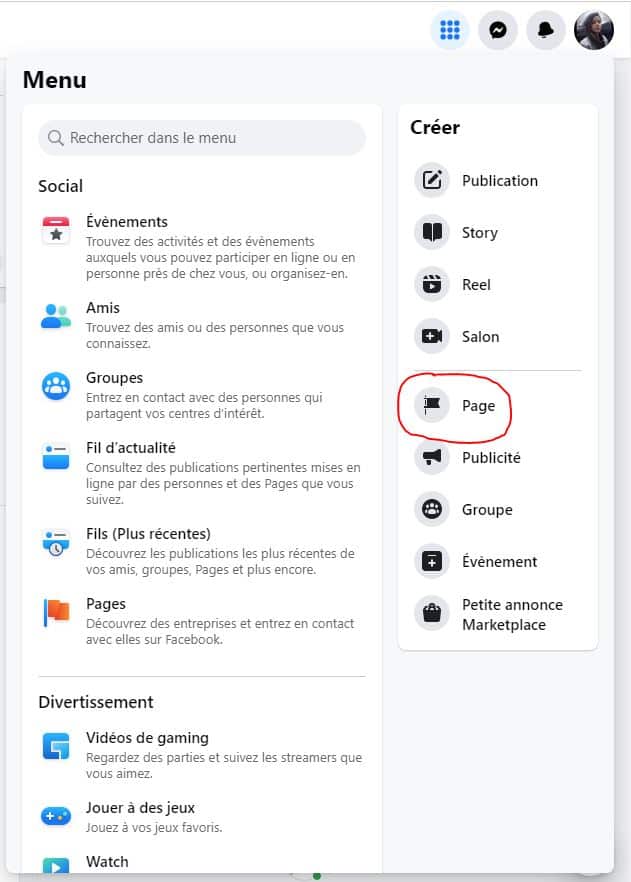
Go to the creation page
To create a page on Facebook, you must first go to facebook.com/pages/create from your account, as shown in the photo below:
Enter your information
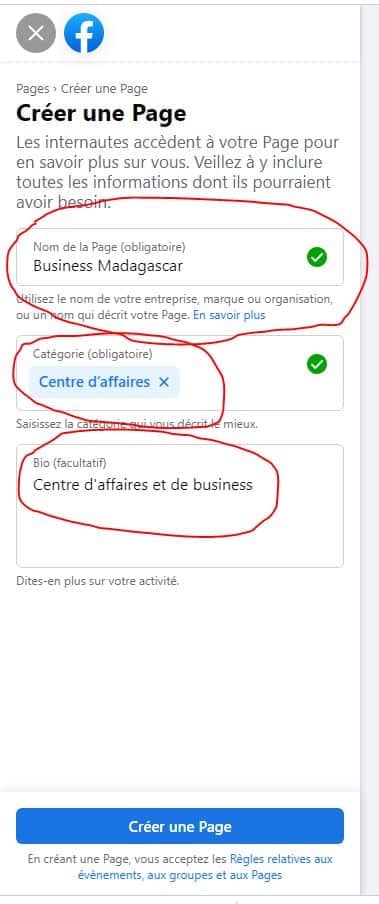
Then, once you are on it, enter the name of your page, as well as a category. To be more effective, you can also add a biography to your page:
Create the page
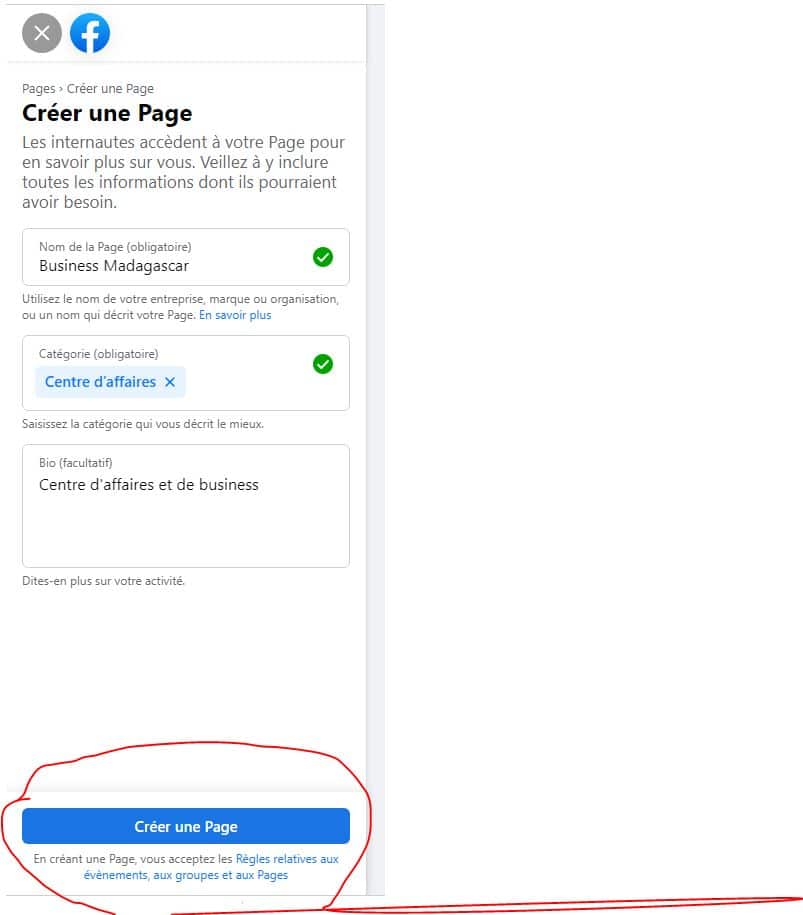
The next step is to confirm your actions, to do this click on Create Page as shown in the picture below:
Now that your page has been created, you may want to delegate its management to others. Here's how to share access to your Facebook page in less than a minute:
Explanatory video in French by Alucare, ideal complement to the page. View video (you can use YouTube's automatic translation)

Personalize the page
To be more effective, you must personalize your page, for this:
- Add a personalized biography;
- A profile photo;
- As well as a cover photo.
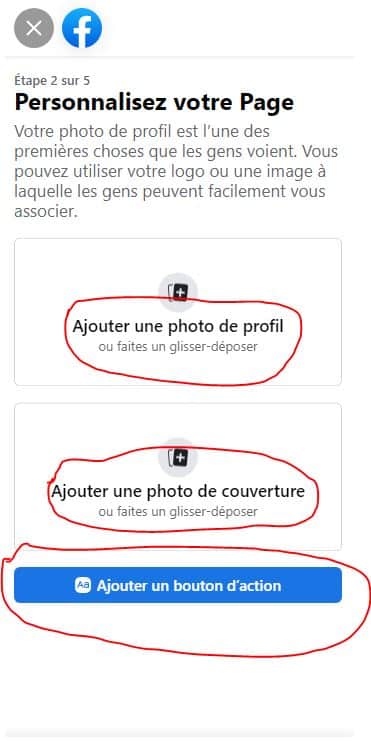
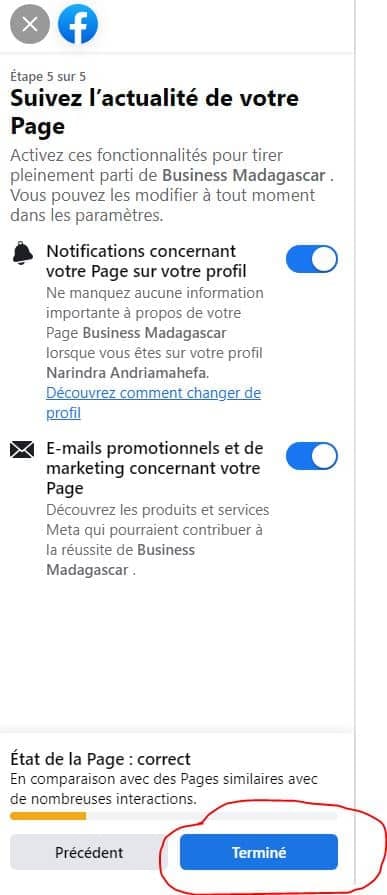
Finally to confirm your actions, click Done, and your Facebook page is now.
In short, any account can create a Facebook page. On the other hand, to create an organization, company, brand or public figure page, only official representatives can create a page. Facebook can also restrict the number of pages allowed to be created.










 English