It takes less than 5 minutes to create a Facebook page. A Facebook page allows companies, to brands and to public figures to share their posts and grow their following.
Unlike a personal account, it is public, has no limit on the number of followers, and provides access to statistics and management tools to track your business.
Go to the creation page
First, log in to your Facebook account active, then go to Facebook.com/pages/create from your computer.
Your new page will remain linked to your profile, but will be clearly separate from your personal account.

Enter your information
Once you're on the creation page, fill in the Name of your page, then choose a category. This step is important: the category helps users find you in Facebook search. Here are a few concrete examples:
- For a restaurant or local business, select Restaurant Where Local business.
- For a content creator or a blog, choose Public Figure.
- For a brand or website, select the category that corresponds to your business.
Also add a brief description to fill out your page right from the start. This biography provides a quick overview of the types of services or offerings you provide to your future clients.
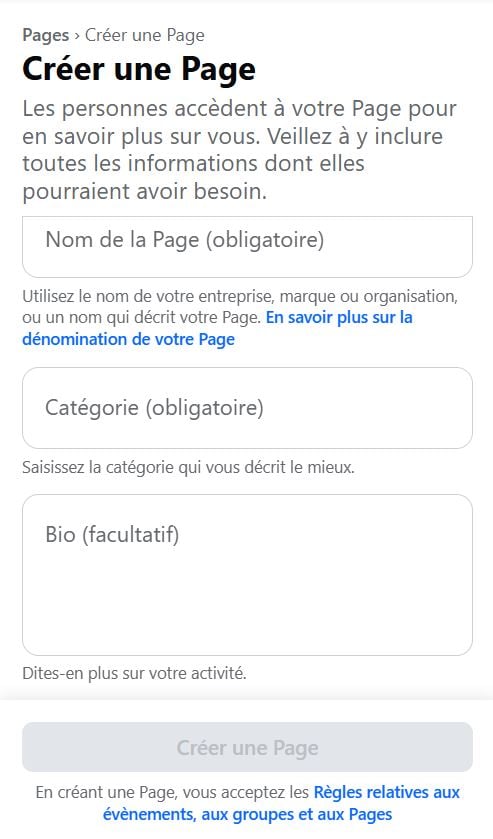
Create the page
To confirm, click the button Créer une Page, as shown in the photo below.
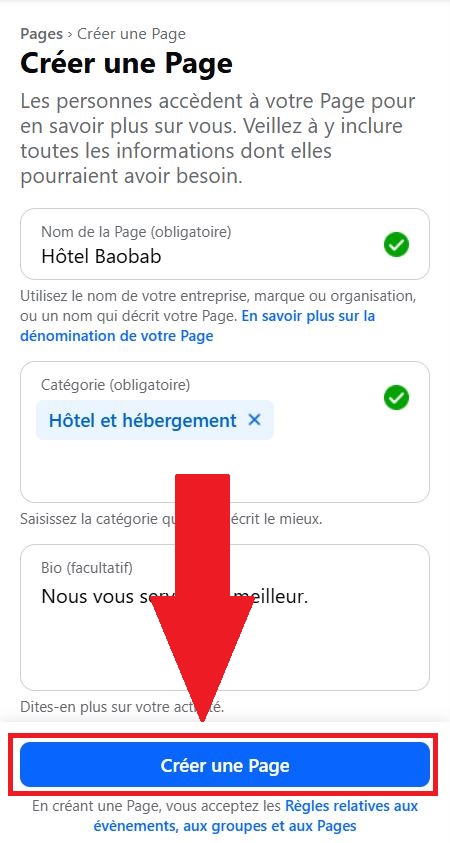
Your Facebook page has now been created. All you have to do is customize it and post your first content.
Share management of your page
You don't have to handle everything on your own. You can delegate management from your page to other users, such as a colleague or a community manager. The video below shows how to share access in less than a minute.
Explanatory video in French by Alucare, ideal complement to the page. View video (you can use YouTube's automatic translation)

Customize the page
A well-filled-out page encourages users to subscribe. Here are the key details to include first:
- a profile photo clear, ideally in your tone logo if you represent a company or a brand; ;
- a cover photo an eye-catching image that takes up the entire top of the page; ;
- your contact information : address, phone number, website, and hours of operation if you have a physical location.
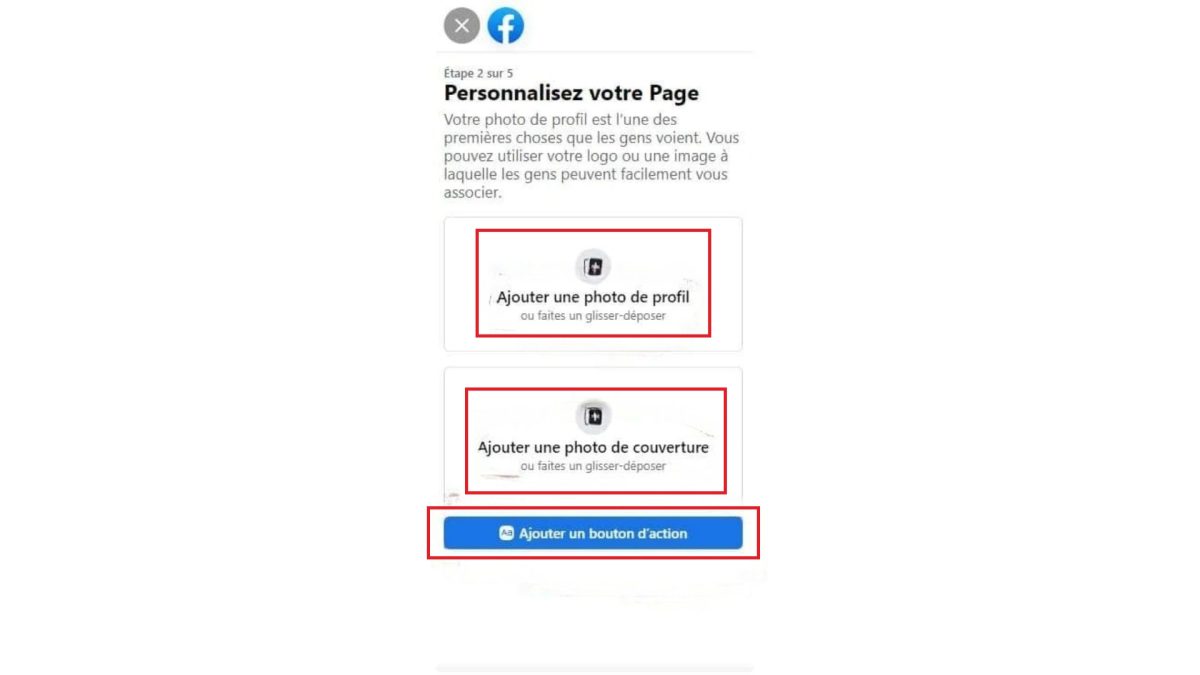
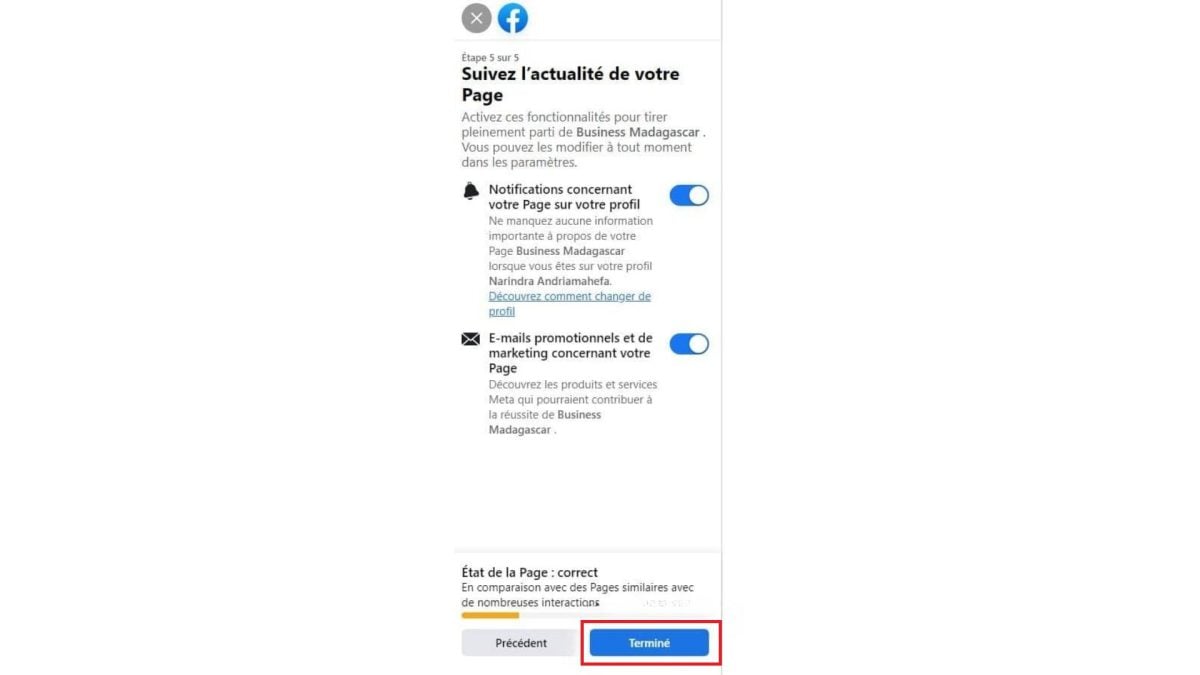
To confirm, click on Completed. Your page is ready for your first posts.
Did you know that you can also analyze your Facebook account or analyze your page's performance using the built-in statistics?
Any personal account can create a page. For an organization page,’business, whether a brand or a public figure, only the official representatives are permitted to do so.
Note that Facebook can also limit the number of pages that an account is allowed to create, to prevent abuse.









 English