To create a facebook account, go to Facebook.com, click on “Create a New Account” and fill out the registration form.
You must have At least 13 years old to register.
How to create a Facebook account?
Registration is simple and free from a browser. Here's how to create your Facebook profile step by step.
Create a Facebook account on a PC or computer
In your browser, creating an account takes five steps:
- Open your browser and enter the address of the official website: Facebook.com.
- Once you're on the home page, click the green button Create a new account at the bottom of the screen.

- Fill out the registration form that appears on the screen. You must enter:
- your first name and your name ;
- your e-mail address or your phone number ;
- a password a strong password to secure your account; ;
- your date of birth and your kind.
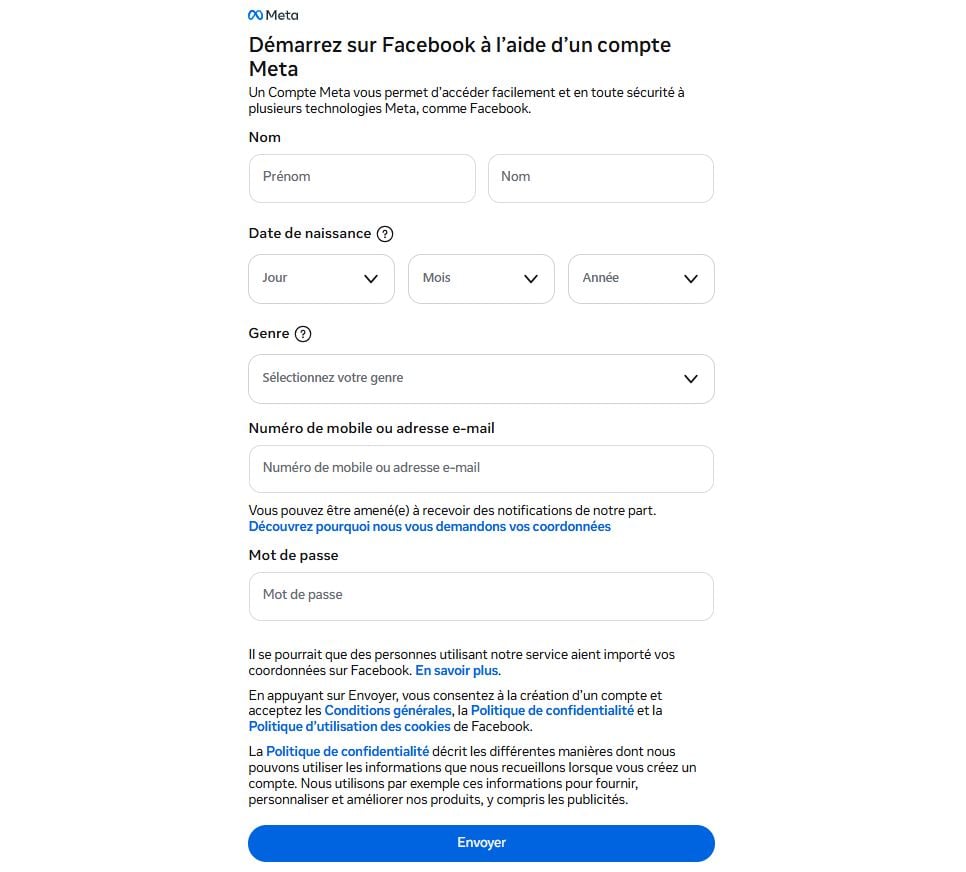
- Once you've filled out the form, click the button Send.
- Finally, confirm your e-mail address or your phone. If you signed up with your email address, you'll receive a message with a confirmation link. If you chose your phone number, you'll receive a SMS code to be entered on the platform.
Your Facebook profile is ready. You can now add a profile photo, find your friends, and send your first friend requests. T
You can also create a Facebook page if you want to represent an activity or a project.
What should you do if you can't log in to your account?
Two common roadblocks often arise right after signing up: the confirmation code that never happens, and the inability to connect with one's password. Here's what to do in each case.
You didn't receive the confirmation code
Upon registration, Facebook send a coded by email or text message to verify your account. If you don't receive it:
- Check your spam and your “junk mail” folder; ;
- Checks that the’e-mail address where the phone number the input is correct; ;
- Request a new code by clicking the “Resend Code” link; ;
- Try using a phone number instead of email, or vice versa.
Once you've entered the code, your Facebook account is active. If you encounter any other access issues, check out our guide to Recover a Facebook account.
Do you want to change or reset your password?
If you can no longer log in, you can change your password directly from your profile by following these steps:
- Click on your profile photo at top right.

- Go to Settings and privacy.

- Click on Settings.

- Open Account Area.

- Click on Password and security and select Change password. Choose the Facebook account to be updated.
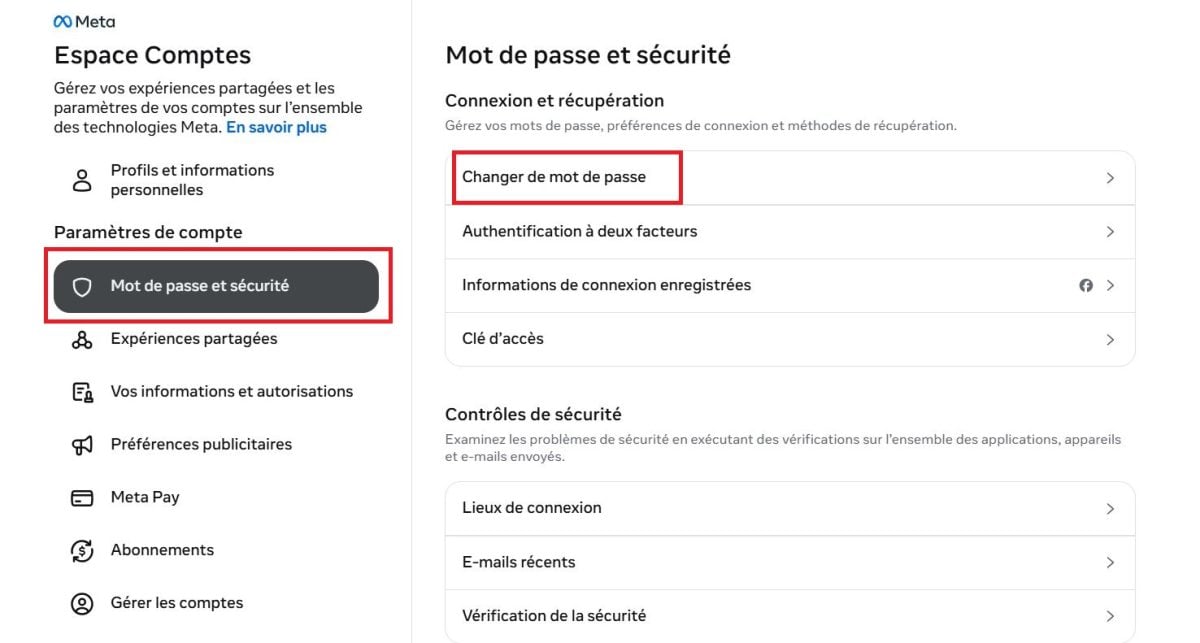
- Enter your current password, then the new one.
- Confirm by clicking on Change Password.
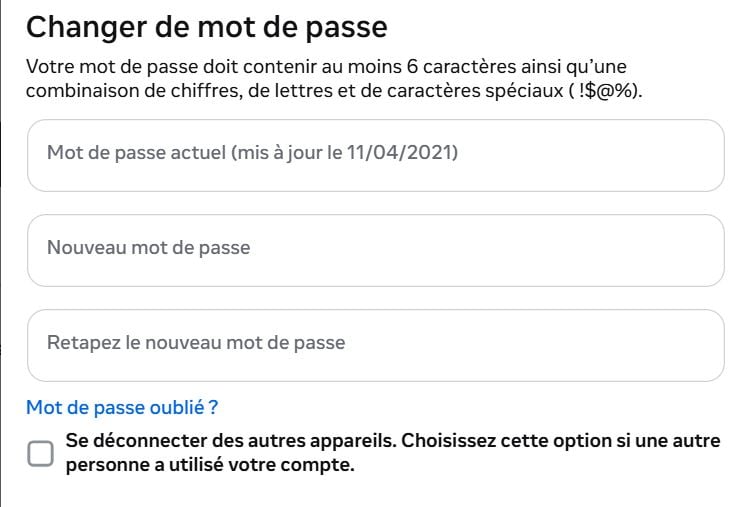
If you've forgotten your password, click on “Forgot your password?” on the login page. You'll receive a link or a code via e-mail or by SMS to reset it.









 English