Discover the best DNS for PS5 in 2026 through our guide!
As an added bonus, we can answer your frequently asked questions on the subject.
Best DNS for PS5: which one to choose in 2026?
A DNS (Domain Name System Where Domain name system) is a system that converts a domain name into an IP address.
- In this way, it acts as a directory that a device used for access another device on a network.
- This is the service that assign an IP address to an Internet site, or to a connected device/server, just as a telephone directory is used to link a telephone number to its owner's name.
In the case of a PlayStation 5, the DNS The main role of these ports is to ensure console access to the various servers (lobbies, games, applications) and facilitate downloading of games and other files.
Remember that using a connected PS5, you can quickly find games on PlayStation Store, movies on certain video streaming applications or even other players.
DNS can be classified according to speed, free access and security. We can therefore classify DNS for a PS5 in 2026 as follows:
| 🌐 DNS server | 1️⃣ DNS Primary | 2️⃣ DNS Secondary | 📌 Features | ✅ Benefits | ❌ Disadvantages | ⭐ Note |
| CloudFlare | 1.1.1.1 | 1.0.0.1 | DNS fast with a focus on confidentiality |
|
|
4,5/5 ⭐⭐⭐⭐☆ |
| Google-DNS | 8.8.8.8 | 8.8.4.4 | Public DNS overall from Google |
|
|
4,4/5 ⭐⭐⭐⭐☆ |
| Quad9 | 9.9.9.9 | 149.112.112.112 | DNS secure with malware blocking |
|
|
4,4/5 ⭐⭐⭐⭐☆ |
| OpenDNS | 208.67.222.222 | 208.67.220.220 | DNS with parental control and filtering |
|
|
4,3/5 ⭐⭐⭐⭐☆ |
| Verisign DNS | 64.6.64.6 | 64.6.65.6 | DNS reliable and stable with a focus on availability |
|
|
4,2/5 ⭐⭐⭐⭐☆ |
TOP 1: CloudFlare
The DNS servers offered by CloudFlare (1.1.1.1 and 1.0.0.1) stand out from those of conventional ISPs.
Indeed:
- They support the DNSSEC protocol (verification protocols that use electronic signatures based on a cryptographic system)
- They don't track pages that Internet users consult for commercial purposes.
The company also certifies that all users' browsing histories are automatically stored. deleted within 24 hours that follow.
TOP 2: Google DNS
Google DNS contributes to reduction of elapsed time between a site troubleshooting request and the transmission of its IP protocol to the user.
The reach of Google DNS is practically worldwide to place a name generator as close as possible to the user who needs it.
TOP 3: Quad9
Quad9 prioritizes safety, efficiency, reliability, and speed. In addition to protecting data, Quad9 enables remain anonymous.
It also takes care of your security against all kinds of fraud (phishing, malware, etc.). As an added bonus, it filters out unwanted and harmful sites.
TOP 4: OpenDNS
Provided free of charge by Cisco, it guarantees total confidentiality and an unlimited accessibility, it has been adopted by millions of users worldwide.
TOP 5: Verisign DNS
It is a public DNS server. Verisign DNS offers a wide variety of security services such as protection against cyber threats and DoS (Denial of Service). Although it lags slightly behind other DNS providers, Verisign offers a robust protection against the main types of attacks and malware.
This DNS server respects privacy users :
- No sales data or user profiles to third parties.
- No propagation.
- No pop-up windows and redirects to advertisements when the user makes a request.
If you're looking for a PS5 Slim for an unparalleled gaming experience, find out where and how to buy it by reading another guide on our site.
How to choose the best DNS server for gaming?
For the best gaming experience, you need to choose the best DNS server by looking at the following elements:
| 👉 Selection criteria | 📑 Details |
|---|---|
| Speed and latency |
|
| Reliability |
|
| Security |
|
| Privacy |
|
| Ease of use |
|
| Compatibility |
|
FAQs
How does DNS impact the gaming experience?
The DNS servers have an impact on your gaming experience by acting on latency and ping.
Here's what you need to know about latency :
- It indicates the time required for the data to from your device to the game and vice versa.
- It is measured in milliseconds.
- The lower it is, the more gameplay fluid.
- If you play fast-paced online games that require you to react quickly, the ideal choice is a DNS server with a low latency.
the ping, measures latency. The lower the ping, the less delay there will be between your actions and the game's response.
DNS servers reduce latency with faster domain name resolution. At the same time, your connection speed is optimized.
You can choose a internet speed and get physically closer to your game server for better in-game performance.
However, the choice of a good DNS is still essential for gaining a few thousandths of a second that can save your game. This advantage is particularly evident in competitive games.
Which DNS server is the fastest for games?
In first position, Cloudflare 1.1.1.1 is currently the fastest DNS server for games, and in second place we have Quad9.
How to change DNS on PS5?
You can change DNS whenever necessary on your PS5, in order to remedy DNS server failures that may occur with your operator. To switch from one DNS to another on your PS5, follow these simple steps:
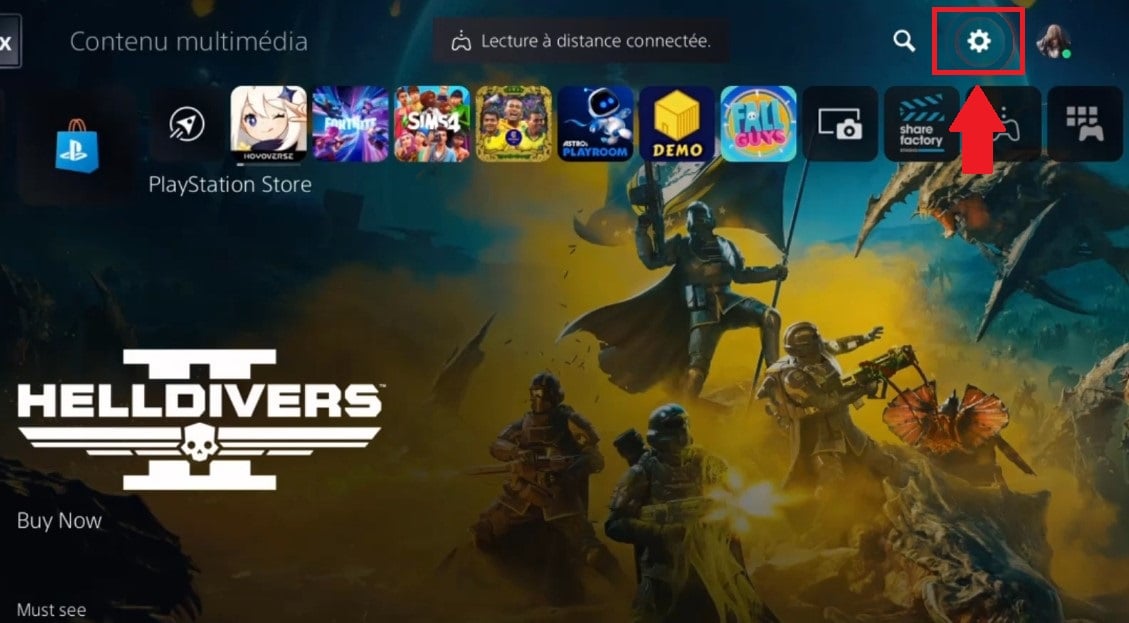
- Go to settings of the PS5.
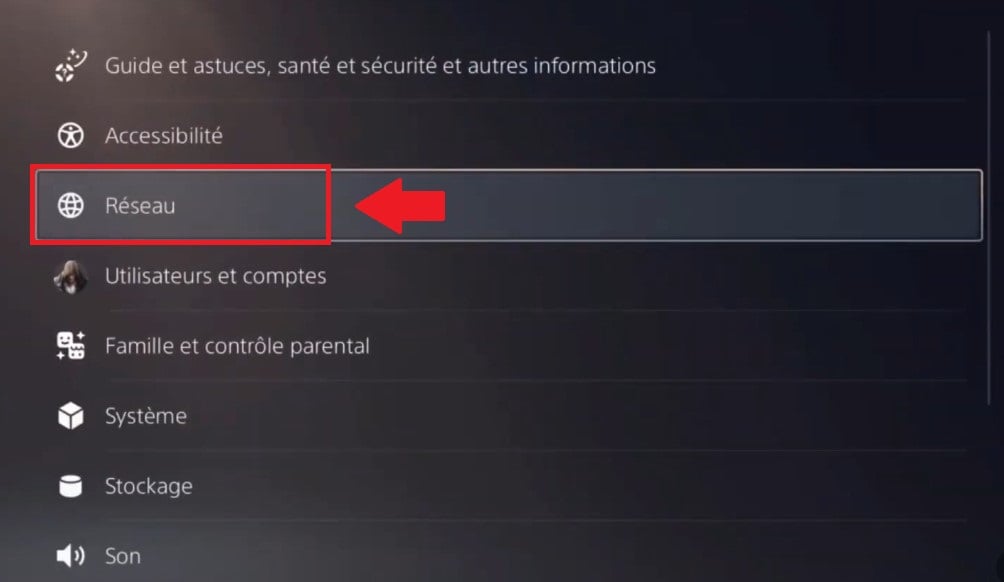
- Enter Network.
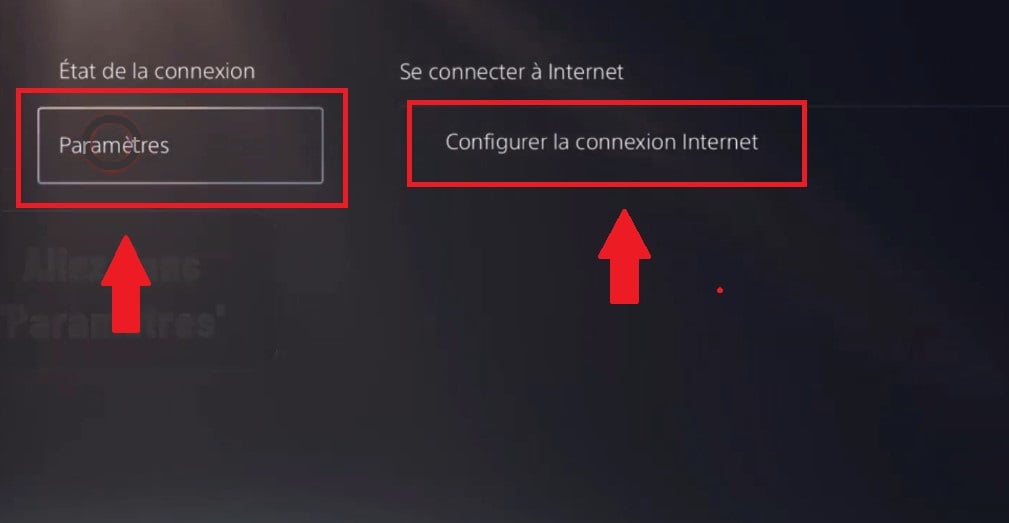
- Click on Settingsthen on Setting up your Internet connection.
- Choose the Internet connection you are using, then go to Advanced settings.
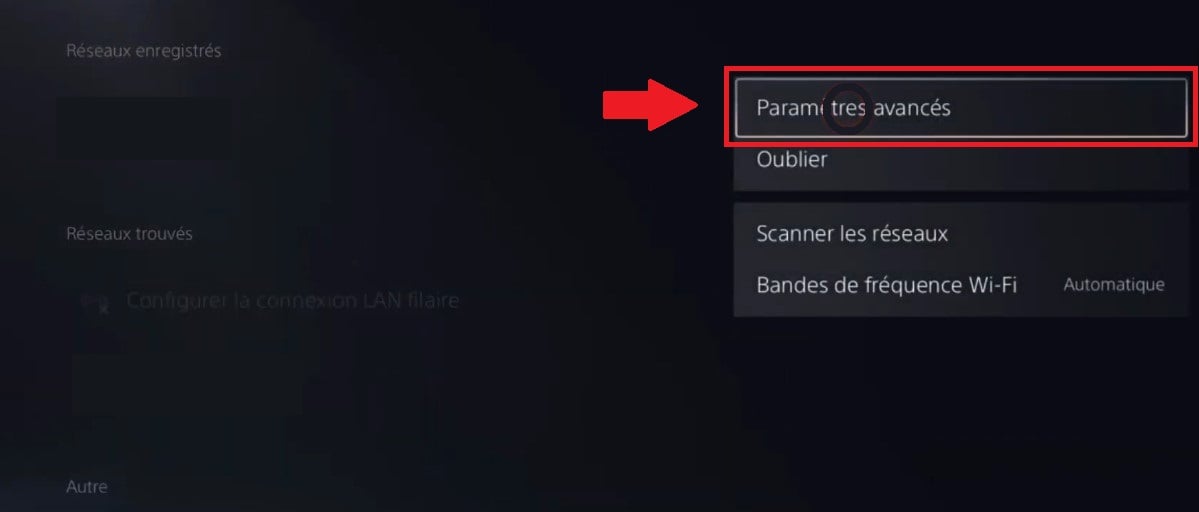
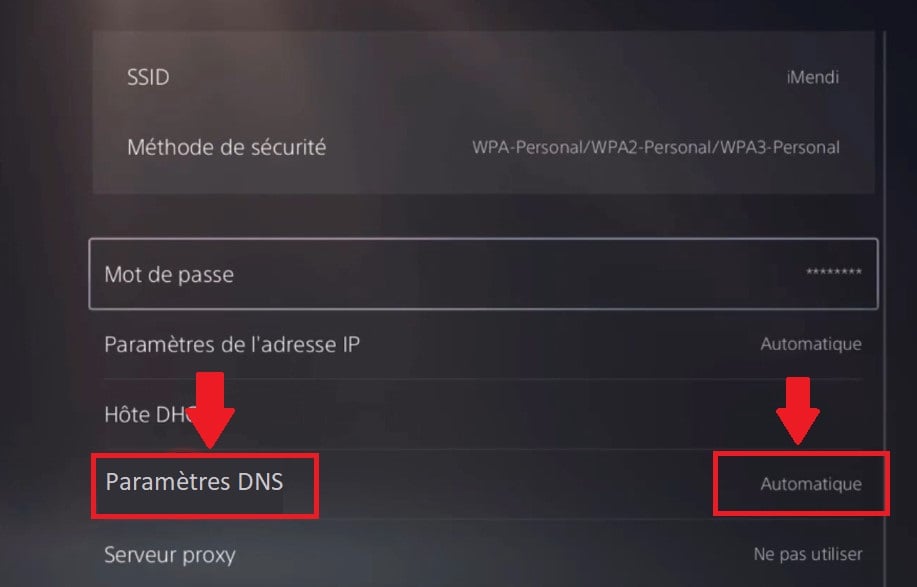
- Select DNS settings, and change the Automatic option to Manual.
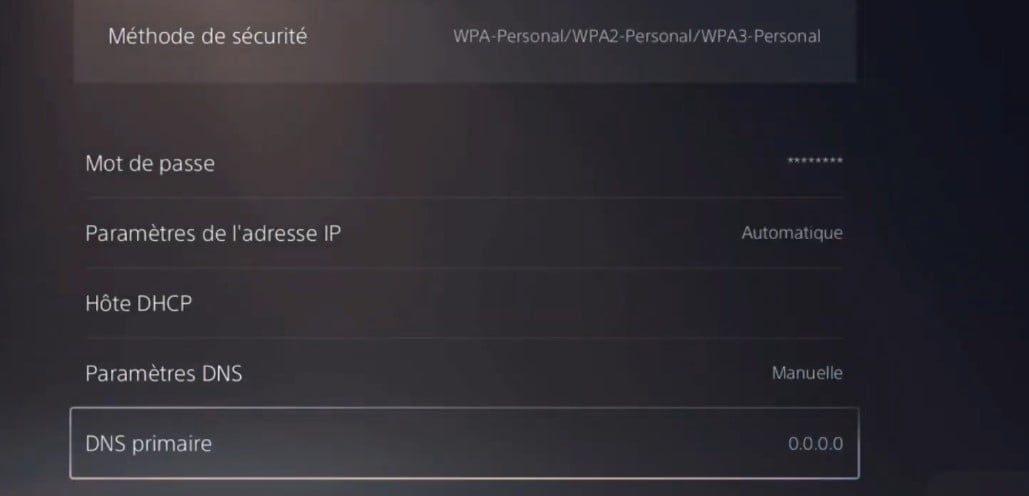
- You will then be required to complete the values Primary DNS and secondary DNS (test one at a time until the connection is re-established).
- To save changes, click on OK.
Note :
You can return to your operator's default settings by clicking on Automatic instead of Manual next to DNS Settings click OK.
How can I get a better connection on PS5?
To boost the connection of your PS5 console, simply consult the settings of your device.
- See you in the menus Network > Configure Internet connection > Choose the Wi-Fi network you're using and press the console options button.
- There is an option Wi-Fi frequency band where 2.4 GHz is the default. It is recommended to switch to 5 GHz to improve connection speed as soon as your console connects to your Internet box.
Should I opt for a VPN or a DNS server?
Visit what you need to know :
- The use of a DNS for games allows faster speeds, but doesn't protect you from other hazards.
- The additional benefits of using a vpn for games include online security, device protection, prevention of ISP limitations, access to new IP addresses and gameplay.
A VPN and a DNS server complement each other !
Have you found the server DNS for PS5 that best suits your needs? Find out how to more storage space on this console with an external hard drive to download more games.








 English