the markdown is a simple formatting system that allows you to change the appearance of text or words on Discord. The system requires characters to be added before and after text to change its format.
What to do when the colors don't change?
In most cases, if the colors do not change, the problem is due to a syntax error in the code. Always remember to check if you haven't used a space where you shouldn't have or if you've put a different symbol.
Syntax errors are often encountered when first starting to use codes on Discord. With a little practicethe problem should be solved.
How do I italicize text on Discord?
To write in italics on Discord, use * Where _ on either side of the text (left and right).
Example : *Italic*, _Italic_, Normal
Italicize text on Discord. Emeline for Alucare.fr
How do I bold text on Discord?
To make text in bold (for highlighting), use ** on either side of the text.
Example : **Bold**, Not fat
Bold text on Discord. Emeline for Alucare.fr
How do I underline text on Discord?
To underline text, use __ on either side of the text.
Example : __Underlined__, Not underlined
Underline a text on Discord. Emeline for Alucare.fr
How do I cross out text on Discord?
To cross out text, use ~~ on either side of the text.
Example : ~~Strikethrough~~, Not strikethrough
Technique for crossing out text on Discord. Emeline for Alucare.fr
How to make a spoiler (hidden message) on Discord?
To avoid highlighting certain messages, you can use a feature on Discord to hide them. Here are more details on this. This feature applies to both texts than pictures.
Hide text
To hide a message on discord:
Simply set ||on either side text.
Example : ||I am hidden!|| Not me...
Method to hide text on Discord. Emeline for Alucare.fr
The text will be hidden.
Example of hidden text on Discord. Emeline for Alucare.fr
It's necessary to click on the hidden part to display it.
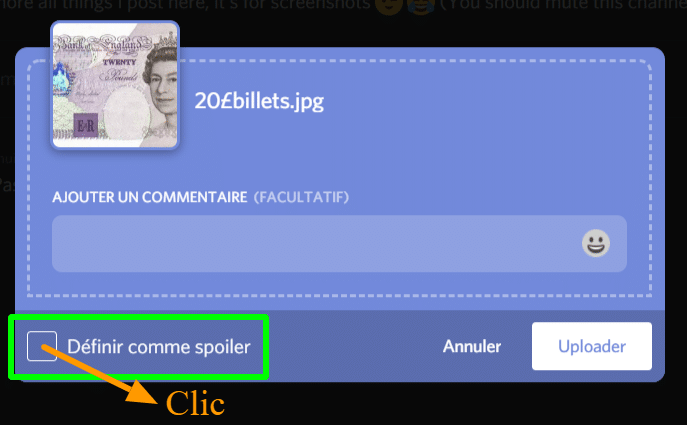
It is also possible to mark images as spoilerssimply tick the box to your left. during image import. To do this:
Click on the option define as Spoiler.
Hide an image in a message on Discord. Emeline for Alucare.fr
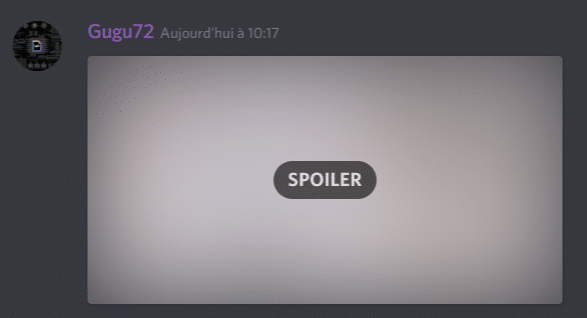
L'image will be hidden.
Hidden image on Discord. Emeline for Alucare.fr
The image appears by clickingtop.
Is it possible to mix codes on Discord?
And yes, with Discord, you can make mixtures, ie a text in bold and underlined, Where italic and strikethrough. Or even, if you wish, a bold, italic, underline, strikethrough, and spoiler text!
For example, the coded to be used in the latter case is : ||___***~~votre texte~~***___||.
Now you can impress everyone on Discord with your new knowledge! To recap:
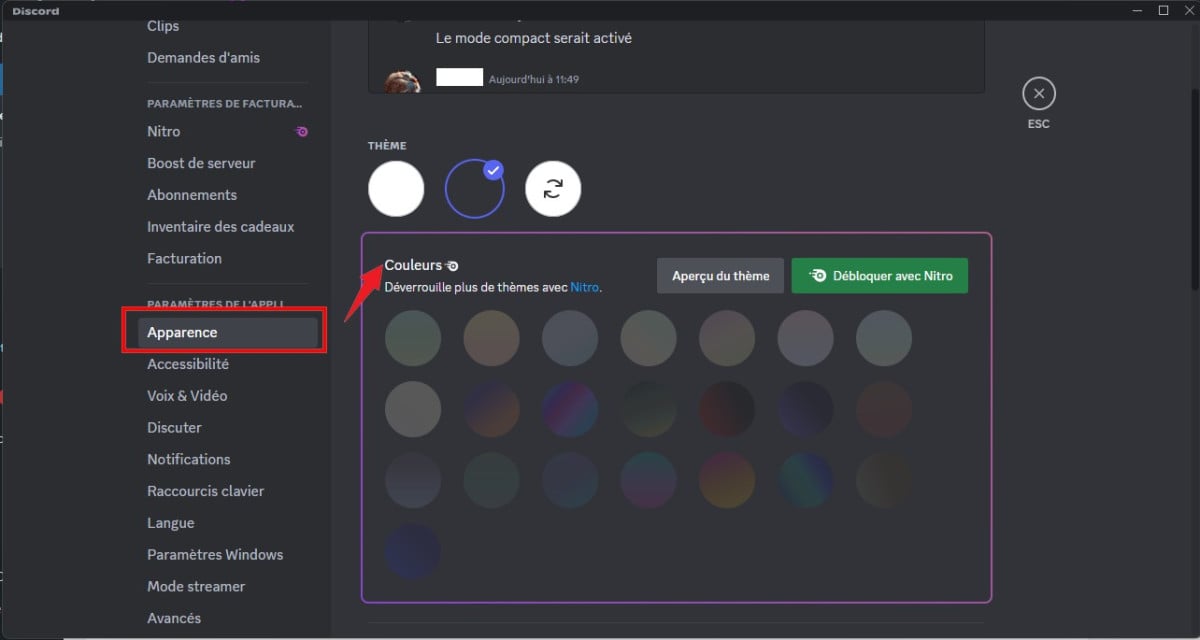
L'writing in color is achieved using a variety of programming languages: red with difforange with armgreen, turquoise, blue and grey with specific configurations in diff, py, apache and python.
The use of markdown For text formatting on Discord, use: bold with **, italics with * or _, underlined words with __, strikethrough text with ~~, and hidden messages with ||.
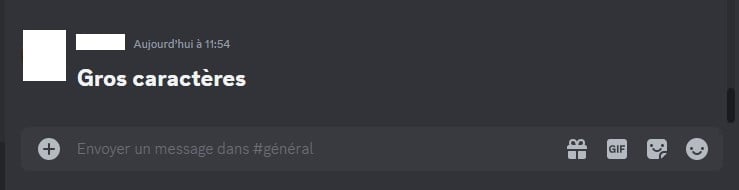
Advanced options for Discord include mixtures of stylescode blocks, the yellow box for statements and answers, and character enlargement with #.
If you would like to find out more about Discord, check out our page that lists all articles focused on this platform. If you encounter any issues, please feel free to leave a comment !
This content is originally in French (See the editor just below.). It has been translated and proofread in various languages using Deepl and/or the Google Translate API to offer help in as many countries as possible. This translation costs us several thousand euros a month. If it's not 100% perfect, please leave a comment for us to fix. If you're interested in proofreading and improving the quality of translated articles, don't hesitate to send us an e-mail via the contact form! We appreciate your feedback to improve our content. If you would like to suggest improvements, please use our contact form or leave a comment below. Your feedback always help us to improve the quality of our website Alucare.fr
I'm the entire alucare.fr team.
The purpose of this profile is to put online articles by former authors who no longer work on the site after having improved them.
At alucare.fr, our aim is to provide truthful, up-to-date information. That's why, when we update an article by an author who no longer works with us (or who now occupies a higher position), we place it on this author account.
Social Media and Contact:
Alucare is an free independent media. Support us by adding us to your Google News favorites:
Hi,
Is there a way to write in color on a smartphone?
I think you should be able to do the command lines directly via your smartphone (I haven't tried it) but when I do them on PC, it works and when I put myself on a smartphone there is no color ;(
I may be asking a stupid question but can we do it on the phone? Or is it just PC?
Because personally I can't do it on the phone, I'm sure I'm doing it wrong
Thank you for your reply ^^
On the phone it must be exactly the same, if you want to test send me a discord PM I will test by going to mobile. But I don't live pq on PC we couldn't do it 🙂 (watch out for space and everything)
Is there any way to hide the parameters that define the colors? like to write in red for example you have to show the – in front of diff for the syntax but I don't want you to see the dash, just the message in red
Hello good night
Is it normal that I have to put an arrow like that "<" to be able to write in blue because if I don't put the arrow it will write in yellow
Thank you for your reply
Available on :PC, Mac, Linux, Android, iOS, PlayStation, Xbox
Antonin Choplin
How
How to use markdown and write in color on Discord? - 👇Alucare
How to use markdown and write in color on Discord? Find out in this practical guide.
Alucare.fr
Tutorial
How to use markdown and write in color on Discord?
Alucare
Alucare - video games, tutorial, High-tech AI and Web
ALUCARE INDUSTRY LLP is the company behind alucare.fr. The managing director of ALUCARE INDUSTRY LLP is Antonin Choplin. The alucare.fr website is designed to help website visitors in their research, whether in the world of video games, the web or elsewhere.
I'm the entire alucare.fr team. The purpose of this profile is to put online articles by former authors who no longer work on the site after having improved them. At alucare.fr, our aim is to provide truthful, up-to-date information. That's why, when we update an article by an author who no longer works with us (or who now occupies a higher position), we place it on this author account.
How to use markdown and write in color on Discord?
Alucare.fr reviews on Trustpilot
Discord
Discord is the app I use the most. So, if you're looking for a tutorial, the latest news, how to get Discord Nitro, how to change your password, or even how to embellish your texts in Discord, etc., this section is for you! Here you'll find all the articles related to Discord!























**
“`HTTP
YOUR TEXT HERE
“`
**