
Would you like to Install add-ons on WoW Forever, but you're not sure how to go about it? Whether you prefer to use CurseForge or install your add-ons manually, the process is pretty simple.
Just choose the good version of the game and of Place the files in the correct folder.
In this guide, learn about the two methods for installing and activating your add-ons on WoW Forever, using RestedXP as an example.
Method 1: Install the "WoW Forever" add-on using CurseForge
CurseForge is the easiest method. The app places the files in the right location and updates your add-ons for you.
CurseForge is fully compatible with WoW Forever. Starting with version 1.324, the app detects WoW Forever installations.
- Before you begin, install WoW Forever and run it at least once. This will create its folders.
- Download the app CurseForge on curseforge.com, then install it.

- Open CurseForge and click on World of Warcraft.
- If you're using an older version of CurseForge and WoW Forever doesn't appear, search for games using «Scan computer for games» or add it manually using «Add game manually».


- Check the game version selected in the drop-down menu at the top of the app. Select «Forever».
- Access the add-on library by going to the tab «Browse». Search for the one you want to install, for example the RestedXP add-on.
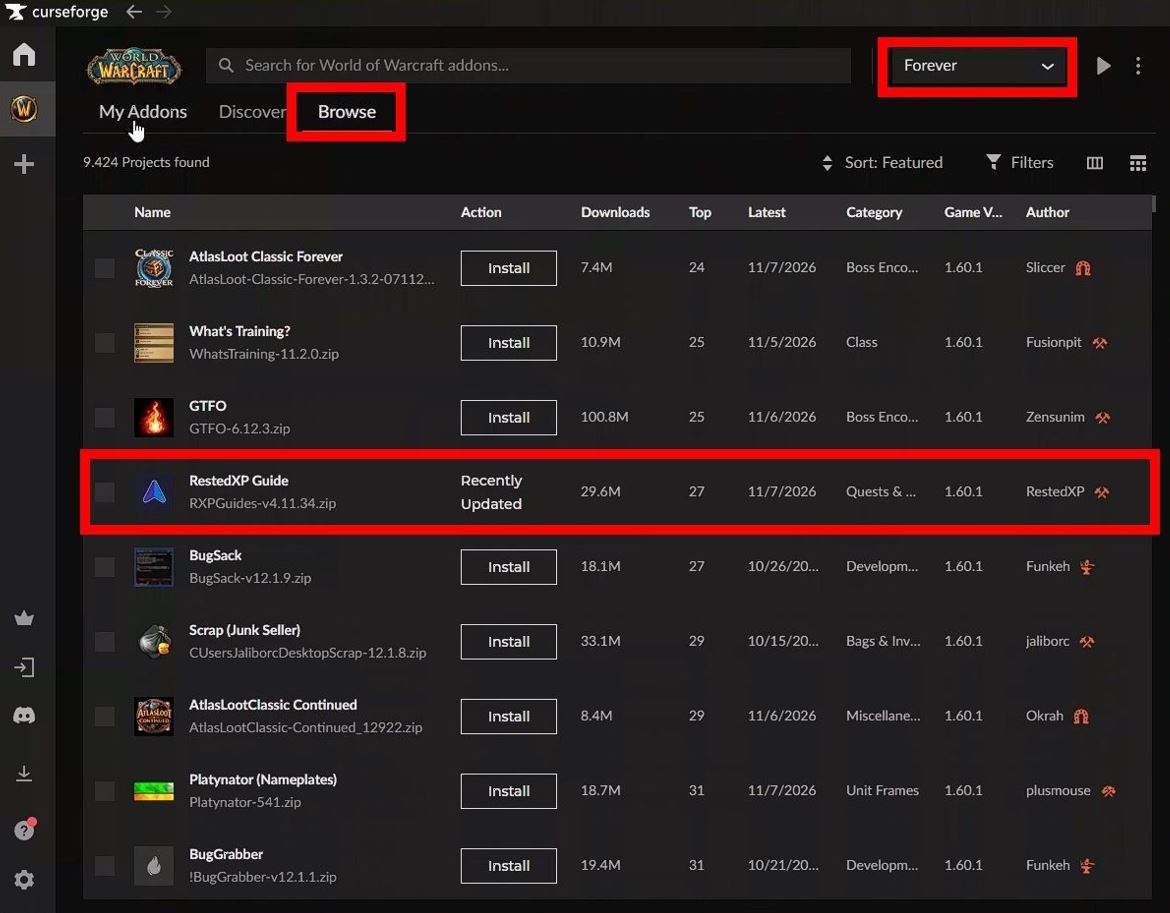
- Install your add-on by clicking on «Install».
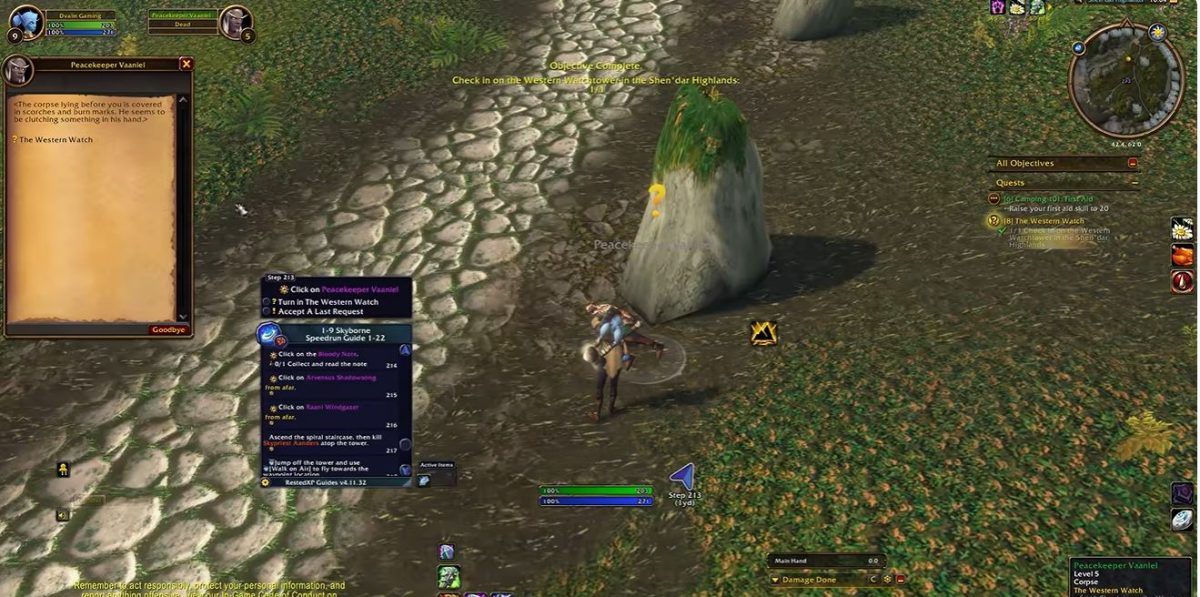
- Launch WoW Forever and make sure the version you just installed is activated. Your list will be located in «Add-ons».

Method 2: Manually install the WoW Forever add-on
Would you rather not use CurseForge? You can also install your add-ons directly in the game folder.
Before you begin: Where is the WoW Forever AddOns folder?
- The WoW Forever add-on folder is World of Warcraft\_forever_\Interface\AddOns.
- If you installed the game in the default location on Windows, the full path is: C:\Program Files (x86)\World of Warcraft\_forever_\Interface\AddOns.
In your World of Warcraft folder, you might also see _retail_ or _classic_era_. These are the folders for other versions of the game. Add-ons placed in these folders do not appear in Forever.
To illustrate this manual installation method, we'll use RestedXP As an example, but this works the same way for all add-ons that have a "Forever" version.
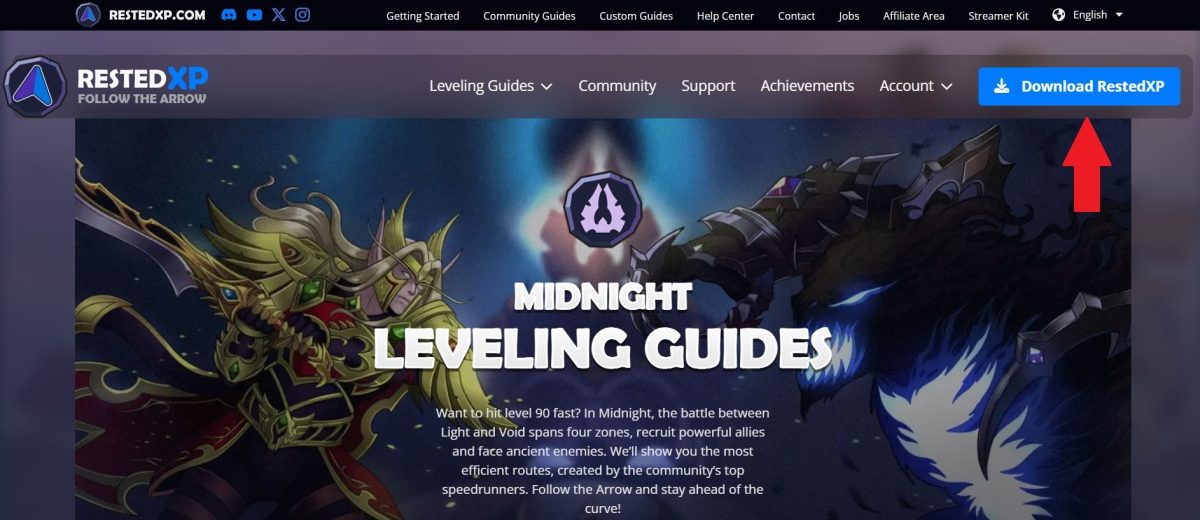
- Go to the RestedXP's official website. You can do this by clicking directly on the button below:
- Click on «Download RestedXP».
- You'll get a compressed file, usually in ZIP format. Right-click on it, then extract its contents.
- You'll receive a file RXPGuides.
- Drag the RXP Guides folder into the folder World of Warcraft\_forever_\Interface\AddOns.
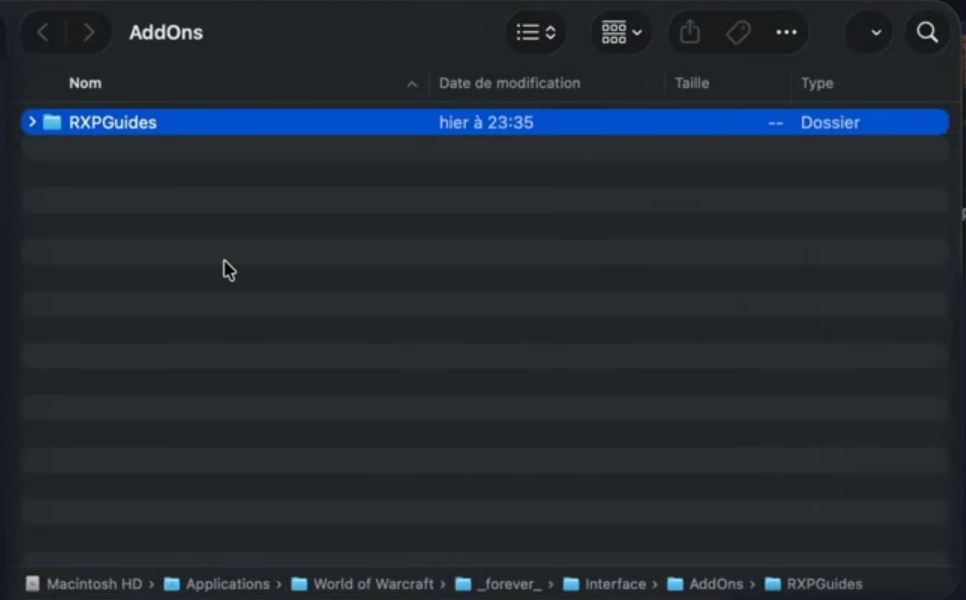
- Restart the game and check the box «RestedXP Guides» in the list of add-ons.

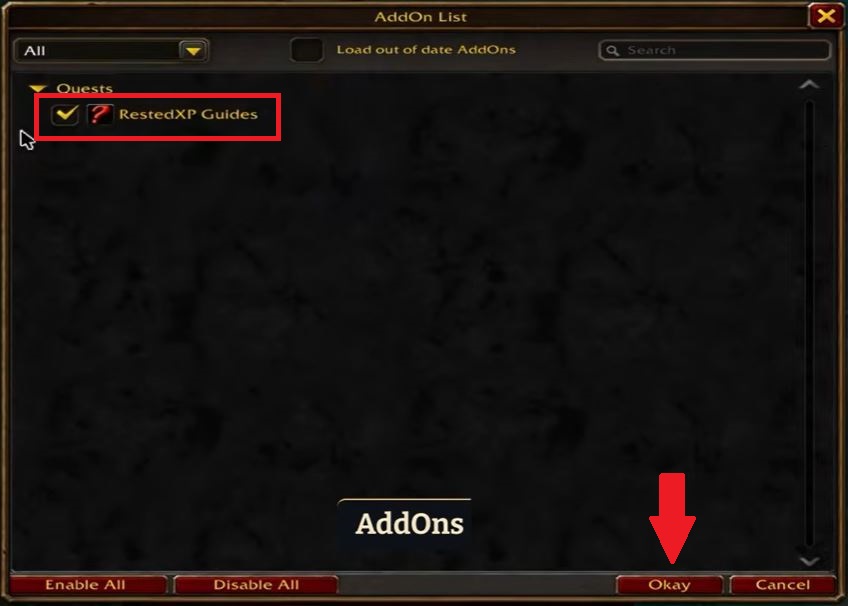
RestedXP offers a free add-on which lets you use its guides up to level 20. To access the full guide, however, you'll need to upgrade to the paid version.
If you'd like to take advantage of a discount, use our RestedXP promo code to get a 10 % discount on all guides.
Activate your add-ons in WoW Forever
An installed add-on still needs to be enabled. You can do this in the game's add-on list.
- Launch WoW Forever. Stop at the character selection screen.
- Open the list of add-ons from this screen.
- Check the boxes next to the add-ons you want to use.
- If you have multiple characters, choose which character to enable them for. An add-on can be enabled for a single character or for all of them.
- Validate, then proceed.
Not sure which add-on to install? Check out our selection of Best WoW Forever Add-ons to discover which ones can enhance your gaming experience.
FAQs
Do WoW Classic add-ons work on WoW Forever?
No, not as is. Forever is based on the modern WoW interface. You'll need the Forever version of each add-on.
Why isn't my add-on showing up in the game?
In most cases, it's in the wrong folder or in a duplicate folder. Make sure it's located directly in _forever_\Interface\AddOns, with its .toc file inside.
Is it mandatory to use CurseForge?
No. The manual installation works just fine. CurseForge mainly saves you from having to manage updates manually.
Are add-ons allowed on WoW Forever?
Yes. Blizzard has confirmed that add-ons are part of WoW Forever, with the same restrictions as in modern WoW (Icy Veins).
Does RestedXP work on WoW Forever?
Yes. RestedXP offers a "Forever" version on CurseForge, and the add-on is free. The complete leveling guides are paid and can be imported into the add-on.






 FR
 RU
 EN
 ES
 IT
 DE
 ZH
 PT
 ID
 JA
 DA