Do you need help with Import your RestedXP guide on WoW Forever? You've come to the right place! In this article, I'll walk you through the step-by-step process of installing the RestedXP guides in World of Warcraft.
Video tutorial on how to install the RestedXP guides on WoW Forever
Would you rather watch a video showing all these steps? Here's our tutorial on how to install and use the RestedXP add-on:
Explanatory video in French by Alucare, ideal complement to the page. View video (you can use YouTube's automatic translation)

1. Choose your RestedXP guide bundle
- Visit the RestedXP store and choose the package that interests you.
Go to the official RestedXP store
- Once inside the store, Click « Leveling Guides "then " Forever ».

- Then Click « Order Now ».

Are you wondering if these guides are worth it? Here's my Reviews of RestedXP, so feel free to check it out 😉.
2. Buy the WoW Forever Bundle
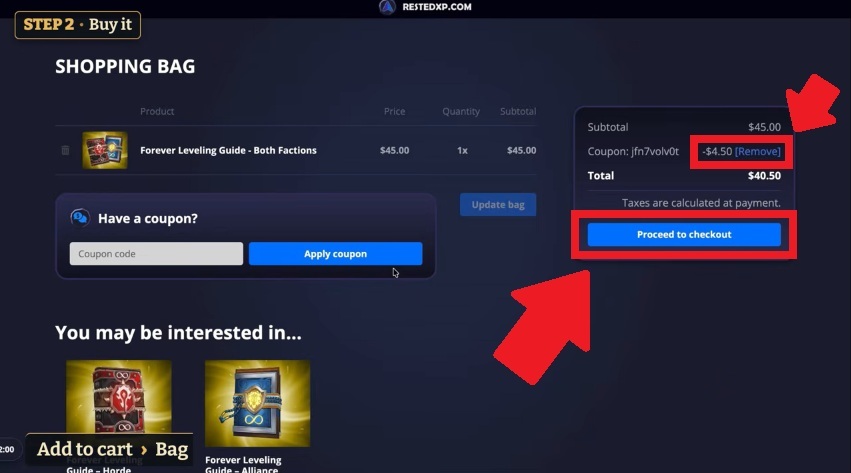
- Choose the package that's right for you, then select « Add to cart ".

🎁 Just know that when you use our link, you'll automatically get a Get 10 % off your purchase on RestedXP, so make the most of it!

- View your shopping cart by by clicking on « Open bag ».

- Once it's in your cart, check the contents and Make sure the discount is applied before you confirm your order.
3. Download the RestedXP guide file
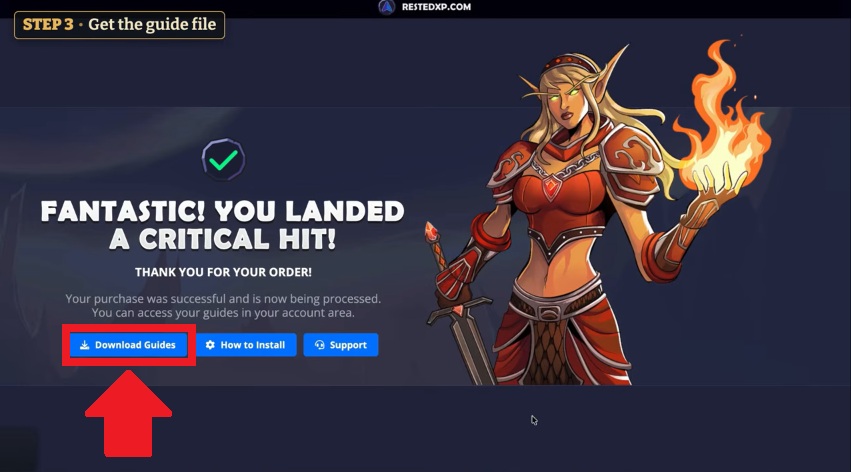
- Once you've purchased the guide, Click « Download Guides ».
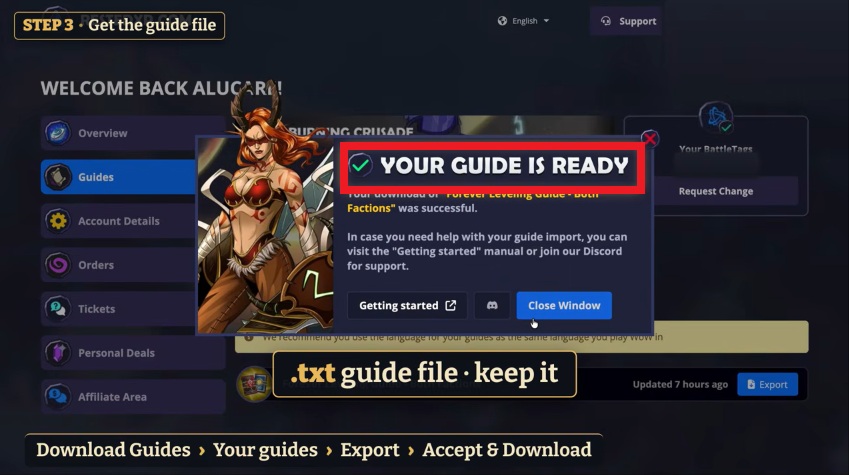
- Go to « Guides "then Click « Export ».

- Select the same language as your game, then confirm the download by by clicking «Accept & Download».

- You'll get a .txt file that you'll need to save so you can copy it into the game.
4. Download and install the RestedXP add-on
- Go to the RestedXP's official website and download the latest version of the add-on.
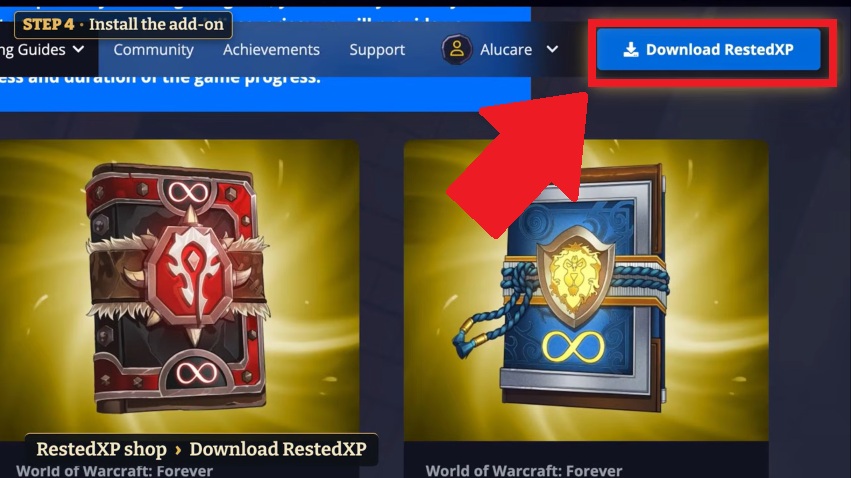
- You'll get a a .zip file named «RXPGuides».

- Extract the contents of the downloaded ZIP file, then Place it in the folder: World of Warcraft / forever / Interface / AddOns

⚠️ I want to make it clear that the’The RestedXP add-on is free and that the free quests end at levels 20–22, depending on the faction. The complete guide, covering levels 1 through 60, is available for a fee.
5. Launch World of Warcraft: Forever
To verify that the The RestedXP guide works well, follow these steps:
- Start the game, then Click «Menu».
- Select « AddOns ».
- Make sure that " RestedXP Guides »is very active".
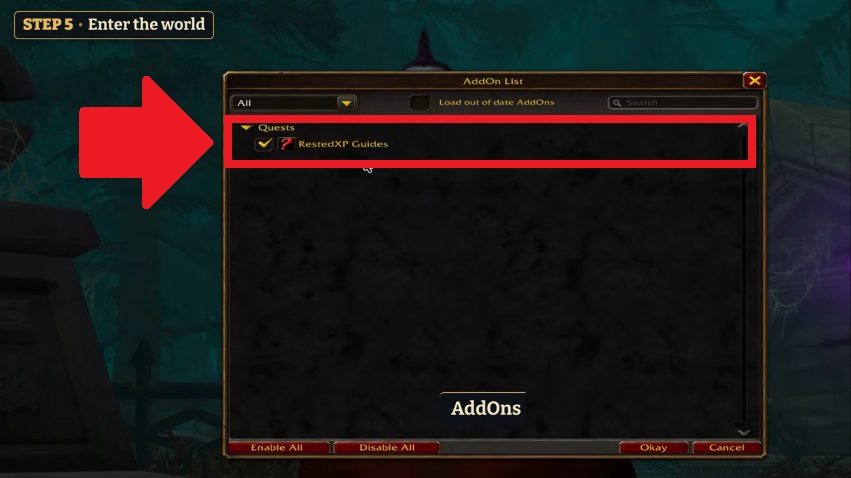
✅ After verifying that the RestedXP guide is active, Click « Enter World ».
6. Import the RestedXP guide into the game
- Click on « Import Guides » located in the RestedXP window.
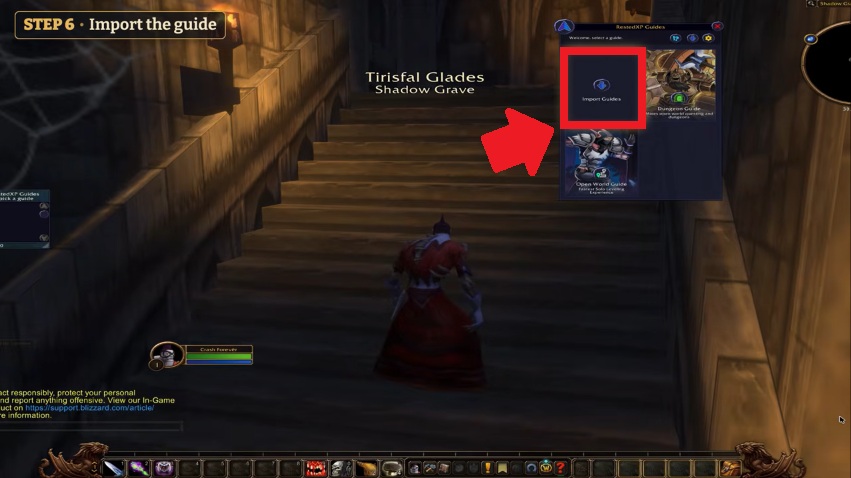
- Import the guide by clicking on the empty box below the target.

- Open the .txt file that you had previously downloaded (see step 3).

- Press Ctrl + A to select all the text.

- Press Ctrl + C to copy it.
- Back in the game, click in the import area and paste the text using Ctrl + V.

- Once that's done, Click the «Import» button».
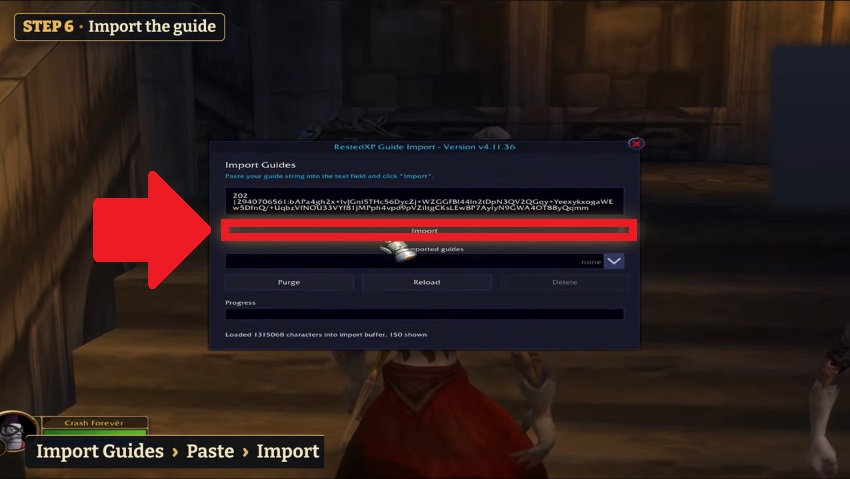
- Make sure the message " Guides Loaded Successfully » appears before Click on « Reload ».

7. Choose your RestedXP guide
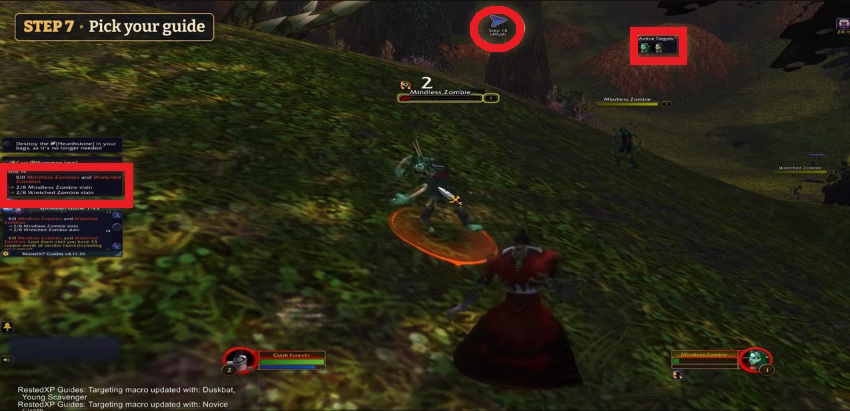
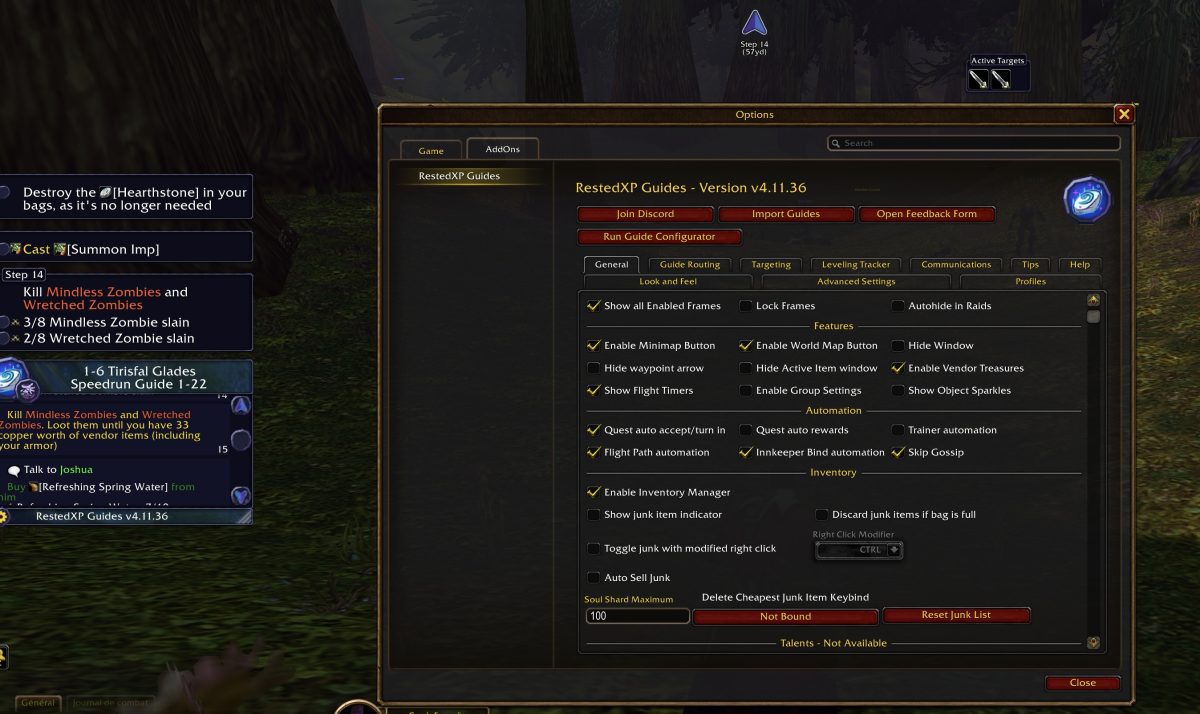
- Click the gear icon for «RestedXP Guides» and Select the guide you want to activate as well as your starting zone.
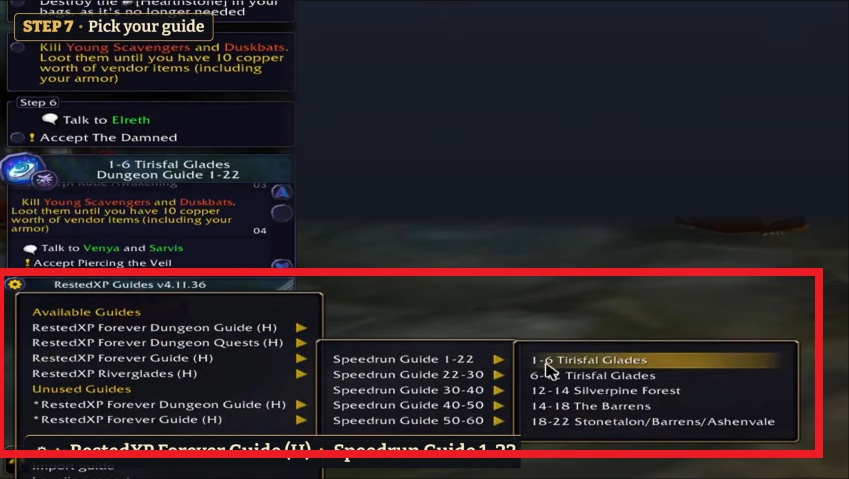
- Once that's done, the RestedXP add-on will then display your quests, your active target, and a directional arrow to follow.
💡 Take a few minutes to browse the add-on's options and adjust the settings to your liking.
FAQs
How do updates work with the RestedXP add-on?
⚠️ Updating the add-on through your add-on manager does not update the content of the guides.
After each update to the add-on, be sure to Go back to your RestedXP account to re-export the text file and re-import it into the game !
Is the RestedXP add-on free on WoW Forever?
Yes, downloading the add-on and the first few levels of leveling are free up to level 20, depending on your faction. This allows you to test the interface and the directional arrow in-game. To unlock the full routes from level 1 to level 60, you must purchase the corresponding pack from the official store.
🎁 If you're planning to buy a RestedXP guide, don't forget that we offer a Get 10 % off when you use our link !

Why isn't my guide showing up in the in-game add-on list?
This problem usually occurs if the file was extracted to the wrong location. Make sure that the The extracted RXPGuides folder (not the .zip file) is located in the directory specific to your version of the game : World of Warcraft / forever / Interface / AddOns. Also make sure the folder does not contain a subfolder with the same name.
How do I change the language of my RestedXP guide?
The Language of the Game Stages depends directly on the .txt file exported from the website. If your guide appears in English even though you're playing in French:
- Go back to your RestedXP account in the « Guides »,
- Click « Export »,
- Select "French" from the drop-down menu,
- Then reimport the new text into the game.
Can I use the same pack for both the Alliance and the Horde?
It depends on the pack you choose when you make your purchase. RestedXP offers packs dedicated to a single faction (Alliance or Horde) as well as a a bundle that combines both factions (Both Factions). If you plan to level up characters on both sides in WoW Forever, the combo pack is still the best deal.
There you go! You can now follow the steps in your guide right in the game.









 FR
 RU
 EN
 ES
 IT
 DE
 ZH
 PT
 ID
 JA
 DA