UPDF is not just another PDF editor. It is a powerful tool, based on artificial intelligence, designed to revolutionize the way you manage and interact with PDF documents.
Whether you need to read, edit, annotate, convert, or secure your PDFs, UPDF offers you a comprehensive platform that is both user-friendly and affordable. We'll tell you everything!
Explanatory video in French by Alucare, ideal complement to the page. View video (you can use youtube's automatic translation)

What are the key features of UPDF?
1. Simple and smooth PDF editing
With UPDF, edit your PDF documents is as easy as editing a Word document!
You can adjust the following with just a few clicks:
- ✅ The text
- ✅ Images
- ✅ Watermarks
- ✅ Links
- ✅ Backgrounds
- ✅ Headers and footers
- ✅ Forms

UPDF also manages all quick actions to make your life easier:
- ✅ Highlight and annotate
- ✅ Correct mistakes
- ✅ Resize visuals
All in one clear and intuitive interfaceWith UPDF, you can do everything in just a few clicks!
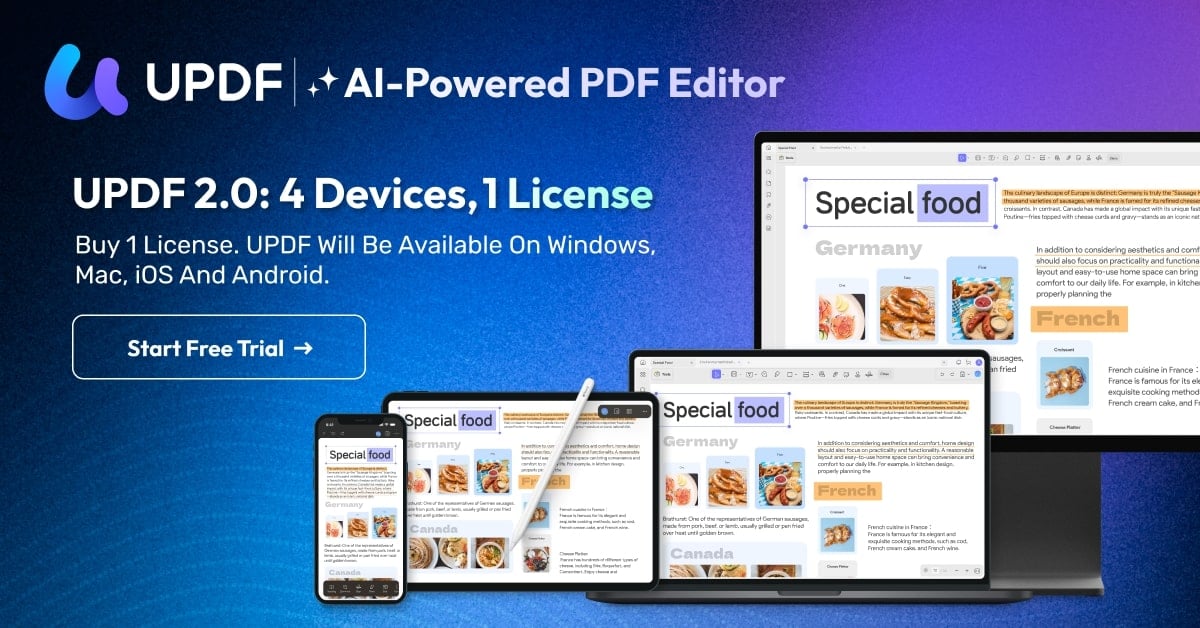
You can download UPDF on Windows, macOS, iOS, and Android.
The tool is available on all media with a single account. You can work from your PC, Mac, tablet, or smartphone, and resume your PDF document at any time without losing any changes!
2. Advanced AI tools
UPDF integrates artificial intelligence tools designed to make your life easier:
👉 Thanks to its AI assistantYou can summarize, translate, explain, or even transform your PDF documents into mind maps. All in just a few seconds!
👉 And that's not all, because the feature AI chat with PDFs allows you to "talk" with your PDFs and your images as you would with a chatbot. For example, you can ask questions about the content of the files!
👉 Thanks to UPDF's AI assistant, you can also translate a PDF whole without changing the layout and ask questions to obtain contextualized answers.
👉 UPDF also offers the feature AI Deep Research which allows you to conduct documentary researchYou can count on UPDF's AI to search open or academic databases and provide you with reliable answers based on scientific sources.
3. Enhanced security features
UPDF allows you to protect your PDFs with passwords and various editing features. And for even greater security, you can even customize your mosaic watermarks !
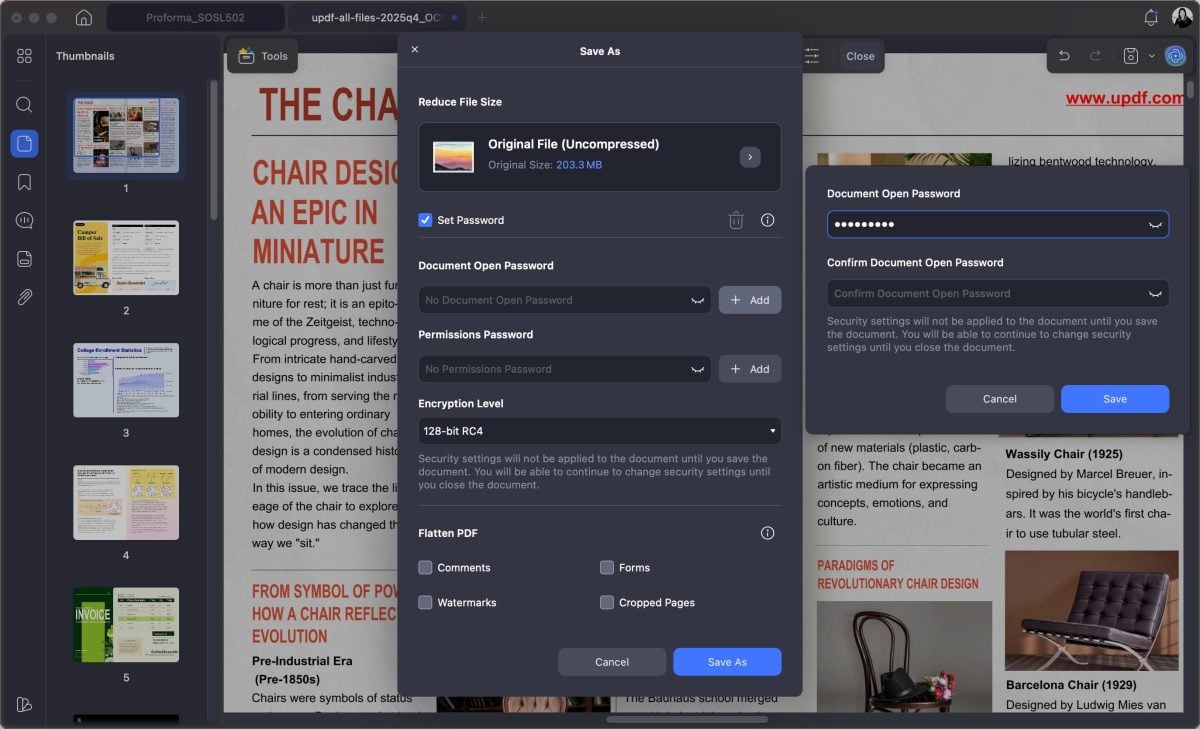
The iOS app also gives you access to theSecurity Space : this is a special location where you can hide your private documents or confidential.
4. Comprehensive annotation tools
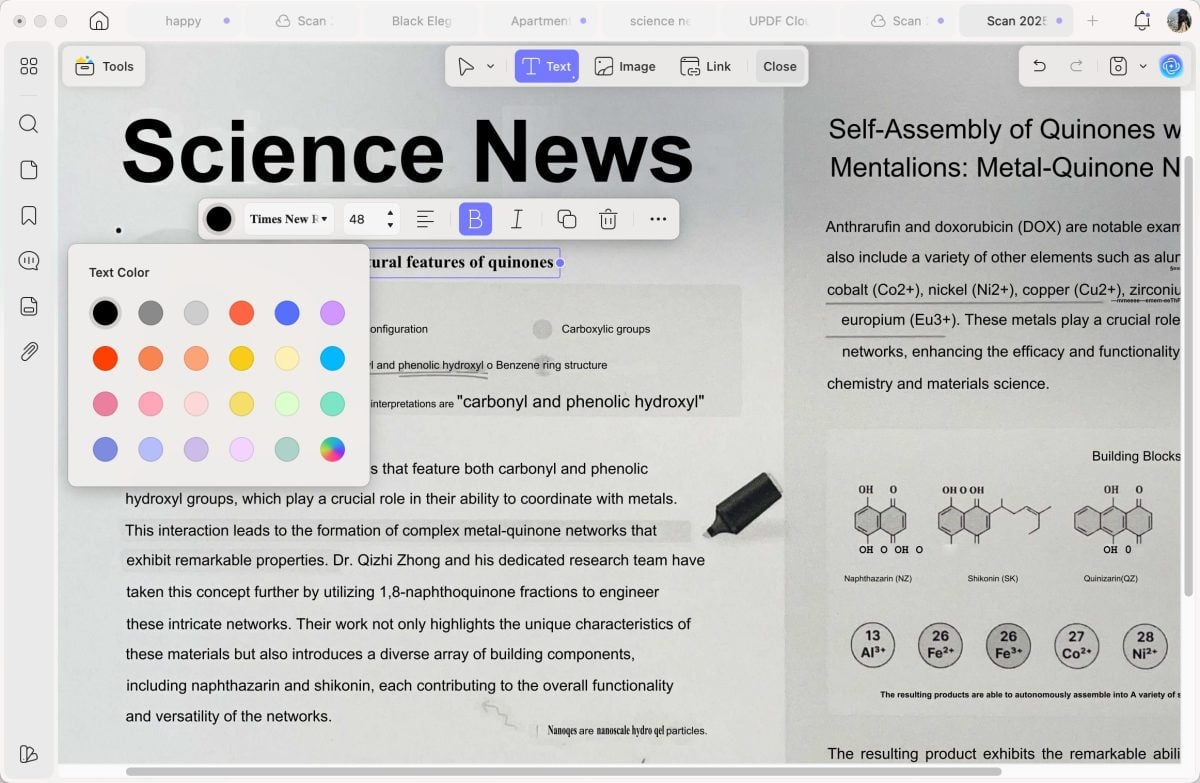
Do you love annotating your PDFs? That's great, because UPDF has the solution! Everything has been designed for proofreading, highlighting, and visually correcting your precious PDFs.
Depending on your needs, you can choose between 13 marking tools :
- ✨ Highlighters,
- ✨ Notes,
- ✨ Built-in stickers,
- ✨ Over 100 stickers…
You can also export annotations in PDF format to facilitate proofreading and validation.
5. Simplified organization
Thanks to the functionality Organize PDF, you can reorganize the pages your PDF files very easily. With just one click, you can add, delete, rotate, split, or extract pages.
On Mac, you can also reverse the page order in just a few clicks!
6. Conversion and OCR
UPDF makes it easy for you to convert PDF files to various Office formats (Word, Excel, PowerPoint) and images. You can lock formatting and fonts by converting your documents to PDF format.
You also have the option of reusing your work in exporting your PDF files to Microsoft 365 filesIt's easy with UPDF.
You can also do the opposite and easily convert your Office documents to PDF!
UPDF also offers the function OCR (optical character recognition) which allowsextract text from scanned documents or images to convert it into a ready-to-use PDF file.
7. Additional features
UPDF offers many other features and solutions designed to make your life easier with PDFs.
Examples include:
- 👉 Smart compression to reduce the size of your PDFs without sacrificing quality.
- 👉 Batch processing to apply the same actions to multiple files at once.
The software also includes 100 GB of UPDF cloud storageThis way, you can access your PDF files anywhere, anytime, with your files always synchronized!
Why choose UPDF?
In addition to all these practical, AI-powered features, UPDF is worth a visit for many other good reasons:
⭐ Intuitive interface
With UPDF, say goodbye to complex menus and interfaces: everything is perfectly organized, clear, and, above all, easy to find! With just one click, you can access the features you need.
⭐ Very affordable price
Compared to Adobe Acrobat Pro, UPDF is practically free!
👉 Indeed, theUPDF Pro subscription costs a fraction of the price of Acrobat Pro, which is billed monthly.
Depending on your needs, you can opt for a plannual or lifetime license.
👉 With the lifetime license, you can enjoy UPDF Pro and all its features (including updates) for a single, very attractive rateRest assured, there are no subscriptions or additional fees!
Speaking of price, are you wondering if UPDF can be used for free? Visit our dedicated article to discover all the features available with Free UPDF.
⭐ Complete and accurate translation of your PDFs
Practical to the end, the UPDF AI translation keeps your PDF documents exactly as they are!
The AI assistant translates your PDFs without breaking the layout. This allows you to change the language with one clickYour document, however, remains perfect.
⭐ Conversion into mind maps
Thanks to this exclusive feature of UPDF, you import your PDF, and then UPDF automatically generates a clear and well-structured map of the content.
These mind maps are a valuable aid for quickly visualizing complex ideas and concepts. You can then sort through them and get better organized!
⭐ Regular updates
UPDF is constantly evolving by adding new options and improvements almost every week. The goal is to guarantee you an increasingly practical tool and offer you an optimal experience over time.
As you can see, UPDF has absolutely everything it takes to be theultimate PDF editor what you've been waiting for!

UPDF stands out with its modern interface, AI-powered features, and affordable price. Whether you need it for personal or professional use, it meets all your PDF-related needs.
With his free trial and its guarantee of 30-day refundIt's a reliable, accessible, and comprehensive solution. You have no excuse not to try it!
And if you still have doubts, feel free to consult our Full review of UPDF.








 English