The best switch depends first and foremost on how you plan to use it. For the fast-paced gaming and the game's FPS, targets the linear switches as the Cherry MX Red where the Razer Yellow.
For use versatile (typing and gaming), the Gateron Brown Touchscreen technology remains a safe bet. And when it comes to games MMO or MOBA, the audible click of the Cherry MX Blue provides true typing accuracy.
| Keyboard Switches | Kind | Highlights | Price of a fully equipped keyboard |
|---|---|---|---|
| 1. Gateron Brown | Touchscreen |
|
150 à 300 € |
| 2. Razer Yellow | Linear |
|
100 à 250 € |
| 3. Cherry MX Red | Linear |
|
80 à 300 € |
| 4. Cherry MX Blue | Clicky |
|
from €110 |
Please note : The prices listed correspond to a full-size mechanical keyboard already equipped with these switches—not just the switches alone. A set of 35 switches Gateron Brown is located around €10–18 if you build your own keyboard.
1. Versatile switches : Gateron Brown
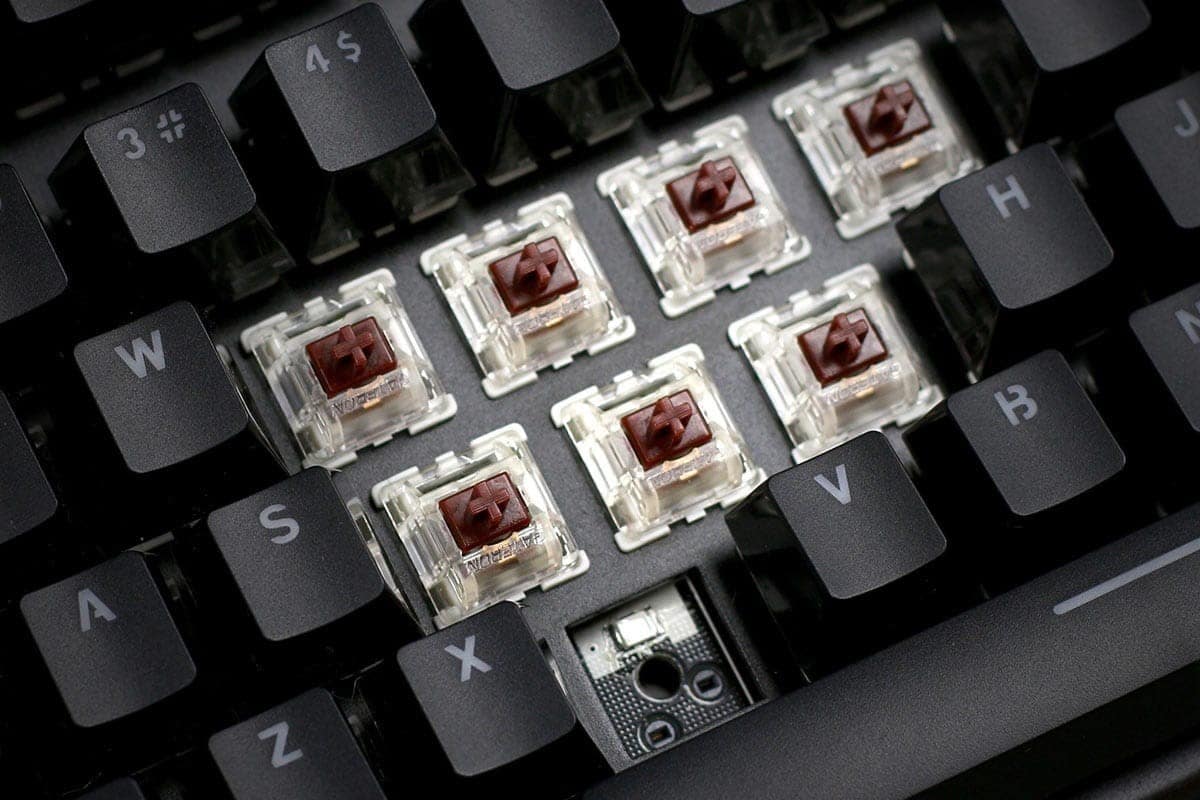
The Gateron Brown are tactile switches. With every keystroke, you feel a slight subtle bump which confirms keystrokes without the loud, harsh click of clicky switches. It's the perfect compromise if you want a single keyboard for both gaming and typing.
Technical specifications:
- Actuating force : about 45 g, flexible without being flimsy.
- Activation Point : around 2 mm, over a total race distance of 4 mm.
- Kind : touchscreen, with a slight return midway through the stroke—neither linear nor clicky.
| Features | Details |
|---|---|
| Color | Chestnut |
| Switch Type | Touchscreen |
| Actuating force | ~45 g |
| Activation Point | ~2 mm (total travel: 4 mm) |
| Price of a fully equipped keyboard | 150 à 300 € |
| Connector type | 3-pin / 5-pin hot-swap keyboard connector |
| Manual laterality | Ambidextrous |
| Compatibility | computer |
the Gateron Brown The standard remains unobtrusive, but it isn't not silent in the technical sense. The bump makes a slight clicking sound. If you want true silence, go for the version Gateron Silent Brown, equipped with shock absorption.
This switch bridges two worlds:
- Whether you're gamer or that you spend your days writing, the feel of the stroke remains smooth and precise in both cases.
- You're enjoying a good typing speed and crisp tactile feedback—all on a single mechanical keyboard.
If you're torn between a linear and a tactile switch, the Gateron Brown is a great place to start.
2. The best gaming keyboard switch: Razer Yellow
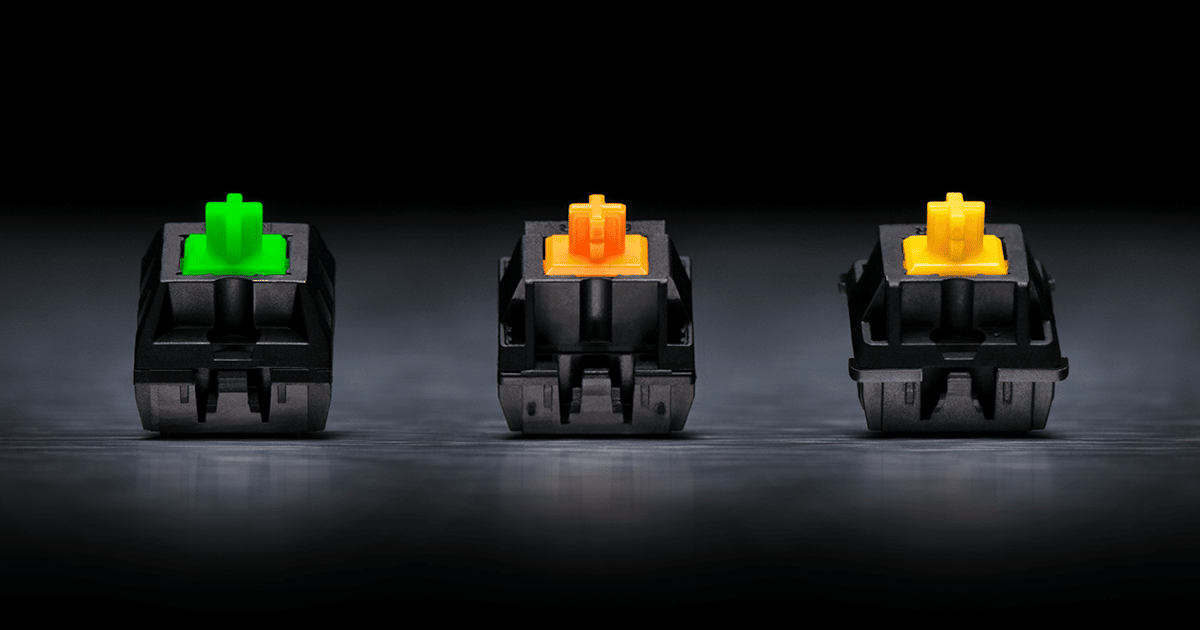
the Razer Yellow is a linear switch Designed for competitive gaming and esports. No bump, no audible click: the keystroke is smooth from start to finish, offering a maximum responsiveness.
| Features | Details |
|---|---|
| Switch Type | Linear (no bump or click) |
| Actuating force | 45 g |
| Activation Distance | 1.2 mm (very short actuation point) |
| Compatibility | computer |
| Price | 100 à 250 € (gaming keyboard included) |
The activation point at 1.2 mm makes all the difference. The key registers almost as soon as you touch it, even before you press it all the way down. That's what makes the Razer Yellow just as quick in fast-paced games.
Its real strengths as a gaming keyboard:
- Short, immediate actuation, ideal for the FPS
- Functioning silencer thanks to its linear structure
- More more accurate and faster than the classic red version
This very lightweight switch is nonetheless sensitive. Whether you're writing or doing office work, you might accidentally press a few keys at first. That's the price you pay for this responsiveness, and you'll get used to it quickly.
If you mostly play on consoles, check out the best keyboards for Xbox Series X in our dedicated article.
3. Switches for fast gaming: Cherry MX Red

The Cherry MX Red are linear switches : no tactile feedback, no click—just a smooth up-and-down stroke. That's what makes it the perfect choice for the fast-paced gaming and the game's FPS games, where trigger speed is key.
| Features | Details |
|---|---|
| Kind | Linear (red) |
| Actuating force | 45 g |
| Activation Point | 2 mm |
| Total distance | 4 mm |
| Compatibility | PC, hot-swappable depending on the keyboard |
The 45 g operating force stays light: your fingers get less tired during long sessions. The 2 mm activation distance triggers the button without you having to press it all the way down, which really helps when you're stringing together a series of inputs: movement, button spamming, and rapid-fire shots.
The Cherry MX Red are quieter than clicky switches, though not completely silent. The lack of tactile feedback It might be a little confusing at first if you're used to a membrane keyboard.
If you want an even shorter activation point, check out the Cherry MX Speed Silver, a version designed to go even faster.
4. Switches for MMO and MOBA games: Cherry MX Blue
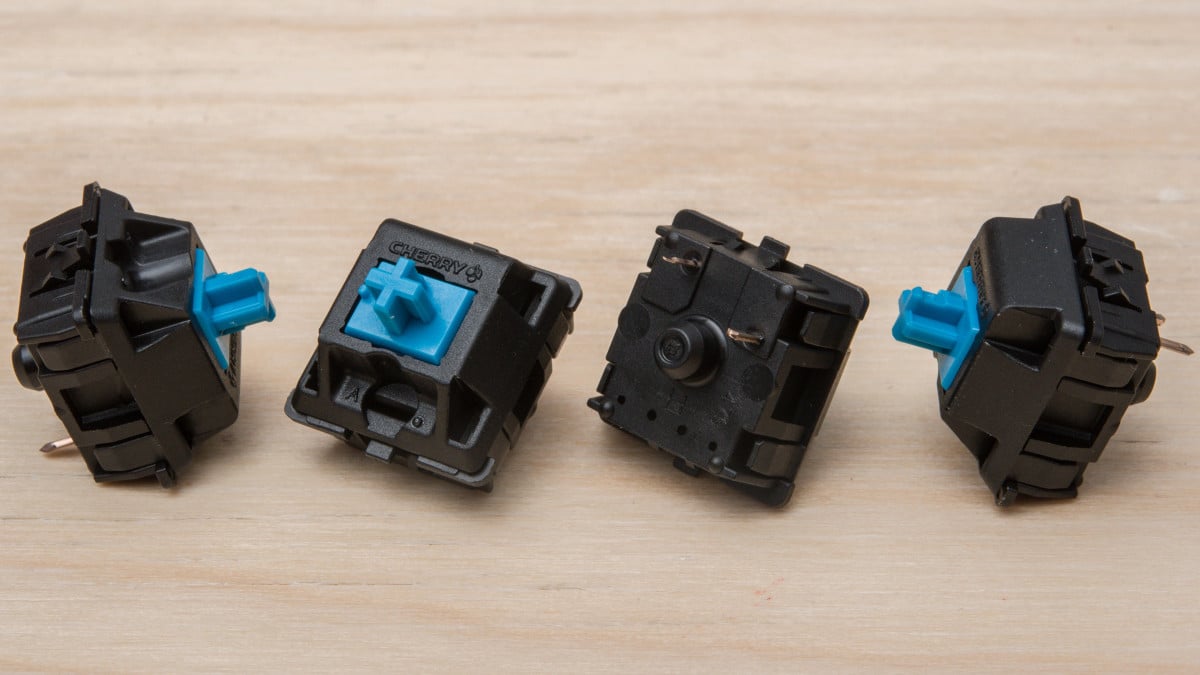
The Cherry MX Blue are clicky switches. Every time you press it, you feel a touch bump net followed by a audible click which confirms the strike. That's their signature.
| Features | Details |
|---|---|
| Switch Type | Tactile and clicky |
| Color | Blue |
| Total distance | 4 mm |
| Price of a fully equipped keyboard | from €110 |
Key takeaways about this switch:
- the distinctive clicking sound in fact, one of the Noisiest switches from the line Cherry, ideal for precision, but much less so for an open-plan office.
- The significant resistance at the activation point, the accidental touches : Each key returns a clear response.
- This switch is great for MMO or MOBA games that require precise input and good feedback.
the rapid fire is still a little less smooth than with a linear switch. Many players get along just fine once they get used to it, but this switch isn't not the best choice for competitive FPS, where the linear switches since the Reds maintain their edge in responsiveness.
If you're more into Battle Royale as Fortnite, check out our Top 3 Best Keyboards for Playing Fortnite.
FAQs
What types of switch are there?
There are three main types of mechanical switches:
- Switches linear
- Switches tactile
- Switches clicky
Each type changes your feel of the stroke, your noise level, and the responsiveness of your keystrokes.
What's the difference between keyboard switches?
| Switch Type | Details |
|---|---|
| Switches linear |
|
| Switches tactile |
|
| Switches clicky |
|
What's the best switch color?
The best color depends mainly on how you plan to use it. Here are the details for each option.
| Switch Color | Details |
|---|---|
| Switch red |
|
| Switch blue |
|
| Switch brown |
|
| Switch black |
|
Which switch makes the least noise?
The linear switches are the quietest. Among the most popular are the Cherry MX Silent Red are designed with cushioning that reduces noise when pressing and releasing the keys.
Which switch for FPS?
For FPS games, the switches linear are the best fit. Their speed and smooth travel, without any unwanted resistance, are perfectly suited to this type of game. The most recommended switches are:
- Cherry MX Red
- Razer Yellow
- Cherry MX Speed Silver
It's a majority consensus, not a hard-and-fast rule. Some players keep touch-sensitive switches even in FPS games: it's also a matter of personal preference.
Which switches are the fastest?
The fastest switches are all linear switches with a short activation distance (from 1.5 mm to 1.2 mm) :
- Cherry MX Speed Silver
- Razer Yellow
- SteelSeries QS1
- Logitech Romer-G Linear
- Roccat Titan Speed
Their short activation distance makes them gaming ideals, especially for sections that require maximum responsiveness.
What about you—what kind of switch do you use on your mechanical keyboard? Let us know in the comments—your feedback will help others make their choice.








 English