Discord is available on PS5 since March 8, 2023. You can link your account Discord to your PSN directly from the console settings.
The PS4, however, is not natively supported.
Here's how to link your account and join a voice chat Discord right from your console!
Discord and PlayStation: What You Need to Know
Discord arrived at the PS5 in early March 2023, first in the United States, then worldwide.
So you can link your account Discord on your own PlayStation Network directly from the console settings. On PS5, this integration lets you join a Discord voice chat room without any third-party software.
The PS4, however, does not natively support this feature. To use Discord on a PS4, you still need to use the Discord app on your phone or computer.
If you want Install Discord on your device, the process remains simple regardless of the medium.
The Partnership Between Discord and PlayStation
Discord is available on PS5 since March 8, 2023. You can link your account Discord on your own PSN directly from the console settings. The PS4, however, is not natively supported.
The announcement of the partnership between Sony and Discord dates back to 2021. The first concrete step was posting about your activity PlayStation on your Discord profile. Starting in June 2024, you can also join a Discord voice chat room directly from your console, without using a mobile device or your computer.
How do you connect the Discord to your PS5?
To link your account PSN To set up your Discord account on your console, follow these steps.
- Turn on your PS5 and go to the home screen.
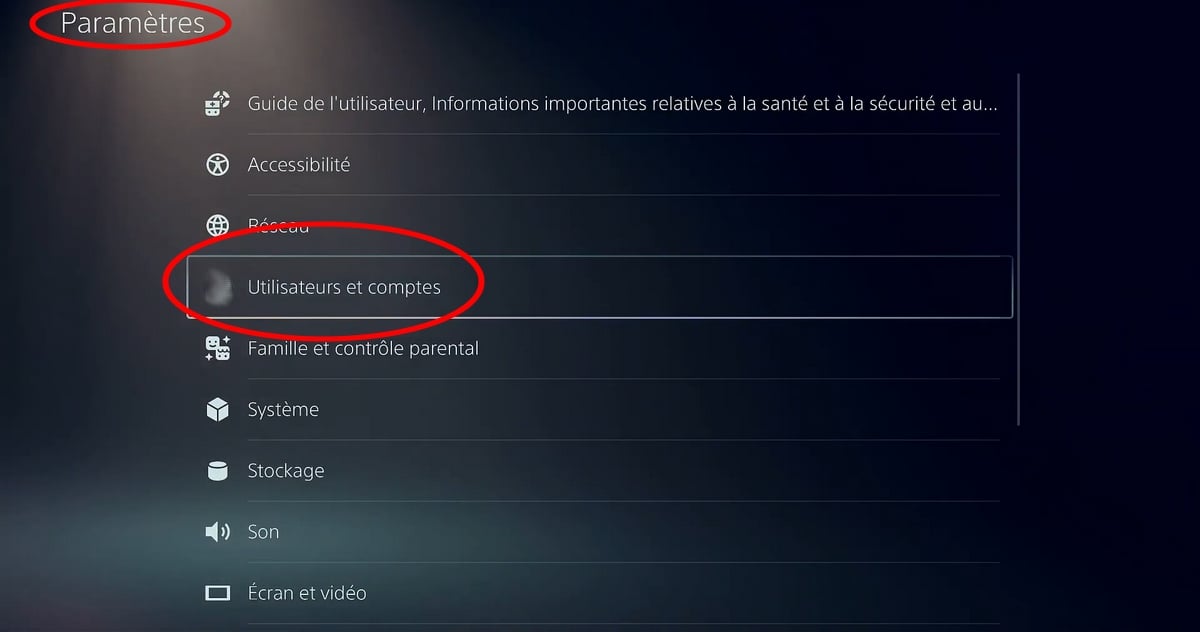
- Open the Settings, then select “Users and Accounts“.
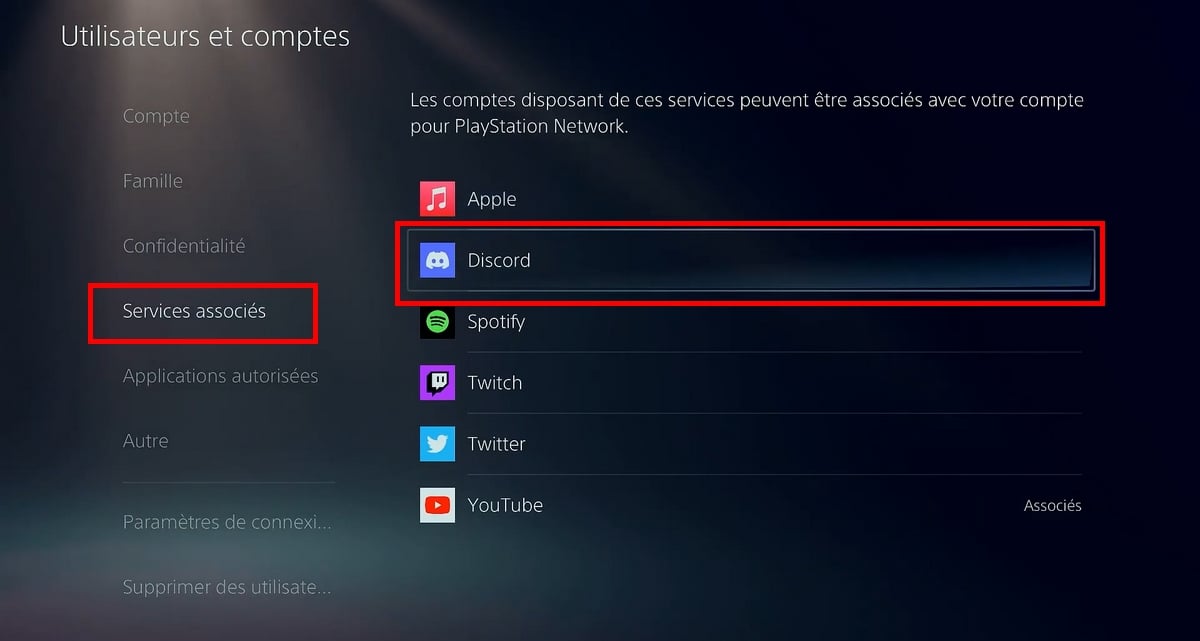
- Go to the tab “Related Services” then click on Discord,
- Then log in to your Discord account using one of the following options: scan a QR code or enter the code using a web browser

- Confirm the authorization to complete the connection.
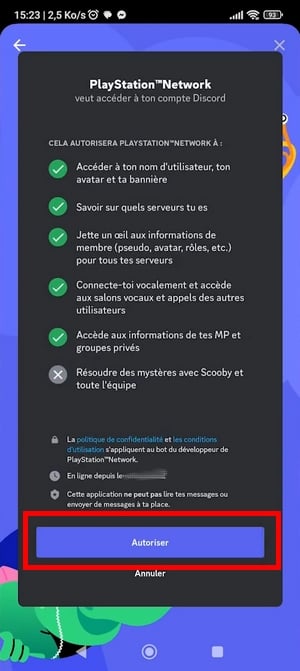
You can do the same thing from the app Discord on mobile or on PC :
- Open the app, go to your account settings, then to the connections. Select PlayStation Network and log in with your account PSN.
- Once the accounts are linked, your PSN account will be associated with your Discord account, and your activity feed will be active.ù
Well done: You should now see "Discord" under "Authorized Apps":
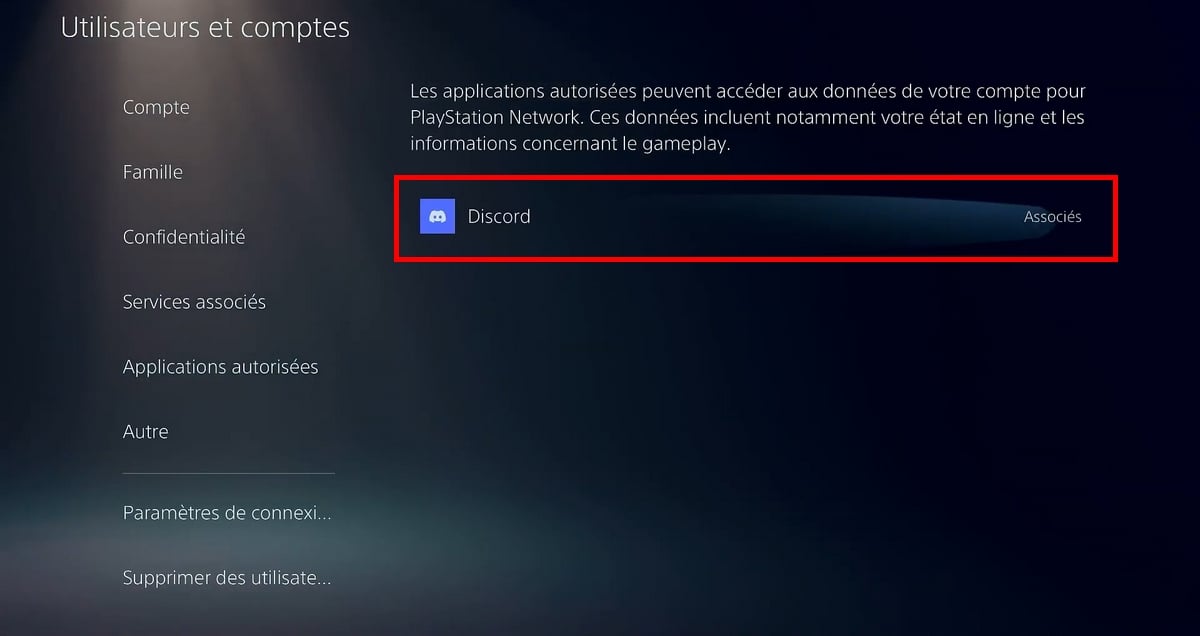
And if you ever want to as well Change Your PlayStation Username, now is the right time to do this before linking the accounts.
How to Use the Discord Voice Chat on PS5
Once your account is linked, you can join a Discord voice chat room from the Game Base of the PS5.
- Open the Game Base from the control center, at the bottom of the screen.
- Select the Discord tab in the control center to view your available voice chat rooms.
- Join the voice chat channel of your choice to chat with your friends online.
You can also join a Discord voice chat room on PlayStation that your online friends have already started. The audio will then be played through your controller or headset connected to the console.
View Your Activity and Manage Privacy
When you're logged in, Discord displays the game you're currently playing on your profile. This way, your friends who are online can see what you're playing right now.
If the activity isn't showing up, check your account's privacy settings PlayStation Network and the status display option in Discord.
To unlink the two accounts, go back to the settings in the Discord console or app, open the "Linked Accounts" tab, and remove the connection. You can link the accounts again at any time later.
What This Integration Enables (and Its Limitations)
The Discord integration on the PS5 remains incomplete. Here's what it actually does:
- ✅ Yes: Discord displays your gaming activity on your profile.
- ✅ Yes: Join a Discord voice chat room from your console.
- ❌ No: There is no standalone Discord app with a full interface on the PS5.
- ❌ No: no text chat or server browsing from the console.
For text chat or managing your servers, you still need to use the Discord mobile app or PC.
If you have trouble connecting, the help center at PlayStation and the Discord support center provide assistance and up-to-date information for your version of the system software.
Do you also want to know how How to use Discord on Xbox ? Click the link to check out our complete tutorial!








 English
Luckily he said BEGINNING 2022 is there a release date?
Haha no still no info 🙁