Are you looking for an easy way to create professional-quality videos without spending hours editing? FocuSee is perfect for you! Plus, you have a promo code for Save 10% on your purchase.
FocuSee Promo Code 2026: PROMO10
Test Try FocuSee for free (Just one export with a watermark) and take advantage of -10% with the promo code if it works for you.
How do I use the FocuSee promo code?
If you want Take advantage of the -10% on all plans, here are the steps to follow:
- Go to the FocuSee's official website by clicking the following button:
- Go to the tab Pricing.

- Choose your subscription and Start your purchase.
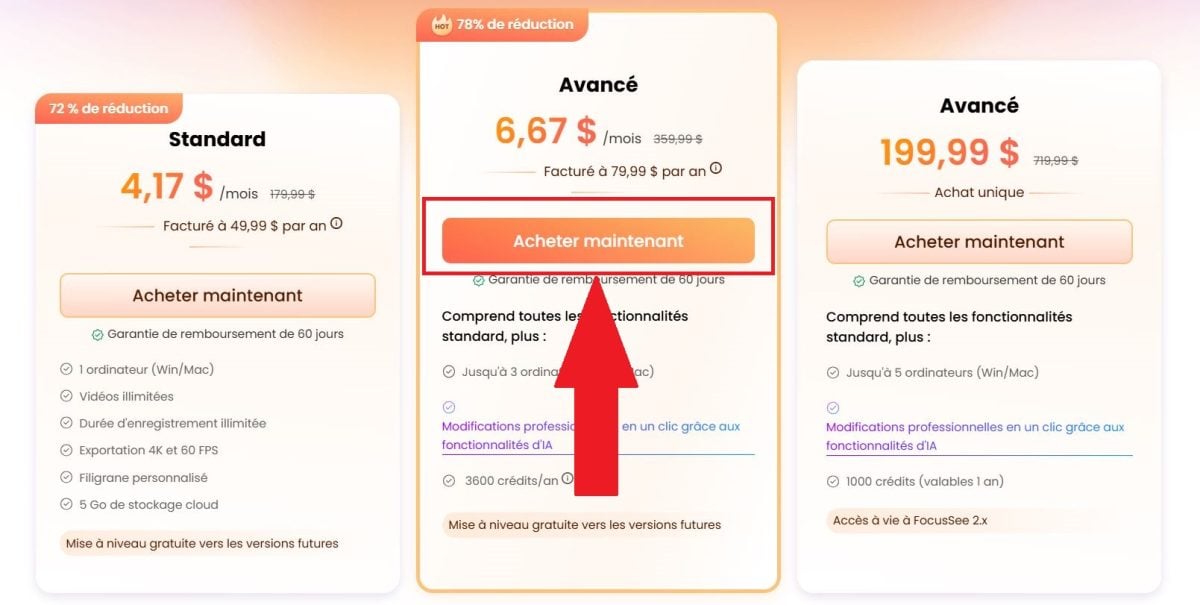
- Click “Add a discount,” then paste the code PROMO10 in the box provided for that purpose and confirm by clicking on “Apply”.
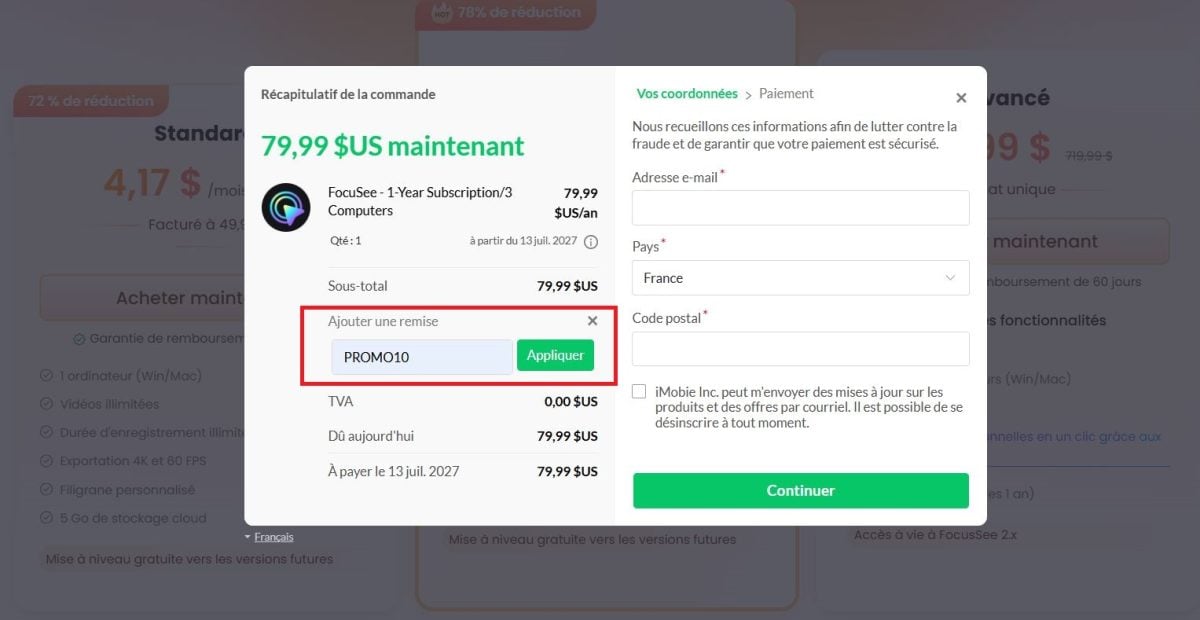
- After validation, the code makes you Save 10% on your purchase.
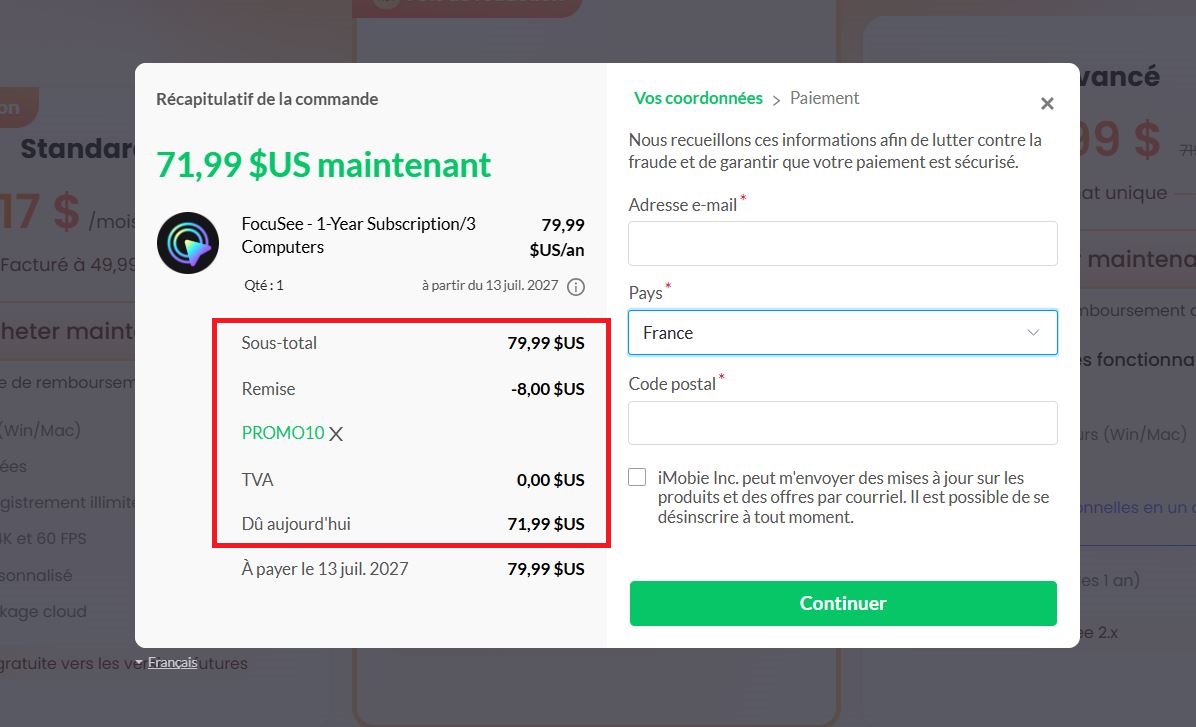
You can see the pricing details below.
How much does FocuSee cost?
FocuSee offers several plans. Here are the prices, with and without the promo code PROMO10 (-10%) :
| MAP | Regular price | Price with promo code PROMO10 |
|---|---|---|
| Standard | 49.99 $/year | 44.99 $/year |
| Advanced | 79.99 $/year | 71.99 $/year |
| Advanced (Lifetime) | 199.99 $ (one-time payment) | 179.99 $ (one-time payment) |
✅ Good to know : The Advanced Lifetime Plan gives you lifetime access to FocuSee with a single payment—no monthly or annual renewals.
Key Features of FocuSee
Keep in mind that FocuSee isn't just for screen recording. It also offers other features, such as:
- Automatic zoom : FocuSee tracks your cursor's movements and applies zoom effects to important areas of the screen.
- AI-generated subtitles : By recognizing more than 50 languages, the app automatically generates subtitles.
- Recording from the webcam and the screen at the same time.
- The Virtual Avatar : If you don't want to show your face, FocuSee offers an AI avatar. It replaces you on screen while maintaining a natural appearance.
- Background Removal.
- Automatic Editing Using AI : The app automatically trims your clips.
- The built-in teleprompter which helps you read your text while recording. Your presentations will sound more fluid and natural.
- 3D Motion.
- Audio Enhancement : AI reduces background noise and interference.
- Filling and Cutting Pauses : FocuSee detects pauses and filler words like “um” and “so,” and automatically cuts them out.
- The Custom Watermark, which is useful for protecting your content or strengthening your brand image.
- Annotations : arrows, shapes, text, highlights.
- Camera Placement : You choose where to place your webcam on the screen.
✅ Good to know: Certain AI features (avatar, subtitles, silence removal, audio enhancement) use AI credits, which are included in the Advanced and Lifetime plans. Noise reduction and background removal, however, are available on all plans.
How do I export videos?
FocuSee offers several output formats:
- MP4, in resolutions up to 4K
- GIFs, for quick sharing
- Shareable link with embedded forms
Just choose the format that best suits your needs.
To use the FocuSee promo code 2026: PROMO10
Who is FocuSee designed for?
Basically, it's designed for anyone who needs to share their screen without putting their audience to sleep. It's mainly intended for:
- Content creators : to create dynamic tutorials without spending three hours on editing (thanks to the automatic zoom when you hover over something with the mouse).
- Entrepreneurs : to showcase their product or SaaS with demos that make people want to buy.
- Trainers and the Education Sector : to create clear online courses and training videos.
- The Teams Sales & Support : to send a quick video to a client or address a bug in two minutes flat.
If you like AI-powered tools, check out our guide on:
FAQs
What is FocuSee?
FocuSee is a screen recording software which is powered by AI. It runs perfectly on both Mac and Windows.
💡 It’s really simple: You take a screenshot and FocuSee takes care of the rest on its own.
Whether it's zooming, editing, 3D movements, or subtitles, the software transforms a simple dynamic video recording. You don't even need to be an expert in video editing.
What is the difference between a subscription and a one-time purchase on FocuSee?
The subscription gives you access to the software and AI credits every month. With a one-time purchase, you can’use the current version forever, without paying a renewal fee. The Advanced plan includes 300 credits per month (3,600 per year), and the Lifetime plan includes 1,000 credits valid for one year.
⚠️ Warning : Upgrading to a future major version (for example, from V2 to V3) may require an additional fee, even with a lifetime license.
Does FocuSee work on Mac and Windows?
Yes. FocuSee is compatible with macOS and Windows. You can use it regardless of your operating system.
Can I get a refund if I don't like the software?
Yes, subject to certain conditions.
FocuSee offers a money-back guarantee : 60 days for an annual or lifetime purchase. If you've already used AI credits, their cost will be deducted from your refund.
Our Review of FocuSee
FocuSee really simplifies video creation. You save time on editing, and the results are clean and professional. The software's strongest feature is automation. You record, and the AI does the rest.
With the promo code PROMO10 and his 10% discount, now is the perfect time to try FocuSee at a discounted price.









 English