If you want to start receive Robux other players, you must create a Game Pass on PLS Donate.
👉 Here's how to create one easily and use it on your stand.
Need Robux? Go here to get some:

Video tutorial on how to create a Pass on PLS Donate
Watch this short video to learn how to create a Pass and add it to your booth on PLS Donate.

Tutorial for creating a Pass on PLS Donate on your phone in 2026
We'll show you the essential steps for create a Game Pass on Roblox easily on your phone.
Step 1: Go to the Roblox home screen
- From the Roblox home screen, select the icon “More” lower right.
- Then scroll down and press “Create”.
- This will lead you to the “Home page”.
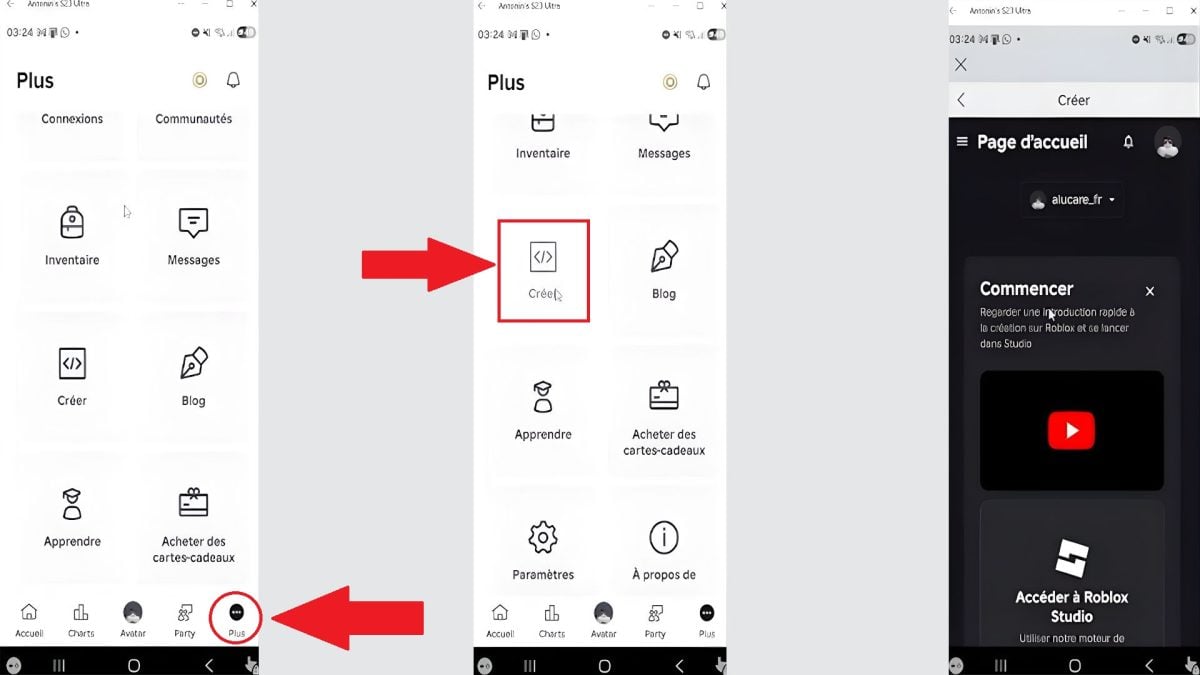
Step 2: Go to the “Creations” menu”
- Once on the home page, scroll down to find your Square.
- Click on it, and you'll be taken to “Creations”.
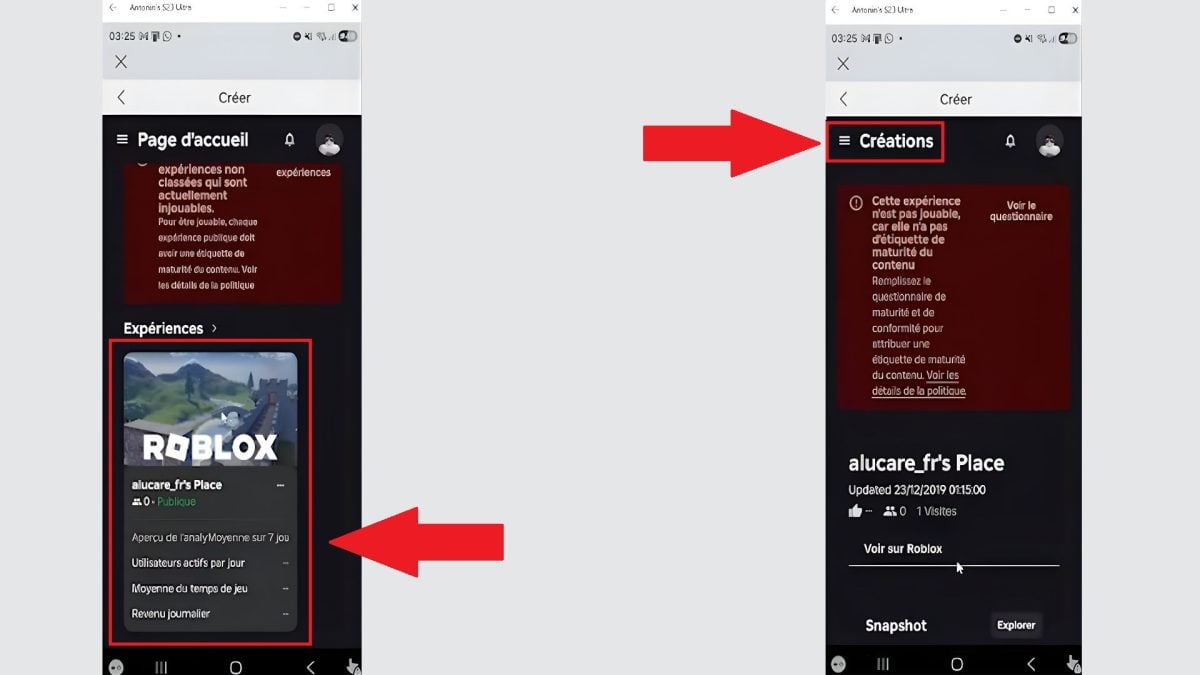
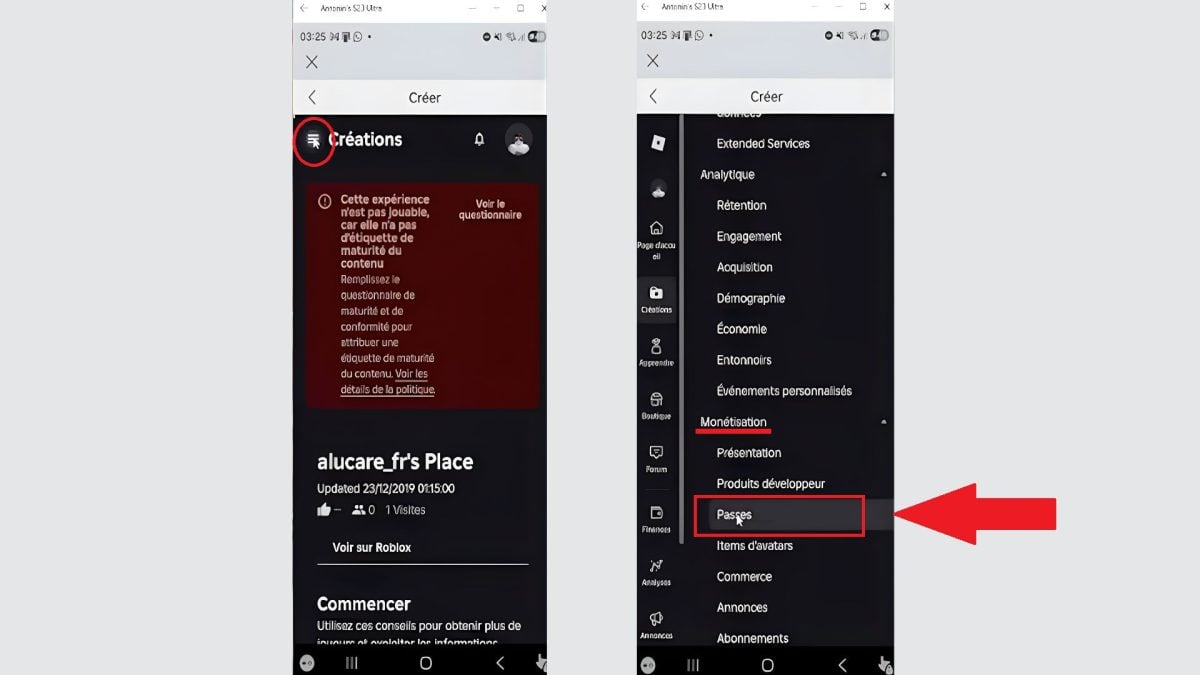
Step 3: Search for “Passes”
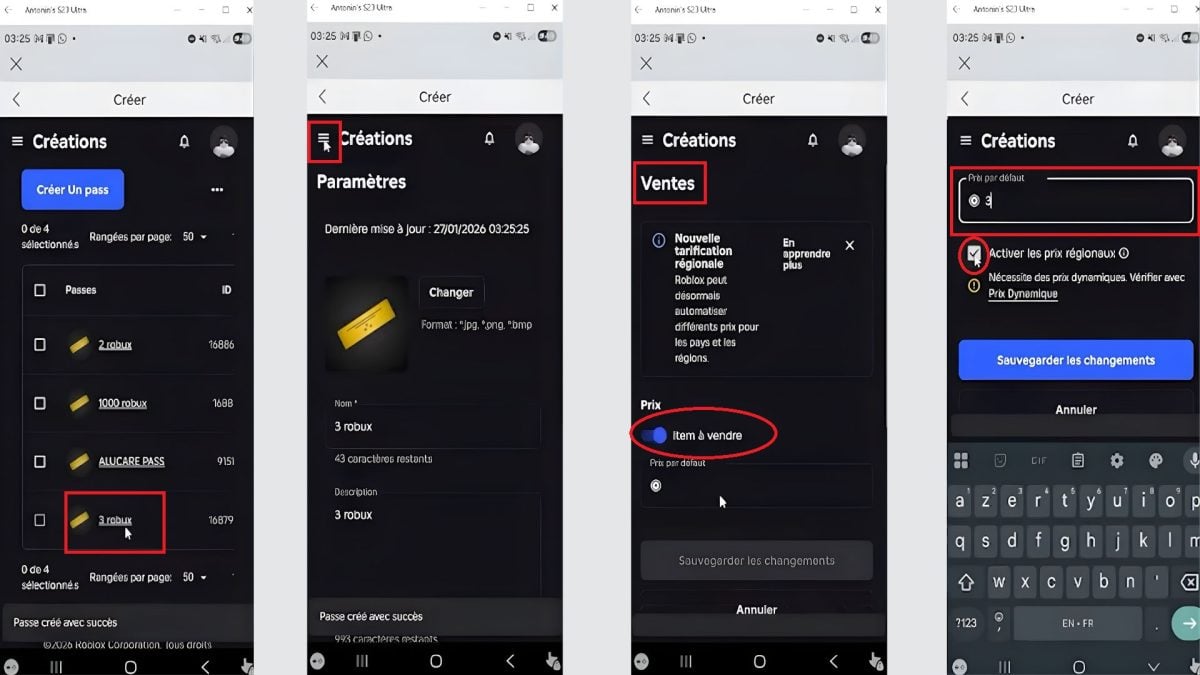
- Once inside “Creations”, Press the three lines at top left.
- Scroll through the parameters until you see “Monetization”then press “Passes” below.
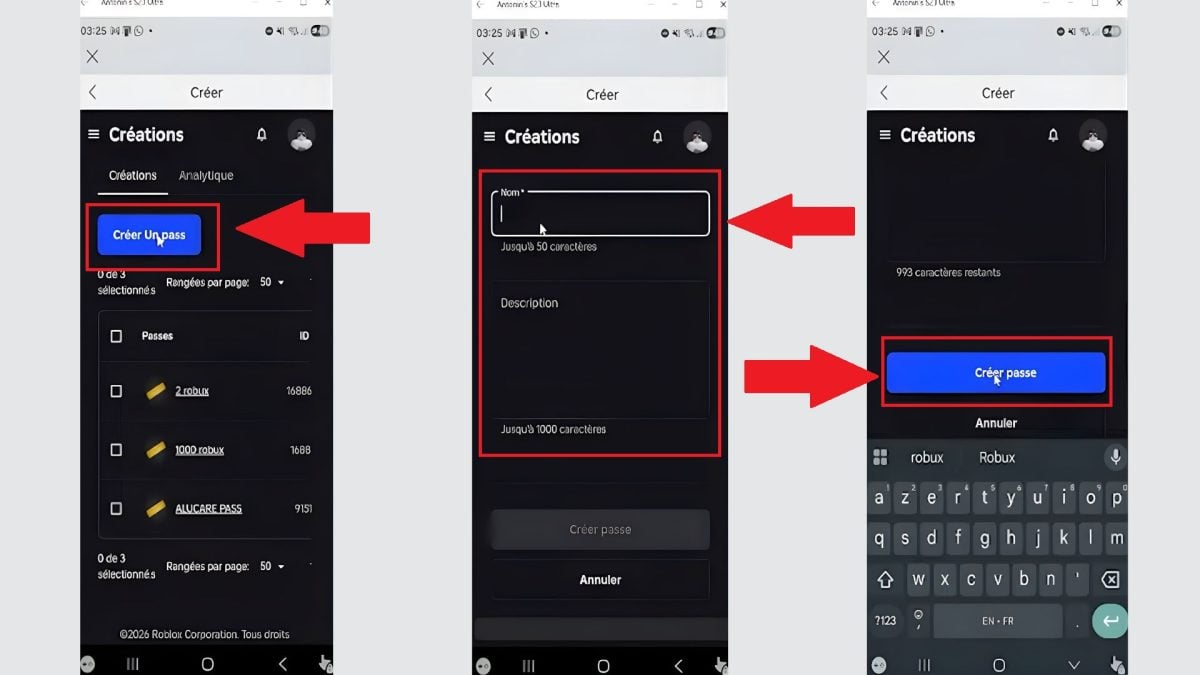
Step 4: Create a Pass
- Select “Create a Pass”.
- Give your Game Pass a name and add a description.
- Press on “Create a pass”.
Step 5: Put the Pass on sale
You must then put the Pass you have created up for sale. To do so, proceed as follows:
- Press the pass name you've just created.
- Click on the three lines at the top left and go to “Sales”.
- Activate your Game Pass for sale and set its price in Robux.
- Disable regional awards.
- Save the changes
Step 6: Modify the stand
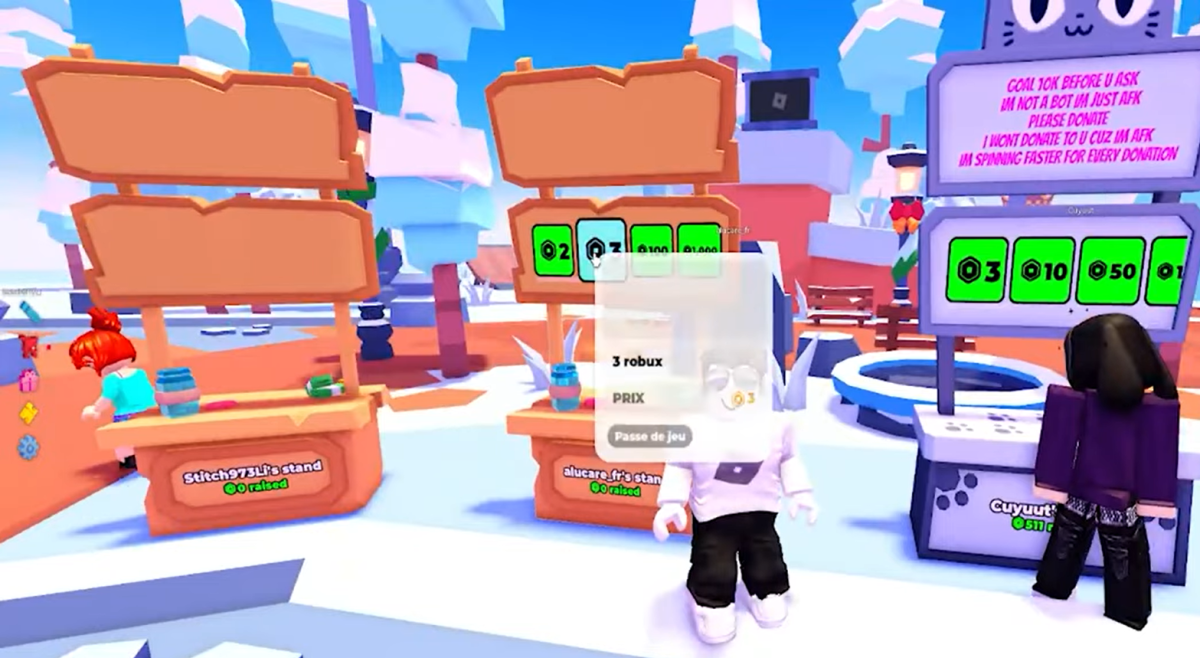
- Leave your stand, then come back.
- When you're close, you should see the Game Pass you've just created appear at the top, and players will now be able to buy it with Robux.
FAQs
What is a Pass on PLS Donate?
✅ A Pass or Game Pass is a virtual object that you create free of charge on the Roblox website. It is then sold on your stand.
The Pass allows other players to click on it for you send Robux.
Need cheap Robux? Go here to get them:
What is the purpose of a Pass in PLS Donate?
👉 In PLS Donate, a Pass is a payment method to receive donations.
Without a Pass, no one can give you any money, because there's no button to click. finalize a transaction.
Why do players create Passes?
💰 Players create Passes for monetize their presence on the game and collect Robux.
This is the simplest and most popular way to become “eligible” for donations from other community members.
What are the requirements for creating a Pass on PLS Donate?
Here are three conditions that must be met before you can create a Game Pass on PLS Donate :
- ✔ Have a Roblox account.
- ✔ Possess a experience or one Roblox game.
- ✔ Activate monetization Game Passes.
Why doesn't your Pass appear on PLS Donate?
Your Pass may not be displayed on your stand. There are several reasons for this:
- ❌ The Pass is not for sale.
- ❌ The price is not configured.
- ❌ Problem with update time Roblox.
💬 To finish, create a Pass in PLS Donate is a simple but essential step to start receiving donations from other players.
Donations are made with Robux, Roblox's virtual currency. But you can also buy Robux directly on the platform.
😉 And you, how many Robux have you already managed to win on PLS Donate? Share your score in comments!
And if you're a multiplayer fan, you can also take advantage of this opportunity to discover the best Roblox games with friends.







 English