To receive Robux other players on PLS Donate, you must first create a Game Pass on Roblox.
Here's how to easily create it, then add it to your booth to get started receive donations.
Need Robux? Go here to get some:
Video tutorial on how to create a Pass on PLS Donate
Watch this short video to learn how to create a Pass and add it to your booth on PLS Donate.

Tutorial for Creating a Pass on PLS Donate on a PC in 2026
Here are the steps to Create a Game Pass on Roblox from a PC or Mac browser. Creating a Game Pass is not possible from the mobile app: you have to go through the Creator Dashboard in a browser.
Step 1: Go to the Roblox home screen
- On the home screen of Roblox, select the icon «More» lower right.
- Scroll down, then tap "Create.
- You arrive at the «Home Page» of your creations.
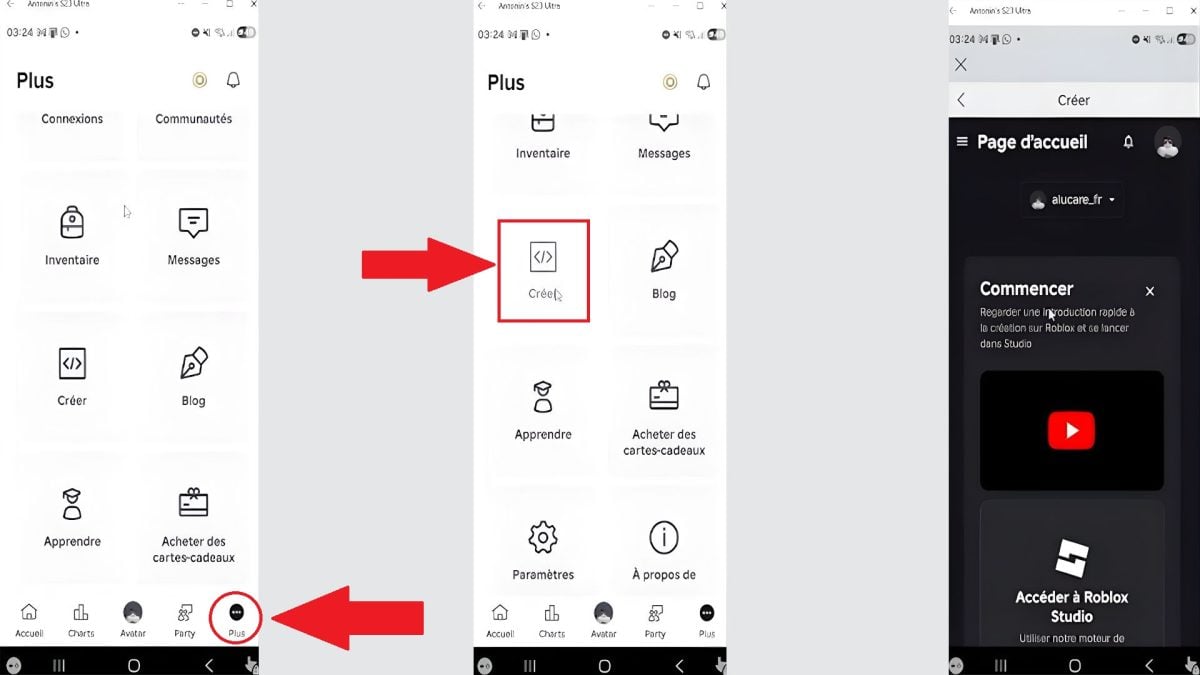
Step 2: Go to the «Creations» menu»
- On the home page, scroll down to find your Square, that is, the game you're playing.
- Click here to open the menu «Creations».
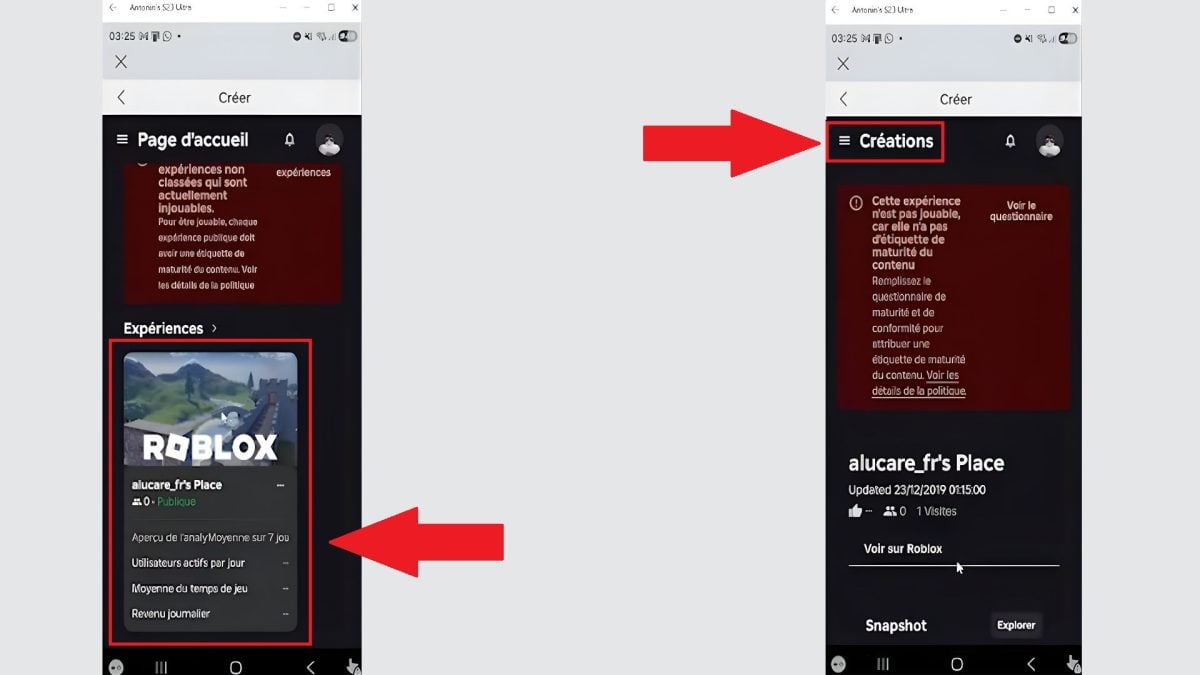
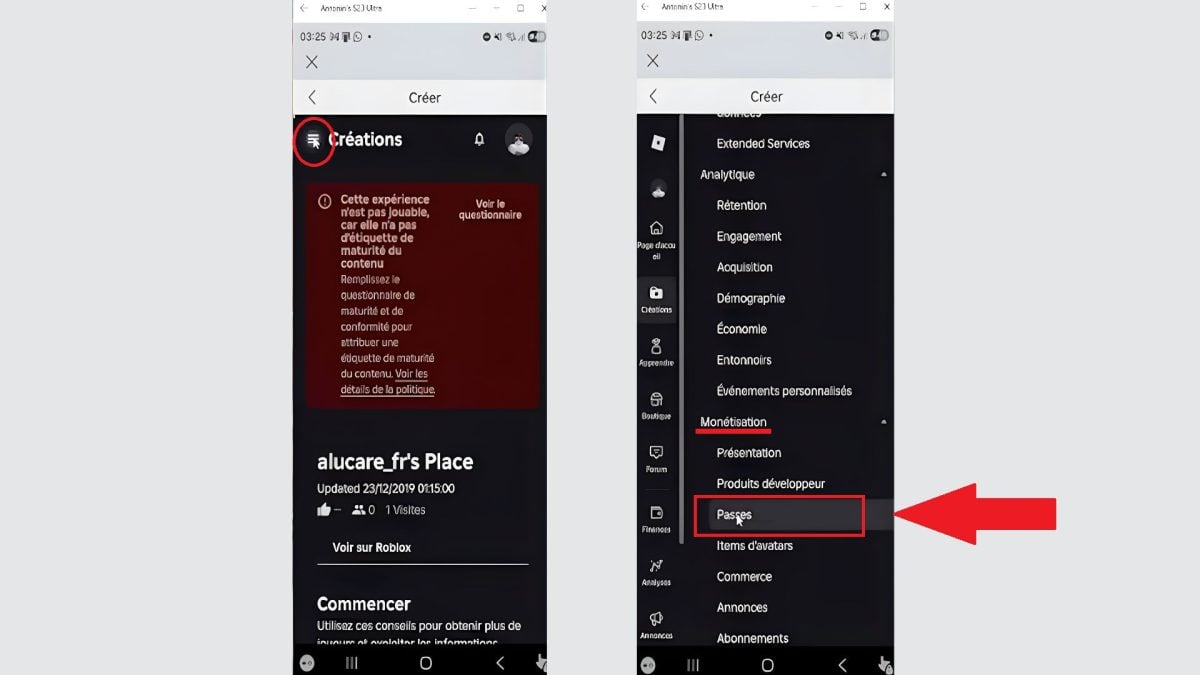
Step 3: Look for the «Passes» section»
- In «Creations», tap the three lines in the upper-left corner.
- Scroll down until you see «Monetization».
- Click on «Passes» just below to open the page dedicated to GamePasses.
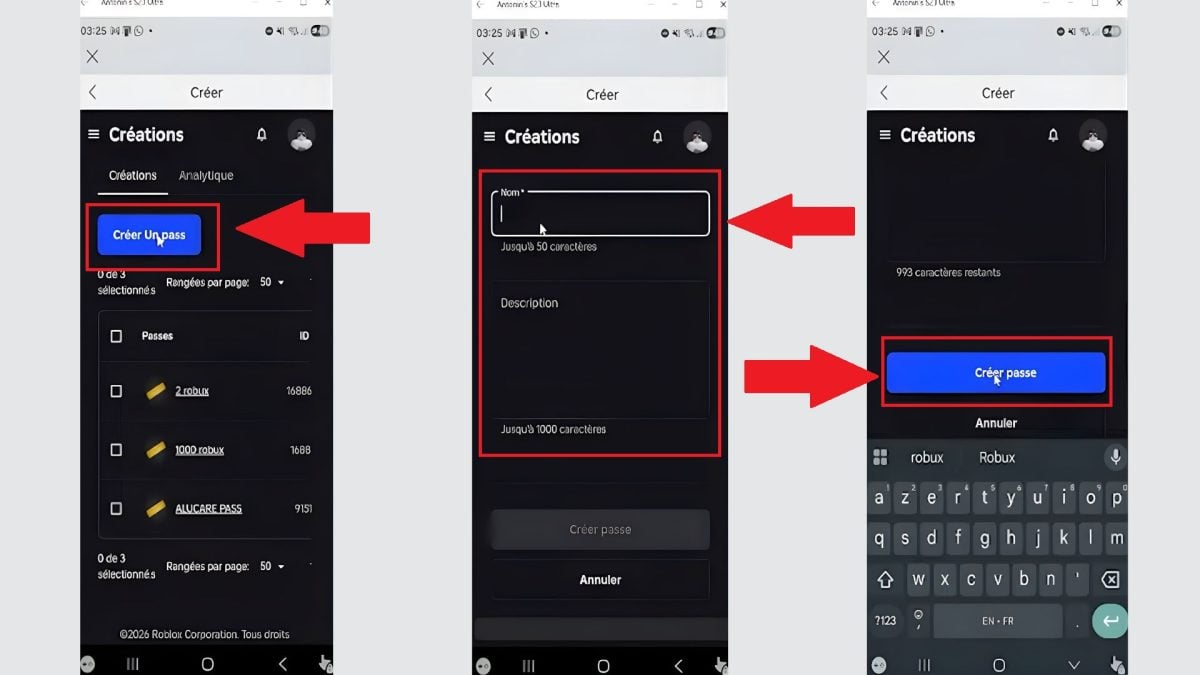
Step 4: Create a Pass
- Select «Create a Pass».
- Between the name from your Game Pass and add a description a clear description of the virtual item for sale.
- You can also download a image to illustrate the pass.
- Press «Create a Pass» (This is the exact wording displayed in the app, despite the capitalization.).
Step 5: List the Pass for Sale
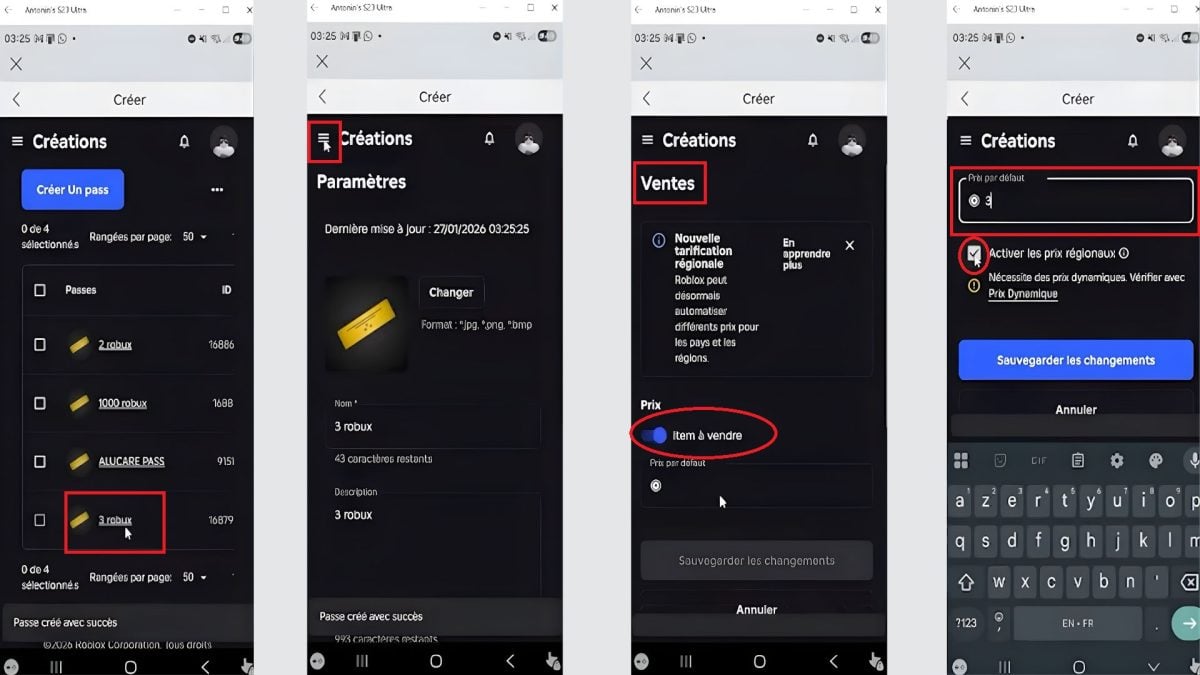
Once you've created the pass, you need to activate it sale. Here's how to do it:
- Press the pass name that you just created.
- Click on the three lines in the upper-left corner, then go to «Sales».
- Activate your Game Pass for sale, then enters its price in Robux in the field provided.
- Turn off regional prices to maintain a single rate.
- Backup the changes.
Step 6: Customize Your Booth
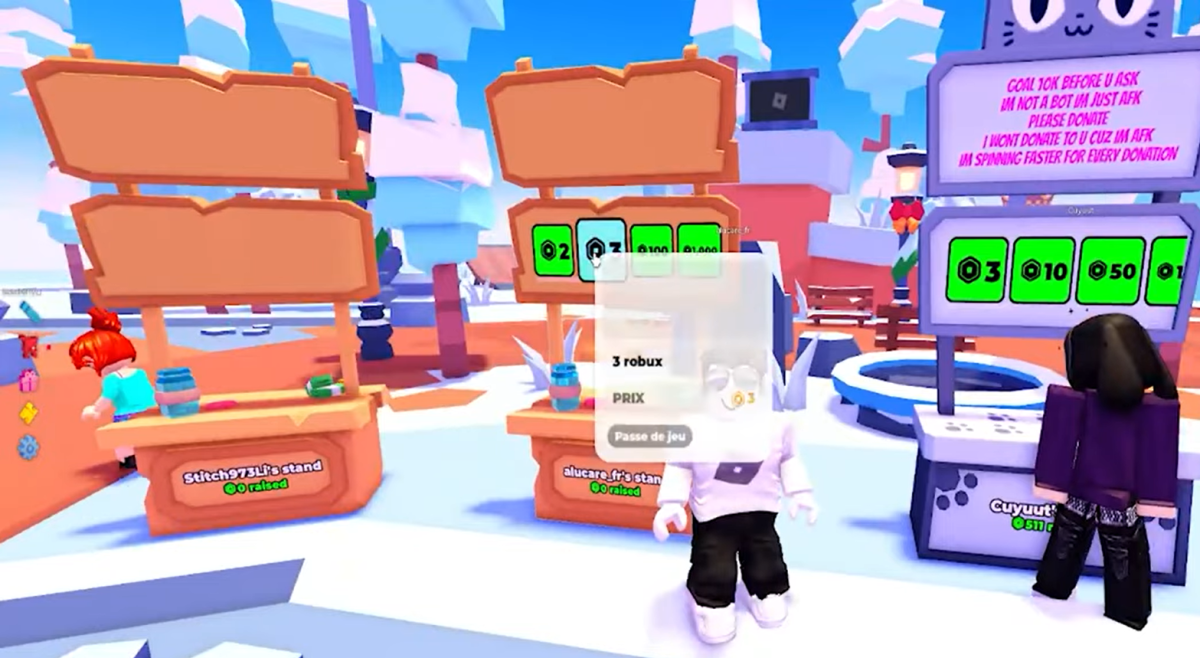
- Leave your booth in PLS Donate, then come back to it.
- As you get closer, you see the Game Pass so that the one you just created appears at the top of the booth.
- Other players can now’to buy along with their Robux to support you.
If you want to use the’Pass ID In a script, you can find it on the pass page. This Pass ID This lets you check during the game whether a player has the pass.
FAQs
What is a Pass on PLS Donate?
A Pass, also known as Game Pass, is a virtual object that you can create for free on the website of Roblox. Once you've created it, you can put it up for sale at your booth.
Other players can then click on it to’send Robux.
What is the purpose of a Pass in PLS Donate?
In PLS Donate, a pass serves as payment method to receive donations.
Without a pass, no one can give you a Robux : There is no button to click to finalize a transaction.
Why do players create Passes?
Players create passes to monetize their presence in the game and earn Robux.
This is the most simple and the most popular way to become eligible to receive donations from other community members.
What are the requirements for creating a Pass on PLS Donate?
Here are the three conditions that must be met to create a Game Pass intended for PLS Donate :
- Have a account Roblox.
- To own a experience or one Game Roblox.
- Activate monetization Game Passes.
Keep in mind that players who buy your pass gain access to the special item you're offering: that's what makes your booth valuable.
Do you need a PC to create a Pass on PLS Donate?
Yes. The Creating a Game Pass must go through the Creator Dashboard on create.roblox.com, accessible from a PC or Mac browser.
You can open this site in your phone's browser, but it's easier to view on a computer. The mobile app Roblox does not allow you to create a pass.
Is PLS Donate free?
PLS Donate is a game free and create a pass It doesn't cost anything either. However, when a player sends you Robux through your pass, Roblox charges a commission of 30 %. So you get about 70 % Robux paid, but not all of it.
Why isn't your Pass showing up on PLS Donate?
If your pass If it doesn't appear on your booth, it's often due to one of these reasons:
- the pass is not in sale.
- the price in Robux is not configured.
- A simple update interval side Roblox.
Create a pass in PLS Donate This is a simple but essential step to start receiving donations. Donations are made using the Robux, the virtual currency of Roblox, which you can also buy directly from the official platform.
And you, how many Robux have you managed to earn so far on PLS Donate ? Share your score in the comments!
If you like multiplayer games, take this opportunity to check out the best Roblox games with friends.
Need cheap Robux? Go here to get some:








 FR
FR  RU
RU  EN
EN  ES
ES  IT
IT  DE
DE  ZH
ZH  PT
PT  ID
ID  JA
JA  DA
DA