Looking for a creative, fun and personalized activity? Transform a coloring photo is an excellent idea. It allows you to bring your memories to life while having fun, whether for children or adults. This article tells you how.
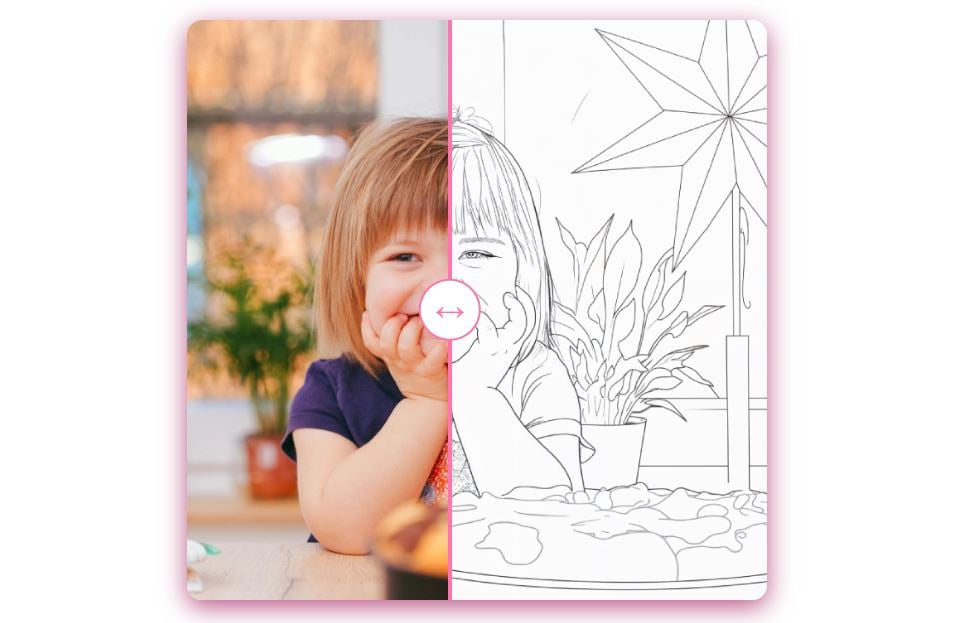
1. Choose the right photo
It all starts with the photo. For coloring to be successful, you need to choose the right portrait. To do this:
- ✔️ Focus on sharp images. With a clear, precise photo, contours can be easily identified and shapes highlighted, making coloring a pleasure.
- ✔️ Avoid photos that are too dark or blurred. Portraits that are poorly lit or blurry make the transformation more difficult. Details can be lost, and the final result may be less attractive and difficult to color.
- ✔️ Encourage simple portraits. Faces, objects or animals with distinct shapes are easier to turn into coloring.
By choosing your photo carefully from the outset, you will make the whole process easier and maximize your chances of achieving a great result.
It is also interesting toenlarge image slightly you wish to color. This helps to distinguish the contours and makes coloring easier.
2. Choosing the best method for coloring with a photo
To turn your photos into coloring pages, you have a choice of solutions.
- 🖥️ Using photo editing software
There is software available that allows you to manually transform your images into coloring pages. This is ideal if you like to customize every detail of your coloring page.

- 📱 Using a mobile application
Nowadays, there are mobile apps available that apply automatic filters to convert a photo into a drawing. However, some of them limit the quality.
- 🌐 Working with a specialized site
The easiest way to make a coloring page from an image is to use a specialized online site. It's perfect for anyone who wants to turn their memories into coloring pages with just a few clicks.
3. Online coloring
To save time, online coloring is an excellent option. It's the fastest solution. With iColoring.aiyour photos come to life as unique colorings in just two steps:
- Upload your photo and let the site generate the coloring.
- Download Where print your creation directly.

Some tools even allow you toadjust contours and the level of detail for coloring suitable for children or adults.
Tips for successful coloring
If you want to make the most of your photos, it's important to follow the right methods. Here are our tips for successful, eye-pleasing coloring:
- start with color large areas.
- Use pencils or felt-tip pens from different colors.
- Do not overload the image of details, especially if it is intended for children.
✔️ With these tips, turning your photos into coloring pages is a breeze. Let your creativity run wild and have fun coloring your memories!
By using online tools such as iColoringYou'll have a quick and successful result, ready to color or share.









 English