A AI voice generator converts text into audible speech in just a few seconds, without a microphone or a studio. Just paste your script, you choose a voice, and the tool generates a file sound with a natural voice.
Behind this result, four steps occur automatically: text analysis, conversion to phonemes, creation of the prosody, followed by the final synthesis.
The steps involved in generating an AI voice

Step 1: Linguistic analysis
Before generating any voice, the tool must understand your text. It analyzes the grammatical structure, punctuation, and vocabulary to create an accurate and consistent tone, regardless of the language (French, English, Mandarin, and others).
This phase begins with a text normalization. The AI identifies keywords, important phrases, and the overall context.
Step 2: Converting text into phonemes
The AI then breaks each word down into basic sound units: the phonemes. Each sentence becomes a sequence of phonemes that serves as the basis for speech.
For example, the word maison consists of phonemes /m/, /ɛ/, /z/, /ɔ̃/. This step makes the generated voice sound natural and intelligible, and also handles the accents specific to each language.
Step 3: Creating the prosody
The prosody gives the voice its musicality. It encompasses intonation, rhythm, and speech rate.
AI uses algorithms to determine the most appropriate prosody for your text. That’s what brings out the right emotion and tone, just as a real actor would. voice-over.
Step 4: Voice Synthesis
This is the final step. The AI combines phonemes and prosody to create a sound wave corresponding to the desired voice, thanks to the acoustic modeling and machine learning.
You get an audio file of high quality, ready for your videos, podcasts, or social media content. It's as simple as converting your text to audio in just a few seconds.
The usefulness of voice data for an AI voice generator
The quality of the generated voice depends directly on the quantity and diversity of the voice data which are used to train the model. The richer and more varied this audio data is, the more natural and convincing the AI voice sounds.
This data comes from several sources:
- of the professional voice-over recordings,
- of the audio book readings,
- of the film and TV dialogue,
- of the recorded voice conversations.
Diversity is just as important as volume. You need to vary the’age, the speakers' gender, background, and accent. It is this variety that enables the model to create expressive, human-sounding voices in several languages, and to better to imitate the human voice.
That also explains why a tool like ElevenLabs It handles French, English, and Mandarin equally well: the model was trained on recordings covering a wide range of accents and intonations.
The different types of AI voice generators on the market
The AI voice generator market offers several categories of tools, each with its own way of converting text to audio. Here are the three main categories, from the oldest to the most successful.
Rule-based systems
These are the pioneers in speech synthesis. They follow a set of predefined rules that describe how each sound should be produced.
The rendering remains mechanical and unnatural. However, these models are lightweight and fast, which explains why they are still used in certain onboard systems.
Statistical systems
They represent a significant advancement over rule-based systems. These models analyze large amounts of voice data to extract patterns of human speech.
The result: a smoother voice, better able to handle the rhythm and intonation. Quality depends directly on the amount of recording data used.
Deep Neural Network Systems
This is the most advanced technology in the field of speech synthesis. These systems are modeled after the way the human brain works to learn and generate a voice of almost human quality.
Most modern tools are based on this approach. They support multiple languages, various accents, and even the voice cloning. This family of cameras currently offers the most natural look for your videos, podcasts, or social media content.
The advantages and disadvantages of these tools
Each AI voice generator has its strengths and limitations depending on the intended use. Here is a comparison of the three main categories.
| Generator Type | Advantages | Disadvantages | Main Applications |
|---|---|---|---|
| Rule-based systems |
|
|
|
| Statistical systems |
|
|
|
| Deep Neural Networks |
|
|
|
For occasional text-to-speech, a simple system is sufficient. For a natural AI voice If you're looking for a tool for your videos or podcasts, go with a neural model.
The most recommended AI voice generators
Discover three AI voice generators for your projects. Here’s who each one is designed for, its starting price, and its main limitation.
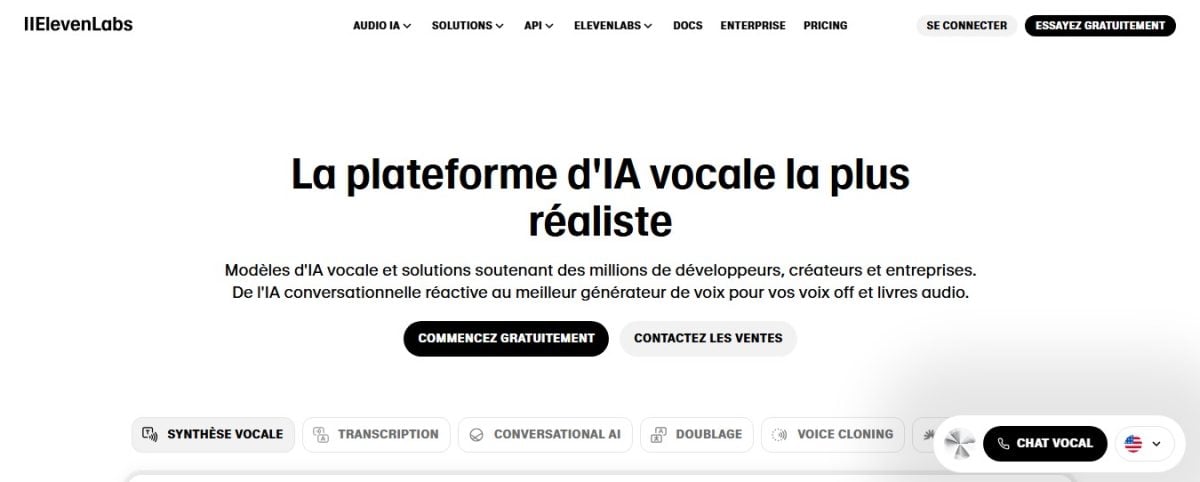
ElevenLabs, the go-to source for ultra-realistic voices
ElevenLabs is the best choice if you want a very natural-sounding AI voice or want to voice cloning. Just paste your text, choose a voice, and the audio is generated in a few seconds.
The free version gives you 10,000 credits per month, which is about 10 minutes of audio—more than enough to test out the tool. The first paid plan, Starter, starts at 6 $ per month (5 $ per month when billed annually).
Start for free to try it out, then upgrade to a subscription if you want to use the generated voice for commercial purposes.
Vidnoz, for your videos and social media
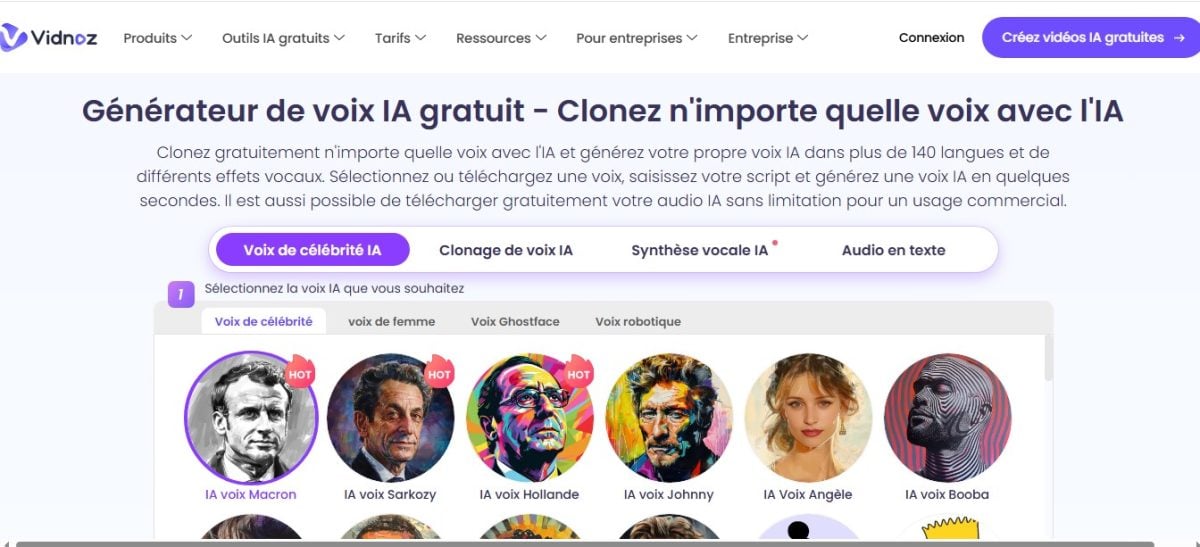
Vidnoz is perfect for you if you create videos for social media. You can generate audio content using celebrity voices (for personal or humorous use only) or a custom voice. You can also select your preferred language from several available options.
A free version lets you get started, but exports include a Vidnoz watermark. For commercial use without a watermark, you’ll need to upgrade to a paid plan. For more details, see our article: What is the platform? Vidnoz AI ?.
Voicebooking: A Blend of Human Voice-Overs and AI Voices
Voicebooking is first and foremost a platform for booking human voice actors. It also offers a AI voice generator easy to use, as a supplement.
This is the right choice if you're deciding between a professional voice-over a real voice and an AI-generated voice. The first test is free on the platform, in several languages.

Examples of How to Use AI Voice Generators
An AI voice generator does more than just read text aloud. It saves you time on all your audio projects. Here are four real-world use cases where it really makes a difference.
Dub a video in another language
Do you have a video? YouTube in French and you want to reach an international audience. You paste your translated script into a tool like ElevenLabs, you choose a suitable voice, and you get a professional voice-over in English or Spanish in just a few minutes. No need for an actor or a studio.
Most tools today support multiple languages and accents, from Mandarin into French, with a natural-sounding translation. Also remember to lip-syncing if you want your character's lip movements to match the new audio track.
Create an audiobook or a podcast
Text-to-speech technology converts a blog post or manuscript into audio content. You import your text, adjust the pace and tone, and then export an audio file that's ready to publish.
This is a simple way to start a series of podcasts without a microphone or audio recording, with quality comparable to a professional recording.
Create voiceovers for your social media
For your short videos on TikTok Where Instagram, an AI voice lets you generate a compelling narration from a simple script.
You can try out different voices, add sound effects using certain tools, and publish faster.
The result: you produce content regularly without relying on your own voice. The pacing adjustments and sound effects offered by tools like ElevenLabs let you fine-tune every detail.
Other Common Uses
- Accessibility : Create audio descriptions of videos or images for people who are blind or visually impaired.
- Education : to create educational content tailored to each student's pace.
- Customer service : provide content for available voice assistants 24h/24.
- Marketing : Create more engaging ads and brand messages.
FAQs
Why use an AI voice generator?
An AI voice generator saves you time and eliminates the need for a recording studio. Here are the main reasons to choose this tool.
| Reasons to Use an AI Voice Generator | Details |
|---|---|
| Pre-trained models | AI models are trained on human voices real. The result: a generated voice that sounds very natural, produced in a few seconds. |
| No equipment required | No need for a microphone or recording equipment. You can easily capture clear, expressive audio. |
| Available in several languages | You can create voices by French, in English, in Mandarin and in many other languages. The tool reproduces the intonations and accents specific to each language, which opens up a global audience. |
| Advanced customization | You can adjust the pace, tone, and emotion of your voice. This is useful for your videos, podcasts, or tutorials. |
| A wide selection of voices | Many text-to-speech generators offer a wide range of voices to read your text aloud, from the tone corporate with a warm voice for an audio blog. |
Is it possible to use an AI voice generator free of charge?
Yes. Most AI voice generators offer a version free of charge, but with some limitations. You're often limited to a certain number of characters per month, and advanced features are sometimes reserved for paying subscribers.
At the house of ElevenLabs, the free offer includes 10,000 credits per month, which is about 10 minutes of audio—enough to try out the tool before signing up for a paid subscription.
Can I use an AI-generated voice for commercial purposes?
It depends on the tool. In the free version, exporting to commercial use is often reserved for paid offers. Always check the usage rights before publishing your generated voice in a video or ad.
How can you achieve a truly natural look?
Write a plain text, using proper punctuation. Break up your sentences, add commas to indicate pauses, and then adjust the rhythm. These small adjustments significantly improve the quality of the text-to-speech output.
You can find more articles on the same topic on our page AI. If you have any questions, please post them in the comment area.








 FR
FR  RU
RU  EN
EN  ES
ES  IT
IT  DE
DE  ZH
ZH  PT
PT  ID
ID  JA
JA  DA
DA