Instagram blocks access to the full-size profile photo: you can't really enlarge it, and you can't download it from the app.
Fortunately, there are two simple ways to get around this, whether you're on a PC, iPhone Where android.
View an Instagram profile photo using the online tool
The fastest way to view and download an Instagram profile picture is to use a Profile Photo Viewer and Uploader online.
This web tool retrieves the clearest version available and displays it in a large format—no installation or registration required.
Here's how to do it:
- Open the platform by clicking this button:
Use an Insta PDP Viewer and Uploader
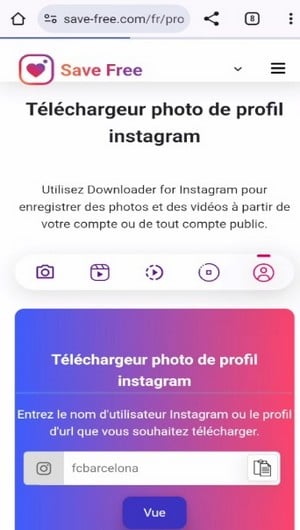
- Enter your Instagram username of the person, or pastes the’URLs of their profile in the field provided. The account's URL is all you need to start the search.

Field to fill in to enter the name of the Instagram account whose profile picture you want to view. ©Antonin for Alucare.fr - Click on the to start the search. The image appears at actual size : You can then enlarge it or’register directly on your device.
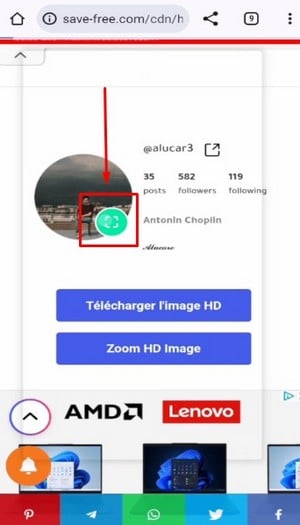
Click this button to view the Instagram profile photo. ©Antonin for Alucare.fr
This tool is free and runs on computer just like on a cell phone. It's also completely anonymous: the person doesn't receive no notification when you view or download the image. The quality depends on what’Instagram Although the platform compresses the images, the result is still much sharper than in HD in the app.
Please note: This tool works only with public accounts. The profile picture of a private account remains inaccessible, just like in the app.
Is this tool free and discreet?
Yes, no subscription No account creation is required. You can view and download as many images as you want, with no limits.
If you want to stay invisible on Stories, check out the anonymous viewers Instagram Stories.
If you'd prefer a visual tutorial, here's a short video that shows you step by step how to enlarge any profile picture Instagram :
Explanatory video in French by Alucare, ideal complement to the page. View video (you can use YouTube's automatic translation)

View the profile photo of an account in public mode
If you just want to view the photo without downloading it, the app Instagram That's all it takes, as long as the account is public. Here's how enlarge the images directly in the app, on android Where iPhone :
- Search for the account using the search bar by entering the username, then click on the profile that appears in the suggestions.
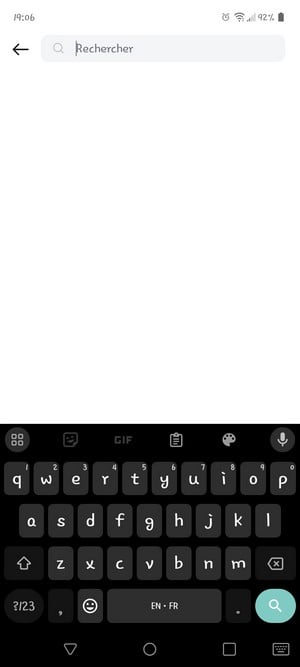
Search option on Instagram. ©Antonin for Alucare.fr - Open the profile, then click on the profile picture to’enlarge.
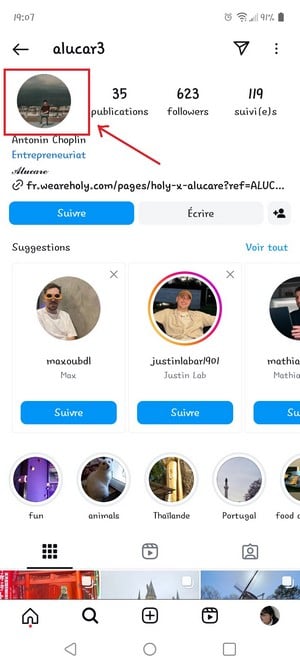
Instagram profile in a photo. ©Antonin for Alucare.fr
Warning: If the person has active stories, Instagram displays them first. You have to view them before you get to the profile picture you want to enlarge. Remember that viewing a story makes you visible in the list of views, unlike a simple profile visit, which remains anonymous. Viewing a live also makes you visible.
- Once the Stories have ended, the image appears at actual size on your screen. However, it is Unable to download it directly from the app.
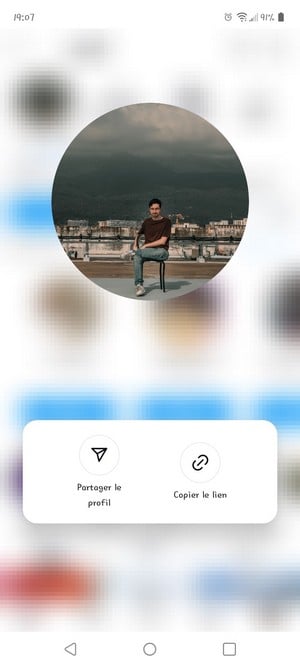
Preview of the Instagram profile photo. ©Antonin for Alucare.fr
To record the video in HD, that's where the online tool described above becomes indispensable. You can also enlarge photos published in the feed in the same way.
You don't have an account Instagram ? No problem: you can View Instagram without an account to view public profiles. And if you're unsure about the identity behind a photo, find out how How to Spot a Fake Account on Instagram. Have a question about other features? Let us know in the comments.
Take advantage of this free solution to view and download the profile photo Instagram of someone:







 English