- $
- $
- $
Instagram doesn't warn you Never when someone unfollows your account.
To find out who unsubscribed, you have two methods : check manually your subscriber list (free but time-consuming), or use a dedicated app tracking unsubscriptions.
We'll explain both to you.
The best app for finding out who unfollowed you on Instagram:
1. Use a dedicated app to view unsubscriptions
The most reliable method for Find out who unsubscribed remains a dedicated app. These tools save your list of’Instagram followers, and then compare the data with each connection. The result is clear: you get the list of people who gave you a unfollow, as well as the accounts you follow but don't follow back.
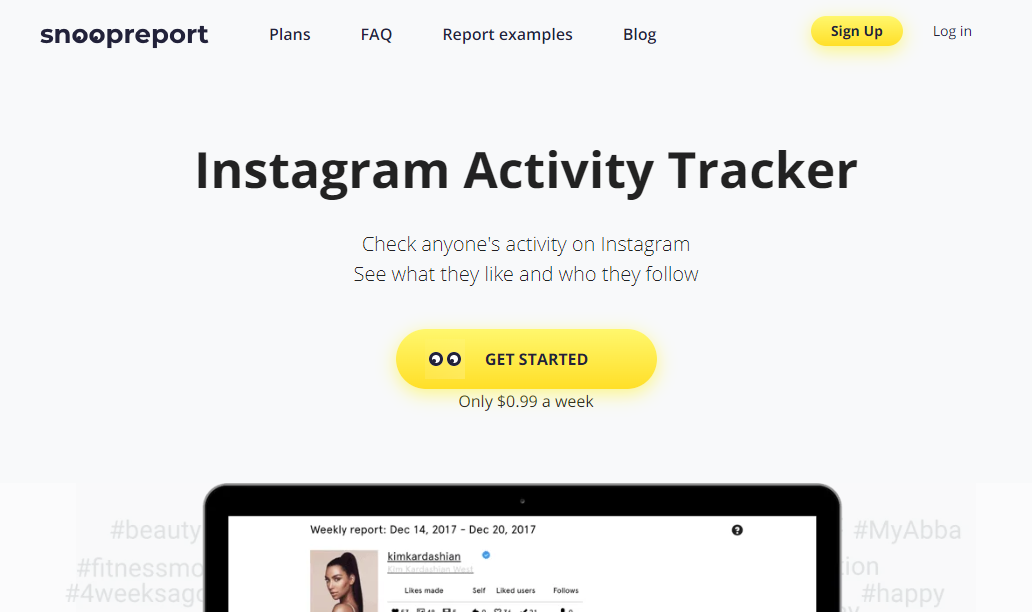
An important point: Snoopreport is often cited, but this tool analyzes the’activity public from’other accounts (likes, new followers), not unfollows from your own profile. To track your unfollowers, you're better off going with a real one subscriber tracker.
Which tool should you choose based on your profile?
Here is a comparison of the most useful apps, along with what they actually display:
| Application | Platform | What it shows |
|---|---|---|
| FollowMeter | iOS and Android | Unfollowed users, accounts you follow but don't follow back, new followers |
| Followers Track | iOS | Unsubscriptions, tracking the number of subscribers |
| Snoopreport | Web | Public activity on other accounts (not your own unfollowers) |
To track unsubscribes from your own account, FollowMeter and Followers Track are the most suitable.
The principle is the same for most of these apps:
- Download the app since the’App Store (iOS) or Google Play (Android).
- Connect your Instagram account through the app's authorized connection.
- View the list unfollowers directly within the interface.
2. Check manually on Instagram
You can also Find out who unsubscribed without any application. This method is free of charge, is 100%-secure, and does not require any access to your data.
The first technique involves keep track of your number of followers regularly. Here's a concrete example: if you're at 574 followers one day and at 573 The next day, someone told you unfollow. The problem is that this number alone doesn't tell you who.
The easiest way to identify the person is to list your subscribers and identify the ones that are missing. This approach remains effective fewer than 100 to 200 subscribers. Beyond that, the list gets too long and the task quickly becomes unmanageable.
Here's how to do it in practice:
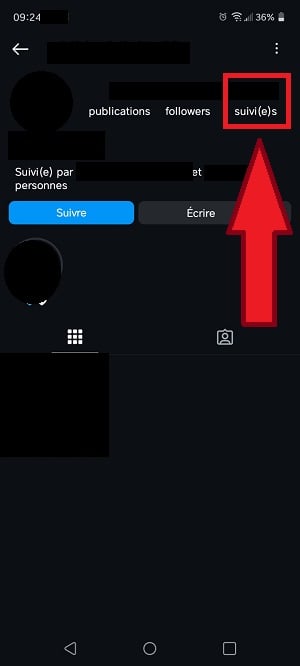
- Open the’Instagram application (or the web version) and display your list of’subscribers. If someone who used to be listed there is no longer there, they have unsubscribed.

View who has unfollowed you on your Instagram account. ©Antonin for Alucare.fr - To confirm, type the person's username in the search bar and open the game Follow-up on her profile. If your name doesn't appear at the top of the list, she has definitely unsubscribed from your account.
Here are the advantages and disadvantages Manual verification:
| ✅ Benefits | ❌ Disadvantages |
|---|---|
|
|
FAQs
Why do some people unsubscribe?
There are several reasons why your followers might unfollow your account. Understanding these reasons can help you limit the unsubscribe in the long term:
- A lack of visibility from your account.
- The automatic cleaning from Instagram (deleted ghost accounts).
- Regarding the account closures by the users themselves.
- Regarding the irregular publications and far too rare.
- A low-quality content or off-topic.
- A lack of interaction with your community.
- Regarding the inconsistencies between your profile and your content.
- Regarding the sloppy captions and poorly optimized hashtags.
- A shadowban, when Instagram reduces the reach of your posts.
How can you prevent frequent unsubscriptions?
New followers often follow you because of your personality or your content. Keeping them active in your community is essential, especially if you use Instagram professionally. Here are a few practical advice :
| Advice | Details |
|---|---|
| Host live streams regularly |
|
| Staying active on social networks |
|
| Discuss with your followers |
|
Does Instagram notify you when someone unfollows you?
Nope, you're never notified when someone unsubscribes from your account. A unsubscribe is a private action, and Instagram protects the privacy of its users. Notifying you every time a subscriber is lost would amount to a violation of its privacy policy.
Why should you pay attention to unfollows on your Instagram account?
People who unsubscribe could have become prospective customers if you use Instagram for business. That's why it's helpful to analyze through their Instagram accounts.
When a follower unfollows, it's often a sign that something didn't sit right with him : Your content no longer met their expectations. Based on this data, you can adjust your strategy and deliver more relevant content to the right audience.
Should you use free apps to see who has unfollowed you?
A lot of’free applications promise to identify your unfollowers, on Google Play Store as shown in the’AppStore. In practice, they require great caution:
- Most show bad grades and negative reviews on Reddit.
- Several of these tools sell your data or ask for your password.
The real risk: an app that asks for your login credentials and scrapes your list of followers from the’Official API Instagram may result in a restriction, or even a suspension of your account.
Since the API restrictions from 2018-2019, the accuracy of these applications remains limited, however.
To view who you've unfollowed on Instagram:
Access Snoopreport to view unsubscribes 👁️
The safest option: Choose a highly rated app that uses a Login approved, or stick with the manual method. To better understand the shadowban and for the rest of the vocabulary, check out our Instagram glossary.
Follow our latest posts on Instagram via our page instagram. Have a question? Leave a comment!








 English