Do you want to select a random winner among the comments from your Instagram post?
Use Rafflys : Enter your username, select the contest post, apply your filters, then click "Start." It's free, in French, and the result appears in a few seconds.
Want to run a free Instagram giveaway?
Enter a free prize draw on Instagram
Explanatory video in French by Alucare, ideal complement to the page. View video (you can use YouTube's automatic translation)

How do you run a giveaway on Instagram for free?
Organize a Instagram Contest is an effective strategy for developing one's community and boost the’commitment on the social networks.
The idea is simple: everyone who leaves a comment under your Instagram post is entered in the drawing. The random selection ensures the transparency and the trust of the participants toward your Mark or your instagram account.
To organize this without stressing out, Rafflys does all the work for you. The’application automatically retrieves the comments from the post, applies your filters, and then selects the random winner in a matter of seconds.
Here are the steps to follow to launch your Instagram giveaway.
Start by going here (on your phone or computer):
Enter a free prize draw on Instagram
- Fill in your Instagram username, then click on Beginning.
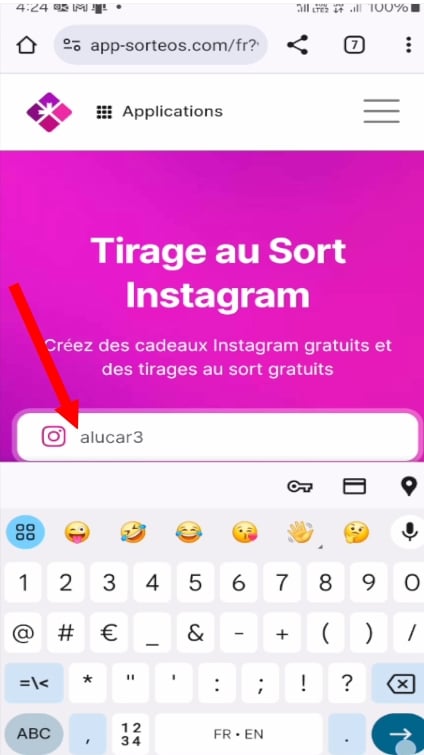
- You can then access all your publications Instagram.

- Select the post containing participants' comments with your help.
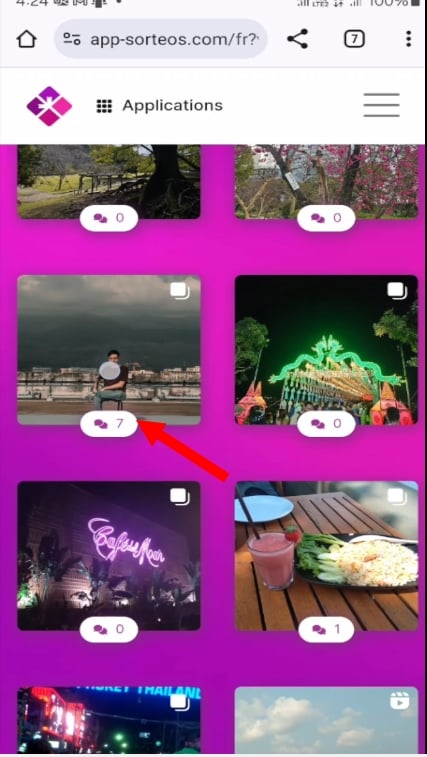
- Once you've chosen the publication, Log in to Instagram to grant access.

- Apply your filters : exclude the duplicates, set the number of winners, add the title of the print, the gift, etc.
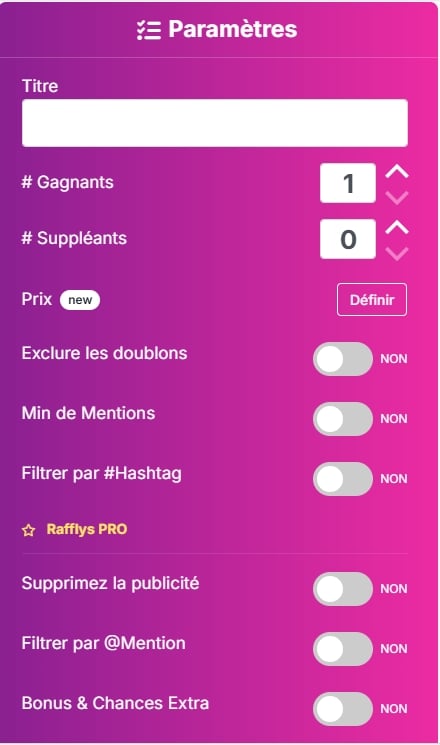
- Once you've applied your filters, click To confirm.

- Click on Beginning to start the drawing.
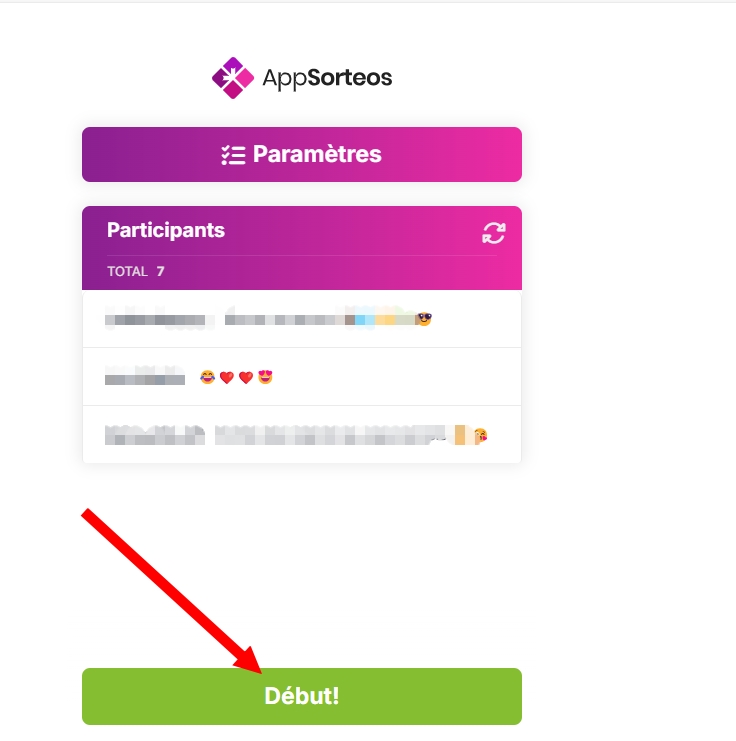
- A countdown The process begins to determine the winner.

- The Winners are selected automatically, depending on the filters you've applied.

Your Instagram Comment Giveaway is done in a few seconds. This random result gives a equal opportunity to each participant, which strengthens the trust of your community and boosts the’commitment on your account. You can also check the box to keep only the public profiles and exclude private accounts from the list of participants.
To attract even more’subscribers For your upcoming competitions, check out how to get more followers on Instagram.
FAQs
Who can create an Instagram prize draw?
The whole world can organize a drawing, whether you have a personal or business account. You can filter the duplicates or keep only the public profiles among the participants, depending on the rules your support.
Do you need to sign up to enter an Instagram contest?
No, none registration is required of participants. All you have to do is leave a comment under the contest post. That's what makes this type of campaign just as effective: the participation is immediate, seamless, and accessible to everyone audience.
How do you announce the winner of an Instagram contest?
The most effective way: share a screenshot of the result in the post, with the name of the winner clearly visible. This gesture reinforces the transparency in the eyes of your subscribers and makes them want to participate in your next prize draws.
Now you know how to reward subscribers who have played. Want to take it a step further? Find out how to put a link on Instagram.








 English