You've just discovered the ExitLag and you're wondering if it really works? You'll find the answer in this article.
Does ExitLag really work?

✅ Yes, ExitLag works!
In fact, don't hesitate to use our coupon code ExitLag to benefit from 50% discount.
During hours of play, players often encounter the same problems:
- ❌ High ping and unstable latency.
- ❌ Loss of packages that degrade the gaming experience.
- ❌ Network routes are not optimized by region.
ExitLag has been set up to solve these problems. that it really works.
👉 The application works by automatically optimizing your Internet networks.
Indeed, ExitLag is equipped with AI-powered software (Multipath Connection) to improve online gaming performance.

However, ExitLag does not correct :
- ❌ Server problems with the game itself
- ❌ Internet outages from your provider.
- ❌ And as ExitLag is not a VPN, it doesn't mask your IP or change your location.
To make the most of its advantages, it's important to know how ExitLag works.
Our opinion on ExitLag
See our review of the ExitLag application in the following video.

[/display_video]
Error 502 on ExitLag: how to correct it?
A error 502 occurs when the ExitLag server does not does not respond correctly at your request.
This can cause connection problems, lag or even prevent the software from launching. To correct this error :
- ✔ Restart your Internet box and reconnect with another connection if possible. If the problem persists, wait a few hours and try again.
Other solutions:
- ✔ Check the’server status on ExitLag's status page or social networks.
- ✔ Relaunch ExitLag and run as administrator.
- ✔ Test in disabling your antivirus/firewall.
- ✔ Empty cache in the application settings.
- ✔ Download ExitLag and rnstall it if necessary.
Still stuck? Customer support answers you 24/7 via online chat or Discord on the app.
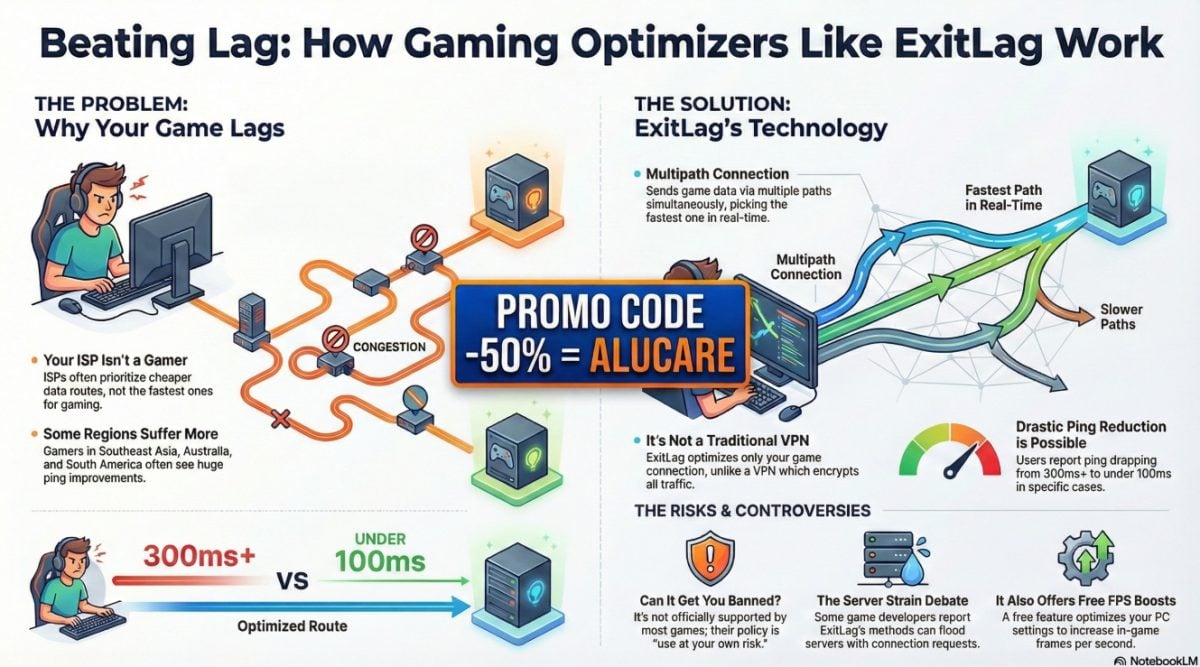
💬 In summary, ExitLag works for online gamers everywhere. It effectively enhances connection performance, to reduce ping and lag.
Before taking the plunge, it's important to find out whether ExitLag is free or available for a fee.
If you decide to test the tool, here's a detailed video on how to configure each option (PC Boost, route optimization, RAM cleanup) and get the lowest ping possible:
Explanatory video in French by Alucare, ideal complement to the page. View video (you can use YouTube's automatic translation)










 English