Yes, ExitLag It really works!
The software optimizes the network path between your PC and the game server. All of this is done to reduce ping and minimize packet loss. We'll explain everything in this article!

Does ExitLag really work?
While gaming, you often run into the same problems:
- High ping and unstable latency.
- Packet loss that affects your gameplay.
- Network routes that aren't optimized for your region.
ExitLag specifically targets these points.
The app improves your performance by analyzing your data path in real time. This helps players maintain a stable connection, no matter where they are.
In concrete terms, ExitLag tests several possible routes to the game server. The software then selects the fastest and most stable one.
This technology is based on an AI-powered system, the Multipath Connection, which can even send your packets via multiple paths simultaneously for optimal gameplay.
The impact is most noticeable when you play on servers located far from your region. This is also the case when your internet service provider routes your traffic incorrectly, even on fiber.

On the other hand, on a connection that’s already well-optimized to a nearby server, the improvement in ping remains minimal. In fact, ExitLag doesn't fix everything:
- Issues related to the game server itself.
- Total Internet outages from your Internet service provider.
- IP masking or changing one's location, because ExitLag is not a VPN.
Want to test the ping reduction for yourself? You can use our coupon code ExitLag to get a discount on your subscription.
And to make the most of the software's features, feel free to check out our article on how ExitLag works.
Our opinion on ExitLag
ExitLag delivers on its promises in most cases. The software optimizes the connection between your PC and the game server, which can reduce ping, minimize packet loss, and make gameplay more stable.
This is especially useful if you're playing on a distant server or if your connection suffers from poor routing. On the other hand, if your connection is already very good, the improvement will often be minimal. To learn more, check out our Full Review of ExitLag.
To form your own opinion about ExitLag, check out our video review:

Error 502 on ExitLag: how to correct it?
A error 502 appears when the server’ExitLag does not properly address your request. It causes connection issues, lag, or prevents the software from launching.
Here's how to set it up:
- Reset Your Internet Box and try reconnecting using a different connection if possible. If the problem persists, wait a few hours and then try again.
- Check the server status on the official status page or on the social media accounts of’ExitLag.
- Follow-up ExitLag and run it as an administrator.
- Try disabling your antivirus and firewall.
- Clear the cache in the app's settings.
- Download ExitLag and reinstall it if nothing changes.
Still stuck? The support Customer support is available 24 hours a day, 7 days a week via online chat or the Discord ofExitLag. Support can also help you determine whether the problem is with your connection or the game server.
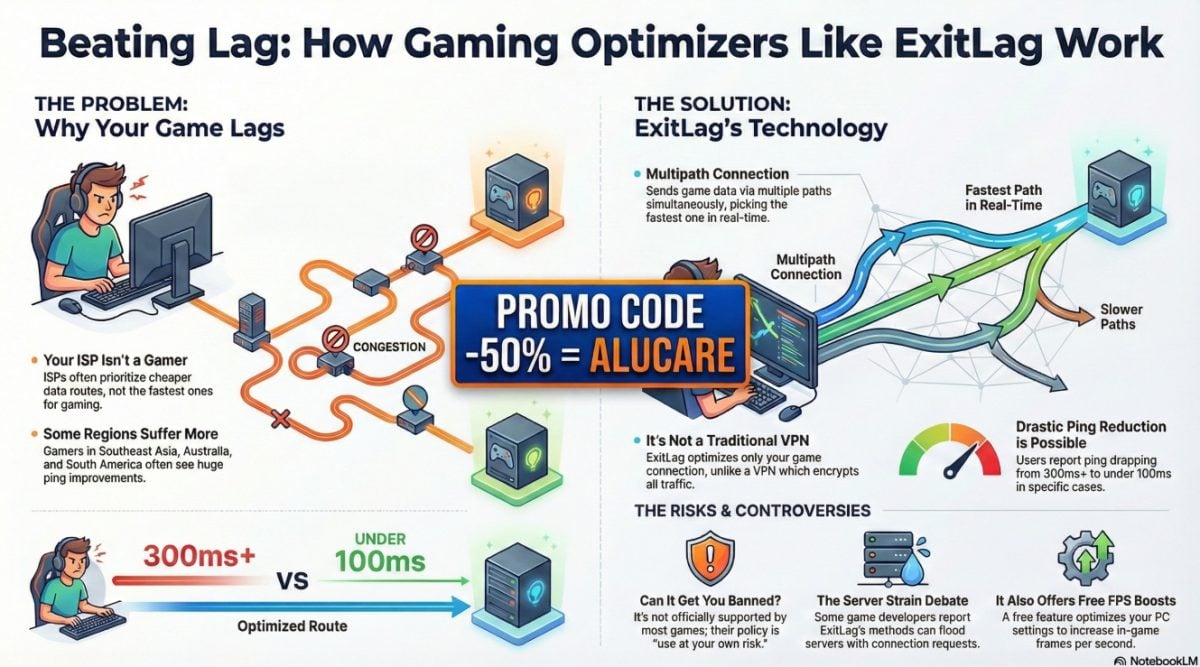
ExitLag helps gamers around the world improve their gaming experience. It reduces ping, stabilizes the connection, and minimizes packet loss to the game server.
Before you get started, find out if ExitLag is free or available for a fee.
If you decide to try out the tool, here's a detailed video on how to set up the software properly.
It shows how to configure each option (PC Boost, route optimization, RAM cleanup) to achieve the lowest possible ping.










 English