GearUP Booster It isn't completely free, but you can use it without paying thanks to the’3-day free trial available for download.
If you decide to keep the tool afterward, the code ALUCARE gives you up to -55 % about the subscription.
Link to try GearUP Booster for free!
GearUP Booster free: How do I use the free trial?
To take advantage of the’free trial, simply Download GearUP Booster via the link below.
The app is ready in just a few minutes on computer as on mobile, and the trial unlocks all premium features right from the start.
The steps to follow
This video tutorial shows you how to get the’free trial and install the tool on your device.
Explanatory video in French by Alucare, ideal complement to the page. View video (you can use YouTube's automatic translation)

If you prefer the illustrated tutorialhere are the steps:
- Download GearUP Booster via this link.
- Click on Download Depending on your platform: PC (Windows), Android via Google Play Where iOS via the’App Store.

- Install the’application on your device, then tap Try It for Free to run the test. The example below is based on mobile, as shown in the video.
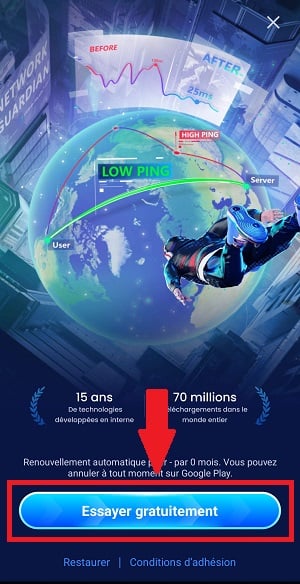
What You Can Try During the Free Trial
During these 3-day trial, you'll have access to all premium features:
- Lower ping and latency on international servers (Mobile Legends, PUBG, Free Fire, Roblox, Genshin Impact…)
- Boosted FPS for smoother gameplay
- Network Optimization suited to your internet connection
- Battery usage optimized for long sessions
How to Pay for Your Subscription GearUP Booster Cheaper?
Once the test is complete, GearUP Booster is no longer free.
Here are the rates as of September 2026.
Full details are in our article how much does it cost GearUP Booster per month.
| Functionality | GearUP computer | GearUP Mobile | GearUP Router |
|---|---|---|---|
| Price | Varies by region and offer | 6.99 $/month | 9.99 $/month |
| Platforms | Windows | Android and iOS | PCs and consoles via a compatible router |
| Reducing Ping | Yes | Yes | Yes |
| Reducing packet loss | Yes | Yes | Yes |
| Network Routing Optimization | Yes | Yes | Yes |
| Devices powered up at the same time | 1 game per device | 1 game per device | Up to 2 devices |
| Free trial | Available depending on the offer | Available depending on the offer | Depending on the device or offer |
| Main application | PC Games on Windows | Games for smartphones and tablets | PC and Console Games (PS5, PS4, Xbox, Switch) |
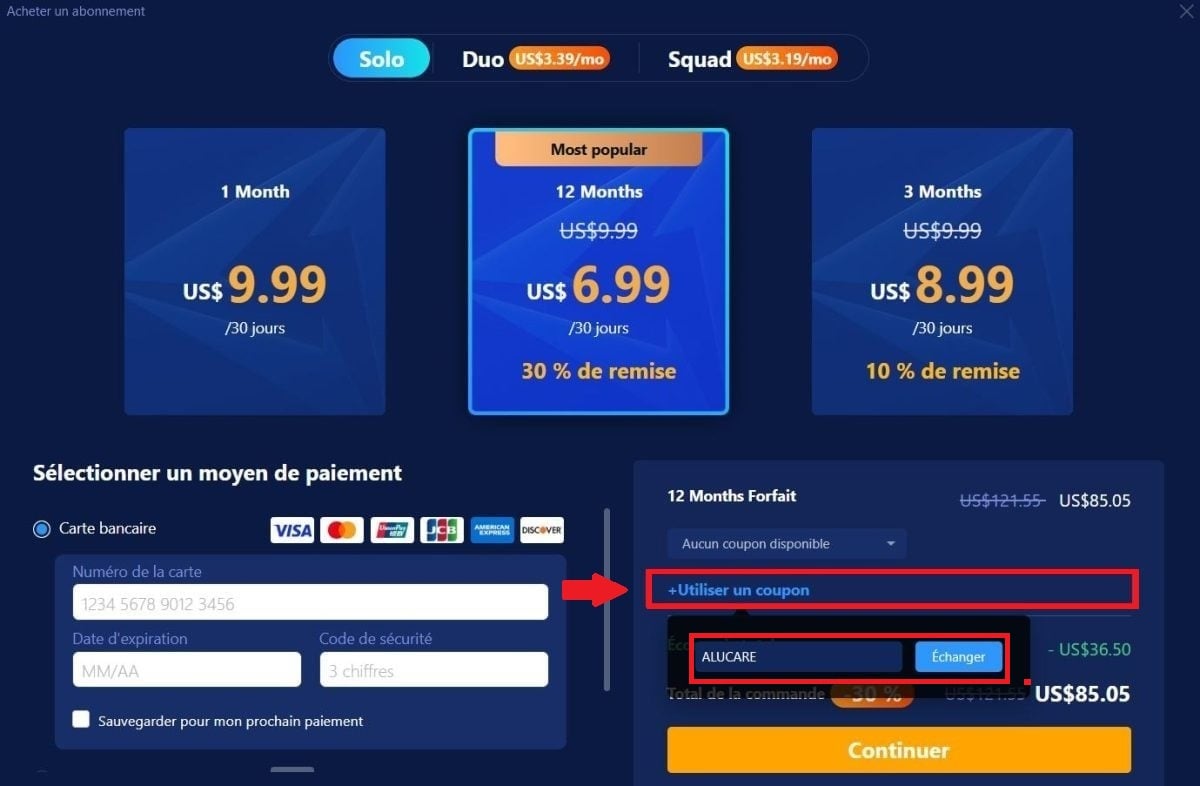
To lower the bill, the code ALUCARE gives up to -55 % on the subscription. Here's how to apply it:
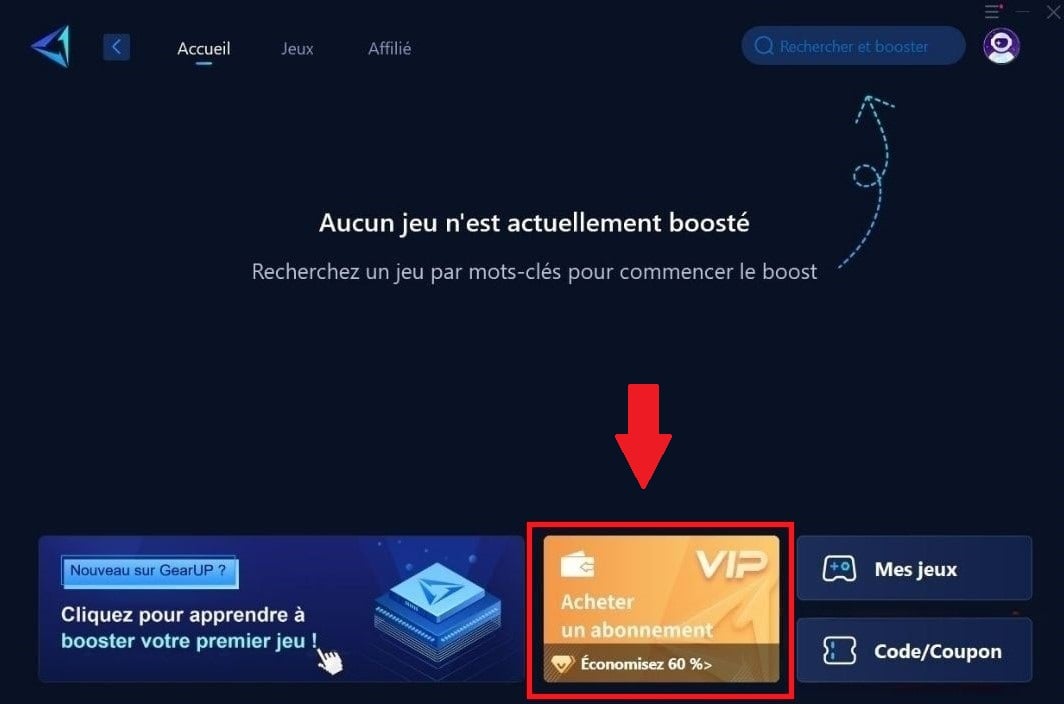
- Click on Buy a subscription on the home page of GearUP Booster.
- Select the option Use a coupon and enter the code: ALUCARE.
- The reduction is displayed immediately on the prices as soon as the code is entered.
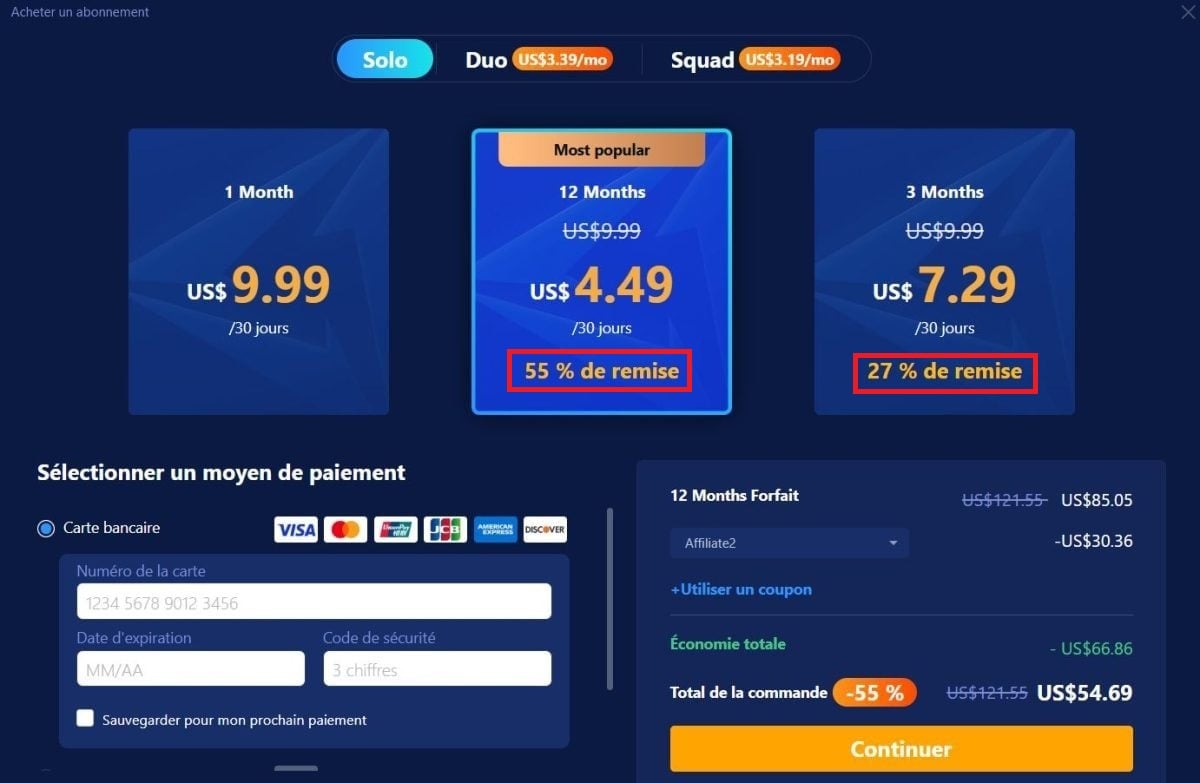
You keep the same one ping reduction and the same connection stability, but you pay much less for the subscription.
FAQs
What does it actually do? GearUP ?
GearUP Booster optimizes the routing between your device and the game server.
Results one ping lower, fewer packet losses, and fewer disconnections.
You can also play on foreign servers (North America, Asia) from Europe without experiencing significant latency.
The tool acts directly on the connection stability, where simply clearing the cache doesn't make a difference.
What's the best free game booster?
There are boosters 100 free % : Razer Cortex and Wise Game Booster on a PC, UU Game Booster on mobile.
They free up CPU and RAM, but only work at local software level.
In practice, they do not reduce ping because they do not optimize network routing. That is precisely what GearUP, which explains why the service remains a paid service after the trial period.
The booster GearUP Is it better than’ExitLag ?
GearUP and ExitLag offer similar performance on reducing ping.
ExitLag has been around longer and relies on its technology multipath PC-based.
GearUP is distinguished by its cross-platform coverage (PC, mobile, console) and its potential performance boost in terms of router. The best choice depends on your favorite games and the devices you use.
Can we use GearUP On a console?
Yes, but not directly : consoles (PS5, Xbox, Switch) cannot install the app GearUP.
You have to go through a compatible routeras the HYPEREV of GearUP or certain models ASUS and Reyee with the plugin GearUP integrated.
The console is then automatically boosted as soon as it's connected to the router. There's also a software alternative : Connect the console to a PC equipped with GearUP through a shared connection.
The test lasts 3 days : You might as well take this opportunity to try out all the features now. Have a question? The comments section is open.








 FR
FR  RU
RU  EN
EN  ES
ES  IT
IT  DE
DE  ZH
ZH  PT
PT  ID
ID  JA
JA  DA
DA