In brief
Positives
- Quick installation and easy-to-follow instructions
- I noticed a reduction in ping during my test
- Compatible with many games
- Works on PCs, mobile devices, and certain consoles
- 3-Day Free Trial (PC and Mobile)
Negative points
- Results vary depending on the connection
- Some games are not detected automatically
- Service unavailable in certain regions
GEARUP BOOSTER at the best price
- GearUp Booster €
GearUP Booster It really reduces ping and stabilizes the connection while gaming. I tested it on Escape from Tarkov and Roblox, and the difference in latency was clear.
You can try it for free by using the exclusive link below.
In concrete terms, GearUP Booster allows you to:
- Reduce response time for a smoother gameplay
- Limit the packet loss
- Submit your games more stable
Use the coupon code ALUCARE to receive a discount of 55 % about GearUP Booster's offers.
⭐ The Team's Review of GearUP Booster
Here is our video review of the GearUP Booster:

✅ Very easy to get started
Unlike some competing apps that require a lot of configuration, this tool practically runs on its own. It takes just three steps:
- Select the Game the one you want to play
- The app automatically selects the best server
- You start the game
This automatic optimization saves you time. You don't need to be an expert to use it GearUP and enhance your gaming experience.
✅ A real reduction in ping
During my test on Escape from Tarkov, I went from 109 ms to about 34 ms once the booster was activated. The latency was lower, and the gameplay was noticeably smoother.
Results vary depending on your internet service provider and your region, but in my case, the improvement was clear.
✅ A large library of games
GearUP covers a wide range of games, compatible with computer and mobile, but also on certain consoles. .
You'll find popular songs like Fortnite Where Apex Legends, with support on the side Switch, Xbox and PlayStation.

❌ Sometimes you have to add your game manually
The only real downside is the automatic detection. At my place, Escape from Tarkov was not recognized directly by the app.
You can search for it manually in the list, which is still quick. It's a small detail to be aware of, but it doesn't get in the way of using it.
Our verdict
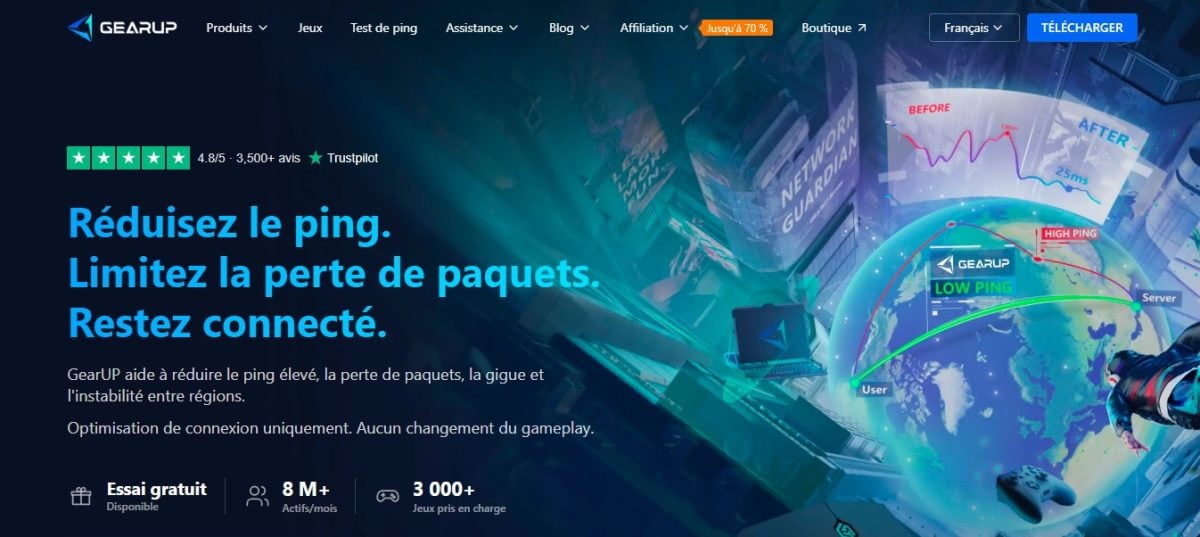
GearUP Booster really reduces ping.
Performance depends on your internet service provider, the game, and your location, but if you're looking for an easy-to-use app to stabilize your gaming connections, this tool is definitely worth checking out.
⭐ User Reviews
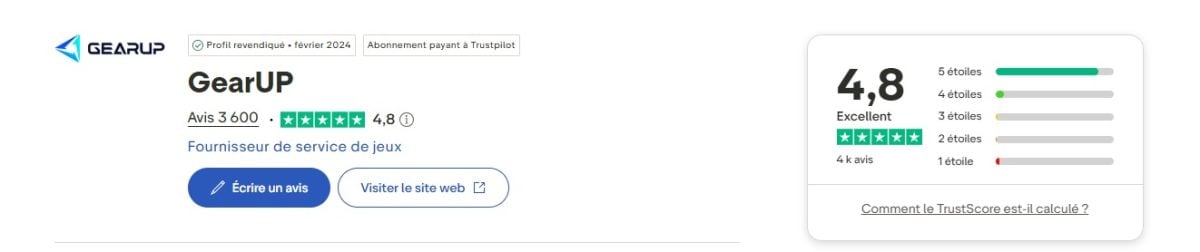
Player feedback on GearUP Booster are generally very positive. With a rating of 4.8 stars on Trustpilot and more than 3,600 reviews, that's a rare result for this type of ping booster.
The points that come up most often in positive reviews:
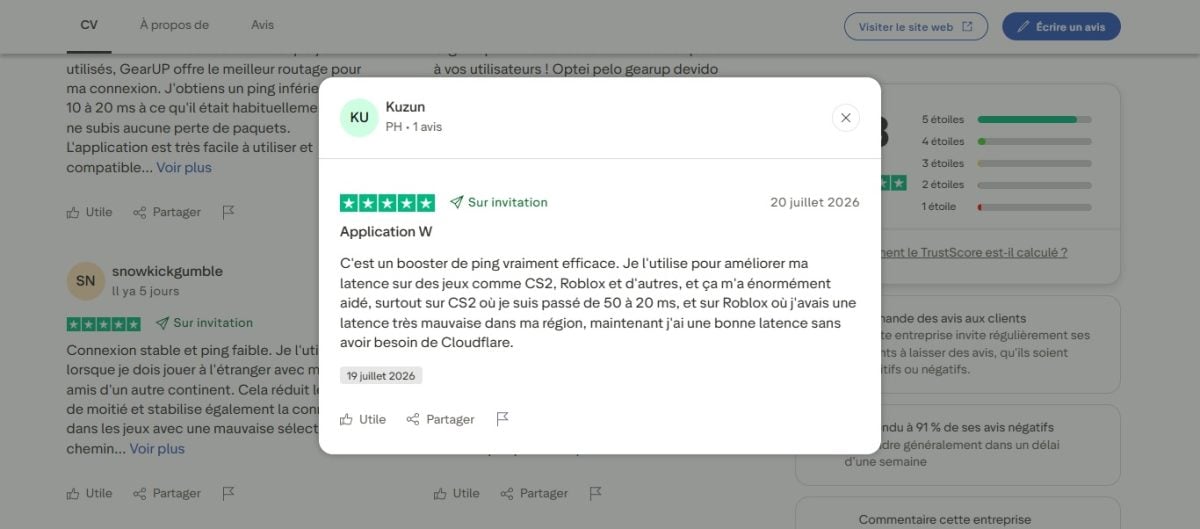
- Reducing ping: Many players have noticed a significant reduction in latency. The user Kuzun For example, this illustrates a passage from 50 to 20 ms on CS2.
«It's a really effective ping booster. I use it to improve my latency in games like CS2, Roblox, and others, and it’s helped me a lot—especially in CS2, where I went from 50 to 20 ms, and in Roblox, where I used to have really bad latency in my region; now I have good latency without needing Cloudflare.»
- More stable connection: Users report a more stable connection during games, with fewer fluctuations in latency.
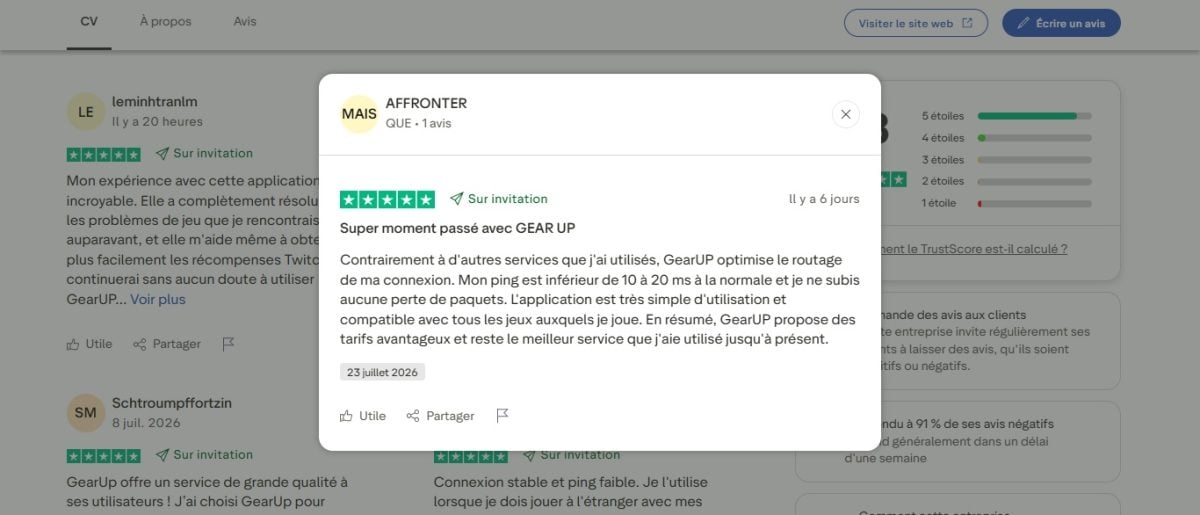
- Fewer packet losses: Several reviews note that packet loss has disappeared or decreased significantly. The user AFFRONTER confirms this:
«Unlike other services I've used, GearUP optimizes my connection routing. My ping is 10 to 20 ms lower than usual, and I don't experience any packet loss. The app is very easy to use and compatible with all the games I play. In short, GearUP offers great rates and remains the best service I’ve used so far.»
- Easy installation and use: The app is described as lightweight, easy to install, and intuitive, even for less experienced players.
- Good value for the money: Some users believe that the price remains competitive compared to rival solutions.
Several accounts also note that GearUP Booster reduces latency on the international servers.
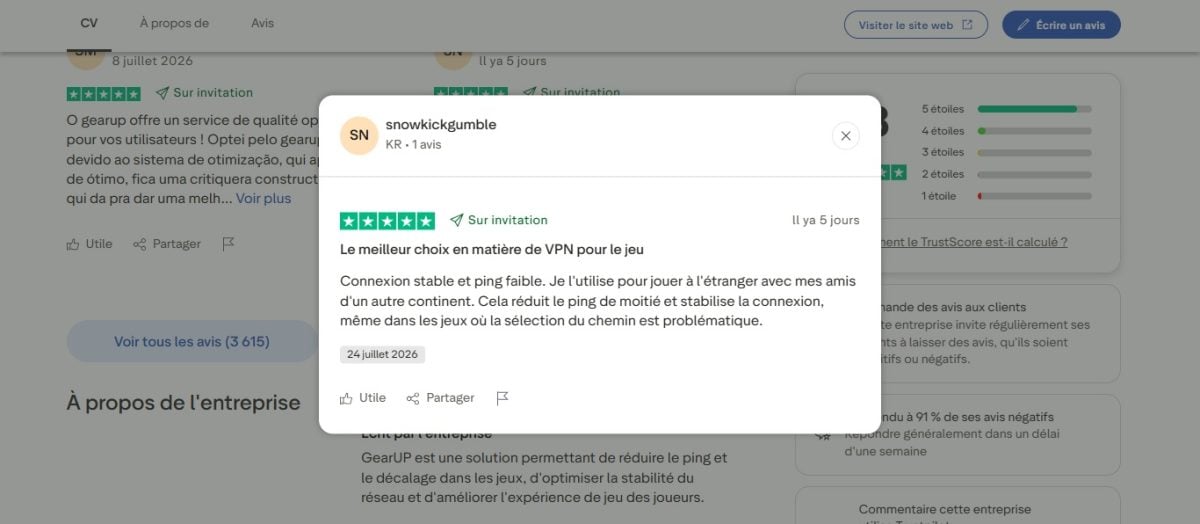
In practice, this makes games more enjoyable when playing with friends abroad. snowkickgumble As evidenced by:
«Stable connection and low ping. I use it to play games abroad with my friends on another continent. It cuts the ping in half and stabilizes the connection, even in games where path selection is an issue.»
However, not all players are seeing the same results. Some users report not having seen no improvement their ping or stability after using GearUP.
Why doesn't the ping go down for some players?
The effectiveness of GearUP Booster depends on several factors:
- Your Internet service provider
- Your country and your region
- The game you're playing
- The quality of your starter box
If your data is already traveling along an efficient route, there won't be much to optimize.
On the other hand, you generally won't notice a difference in these cases either:
- You already have a Very low ping
- the waiter The game is close to where you live
- The problem is with your hardware or your network Wi-Fi
- Your internet service provider is experiencing a network outage
Our verdict: Should you use GearUP Booster?
After the test, I appreciated the ease of use of this booster. Setup takes just a few minutes and requires no special technical knowledge.
And the lower ping obtained, from 109 ms to 34 ms, was clearly noticeable during gameplay.
That said, don't expect miracles. Performance depends heavily on your Internet connection and your location. Some players will notice a real difference in their latency, while others will see little or no improvement.
It all depends on where you're starting from and which server you're connecting to.
Ultimately, if you play online regularly and run into connection problems, GearUP Booster It's worth trying out.
Key Features of GearUP Booster
| Features | GearUP Booster |
|---|---|
| Reducing Ping | ✅ Yes |
| Reduction in packet loss | ✅ Yes |
| Compatibility with many games | ✅ Yes |
| Free trial | ✅ Yes |
| Available on PC, mobile, and console | ✅ Yes |
| Increase in FPS | ❌ No |
| Guaranteed improvement for all users | ❌ No |
GearUP Booster It does more than just reduce ping. The app offers several options to make your gaming experience smoother.
Here are the main ones.
Intelligent Network Optimization
The booster's main function is to optimize the connection between your device and the game server.
Thanks to its routing technology, the app finds the fastest and most stable route.
Reduction in packet loss
Sometimes, data sent between your computer and the server gets lost along the way.
This phenomenon, known as packet loss, causes lag, disconnections, or delayed responses.
GearUP It helps minimize these packet losses to stabilize the connection, which is a real advantage for competitive gaming, where every millisecond counts.
Automatic selection of the best server
The app automatically chooses the connection path it deems most efficient. You don't need to change your network settings or make any complicated adjustments.
The goal is simple: to achieve the lowest ping and the best stability for your situation.
Cross-platform compatibility and popular games
GearUP Booster runs on PC (Windows), mobile (Android and iOS) and on consoles, with support for the Nintendo Switch, the PlayStation and the Xbox.
The app is also compatible with many online games.
Some of the must-sees include:
- Valorant
- League of Legends
- Fortnite
- PUBG
- Call of Duty
- EA Sports FC
- Apex Legends
- Genshin Impact
To see the exact, up-to-date list of supported titles, visit the official website. The list changes with every update, and new games are added regularly.
GearUP Booster or Exitlag: Which One Should You Choose?
Exitlag is undoubtedly the best-known competitor of GearUP Booster. Our team tested both. Here's how they compare based on the criteria that really matter:
| Criteria | GearUP Booster | Exitlag |
|---|---|---|
| Monthly price (approx.) | ~4 $ | ~7 $ |
| Free trial | ✅ 3 days | ✅ 3 days |
| PC (Windows) | ✅ | ✅ |
| Mobile (iOS/Android) | ✅ | ✅ |
| Consoles (Switch/Xbox/PS) | ✅ | ❌ |
| Trustpilot rating | ⭐ 4.8/5 | ⭐ 4.6/5 |
GearUP Booster stands out for its lower price and his console compatibility. It's the best choice if you want to try it out without breaking the bank, or if you also play on Switch, Xbox, or PlayStation in addition to PC.
Exitlag remains a benchmark in the PC gaming world, with a solid reputation among competitive gamers.
If you mostly play on a PC and want a proven ping booster, this is a sure bet for lowering your ping.
To understand in detail How does Exitlag work?, you can check out our article on this topic.
Here is our video review of Exitlag:

FAQs
What is GearUP Booster?
GearUP Booster is an app designed for online players who want a more stable connection while playing.
Thanks to its network routing optimization technology, it helps limit the High ping, them packet loss and instability.
Please note that this booster does not increase your internet speed and is not a substitute for a good fiber-optic connection or Wi-Fi. Its purpose is to find the’fastest route between you and your game server.
Is the software reliable and secure?
I did not encounter any security issues during my test. The installation proceeded normally, and nothing suspicious was detected during use.
However, I recommend downloading GearUP Booster only from its official website. Modified versions or those from unknown sources pose risks.
Is that legal?
Yes, GearUP is a completely legal service. It does not alter game files or change gameplay. It simply optimizes the network path, which no publisher or developer prohibits.
If you're unsure, you can check your game's terms of use before trying out the app.
How much does GearUP Booster cost?
You can download the software for free at Windows, App Store and Google Play Store. Next, you'll need a subscription to take full advantage of the features.
GearUP Booster does not publish an official price list on its website. The plans can be viewed directly in the app or at the time of sign-up:
- The subscription begins Starting at 4 $ (30 days)
- The Formulas 3 or 12 months reduce the monthly cost
- On mobile, you can even get a one-week subscription for about 1 $
The GearUp Booster Pricing may vary depending on the platform, country, and current promotions.
Can I try GearUP for free?
Yes, you can try the software for free for 3 days before signing up for a subscription, whether on a computer or a mobile device.
This trial lets you evaluate the features and see how they affect your games before choosing a paid plan.
Attention : The subscription renews automatically after three days. Don't forget to cancel before the trial ends if you don't want to continue.
Our video tips for trying GearUp Booster for free:

Is GearUP Booster a VPN?
No. A vpn is used to protect your privacy, hide your IP address, or access foreign content. GearUP, on the other hand, is designed specifically for gamers: its goal is to optimize routing to reduce the ping and make your games run more smoothly.
These are two very different tools.
Now you know the basics about GearUP Booster and how it works.
Feel free to share your feedback or ask questions in the comments.









 FR
FR  RU
RU  EN
EN  ES
ES  IT
IT  DE
DE  ZH
ZH  PT
PT  ID
ID  JA
JA  DA
DA