Scraper Booking.com, it's possible even without writing a single line of code. You have two main options:
- Use a tool without code as Bright Data, Octoparse Where Apify
- Or write your own scraper in Python
The tools handle errors for you, while the code gives you more control over the extracted data (prices, availability, reviews).

The different methods for scrapbooking on Booking
the web scraping involves automatically extracting large amounts of structured data from a website. This method is much faster than copying by hand, especially when you're dealing with thousands of pages.
To scrape Booking.com, you have two options: the scraping tools code-free, quick to set up, or the code Python, which gives you control over every detail.
1. Use web scraping tools
Tools for web scraping are turnkey solutions, which are ideal if you don't want to code. They handle technical challenges for you, such as IP blocks and the game's CAPTCHA.
Here are three popular tools for web scraping Booking.com without writing a single line of code:
- Bright Data
- Octoparse
- Apify
Bright Data

Bright Data is a complete solution that combines proxies, web scraping browser, and API. Its flagship feature for Booking.com is its scraper Booking ready to use, which easily collects the price, them availability and hotel reviews.
Check out our full review of Bright Data.
Octoparse

Octoparse is a no-code tool with a point-and-click interface, perfect for non-technical users. Its pre-built template Booking Hotel Info Scraper lets you extract business names, prices, and ratings with just a few clicks. You can then export the data directly from the cloud by CSV, Excel, or JSON.
Check out our full review of Octoparse.
Apify
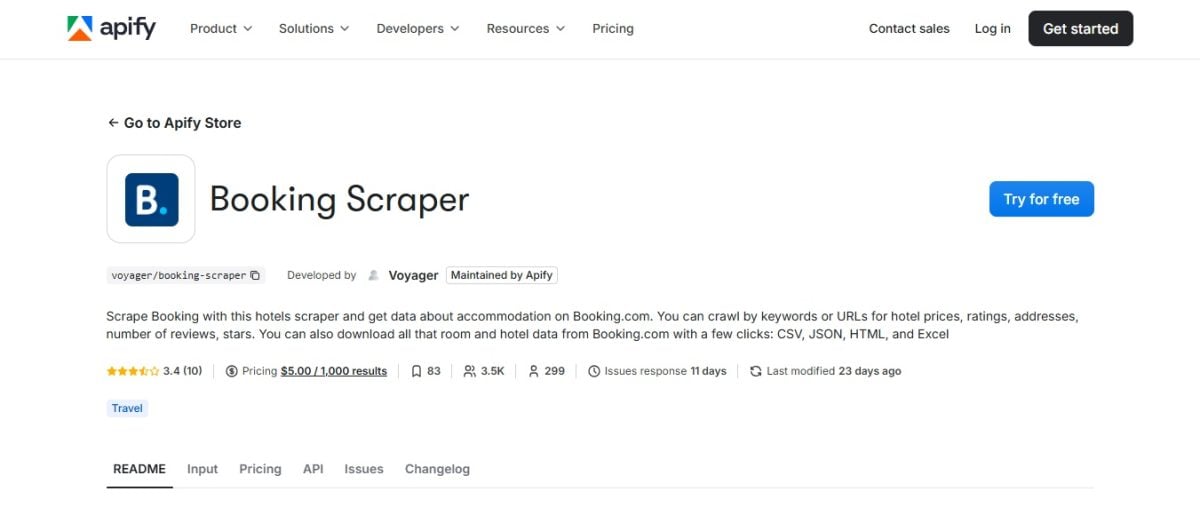
Apify is a development platform that offers an extensive library of ready-to-use scrapers known as «Actors.» The very popular Booking Scraper Extract a wide variety of data at scale, without writing code. Paging and automatic timeouts are handled for you, with an export to Structured JSON.
Check out our full review of Apify.
2. Code scraping with Python
the web scraping by code is the ideal solution for complex or recurring tasks. The ecosystem Python is particularly rich thanks to its specialized bookstores.
Here are the essential bookshops for Scrape Booking.com using Python :
- Requests and BeautifulSoup : For the basics of static scraping. Requests sends HTTP requests and retrieves the HTML source code of a page, just as your browser would—but automatically. BeautifulSoup It then analyzes this HTML and extracts specific elements from it: titles, prices, and links.
- Selenium Where Playwright : for the dynamic content and JavaScript interactions. These tools control a web browser (Chrome Where Firefox) automatically: they click, fill out forms, and scroll down the page to load all the content JavaScript before retrieving the data.
- Scrapy : the comprehensive framework for large-scale projects. It includes query management, data processing, and storage. If you plan to scrape thousands of pages or to automate the entire process, this is the tool you need.
How do you scrape Booking.com using Python?
This guide shows you a simple example of web scraping using Selenium to extract data from Booking.com. The code includes error handling and properly closes the browser.
1. Configuring and Launching the Browser
Use Selenium to open Booking.com just like in a real browser (Chrome, Firefox).
from selenium import webdriver
from selenium.webdriver.chrome.service import Service
from webdriver_manager.chrome import ChromeDriverManager
from bs4 import BeautifulSoup

# Launch Chrome automatically
driver = webdriver.Chrome(service=Service(ChromeDriverManager().install()))
2. Retrieving and extracting the HTML code
Load a page of search results Booking (in this case, hotels in Paris), retrieves the HTML, and then leaves BeautifulSoup extract the hotel names. The block try / finally ensures that the browser always closes properly, even if an error occurs.
try:
    driver.get("https://www.booking.com/searchresults.html?ss=Paris")

 # Retrieve the page's source code
    html = driver.page_source
    soup = BeautifulSoup(html, "html.parser")

 # Selector based on the `data-testid` attributes, which are more stable than CSS classes
    hotels = soup.select('[data-testid="property-card"] [data-testid="title"]')

 if not hotels:
 print("No results found. Check the CSS selector.")

 for hotel in hotels:
        print(hotel.get_text(strip=True))

except Exception as error:
    print("An error occurred:", error)

finally:
    driver.quit()  # Always close the browser
Important note : Booking.com regularly updates the design of its pages.
His selectors so they may change and break your code. If the code no longer returns anything, inspect the page (right-click, «Inspect») and check the `data-testid` attributes of the hotel listings.
For a more detailed guide, check out our article on Web scraping in Python.
Why scrapbook on Booking?
the scraping from Booking.com opens up real opportunities for both businesses and individuals. By harvesting public data on a large scale, you can make better decisions faster. To understand all the benefits of this approach, check out our article on reasons for scraping.
Here are the most useful use cases.
1. Competitive Intelligence and Market Analysis
- Price monitoring : You're following the progress of the rates on different dates to adjust your own pricing strategy, particularly by using the price scraping.
- Demand analysis : You identify booking trends for a destination or a specific time period.
- Competitive benchmark: You compare your hotel to nearby hotels based on ratings, distance to the city center, or listed taxes.
2. Reputation Management and Customer Reviews
- Notice follow-up : You collect customer feedback to improve your services.
- Sentiment analysis : You assess the overall tone of the comments to identify your strengths and weaknesses.
3. Application and Service Development
- Travel aggregators : You create a platform that aggregates the best deals from multiple sites, just as you could do with Airbnb.
- Academic research : Data extracted from Booking is used for studies on tourism and the travel industry. These datasets provide a solid foundation for analyzing trends on a large scale.
Web scraping also allows for the’automation from the collection, with regular updates exported to CSV or in JSON. The real benefit, when it comes down to it, is the time that you retrieve from the manual collection.
What type of data can be extracted from Booking.com?
Booking.com is a real treasure trove of information. You can extract data at three main levels: the’institution, them Rooms and Rates, and the customer reviews.
All of this information can be retrieved through web scraping and then exported to CSV Where JSON to create a usable dataset. Here is a non-exhaustive list of what you can collect.
Information About the Institution
- Name of the’institution
- Type of lodging: hotel, apartment, hostel…
- Full address and ZIP code
- Geographic coordinates (latitude, longitude)
- Link (URLs) to the school's page
- Complete Description of the Facility
- Facilities and Services: Wi-Fi, swimming pool, parking, air conditioning…
- Cancellation, Check-in, and Check-out Policies
- URLs featured images and photo galleries
Rates, Rooms, and Availability
- Price for different dates and lengths of stay
- Prices with and without taxes
- Promotions and Discounts Applied
- Availability status: available or complete
- Number of remaining beds for a given room type
- Room name and type: double room, suite…
- Room size and capacity
- Room-Specific Amenities
Customer Reviews and Ratings
- Overall Rating of the institution (for example 8,5/10)
- Total number of reviews
- Ratings by category: cleanliness, comfort, location, value for money
- Full text of each opinion
- Client Name and Country of Origin
- Date of Publication of the Notice
- Rating given by the customer and their «Liked / Didn't like»
Location and Surroundings
- Distance relative to downtown
- Distance from points of interest: museums, train stations, airports
- Description of the neighborhood or surrounding area
- Location Score
What are the most common technical problems with Booking.com scrapbooking?
Booking offers a wide range of anti-bot systems to block bots and web scrapers. These detection mechanisms are the main challenge when you want to extract data from the site.
Here are the most common problems and how to work around them.
1. Blocking by IP
If you send too many requests from the same IP address, you'll quickly be blocked. Booking.com monitors the number of requests per IP address to detect automated behavior.
Solution: uses the proxy rotation. Tools such as Bright Data offer proxy networks that hide your IP address. Your requests then appear to come from different addresses, which reduces the risk of being blocked.
2. CAPTCHA
More and more websites, including Booking.com, are displaying a CAPTCHA to verify that the user is indeed human. This is a common obstacle for automated web scrapers.
Solution: involves the use of automated CAPTCHA solving. They handle this step for you and let the extraction continue without any manual intervention.
3. Blocking by User-Agent
A website may block requests that do not resemble those from a real browser. A request without User Agent A credible bot is easily detected as a bot.
Solution: change your User Agent to simulate different browsers such as Chrome Where Firefox, and vary these values with each request to remain discreet.
4. Dynamic content (JavaScript) difficult to load
On Booking.com, a lot of data does not appear in the page's original source code. It is loaded in JavaScript after they are displayed, making them invisible to a simple HTTP scraper.
Solution: uses Selenium Where Playwright. These tools run JavaScript and interact with the page just like a real user, giving you access to all the content displayed.
FAQs
Is it legal to scrape Booking.com?
The legality of web scraping is a complex topic. Extracting public data is not prohibited in and of itself, but it depends on several factors:
- The conditions of use of Booking.com, which prohibit automated data extraction without prior written authorization
- Compliance with the RGPD as soon as you handle personal data (usernames, reviews that include names)
- the data type extracted: public prices and availability on one side, personal information on the other
- the copyright, because hotel descriptions and photos remain protected
In practical terms, scraping Booking.com is not illegal in and of itself. It can become illegal if the laws regarding copyright or the privacy are not being followed.
Does Booking.com have API access?
No, Booking.com does not offer a public API open to everyone for extracting data such as prices, reviews, or hotel descriptions. Booking, however, has two APIs reserved for its contracted partners:
- The Connectivity API, intended for connectivity partners (channel managers, hotel management software). It allows them to manage availability, rates, and reservations for the properties they connect to.
- The Demand API, reserved for affiliate partners approved by Booking. It provides access to the site's inventory: accommodation searches, real-time prices and availability, property details, and customer reviews.
Booking.com API or scraping: Which should you choose?
Since there is no public API available to everyone, the web scraping is often the only option for recovering data on a large scale. The key differences:
- Partner API : reserved for contracted partners. The Connectivity API is used to manage one's own establishments. The Demand API, available only to approved affiliates, provides access to prices, availability, and inventory notifications in a stable JSON format.
- Web scraping: open to all public pages, it covers the entire visible catalog (prices, ratings, dates) and includes an export feature to CSV, JSON or Excel. It requires regular maintenance because the site is constantly evolving.
To put it simply: if you're a web host, the Connectivity API (via your channel manager) is all you need to manage your listings.
If you want analyze the competition or do some rate monitoring Without affiliate partner status, scraping becomes unavoidable.
How to scrape Booking.com without coding?
The three tools described above are the best options for scraping Booking.com without writing a single line of code:
- Bright Data : all-in-one service with a built-in browser, proxy management, and Booking.com-specific scraper
- Octoparse : A point-and-click visual interface for creating your scraping scenarios
- Apify : cloud platform with the Booking Scraper ready to use
You can also use web scraping extensions to Chrome, but they remain limited for Booking.com.
Which solution do you plan to try? If you have any other questions, feel free to ask them in the comments.









 FR
FR  RU
RU  EN
EN  ES
ES  IT
IT  DE
DE  ZH
ZH  PT
PT  ID
ID  JA
JA  DA
DA