The exchange ofMonopoly GO stickers is a feature used by virtually all players.
Trading cards is a great way to complete your albums on Monopoly GO and earn tons of rewards, such as dice, money, and exclusive items. In this article, you'll learn how to trade cards on Monopoly GO, but don't forget that the Alucare.fr website specializes in the Monopoly GO game, so be sure to check out the different upcoming events Monopoly GO and remember to take your daily free Monopoly GO dice links.
How do I exchange Monopoly GO stickers?
If you are new to Monopoly GO, you may not know how to trade your cards. It's very simple, and I'll explain how to do it. Please note that you must be friends with the person before trading your card. Just follow these steps:
- Step 1: Open the Monopoly GO app and click on the "Album" section at the bottom right:
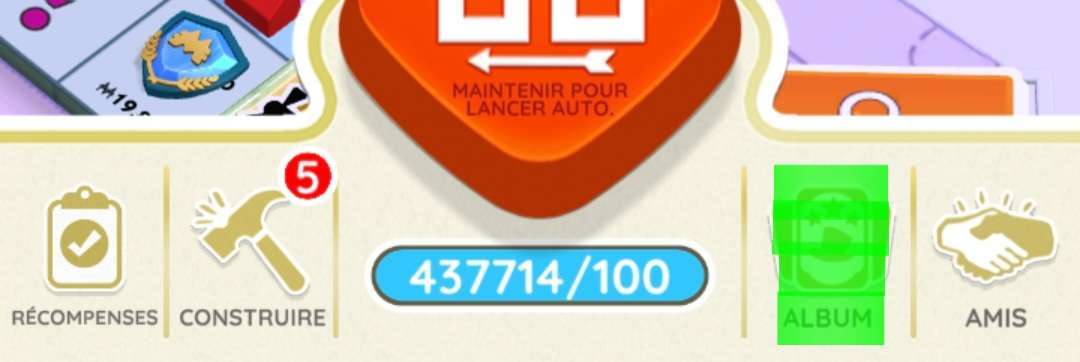
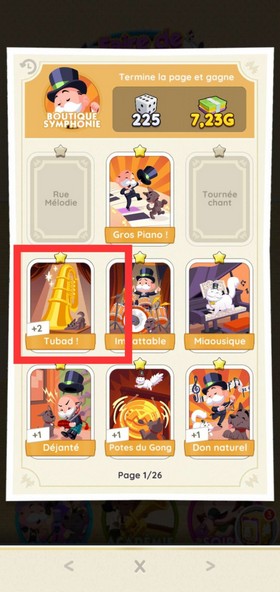
- Step 2: Choose the card you wish to exchange and click on it. Check that you have the duplicate card:
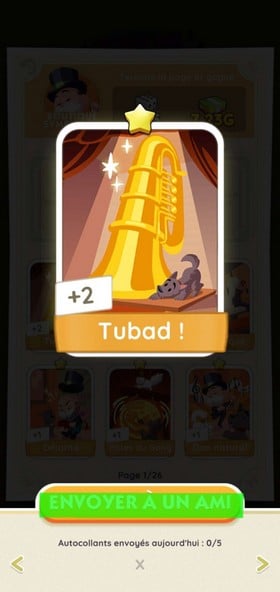
- Step 3: Once you have selected the card, click on "Send to a friend":
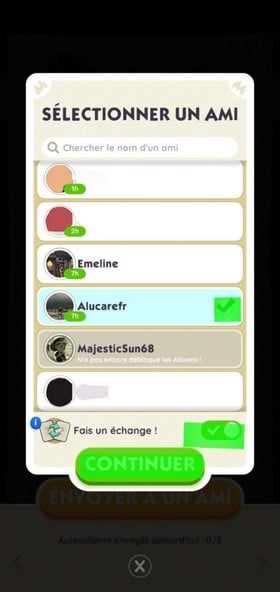
- Step 4: You must now select the friend you want to send the card to. Then, remember to activate the "Make an exchange!" feature so that the person also sends you the card they have suggested. Then click on "Continue":
- Step 5: Click "Exchange" one last time to send the exchange to the other person:
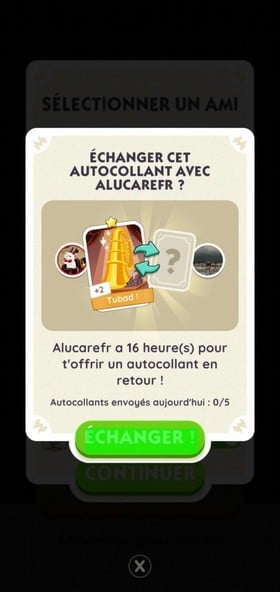
Your friend has received an exchange request from you. Once they have responded, you will need to go here: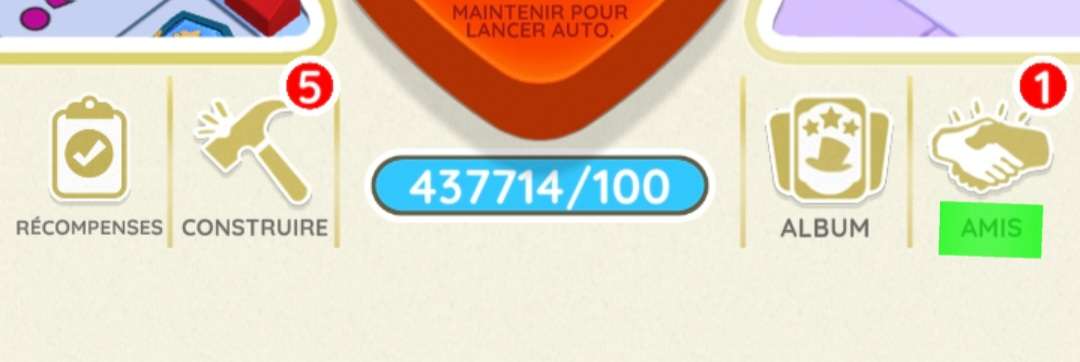
And click "Accept" to complete the exchange:
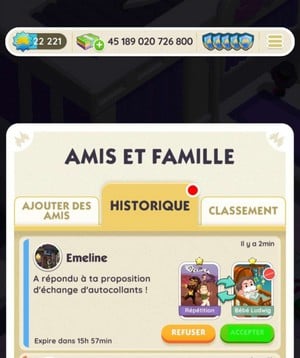
Now you've made your Monopoly GO swap!
How do you exchange cards in Monopoly GO?
Since albums appeared in the game, there has been a system for exchanging stickers.
In fact, you can exchange duplicate cards in the different sets of your album. But... there are some restrictions:
- You can do Up to 5 card exchanges per day ;
- You cannot exchange gold cards.
These are the only restrictions, but they can easily prevent you from trading.
Why is it sometimes "impossible to trade this sticker" on Monopoly GO?
Indeed, you may not be able to exchange certain cards on Monopoly GO, and there are several reasons for this:
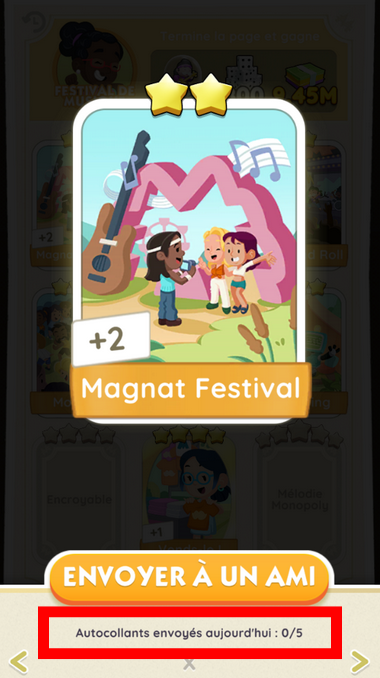
- You have reached your daily exchange limit in fact, you can send 5 stickers per day maximum :
- You are trying to exchange a gold sticker, but it is impossible. You cannot exchange your gold cardsexcept during Golden Blitz (and not all cards):
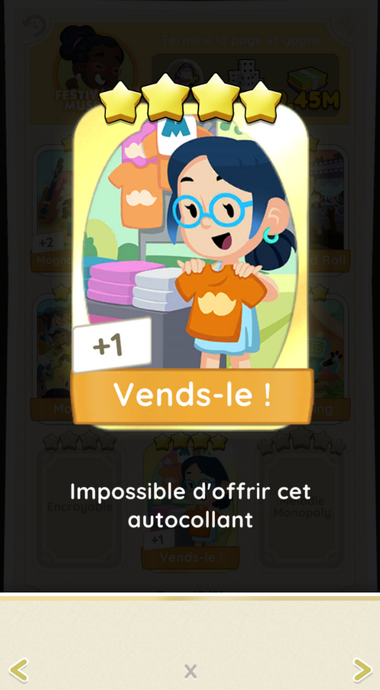
As you can see, I have a duplicate 4-star gold card, but I can't give away this sticker because it's a gold card.
- The person you want to give the card to has not yet unlocked the album (“has not yet unlocked the Albums!”):

If your friend is new to Monopoly GO and hasn't progressed far enough yet, you won't be able to give them stickers. Tell them to play a little more so you can send them cards.
- The person has not yet released the prestige albums ! Once you have completed an album for the first time, you can do it twice more, with additional pages (sets). So, if you want to send a prestige page card to someone, this will not be possible because it is still in the first album. The following error message will appear:
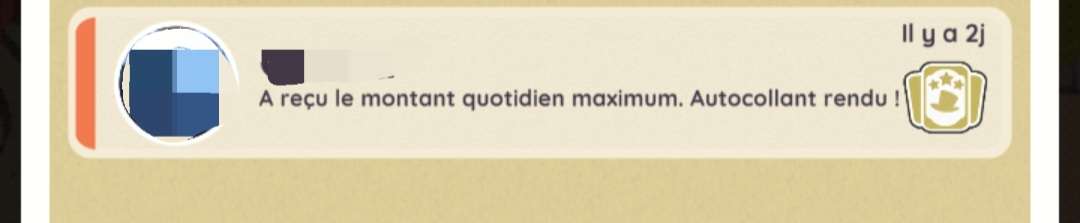
As you can see, it says "Received the maximum daily amount. Sticker returned!", which means that the person has not yet unlocked the prestige pages.
Where can I redeem Monopoly GO cards?
Sometimes your friends don't have the cards you're looking for. So this can definitely block you from progressing in your Monopoly GO album.
However, we have created a Discord server that allows you to trade your Monopoly GO cards with lots of people. So you're sure to find what you're looking for.
☑️Échange your Monopoly GO cards at Discord☑️
🎁 Bonus: Take part in our 5-star card giveaways!
In addition to our exchange system on Discord, we regularly organize contests to help you complete your albums. Watch this video to find out how you can win one of 25 5-star cards:
Explanatory video in French by Alucare, ideal complement to the page. View video (you can use YouTube's automatic translation)
![🤑 [CONTEST] 25 CARDS 5⭐ TO WIN on MONOPOLY GO! 🎉 Don't miss your chance!](https://www.alucare.fr/wp-content/cache/flying-press/6131524bd533e59a4a61ae3eb875d2f7.jpg)
Now you know everything there is to know about sticker trading!
See also..:
Alucare.fr is the expert on Monopoly GO, and as passionate experts on the game, we're here to share with you our infallible tips and methods that have enabled us to have accounts with over 400,000 dice and how to advance very quickly in the game. We've helped hundreds of thousands of players with our articles, Youtube videos and Discord/Facebook support - now it's your turn!









 English
Hello,
I'm seriously starting to despair with card trading, mainly 4 and 5 stars. Almost 10 days at the same stage and it's almost impossible to complete sets 9 to 21. Everyone is looking for the same cards, so nothing is moving forward. Still 40 cards to find, pffff.
Gotta be active 🙂