Fast travel in Hogwarts Legacy can be very useful for easily navigating a school as large as Hogwarts. This is why we are going to see how to speed up your journey through Hogwarts castle, without getting lost in the adjoining passages.
How to travel fast in Hogwarts Legacy ? Discover the answer in this guide!
If you have any questions about the game :
👥Join our Server Discord Hogwarts Legacy : The Hogwarts Legacy👥
Enabling fast travel in Hogwarts Legacy
Fast travel is a staple of open-world video games today and is of course available in the Hogwarts world. It is possible to unlock it almost at the beginning of the game so that players can fully enjoy their experience and walk around the various places of the castle in the blink of an eye.
To activate this feature, simply :
- Go to the “Attending your first party at Hogwarts” in the game
- Leaving their common room and joining Professor Weasley, you'll come across your first floating flame location, and access the fast-travel tutorial.
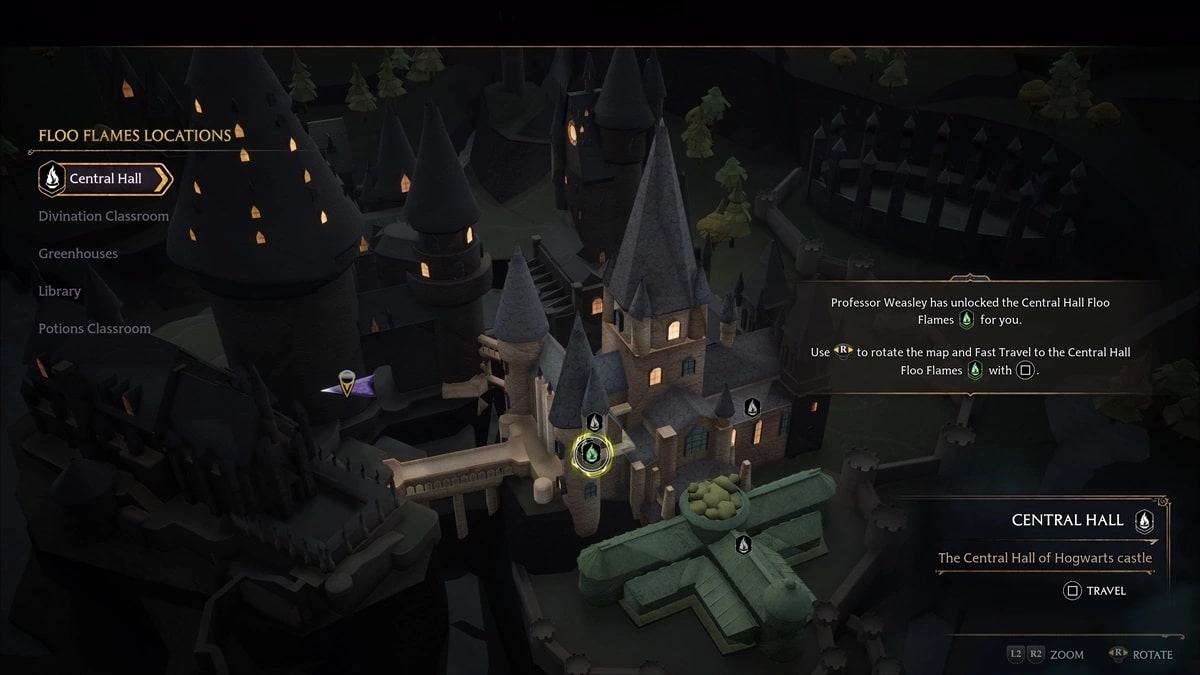
Alternatively, you can take a quick trip through Hogwarts Legacy by opening the wizard's guide card and select from the list locations of floating flames already visited.
In each area, there are also other floating flames. You will need to select the green flame and click on the appropriate button to travel to your chosen location. It will only take a few moments for the screen to load, and you will quickly be transported to your chosen location.
Access new fast travel points in Hogwarts Legacy
To do so, simply pass through a location with Floating Flames that has not yet been spotted. These can be found throughout Hogwarts, allowing players to unlock them at any time by following the main story and exploring the castle. In addition, the game offers a list of undiscovered fast travel destinations, so you can get an overview of the extent of the area explored by consulting your guide.
For your information, not all Floating Flame locations are necessarily accessible from the start, as some are locked behind doors. However, you will have no trouble finding them once you have completed main story quests and unlocked new games school. Until then, you can already find Floating Flame locations outside, near each key location. What's more, there are so many of them that you'll rarely be more than a minute or two away from an already unlocked fast travel point.
Move quickly to your common room: Bug
If you are experiencing issues with movement or fast travel in Hogwarts Legacy, we have a few tips to offer:
Restart the game:
According to the developers, it is preferable to restart the game rather than continuing the game and trying to escape your wizards after they are trapped under the card.
It's highly likely that your character will be stuck forever as a result. So it's best to restart the game and reload from the most recent checkpoint, refreshing all environmental instances.
If you have difficulty accessing the settings menu and quitting the game, it will be necessary to close it by pressing " ". Alt+F4 ".
Search for other locations
If you are stuck under the map in Hogwarts Legacy, you may be able to reach a location where the game allows you to open the map by moving around the area.
So, if the opportunity to discover a place which allows you to do so, grab it; since this will reload the game and the middle, it's very likely to solve the card's problem.
In any case, if the problem persists, please report this bug and wait for a response from Avalanche Software.
Visit Discord for all Hogwarts Legacy questions/issues:









 English
Hola. cuando termino la mision en Hogsmeade me pide presionar "-" para acceder al mapa de hogwarts, pero una vez ahi no me muestra ninguna llama flu para viajar ni me deja seleccionar ninguna seccion, solo me muestra las areas.
Hello, I work for Alucare, if you have a question don't hesitate to ask it on the Alucare discord: (link at the bottom of the site)