How to get to The End?
In this article, we will see how to get to The End, what are its specificities, the creatures that are there as well as the objects that you can obtain.
Summary :
- How to get to The End.
- The specificities of The End.
- The creatures present in The End and their objects.
- The cities of The End.
I. How to get to The End
As I have already said in the article of the Nether, there are 3 different dimensions in Minecraft:
- The Surface (in which you appear at the start of your game) also called Overworld
- Nether also called Trefonds or Hell
- The End also called Ender (the one we are talking about today)
To have access to the last two dimensions that I mentioned above, you need a specific portal. In the case of The End, this portal must be found by the player. Rest assured, even if it is rare, there is not only one End portal. To find it, you will need to craft at least 12 Eyes of Ender  (stacks by 64 and in the creative tab it is in the lava bucket, ID= ender_eye)
(but do more for safety, generally, I take double or triple, you'll see why). To craft one you need:
- 1 Ender Pearl
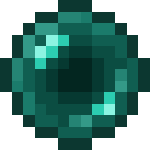 (between 0 and 1 given by an Endermen on death) (stacks by 64 and in the creative tab it is in the lava bucket, ID = ender_pearl)
 - 1 Blaze Powder
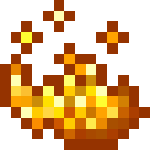 (stacks by 64 and in the creative tab it is in the vial of water, ID = blaze_powder)
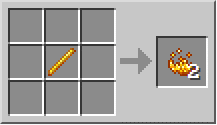
Craft to get Blaze Powder
When you have collected all this, all you have to do is place them in this way in your workbench 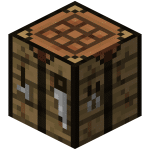 :
:
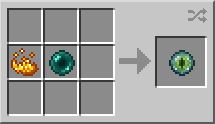
Craft to get an Eye of Ender
Note that you can place items anywhere on the workbench.
– ”It's very good to make Eyes of Ender but why?”
You will need at least 12 as said above but if I advise double or triple it is for a good reason. To find this famous portal, you must have an Eye of Ender in your hand and right click. Following this, the Eye of Ender will travel a few blocks in the air towards the nearest portal and then, the Eye will fall to the ground and take it back from you. But it may not happen that the Eye breaks, so that's why it's better to have double or triple Eye of Ender, a journey in search of the portal can be long. When you are near a fort (which contains several rooms, including the portal), if you send an Eye, it will go towards the ground, and there you will only have to mine in depth until to find one of its blocks:
- Of the chipped stone :
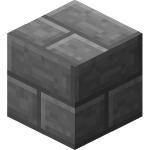 (stacks by 64 and in the creative tab it is in the bricks, ID = stonebrick (before 1.13), stone_brick (from 1.13))
- Of the cracked cut stone :
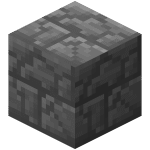 (stacks by 64 and in the creative tab it is in the bricks, ID = stonebrick (before 1.13), cracked_stone_bricks (from 1.13))
- Of the mossy cut stone :
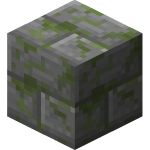 (stacks by 64 and in the creative tab it is in the bricks, ID = stonebrick (before 1.13), mossy_stone_bricks (from 1.13))
Once in the fort, you no longer need to use your Eyes of theEnder since they actually indicate where the fort is located and not the portal, so you have to dig deep to find the portal room. It's the only one that contains a Fish Generator d‘silver 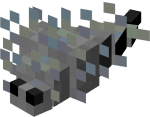 .
.
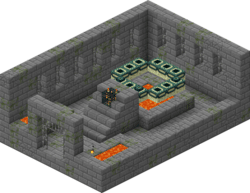
This is what the room that contains the portal looks like.
Once you've found the portal room in the fort, all you have to do is activate it! To avoid wasting your Ender's Eyes or getting the blocks wrong, here's a short video demonstration on how to get your portal right every time:
Explanatory video in French by Alucare, ideal complement to the page. View video (you can use YouTube's automatic translation)

(ask your questions so we can finish the tutorial)
See the rest of the guides on Minecraft:









 English