To go to the Nether, you need to build a obsidian gate Then light it with a lighter. You don't need to explore the real world to find it—you can build it yourself in just a few minutes.
This guide shows you how to do it step by step Minecraft.
We'll also take a look at the unique features of this dimension, the creatures that live there, and the items you'll need to collect to survive as you explore the Nether.
I. How do I get to the Nether?
In Minecraft, there are 3 different sizes:
The surface, the normal world where you start your game, also known as Overworld.
The Nether, also known as the Depths or Hell, the dimension we are discussing here.
L'End, the world of the dragon, also known as Ender. Discover How to Get to the End if you want to go there after the Nether.
To access these last two dimensions, you'll need a specific portal. In the case of the Nether, this portal must be built by hand. To do this, you'll need at least:
10 obsidian blocks (sorted by 64, Creative tab in the bricks, ID = obsidian). You'll need a diamond pickaxe to mine this block.
1 lighter (does not stack, "Creative" tab in Tools, ID = flint_and_steel).
To get obsidian without a pickaxe at the start, pour water on lava: when the two come into contact, they create a block, which you can then break with your diamond pickaxe. This is the fastest way to get obsidian without having to search for it in the normal world.
Building the Nether Portal Step by Step
To build the portal, arrange the blocks in a 4×5 frame. You can also build a 2×3 frame if you use only the inner part—that is, without the four corners. Once the frame is complete, use the lighter to light the top of one of the blocks outlined in red.
The least expensive portal is the one with the corners removed, on the left: you'll need 10 obsidian blocks, compared to 14 for the portal on the right with the corners. To use less obsidian, simply leave the four corner slots empty; the portal will still work.
How to Light the Nether Portal Without a Lighter
If you don't have a lighter, you can still activate the portal. A Ghast's fireball that hits the frame will set it on fire. These solutions save you from having to craft a lighter in a hurry.
Once the portal is lit, stand inside the frame and wait a few seconds. A loading screen will appear, and then you'll find yourself in the Nether.
Building the portal is the key step in gaining access to the Depths.
Explanatory video in French by Alucare, ideal complement to the page.
View video
(you can use YouTube's automatic translation)
To avoid wasting your obsidian and get your installation right the first time, here's a video guide that shows you both methods—the budget-friendly one and the comprehensive one:
II. The specificities of the Nether.
the portal of the Nether can also be used as a backdrop.
Its maximum size is 23×23 blocks. It doesn't have to be rectangular. So you can use your obsidian blocks to make it any shape you can imagine.
the Nether is eight times smaller than the normal world.
It's a dangerous but very fast way to get around. A block traveled in the Nether is equivalent to 8 blocks in the normal world. So you use the portals in the Nether to travel quickly between two distant points.
To make progress in this area, consider Find a Nether Fortress : It contains essential resources.
A bed cannot be used.
If you try to sleep, it explodes immediately. This prevents any disruption to the day/night cycle. That cycle doesn't exist in this dimension.
Water cannot be placed in the Nether.
Once it's poured, it evaporates immediately due to the ambient heat and the lava all around. So you can't rely on water to put out the lava or prevent a fire.
The normal world and the Nether do not operate at the same time.
For example, if you turn on a TNT in the normal world, and then you're off to the Nether, it won't explode until you get back.
This rule does not apply in multiplayer mode.
the Nether has featured several distinct biomes since the 1.16 update.
The Crimson Forest and the Warped Forest are two forests of giant mushrooms in shades of red and blue-green. These mushroom forests take the place of the vegetation that is absent in this dimension, which has neither water nor natural light.
III. Creatures Found in the Nether and Their Items
Here are the creatures you'll encounter in the Nether and the items they drop. Some of these items are essential for making progress:
The powder of Blaze is used in alchemy
Gunpowder to explosives
The skulls invoke the Wither.
All of these creatures are resistant to fire and lava, with the exception of l'Enderman, the only mob that appears in all three dimensions.
the Blaze
This flying mob often travels in groups. It shoots fireballs at you that deal damage and set you on fire. It has 20 health points (1 health point = 1 half-heart). When you kill one, it may drop 0 to 1 stick of Blaze (ID = blaze_rod).
The Zombie Pig (formerly—Zombie Pigman
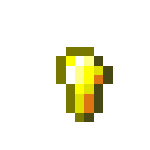
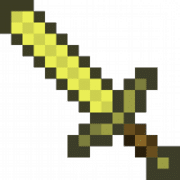
Renamed Zombified Piglin (since Update 1.16): This peaceful creature wields a golden sword and stays in a group. If you attack it, it becomes hostile and will chase you along with its nearby companions. It has 20 health points and 2 armor points (1 half-armor). By killing it, you can collect 0 to 1 piece of rotten flesh (ID = rotten_flesh), 0 to 1 gold nugget (ID = gold_nugget), 0 to 1 gold bar (ID = gold_ingot) and 0 to 1 golden sword (ID = golden_sword).
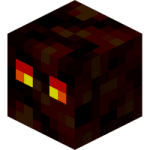
The Magma Cube
This jumping cube behaves similarly to slime. It moves by jumping and splits into smaller cubes when it dies. It has:
16 health points and 12 armor points at its maximum size,
14 health points and 6 armor points at its medium size,
1 health point and 3 armor points at its minimum size.
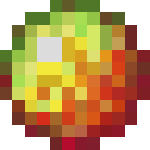
By killing it, you can get 0 to 1 magma cream (ID = magma_cream).
the Ghast
This flying monster, which is resistant to fire and lava, shoots fireballs at you. You can deflect these fireballs by hitting the projectile just before it hits you. An arrow or even a fishing rod will work, too. It has 10 health points. When you kill it, you can collect 0 to 2 gunpowder. (ID = gunpowder) and 0 to 1 tear of Ghast (ID = ghast_tear). The Ghasts float above the Nether's lava lakes: keep your distance to avoid falling into the lava.
the Wither skeleton
This Nether skeleton is wielding a stone sword (ID = stone_sword) instead of a bow and inflicts the Wither I effect for 10 seconds. If you kill it, you can get 0 to 1 piece of coal. (ID = coal), 0 to 2 bones (ID = bone), 0 to 1 skull of Wither skeleton (ID = wither_skeleton_skull) and 0 to 1 stone sword.
You need 3 skulls to summon the Wither.
Since Update 1.16, other creatures now inhabit the Nether:
There you'll run into the Piglins, who trade items for gold bars.
The Piglins are neutral as long as you're wearing at least one piece of gold armor.
You'll also meet the Hoglins, them Striders and the game's Zoglins.
The Striders are the only creatures capable of walking on lava without taking damage: you can ride them to cross the lava lakes.
The sticks of Blaze The recovered materials are also used to make weakness potions on Minecraft through the alchemy table.
For more information, here are the rest of the guides on Minecraft:
This content is originally in French (See the editor just below.). It has been translated and proofread in various languages using Deepl and/or the Google Translate API to offer help in as many countries as possible. This translation costs us several thousand euros a month. If it's not 100% perfect, please leave a comment for us to fix. If you're interested in proofreading and improving the quality of translated articles, don't hesitate to send us an e-mail via the contact form! We appreciate your feedback to improve our content. If you would like to suggest improvements, please use our contact form or leave a comment below. Your feedback always help us to improve the quality of our website Alucare.fr
Creator of the Alucare.fr website launched in December 2018.
Player of Raid Shadow Legends since December 29, 2019, and I became official content creator of RSL in 2020 (one of only 30 people in the world!). This allows me to provide information on the site 24 hours in advance. I cover topics where I can share my expertise to help you.
The aim is for each article to teach you something interesting!
Social Media and Contact: (ALUCARE)
Alucare is an free independent media. Support us by adding us to your Google News favorites:
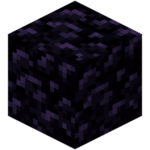 (sorted by 64, Creative tab in the bricks, ID = obsidian). You'll need a diamond pickaxe to mine this block.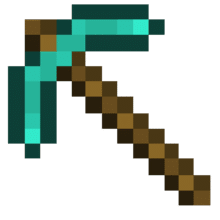
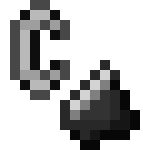 (does not stack, "Creative" tab in Tools, ID = flint_and_steel).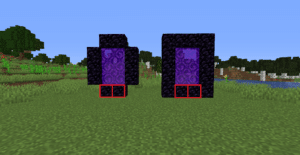

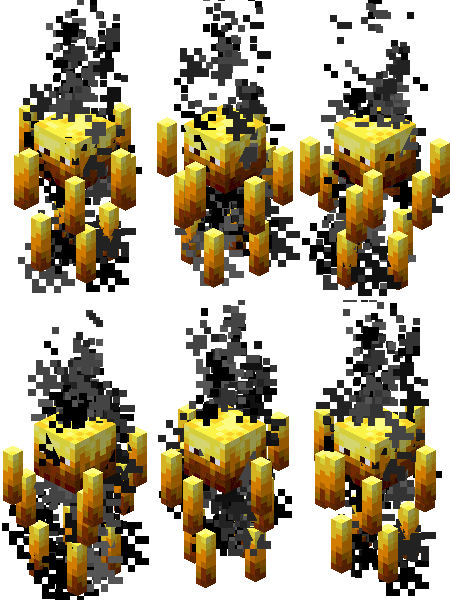 This flying mob often travels in groups. It shoots fireballs at you that deal damage and set you on fire. It has 20 health points (1 health point = 1 half-heart).
  When you kill one, it may drop 0 to 1 stick of
 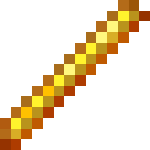 (ID = blaze_rod).
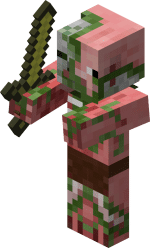 Renamed
  By killing it, you can collect 0 to 1 piece of rotten flesh
 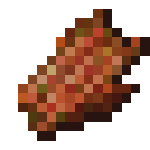 (ID = rotten_flesh), 0 to 1 gold nugget
  (ID = gold_nugget), 0 to 1 gold bar (ID = gold_ingot) and 0 to 1 golden sword
  (ID = golden_sword).
 This jumping cube behaves similarly to slime. It moves by jumping and splits into smaller cubes when it dies. It has:
 (ID = magma_cream).
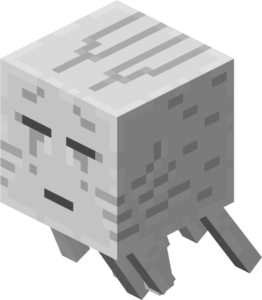 This flying monster, which is resistant to fire and lava, shoots fireballs at you. You can deflect these fireballs by hitting the projectile just before it hits you. An arrow or even a fishing rod will work, too. It has 10 health points. When you kill it, you can collect 0 to 2 gunpowder.
 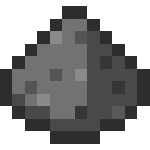 (ID = gunpowder) and 0 to 1 tear of
  (ID = ghast_tear). The
 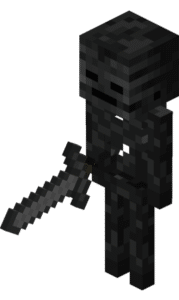 This Nether skeleton is wielding a stone sword (ID = stone_sword) instead of a bow and inflicts the Wither I effect for 10 seconds.
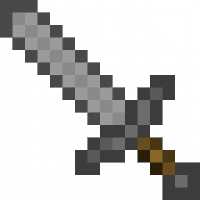 If you kill it, you can get 0 to 1 piece of coal.
 (ID = coal), 0 to 2 bones
  (ID = bone), 0 to 1 skull of
  (ID = wither_skeleton_skull) and 0 to 1 stone sword.









 English