To install a map Minecraft, simply 5 steps : Download the map, extract the file .zip, place the folder in .minecraft/saves, launch the game and select your map. You'll be able to explore the worlds created by the community Minecraft.
This comprehensive guide covers the versions Java and Bedrockon Windows as on Mac.
5 steps to install a Minecraft map
This procedure covers the installation of a map in solo.
1. Download a map Minecraft
Start by downloading the map of your choice. The website below offers several map types : survival, adventure, parkour, and many more.
- https://minecraft.fr/categorie/maps/
2. Extract the ZIP file
On Minecraft Java, the map is usually downloaded as an archive .zip. You have to extract it to retrieve the world file.
- Make a right click Click on the .zip file and select «Extract All» (Windows).
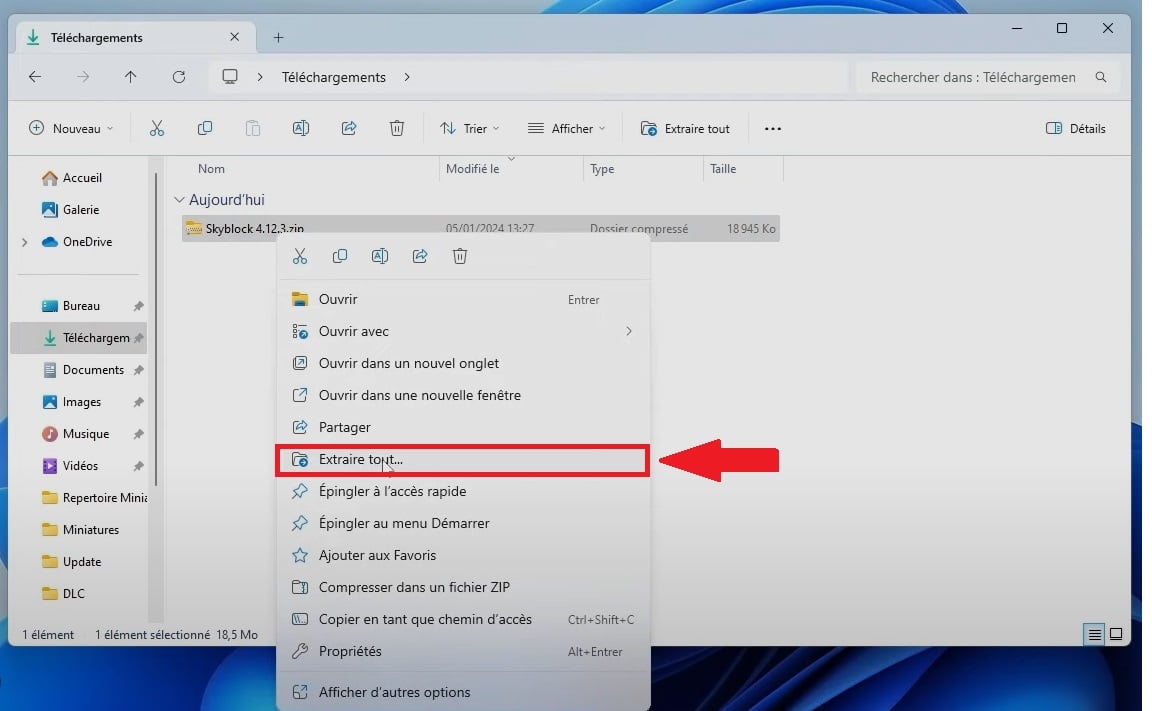
- You can also use WinRAR Where 7-Zip for extraction.
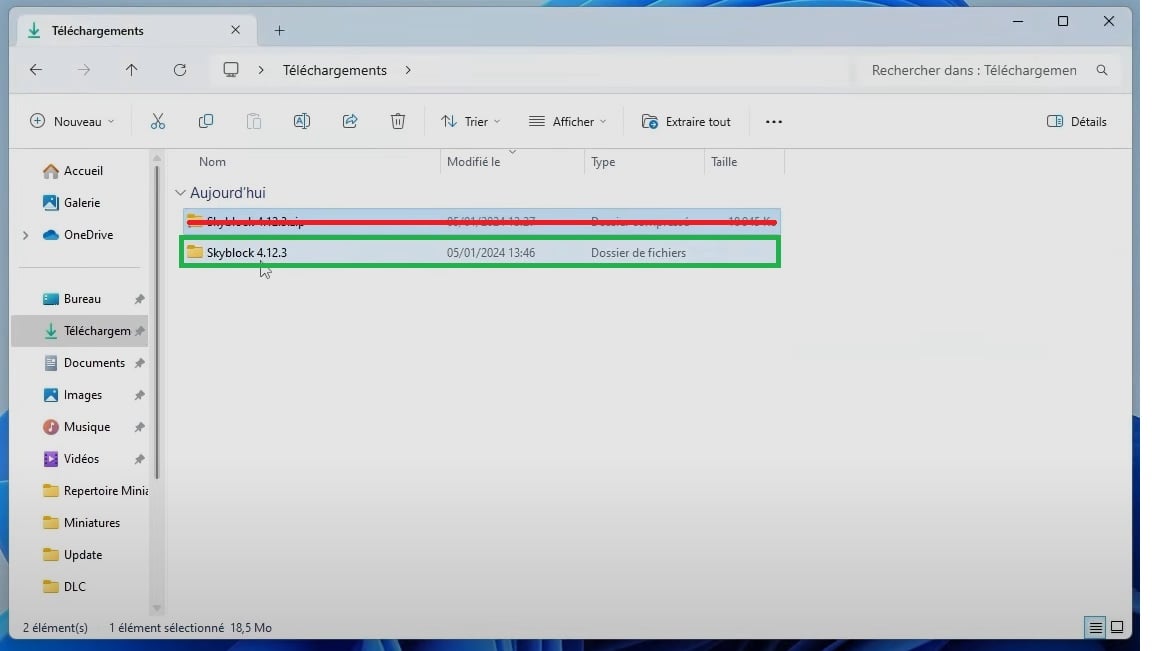
- Once the folder has been extracted, you can delete the .zip.
On the Bedrock version
On Bedrock, it's easier to use. The map is usually downloaded in the format .mcworld, recognized directly by the game.
- After downloading, you should have a file .mcworld on your device.
- If that's not the case, rename the file .zip in .mcworld, then extract it into a new folder (for example "world).
- Double-click the file: it should open directly in Minecraft.
If that doesn't work, just follow the instructions below to place the map folder manually.
3. Open the Minecraft folder on your PC (Java)
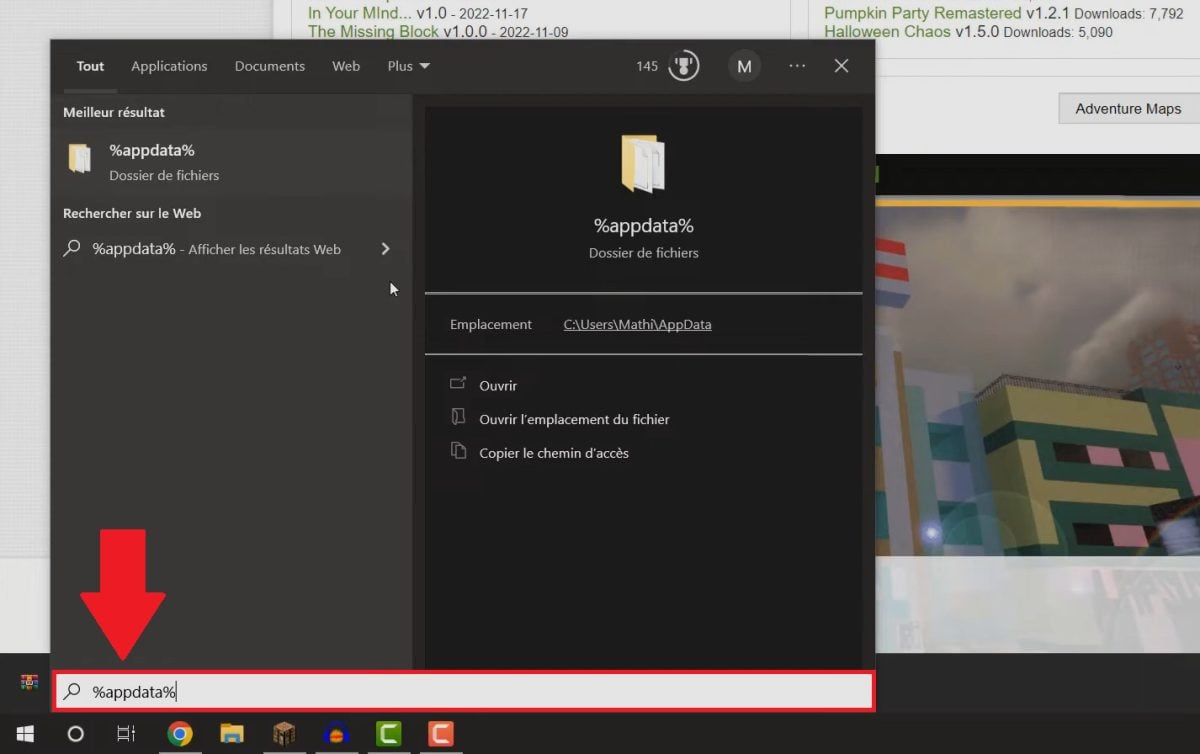
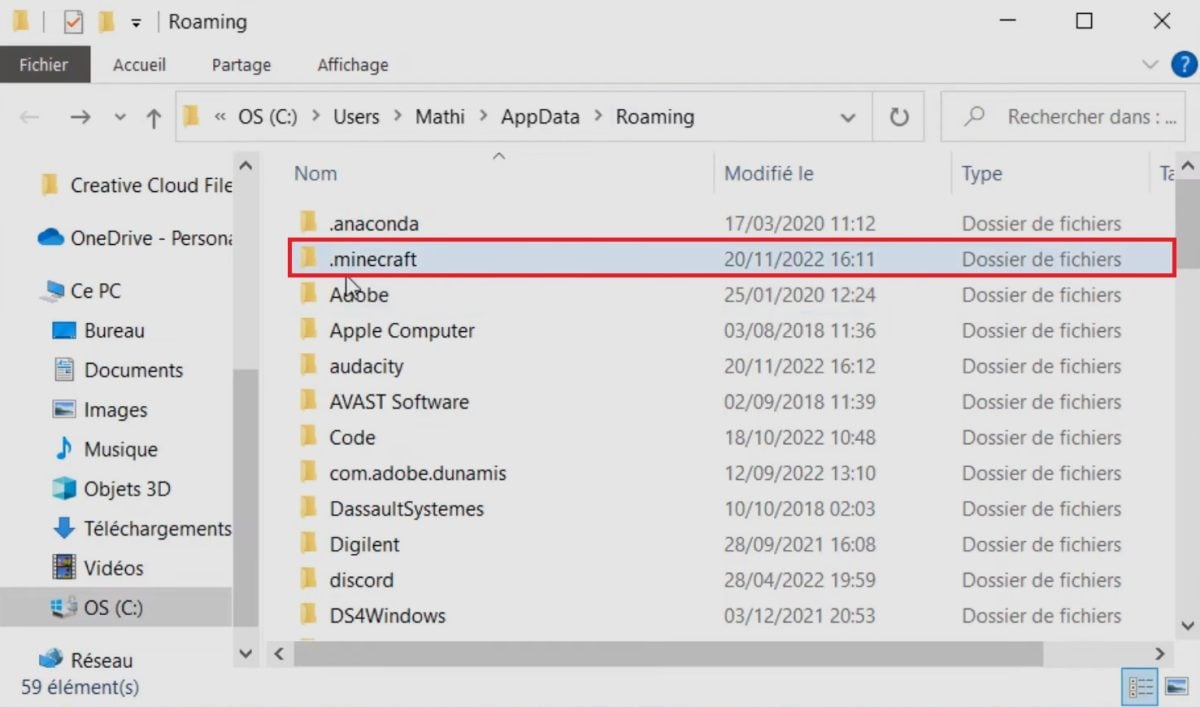
The file saves is the location where Minecraft Java stores all your worlds. To access them on Windows, press Windows + R, type %appdata%, then open this folder by following this path: %appdata% ⇒ .minecraft ⇒ saves.

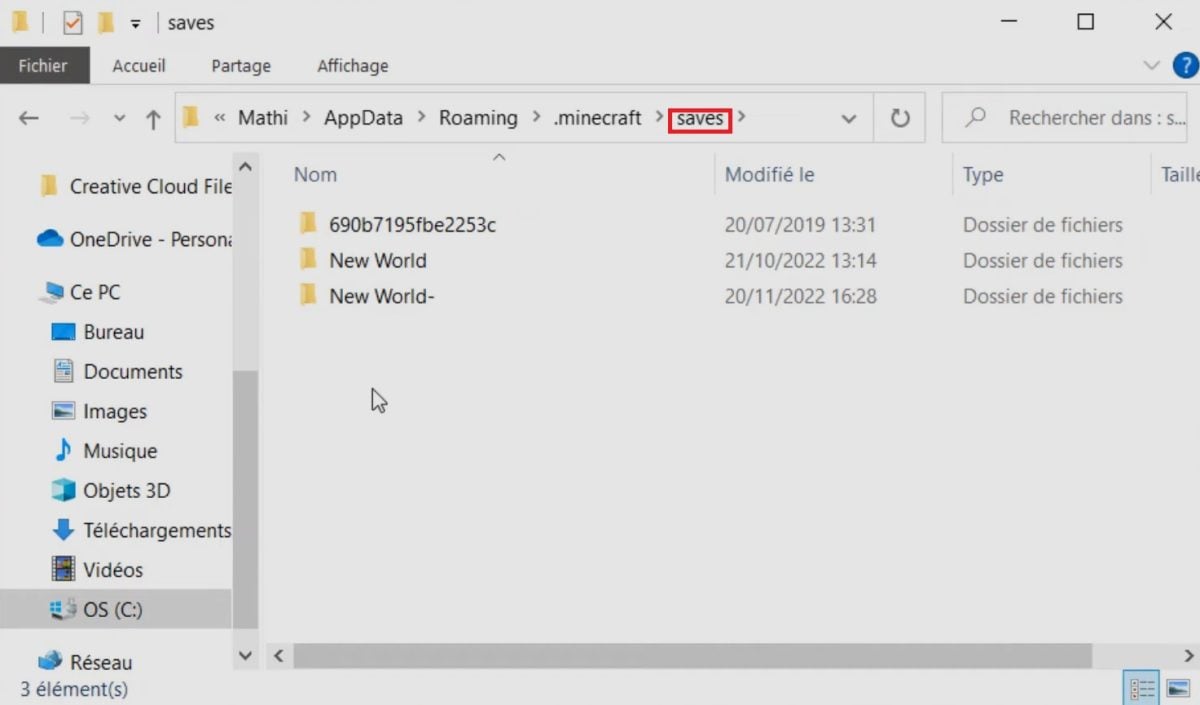
On Mac, open the folder .minecraft via the Finder by following this path:
- User ⇒ Library ⇒ Application Support ⇒ minecraft.
- If the library cannot be found: open the Finder, click «Go» in the menu bar while holding down the ALT, then select Library.
On linux :
- Do ALT + F2, then type .minecraft to find the folder.
The feature article on the Bedrock version
On Bedrock, the folder you're trying to find isn't named saves but games/com.mojang. The worlds are stored in the subfolder minecraftWorlds.
Here's how to open this folder depending on your device:
- On Windows : %localappdata% ⇒ Packages ⇒ Microsoft.MinecraftUWP_8wekyb3d8bbwe ⇒ LocalState ⇒ games/com.mojang/minecraftWorlds.
- On iOS : Minecraft ⇒ games ⇒ com.mojang ⇒ minecraftWorlds.
- On Android : storage ⇒ emulated ⇒ 0 ⇒ games ⇒ com.mojang ⇒ minecraftWorlds.
4. Copy and paste your "map" folder into the correct folder
- Open the folder saves (Java) or minecraftWorlds (Bedrock), where all your worlds are stored. If you've already installed a mod Minecraft, you'll also find your content in these folders.
- Copy then glue the MAP folder extracted in Step 2 in this folder.
5. Load your Minecraft map
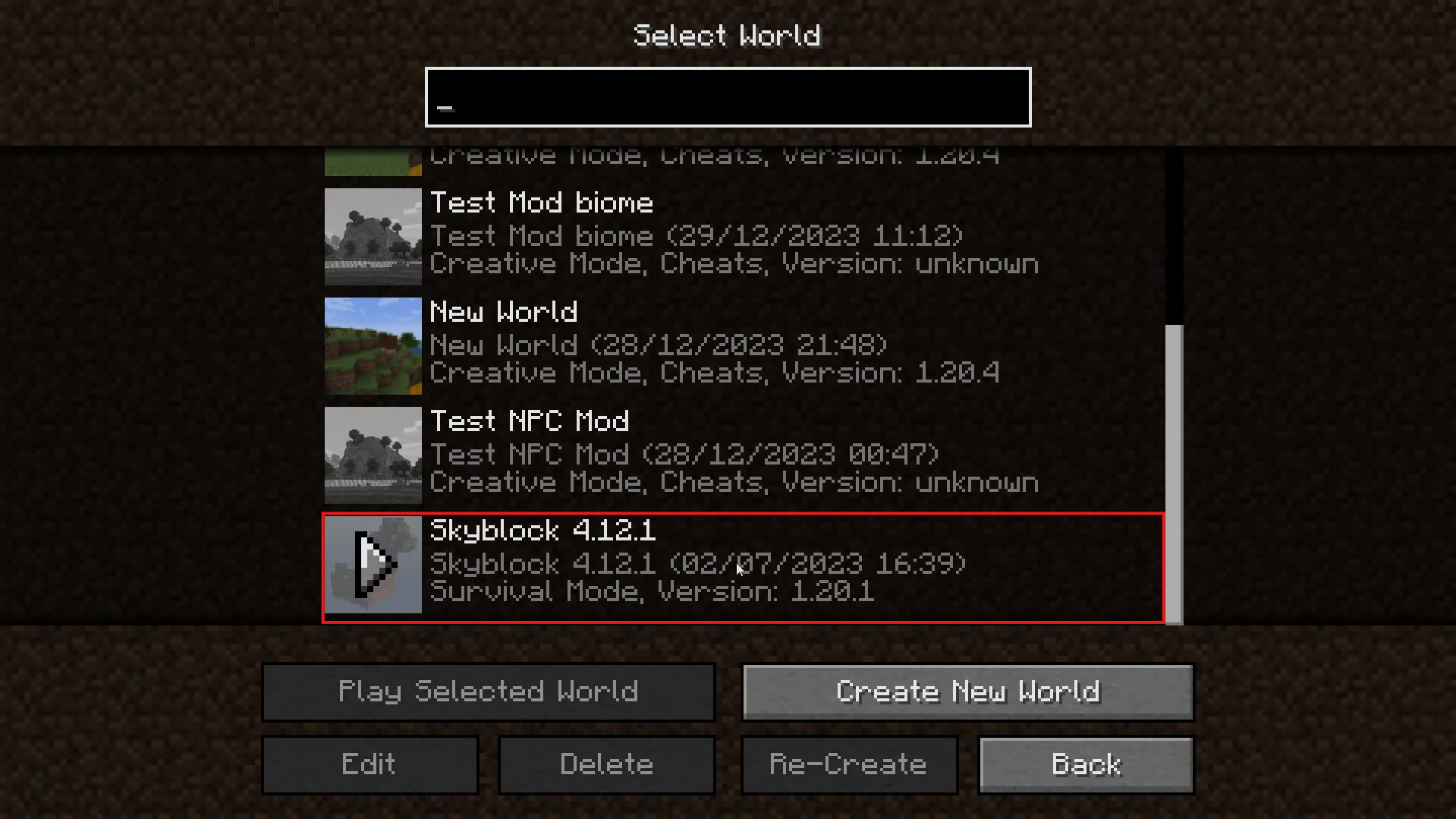
Launch Minecraft, select the map you just installed, and explore your new world in survival or creative. If the map doesn't launch, check that its version matches your version of Minecraft.
How do I install a map on a Minecraft server?
Do you want to install a map on a waiter ? There are two methods: replace the default world, or add a map via a plugin. If you don't have one yet, check out our guide on how to create a Minecraft server to get off to a good start.
Before installing a map on your Minecraft server
Some prerequisites must be checked before installation. Without these checks, you may run into some unpleasant surprises when you launch the program.
- Version compatibility : Make sure the map version matches your server's version.
- Mods : Avoid maps that use mods not available on your server, unless you install those mods yourself.
- Control blocks : Be sure to enable them if your map requires them.
- Backup : Always make a full backup before making any major changes.
Method 1: Replace the default world
This method is ideal if you want to replace the main world on your server with a new map.
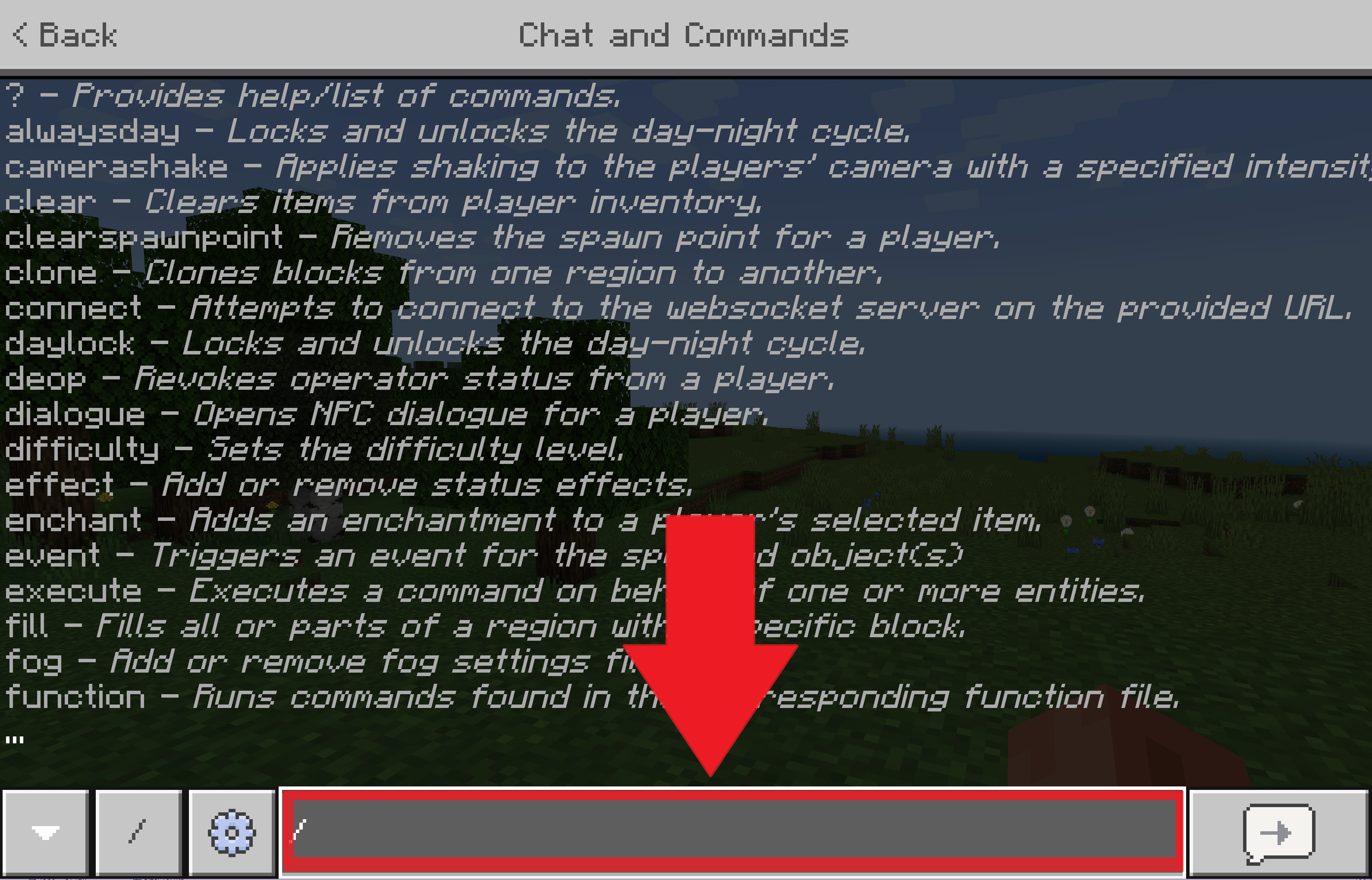
- Type the command /stop in the console to stop the server.
- Move your old world if you want to keep it, or delete it right away.
- Copy the map file and paste it into the server root.
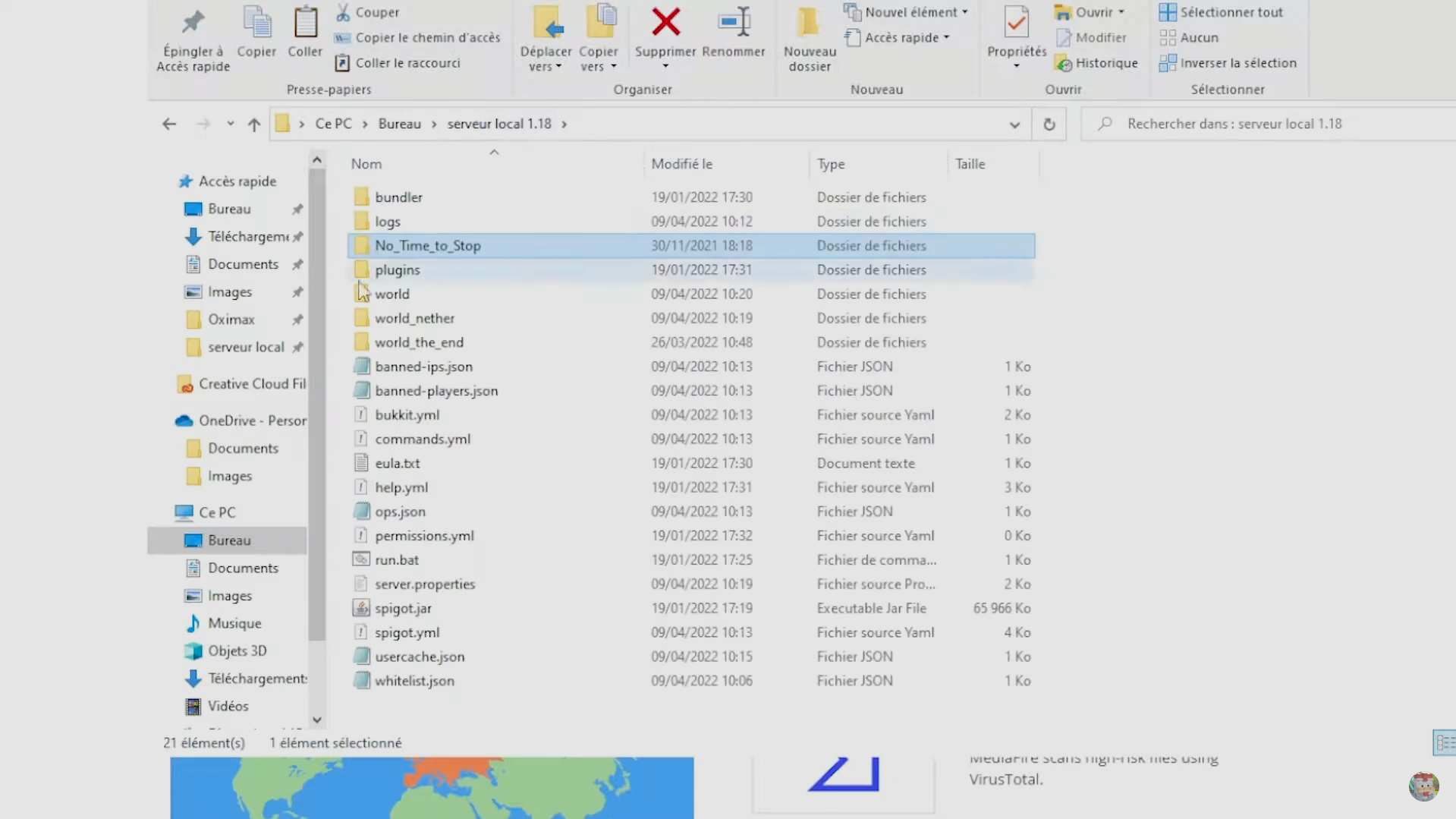
- Rename the folder for your new map to world.
- Restart the server: your default world will now be the installed map.
Method 2: Add a map using a plugin
This method involves a plugin and is much more flexible: you can manage several worlds on the same server. Here are the steps using the plugin Multiverse.
- Copy the map file in your server's root directory.
- Rename this folder (for example, my_new_world).
- Launch the import order : /mv import <nomdudossier> normal. In this example: /mv import mon_nouveau_monde normal.
- Then use the teleport command : /mvtp <nomdumonde>. In this example: /mvtp mon_nouveau_monde.
What are the different map categories on Minecraft?
Once you've got the hang of it, you'll quickly want to mix things up. Here are the main categories of maps available, which can be played in both single-player and multiplayer modes.
| Survival | Try to survive in a hostile world with limited resources. The mode survival par excellence. |
| Adventure | Take on the role of an adventurer by completing quests and exploring the map. |
| Construction | Let your creativity run wild as you build the home of your dreams. |
| Dropper | Put your reflexes to the test: dodge all the obstacles as you fall before you hit the ground. |
| Parkour | Tackle challenging courses where your ability to move around will be key. |
| Town | Take a stroll through the cities built by players in the community. |

| Mini-games | Awaken your competitive spirit by outplaying your opponents in a variety of mini-games. |
| Horror | Get ready to shiver in a world where the setting and the story have only one goal: to scare you. |
| Skyblock | Take on the challenge of the Celestial Islands by completing the trials they hold. |
| Puzzle | Challenge your brain with puzzles and riddles. |
| Multiplayer | Connect with the community or play directly with your friends. |
| PVP | Fight everyone who stands in your way to become the king of the arena. |
No matter which category you choose, the procedure is the same: download the map, place the folder in the correct location, launch Minecraft, and select your map. To take customization even further, check out our guide on how to create a mod on Minecraft.









 FR
FR  RU
RU  EN
EN  ES
ES  IT
IT  DE
DE  ZH
ZH  PT
PT  ID
ID  JA
JA  DA
DA
On my Android 11 OnePlus 6T Minecraft Bedrock device, I can't find the path storage ⇒ emulated ⇒ 0 ⇒ games ⇒ com.mojang ⇒ minecraftWorlds. I can find the path storage ⇒ emulated ⇒ 0, but there is no «games» folder.»
Hello, Léanae, 😊
On Android 11, the path to the Minecraft worlds may vary depending on the storage location selected in the game.
Try opening Minecraft, then go to **Settings > Storage > File Storage Location**.
If the option is set to «App,» your worlds are stored in the game's private data and may not be located in the `games/com.mojang/minecraftWorlds` folder.
If you want to access your worlds from a file manager, check to see if the «External» option is available. Be sure to back up your worlds before changing this setting.
Can you let us know if you're using Minecraft installed from the Play Store or an APK version? That will help us guide you better. 😊