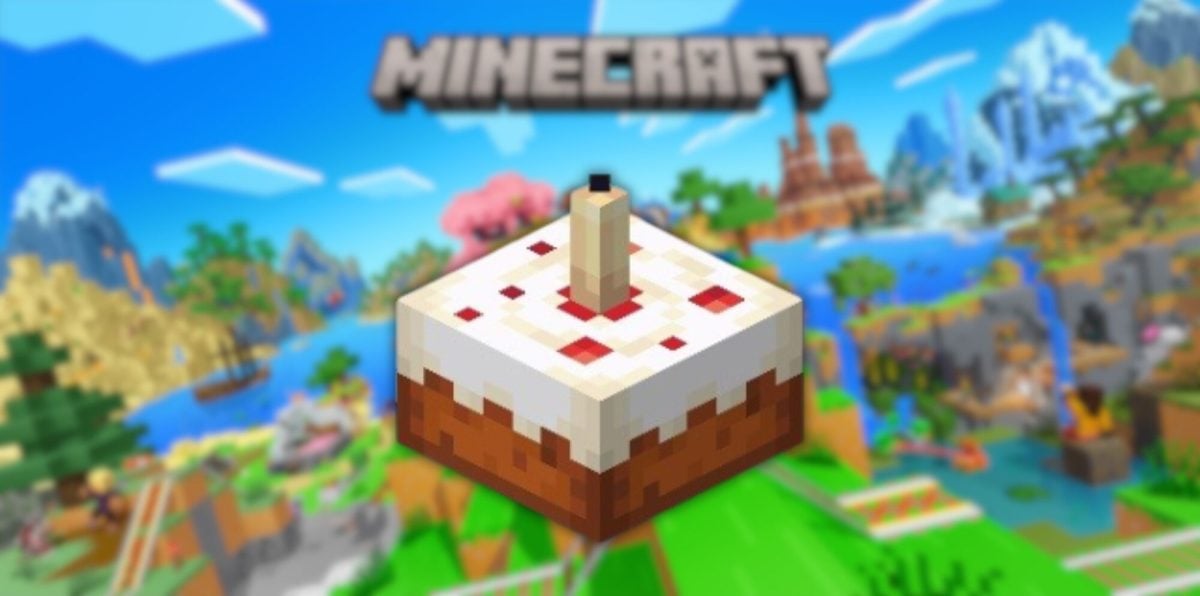
To make a cake in Minecraft, you need to 3 buckets of milk, 2 sugar cubes, 1 egg and 3 wheat. You put them in your craft grid according to the diagram below, and the cake It appears right away. If you're starting from scratch, we'll explain how to get each ingredient.
Step 1: Gather ingredients
Here is the complete list of ingredients you'll need to prepare before opening your craft table :
| Craft table | 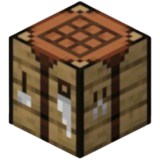 |
| 3 buckets of milk |  |
| 2 sugar cubes |  |
| 1 egg | 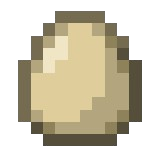 |
| 3 wheat |  |
Don't have any of those items in your inventory? Don't worry. We'll explain below where and how to get the milk, l'egg, the wheat and the sugar in Minecraft.
Collect three buckets of milk
To fill out your buckets of milk, you need two things:
| An iron bucket |  |
| A cow | 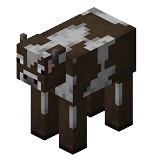 |
Once you have your metal bucket in hand, milking the cow is very simple:
- With your bucket in hand, approach the cow.
- Make a right-click on the animal.
- The bucket is filling up instant milk.
Good news: you can milk the same cow indefinitely. As long as you have some empty buckets From your inventory, take as much milk as you need. Once the cake is made, the 3 buckets of milk become empty buckets in the crafting grid, ready to be used again.
Recover an egg from Minecraft
The eggs are harvested directly in their natural state, near the chickens who roam freely around the world.

Harvesting is really simple:
- Find a chicken and stay close to her.
- Wait until she lay an egg.
- Move closer to the egg to pick it up: it will automatically go into your inventory.
If you need a lot of eggs, keep in mind that hens lay every 5 to 10 minutes. For more information, see our article on hens in Minecraft gives you all the details.
Harvesting wheat
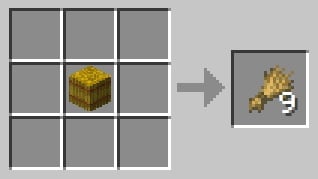
You have two options for getting wheat. The first is to grow your own if you're patient. The second, faster method is to make them from a bale of straw on your crafting table:
| Craft table | |
| 1 bale of straw |  |
All you have to do is Place the bale of straw in the center from the crafting grid to obtain 9 wheat crops all at once.
If you prefer to find it in its natural state, wheat can be found in several places:
- The villages
- The dungeons
- The igloos
- The manors
- The outposts of looters
- The ruins along the trail
- The underwater ruins
- The shipwrecks
Sugar in Minecraft
For the sugar, you have two options here as well, depending on what you have on hand:
| Sugar cane |  |
| Honey vial | 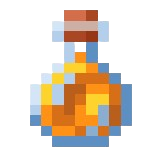 |
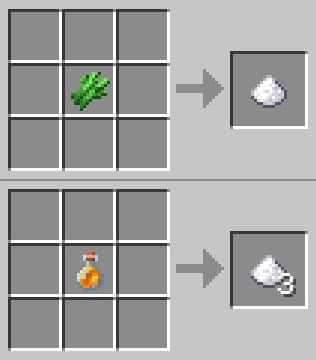
In both cases, all you have to do is Place the ingredient in the center of the crafting grid. There sugar cane gives 1 sugar, while the jar of honey gives 3 all at once.
If you're not sure yet how to get honey, check out the article on How to Find Honey in Minecraft guides you step by step.
Step 2: Bake a cake in Minecraft
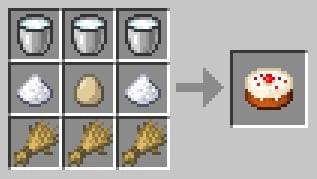
Are all your ingredients ready? It's time to head over to the craft table. Here's how to arrange the milk, the sugar, l'egg and the wheat in the grid:
- Place the 3 buckets of milk on the first line from the crafting grid.
- On the second line, submits a sugar on the left, l'egg in the middle and one sugar on the right.
- Aligns the 3 wheat on the third line.
Once the recipe has been approved, the The cake appears on the grid. The 3 empty buckets are kept nearby, ready to be put away and reused.
Add a candle to your cake Minecraft
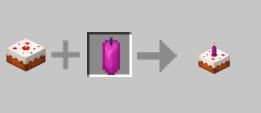
You can customize your cake by adding a candle above. Just make a right click with a candle in your hand on the cake stand placed on the floor. You can choose between a classic candle, a white candle or a colored candle.
Here are a few examples of birthday cakes:
| Candle cake
|
Cake + Candle
|
| White candle cake
|
Cake + White candle
|
| Magenta candle cake
|
Cake + Magenta candle
|
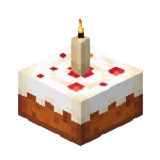
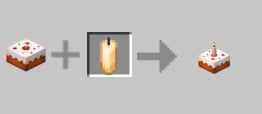

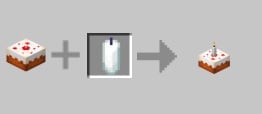
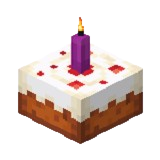
A lit candle Sprinkle a little bit of [ingredient] on the cake light, perfect for recreating the atmosphere of a birthday cake in your world. To take your decorating to the next level, check out our guide to kitchen in Minecraft will give you lots of ideas.
Step 3: Enjoy the cake
Your cake is ready, but there's a important nuance : You can't eat it directly from your inventory. Unlike most other foods in the game, the cake must first be placed on a solid block before it is consumed.
- Put the cake down on any solid block.
- Make a right click on a slice to eat a piece.
- You can share the remaining slices with other players.
The cake consists of 7 servings. Once it's set and opened, it is It's impossible to move it.
Each slice restores :
- 2 hunger points
- 0.4 saturation point
If you eat the whole cake (his 7 servings), you'll get a total of:
- 14 points of hunger
- 2.8 saturation points
To discover all the foods available in the game and compare their nutritional values, check out our Food tier list in Minecraft.









 English