Rush Royale is played directly on computer thanks to launcher MY.GAMES, without having to install a emulator.
Create an account MY.GAMES, download the launcher, and get your progress on your phone in just a few minutes.
Tutorial for playing Rush Royale on PC (without emulator)
Rush Royale is a tower defense A competitive game where you defend your base against waves of enemies.
Every battle requires a real strategy : You choose your deck, you place your units on the board and face off against other players in PvP.
The launcher MY.GAMES runs the version android the game directly on Windows, giving you all the comfort of a big screen so you can enjoy the gameplay.
The pc version stays true to the mobile version: same content, same modes, same promo codes. You can continue making progress on either one without losing anything.
Here's the full video on how to install and play Rush Royale on PC:
Explanatory video in French by Alucare, ideal complement to the page. View video (you can use YouTube's automatic translation)

Step 1: Connect to the Rush Royale mobile application
Before switching to your PC, log in on your phone to Track your mobile progress on your own MY.GAMES. If you don't have one yet, create one free On my.games: https://my.games/, before continuing.
- Press the button at top right of screen.
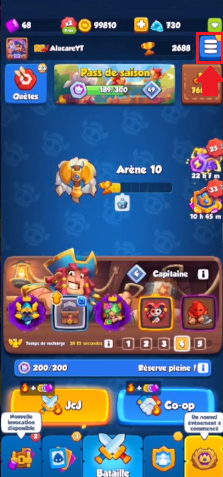
- Select "Settings.
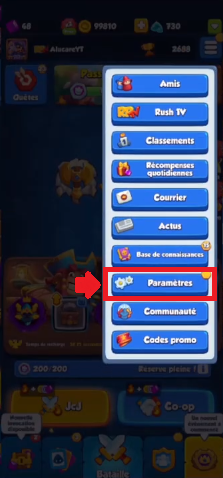
- In Settings, sign in to MY.GAMES.

- The "Progress saved!" confirms that the connection is established.
Step 2: Visit the official Rush Royale website
Now head over to the game's official page to download the launcher. Everything happens on the Windows, without going through a third-party store.
- Go to the official website Rush Royale.
- Click on “Install the Launcher”, in the upper-right corner of the page.
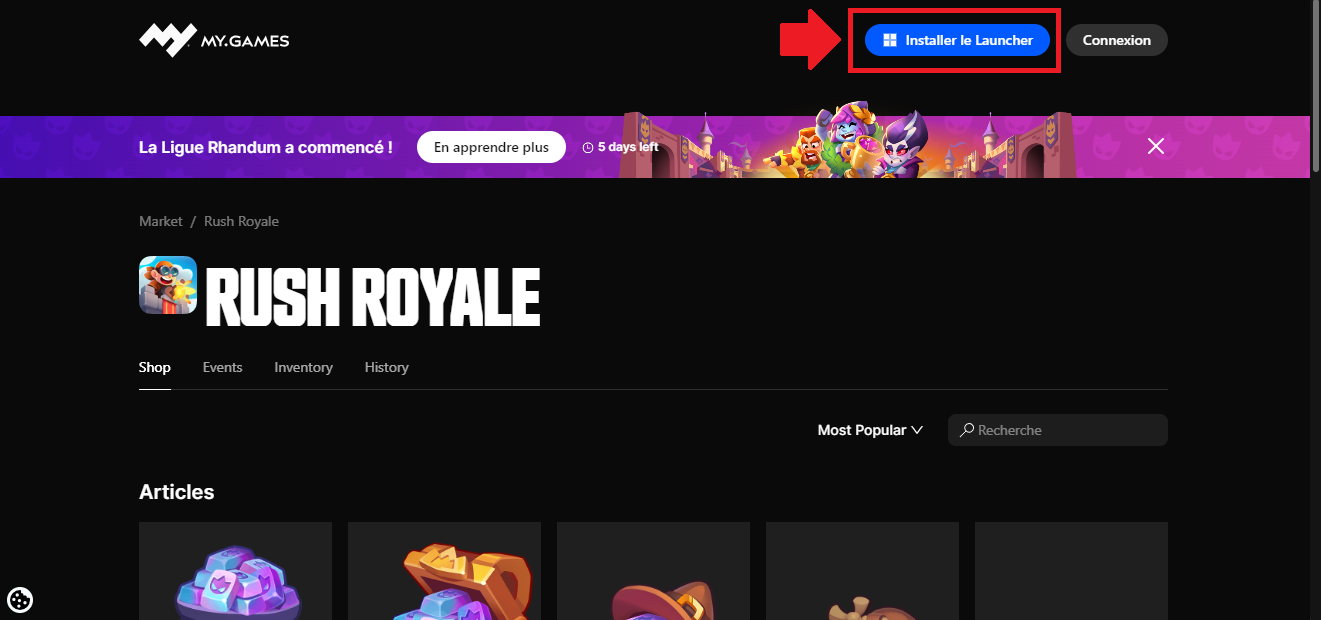
- A new chapter begins. There, you can Download the launcher MY.GAMES for Windows.
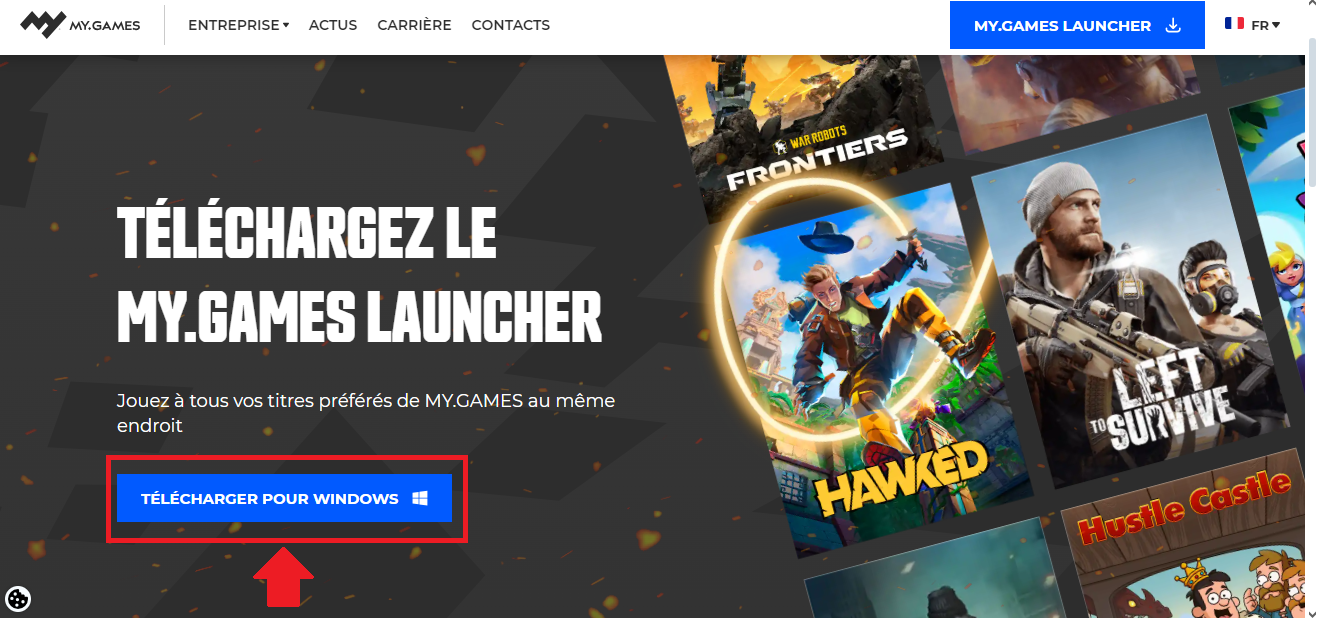
- Once the installation is complete, you have access to the launch vehicle MY.GAMES on your computer.

Step 3: Install Rush Royale on PC
- Normally, the game is already installed. If not, go to Rush Royale in the list “All Games” of the launcher.
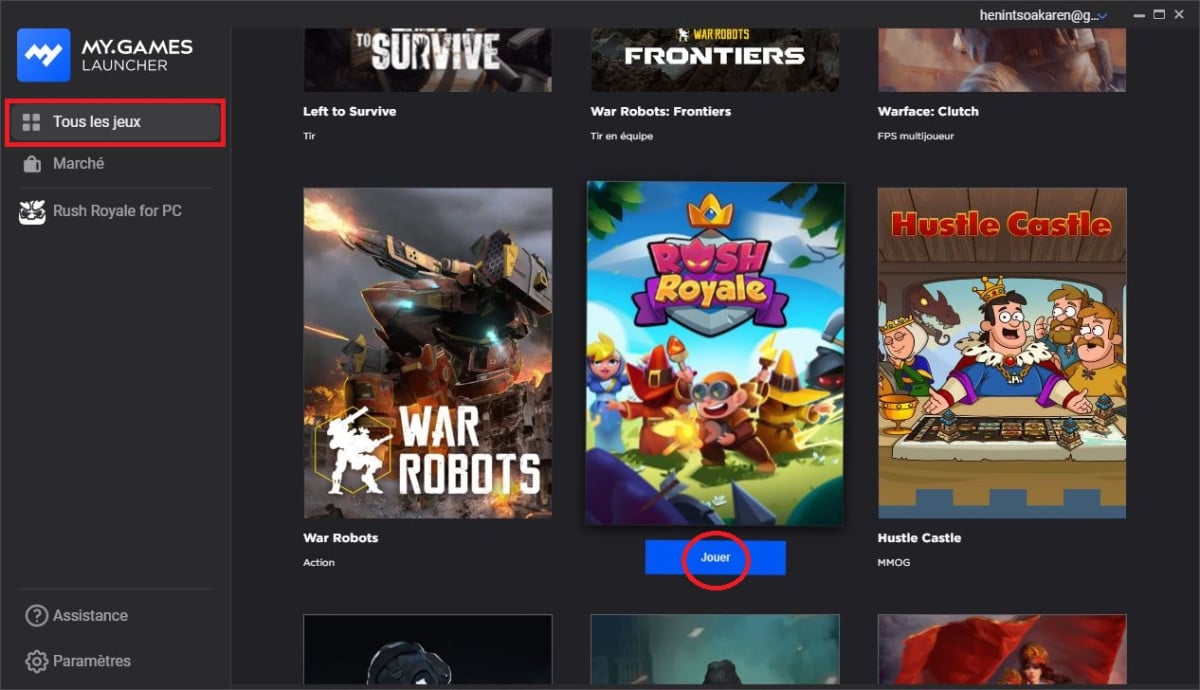
- Press the “Install” button”at top right.
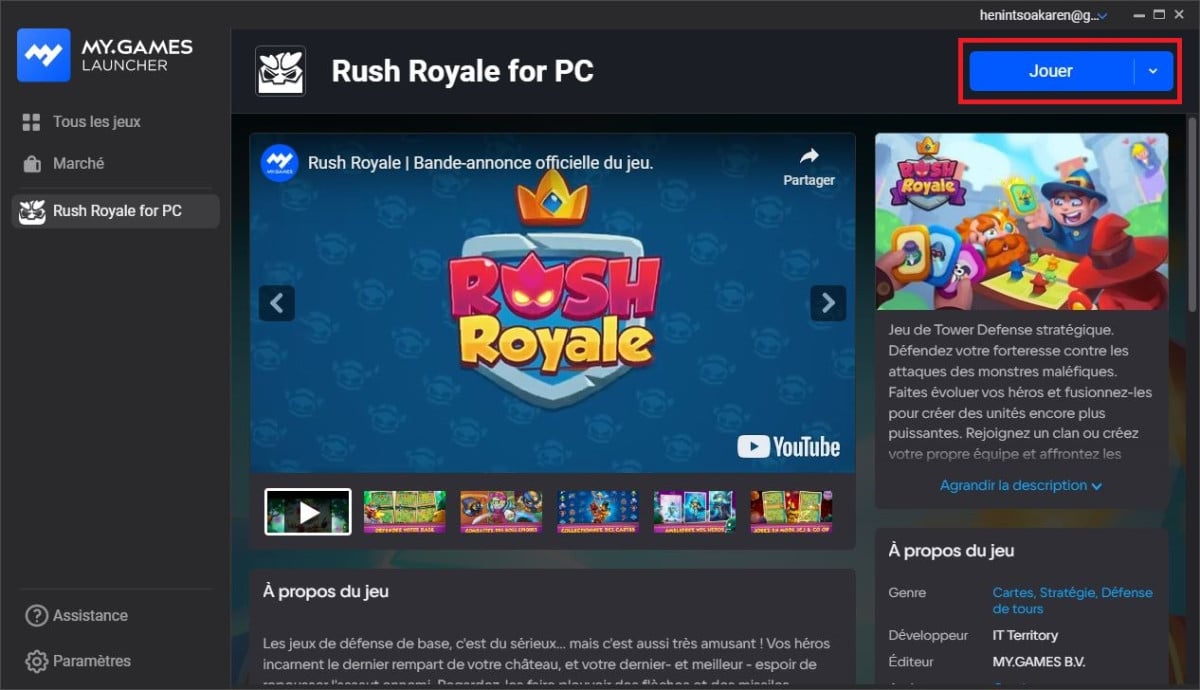
- Once the installation is complete, click “Play” to start Rush Royale on your PC.

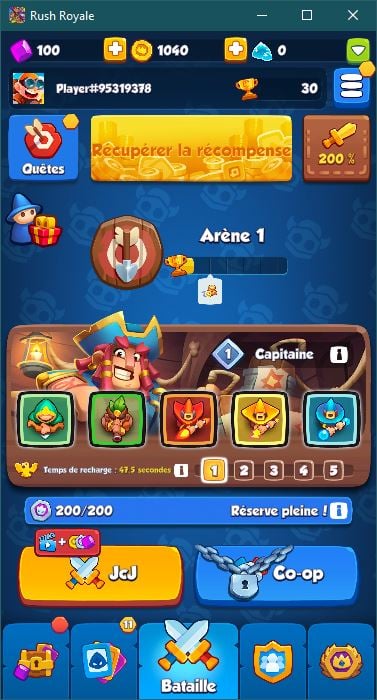
Congratulations! You can now play Rush Royale on your computer, along with all your progress mobile device synced through your account MY.GAMES.
The launcher runs the Android version of the game on a large screen, without any compromises.
If you're just starting out or want to improve faster, check out our guide to beginner and discover the Best Rush Royale units to build a best deck and stand up to the boss as in PvP.
Don't forget to shop at the official website to enjoy 10 to 21 % discount. You can also support me for free through the code "ALU. Thanks to everyone who participates, and have fun playing!









 English