The invitation link is very useful on Monopoly GO, and I'll show you how to get it very easily.
Many people don't know how to retrieve their Monopoly GO invitation link and quickly get stuck in the game, which can be very discouraging. In this article, I'll explain how to retrieve your Monopoly GO invitation link and what it's used for. But don't forget that the Alucare.fr website lists all the information and news about Monopoly GO, including the different Monopoly GO events and also learn how to use the boost High Roller Monopoly GO.
How do I retrieve my invitation link on Monopoly GO?
You may be new to the game and don't know how to invite friends, but don't worry! I'll show you in a few steps how to get your Monopoly GO invitation link so you can send it to your friends anywhere!
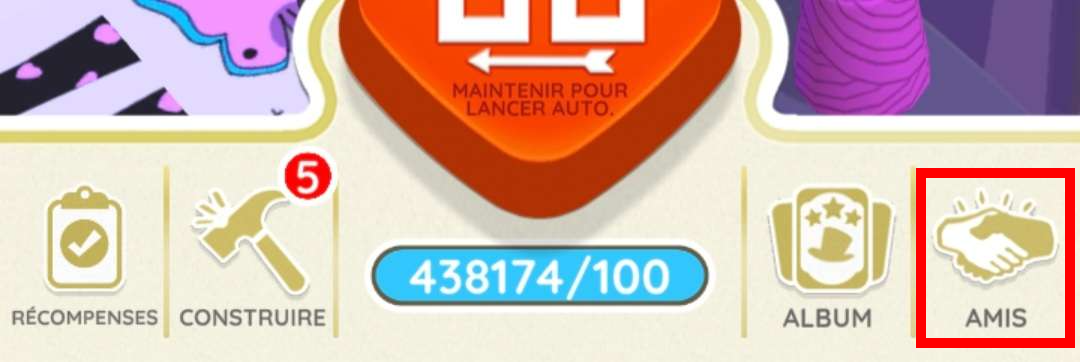
- Step 1: Open the Monopoly GO app and click on the "Friends" section at the bottom right:
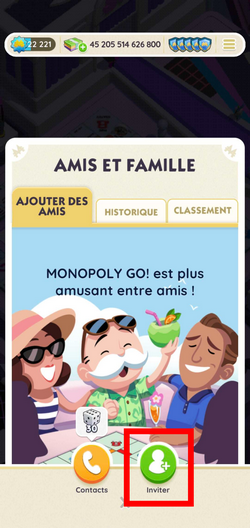
- Step 2: Click on the green “Invite” button:
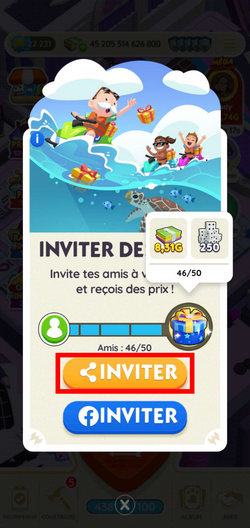
- Step 3: Click on the orange “Invite” button: (this is also where you can see your friends bar)
- Step 4: You can now click “Copy” to copy your Monopoly GO invitation link. You can also send it directly to the app of your choice:
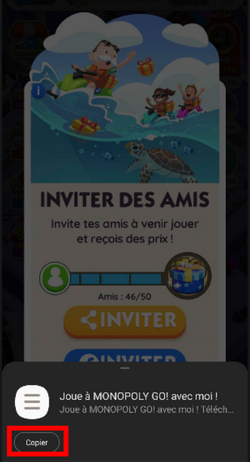
If you clicked on the “Copy” button, you must then go to the application where you want to send your invitation link and paste your link (to paste, press and hold your finger on the screen in the text box, and click on “Paste”).
In short, to retrieve your Monopoly GO invitation link, you must: open the app > go to the “Friends” section at the bottom right > click on the green “Invite” button > click on the orange “Invite” button > click on “Copy” > share your invitation link on the app of your choice.
There you go, you now have your invitation link and can send it to anyone so they can add you as a friend.
What is the Monopoly GO invitation link for?
The invitation link on Monopoly GO is really useful, and you'll use it a lot. But what can it be used for? Well, it serves two purposes:
- First, invite friends to your game and then take part in certain events together (such as the Partners event); ;
- Secondly, it allows you to card swapping with the person you are about to add as a friend;
- Increase your friends bar to earn rewards and exclusive items (such as a token).
PS: To increase your friends bar, you must add friends who have never played Monopoly GO before!
So basically, the invitation link is really useful, and it's a pain if you don't know how to get it. You won't be able to trade with other players, and you won't be able to play with your friends.
We have set up a Discord server designed for the game Monopoly GO and have created rooms for you to trade cards on Monopoly GO, so don't hesitate to join us and find what you're looking for:
☑️Échange your cards at Discord☑️
How do I delete a friend on Monopoly GO?
You may have people on Monopoly GO that you want to remove from your friends list because they are destroying your monuments. I will explain in a few steps how to remove a friend from your Monopoly GO friends list:
- Step 1: Go to “Friends” at the bottom right:
- Step 2: Go to the “Ranking” section:
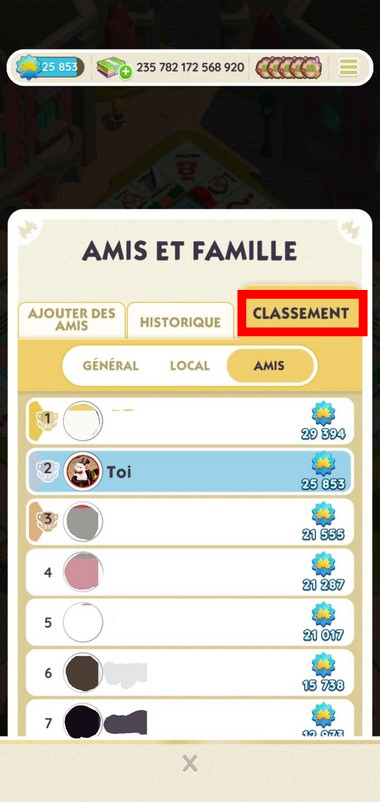
- Step 3: Click on the person you want to delete and click on the red “Delete” button:
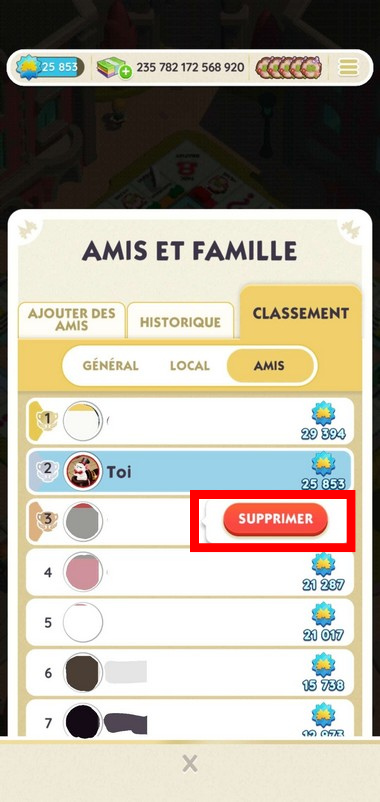
- Step 4: Finally, click on the green “Delete” button to confirm the deletion:
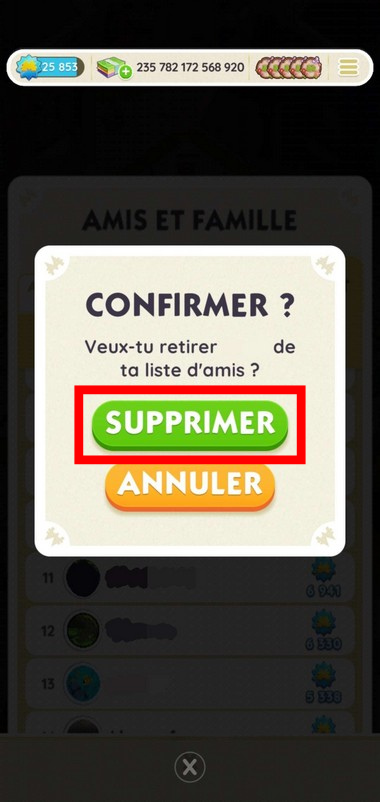
That's it, you can now easily delete a Monopoly GO friend! In short, to delete a Monopoly GO friend, go to the Friends section at the bottom right > Rankings section > select the friend you want to delete and click on the red Delete button > and the green Delete button.
See also..:
Alucare.fr is the expert on Monopoly GO, and as passionate experts on the game, we're here to share with you our infallible tips and methods that have enabled us to have accounts with over 400,000 dice and how to advance very quickly in the game. We've helped hundreds of thousands of players with our articles, Youtube videos and Discord/Facebook support - now it's your turn!









 English
Good evening, I received a link for secure card exchange but I don't know how to proceed. How can I do this? Thank you and have a good evening.
My friend code: MGO983QQ4MRS
Hello,
My concern is that I don't have the Invite logo; instead, I have Facebook, which I don't have, so I'm stuck...
You must already be logged in on facebook